 BambooForge Labs
Purchase Tender & Bid Scoring
Put every vendor's quotation for a purchase agreement side by side, score them on price, delivery and quality with your weights, and award.
Available for Odoo 16.0, Odoo 17.0, Odoo 18.0, Odoo 19.0, Odoo 20.0. Technical name bambooforge_tender.
Transcript of the walkthrough (Odoo 20)
Purchase Tender & Bid Scoring. Put every vendor's quotation for a purchase agreement side by side, score them on price, delivery and quality with your weights, and award. Odoo's purchase agreements let you send one requisition to several vendors and collect a quotation from each. What they do not do is help you choose — the quotations sit in a list, and comparing them is a spreadsheet somebody rebuilds every time.
In the next few minutes: purchase tender & bid scoring, then score on more than price, then see them side by side, then award in one click, then how we make sure it works. Then what this app deliberately does not do, so you can tell before you buy whether it fits. 1. Copy bambooforge_tender into your addons path and update the app list, or install the ZIP from the Odoo Apps Store.
2. Install Purchase Tender & Bid Scoring. Purchase Tender & Bid Scoring. Odoo's purchase agreements let you send one requisition to several vendors and collect a quotation from each.
What they do not do is help you choose — the quotations sit in a list, and comparing them is a spreadsheet somebody rebuilds every time. Score on more than price. Each quotation is scored on three things, not one: Delivery — the earliest promised receipt scores ten; a slower one loses points in proportion. Quality — a mark out of ten you give the quotation for everything price and speed do not capture: reliability, spec, terms.
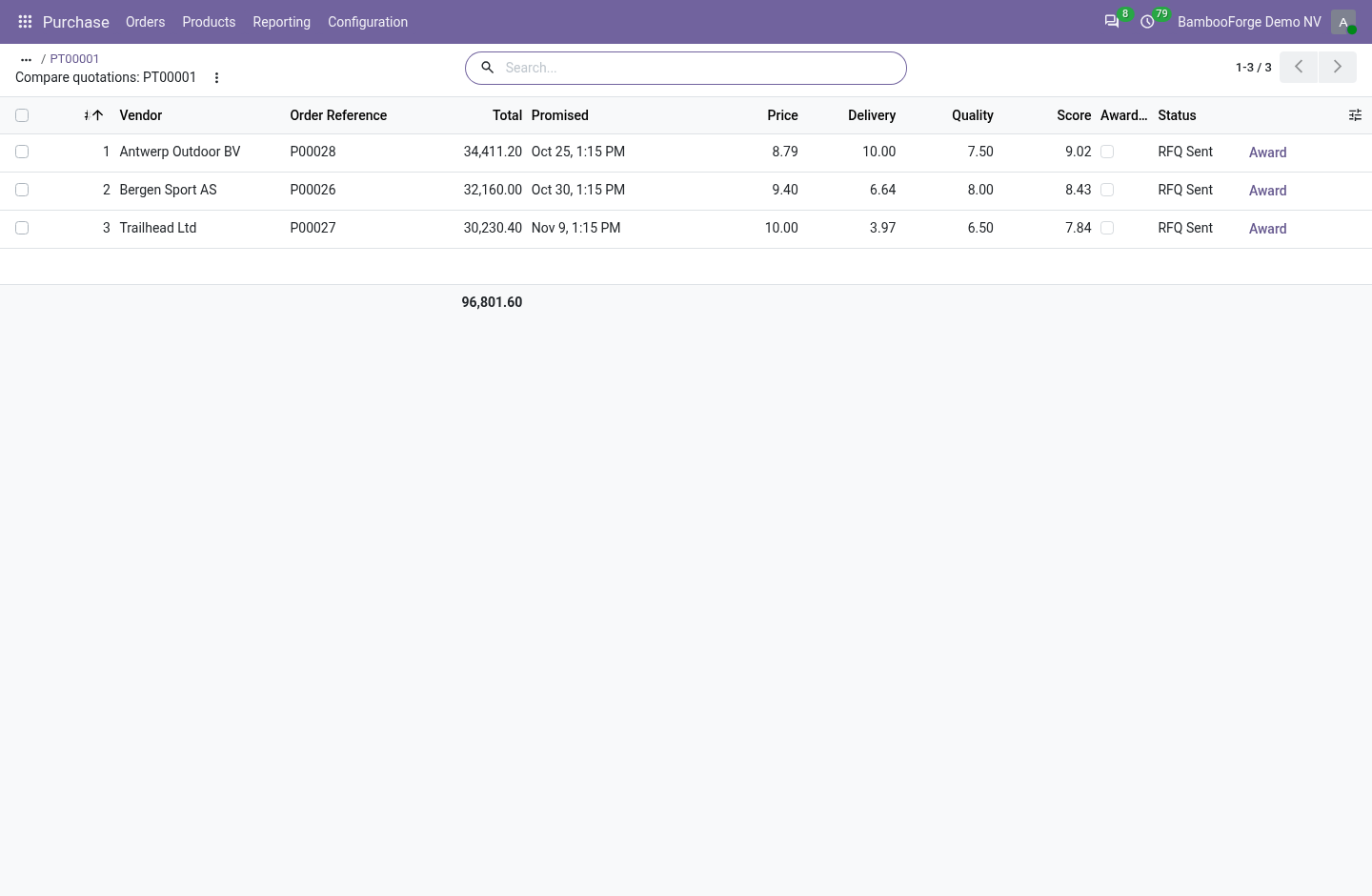
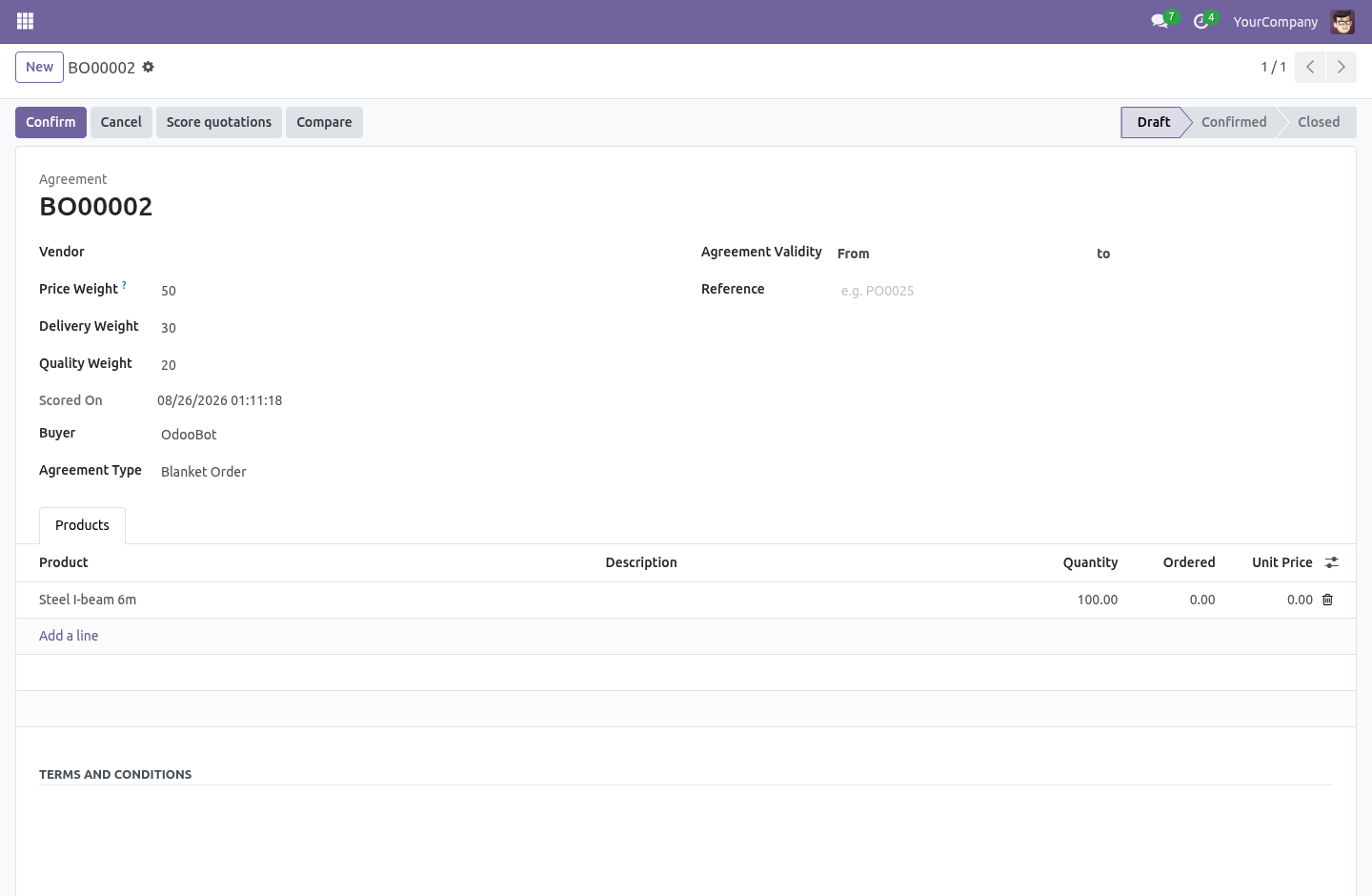
Each carries a weight you set on the agreement — 60/30/10 by default, because the cheapest is not always the one you award, and a critical part weighs delivery more than a cheap consumable does. The weights are relative: 60/30/10 and 6/3/1 rank the same. See them side by side. Compare opens every quotation on the agreement in one list: the total, the promised date, each score, the weighted total and the rank — sorted best first.
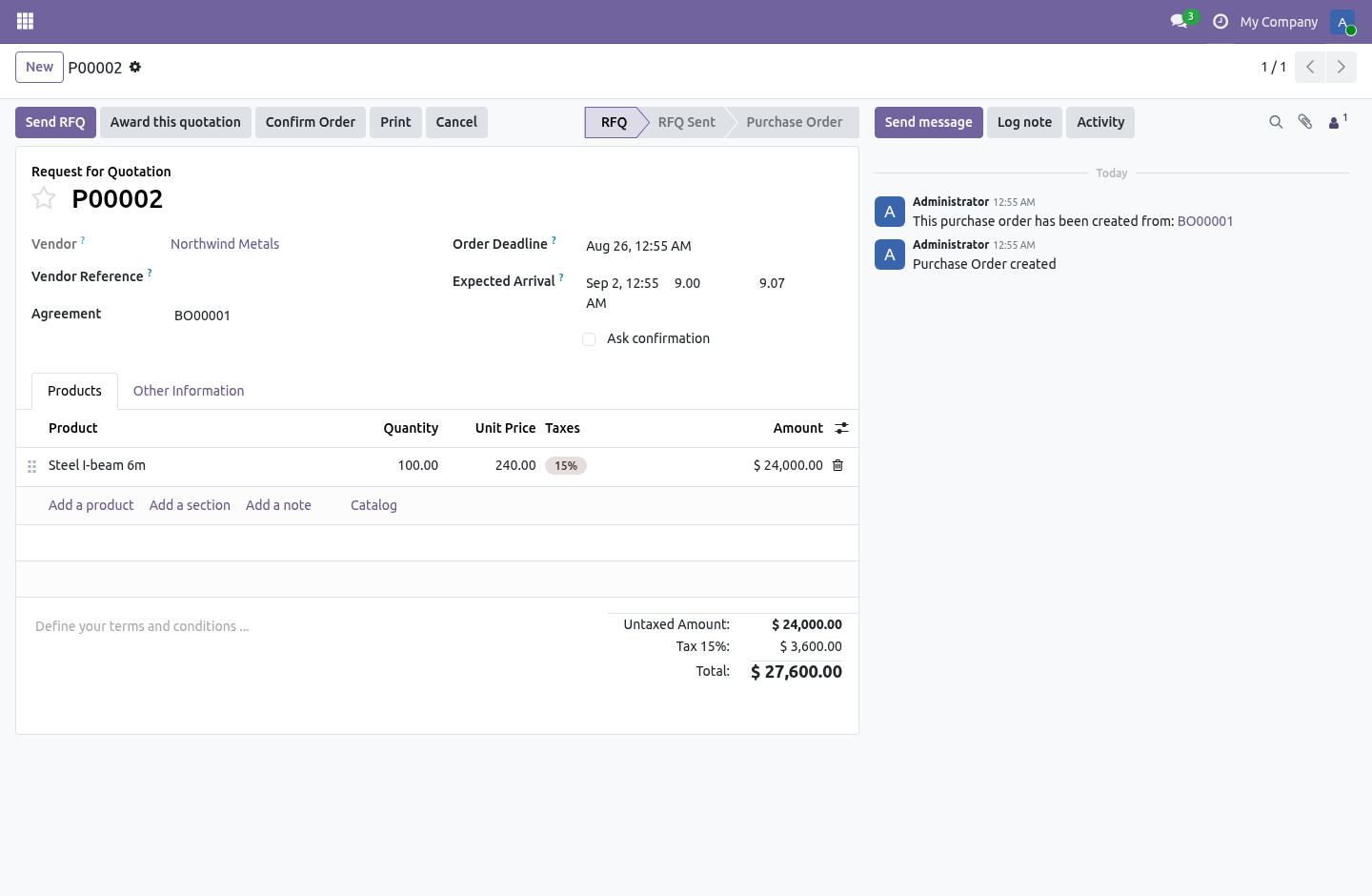
The winner is obvious, and the runner-up is the next row down for when the winner falls through. Award in one click. Award this quotation marks the winner and cancels the agreement's other draft quotations together — each with a note saying which quotation won and its score, the audit trail a buyer needs when a vendor asks why they lost. A quotation already confirmed is left alone: awarding is a decision made before anything is ordered, not a way to unwind a purchase.
How we make sure it works. Before every release, 20 automated checks run against this app on Odoo 16, 17, 18, 19 and 20. Among them: A cancelled loser cannot be re awarded. A poison bid does not sink the honest ones.
All past dates do not silently zero the ranking. Compare opens the comparison view not the default. Zero weights do not divide by zero. The complete list is in the source you receive.
Questions people ask. Which Odoo versions does it run on? Odoo 16.0, 17.0, 18.0, 19.0, 20.0, on the series you buy it for; each series is its own listing. Community or Enterprise?
Both. It needs no Enterprise app. The complete manual is at docs dot bambooforge dot dev, the demo database is linked from the store page, and support answers within twenty-four hours. Links are in the description.
Transcript of the walkthrough (Odoo 19)
Purchase Tender & Bid Scoring. Put every vendor's quotation for a purchase agreement side by side, score them on price, delivery and quality with your weights, and award. Odoo's purchase agreements let you send one requisition to several vendors and collect a quotation from each. What they do not do is help you choose — the quotations sit in a list, and comparing them is a spreadsheet somebody rebuilds every time.
In the next few minutes: purchase tender & bid scoring, then score on more than price, then see them side by side, then award in one click. Then what this app deliberately does not do, so you can tell before you buy whether it fits. Purchase Tender & Bid Scoring. Odoo's purchase agreements let you send one requisition to several vendors and collect a quotation from each.
What they do not do is help you choose — the quotations sit in a list, and comparing them is a spreadsheet somebody rebuilds every time. Score on more than price. Each quotation is scored on three things, not one: Delivery — the earliest promised receipt scores ten; a slower one loses points in proportion. Quality — a mark out of ten you give the quotation for everything price and speed do not capture: reliability, spec, terms.
Each carries a weight you set on the agreement — 60/30/10 by default, because the cheapest is not always the one you award, and a critical part weighs delivery more than a cheap consumable does. The weights are relative: 60/30/10 and 6/3/1 rank the same. See them side by side. Compare opens every quotation on the agreement in one list: the total, the promised date, each score, the weighted total and the rank — sorted best first.
The winner is obvious, and the runner-up is the next row down for when the winner falls through. Award in one click. Award this quotation marks the winner and cancels the agreement's other draft quotations together — each with a note saying which quotation won and its score, the audit trail a buyer needs when a vendor asks why they lost. A quotation already confirmed is left alone: awarding is a decision made before anything is ordered, not a way to unwind a purchase.
The complete manual is at docs dot bambooforge dot dev, the demo database is linked from the store page, and support answers within twenty-four hours. Links are in the description.
Transcript of the walkthrough (Odoo 18)
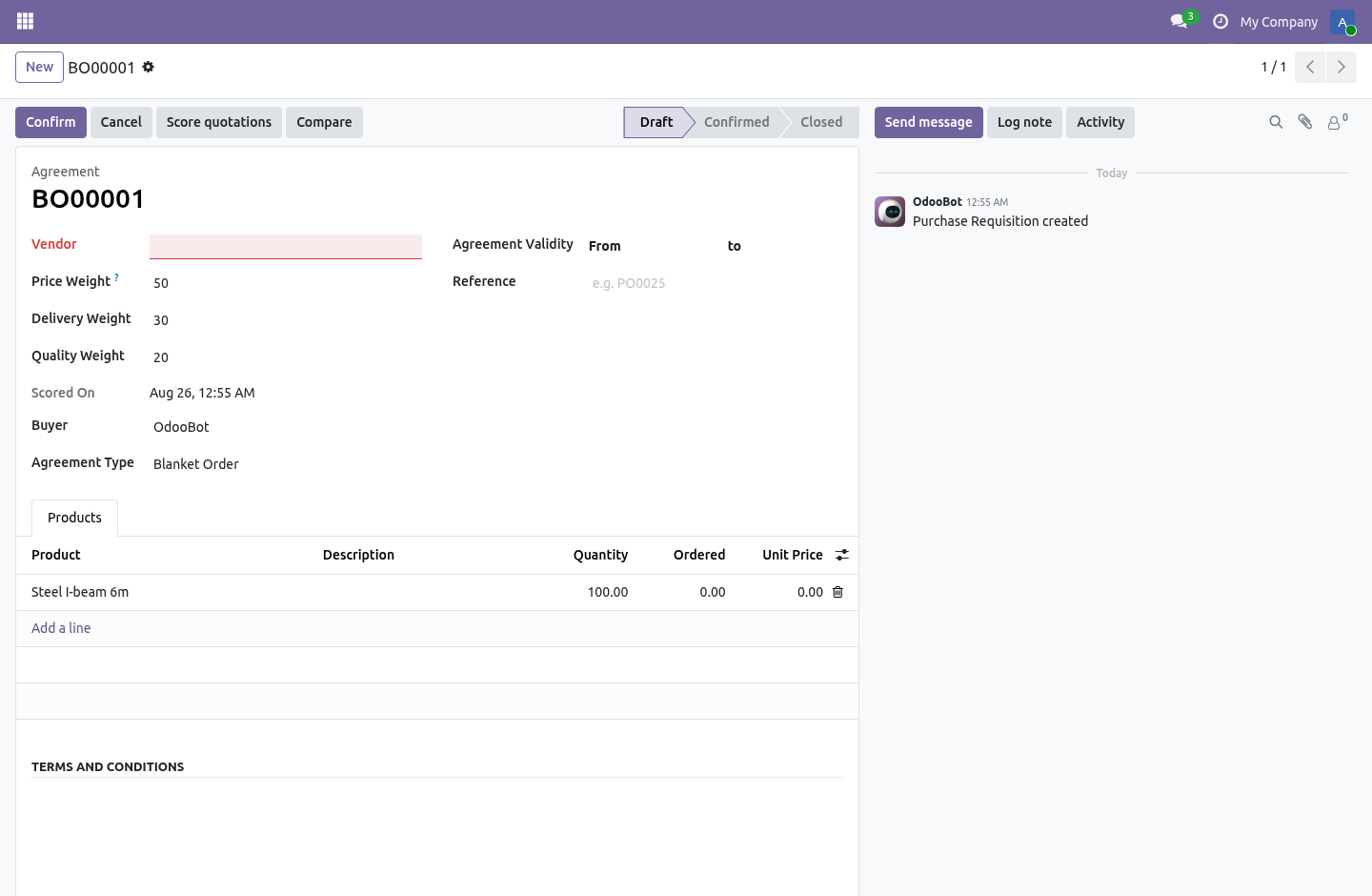
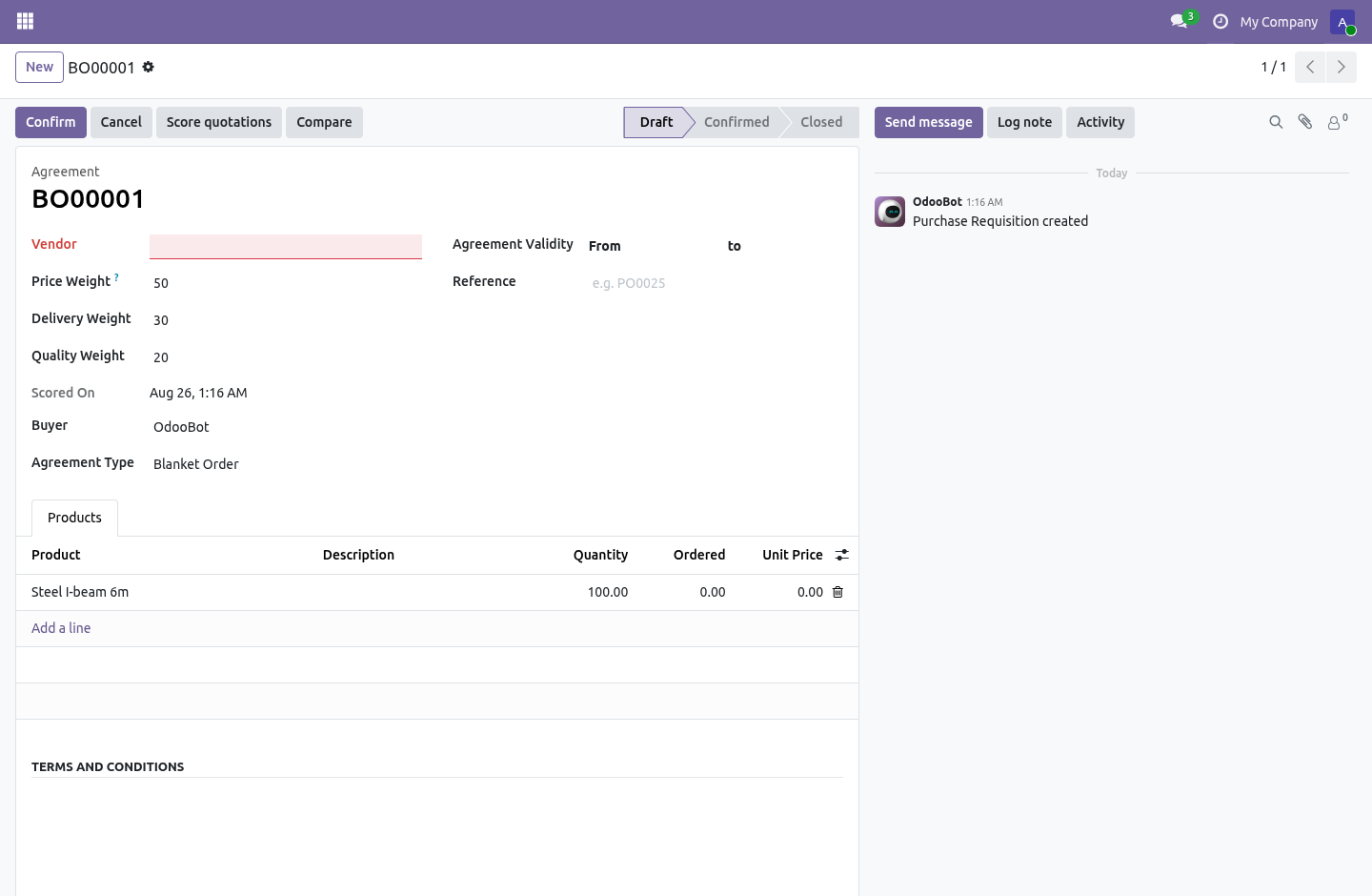
Purchase Tender & Bid Scoring. Put every vendor's quotation for a purchase agreement side by side, score them on price, delivery and quality with your weights, and award. Odoo's purchase agreements let you send one requisition to several vendors and collect a quotation from each. What they do not do is help you choose — the quotations sit in a list, and comparing them is a spreadsheet somebody rebuilds every time.
In the next few minutes: purchase tender & bid scoring, then score on more than price, then see them side by side, then award in one click. Then what this app deliberately does not do, so you can tell before you buy whether it fits. Purchase Tender & Bid Scoring. Odoo's purchase agreements let you send one requisition to several vendors and collect a quotation from each.
What they do not do is help you choose — the quotations sit in a list, and comparing them is a spreadsheet somebody rebuilds every time. Score on more than price. Each quotation is scored on three things, not one: Delivery — the earliest promised receipt scores ten; a slower one loses points in proportion. Quality — a mark out of ten you give the quotation for everything price and speed do not capture: reliability, spec, terms.
Each carries a weight you set on the agreement — 60/30/10 by default, because the cheapest is not always the one you award, and a critical part weighs delivery more than a cheap consumable does. The weights are relative: 60/30/10 and 6/3/1 rank the same. See them side by side. Compare opens every quotation on the agreement in one list: the total, the promised date, each score, the weighted total and the rank — sorted best first.
The winner is obvious, and the runner-up is the next row down for when the winner falls through. Award in one click. Award this quotation marks the winner and cancels the agreement's other draft quotations together — each with a note saying which quotation won and its score, the audit trail a buyer needs when a vendor asks why they lost. A quotation already confirmed is left alone: awarding is a decision made before anything is ordered, not a way to unwind a purchase.
The complete manual is at docs dot bambooforge dot dev, the demo database is linked from the store page, and support answers within twenty-four hours. Links are in the description.
Transcript of the walkthrough (Odoo 17)
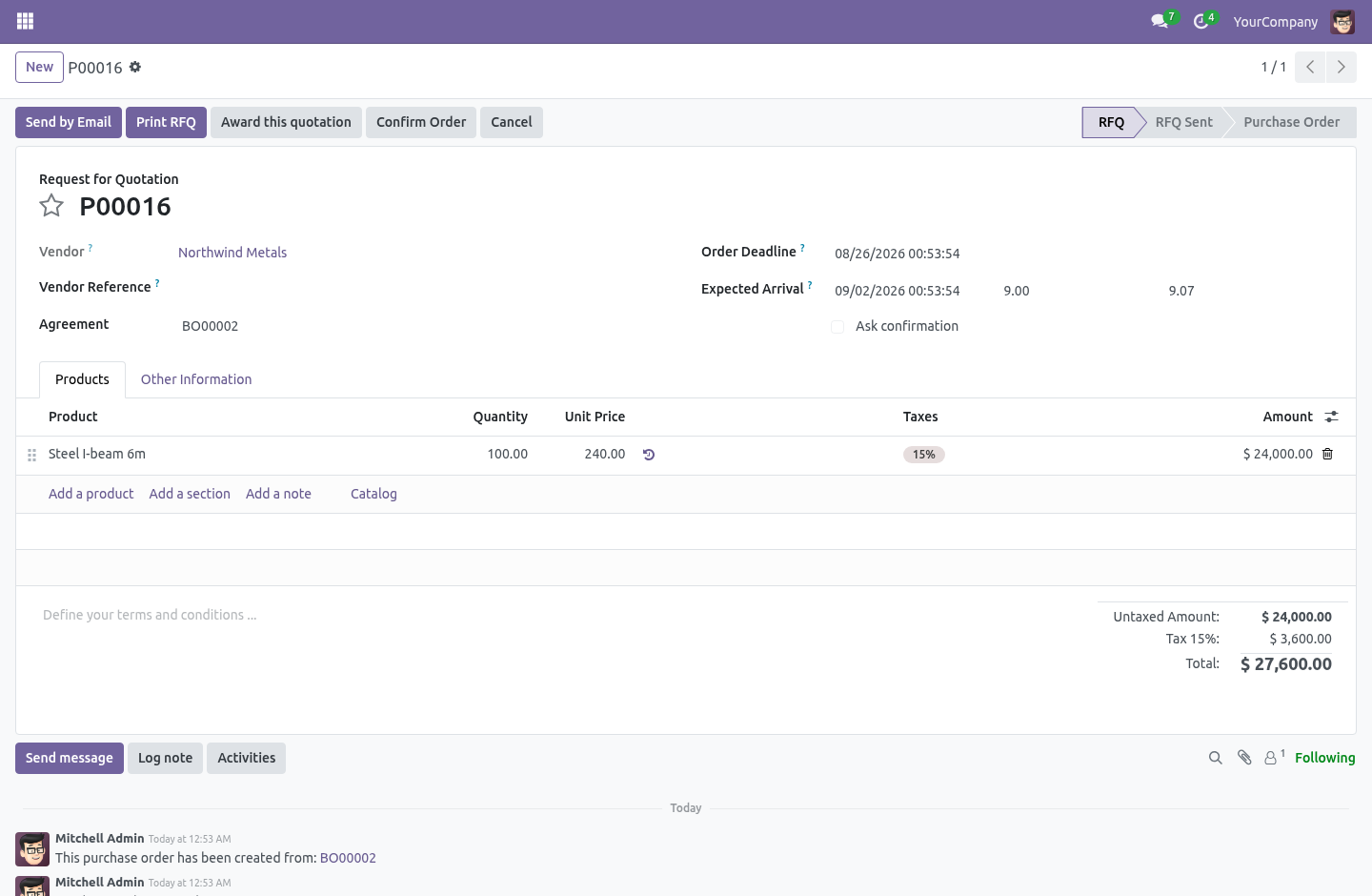
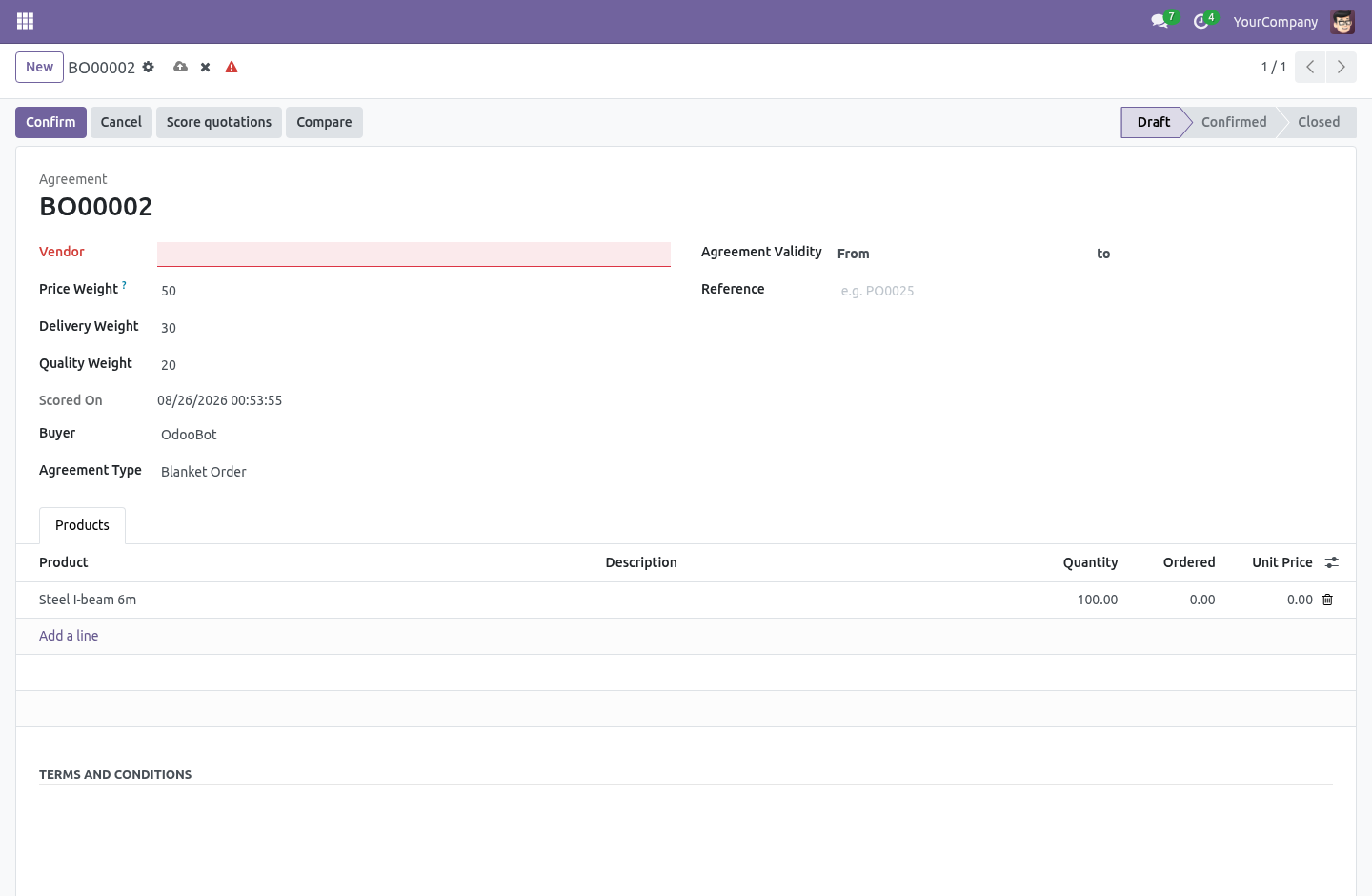
Purchase Tender & Bid Scoring. Put every vendor's quotation for a purchase agreement side by side, score them on price, delivery and quality with your weights, and award. Odoo's purchase agreements let you send one requisition to several vendors and collect a quotation from each. What they do not do is help you choose — the quotations sit in a list, and comparing them is a spreadsheet somebody rebuilds every time.
In the next few minutes: purchase tender & bid scoring, then score on more than price, then see them side by side, then award in one click. Then what this app deliberately does not do, so you can tell before you buy whether it fits. Purchase Tender & Bid Scoring. Odoo's purchase agreements let you send one requisition to several vendors and collect a quotation from each.
What they do not do is help you choose — the quotations sit in a list, and comparing them is a spreadsheet somebody rebuilds every time. Score on more than price. Each quotation is scored on three things, not one: Delivery — the earliest promised receipt scores ten; a slower one loses points in proportion. Quality — a mark out of ten you give the quotation for everything price and speed do not capture: reliability, spec, terms.
Each carries a weight you set on the agreement — 60/30/10 by default, because the cheapest is not always the one you award, and a critical part weighs delivery more than a cheap consumable does. The weights are relative: 60/30/10 and 6/3/1 rank the same. See them side by side. Compare opens every quotation on the agreement in one list: the total, the promised date, each score, the weighted total and the rank — sorted best first.
The winner is obvious, and the runner-up is the next row down for when the winner falls through. Award in one click. Award this quotation marks the winner and cancels the agreement's other draft quotations together — each with a note saying which quotation won and its score, the audit trail a buyer needs when a vendor asks why they lost. A quotation already confirmed is left alone: awarding is a decision made before anything is ordered, not a way to unwind a purchase.
The complete manual is at docs dot bambooforge dot dev, the demo database is linked from the store page, and support answers within twenty-four hours. Links are in the description.
Transcript of the walkthrough (Odoo 16)
Purchase Tender & Bid Scoring. Put every vendor's quotation for a purchase agreement side by side, score them on price, delivery and quality with your weights, and award. Odoo's purchase agreements let you send one requisition to several vendors and collect a quotation from each. What they do not do is help you choose — the quotations sit in a list, and comparing them is a spreadsheet somebody rebuilds every time.
In the next few minutes: purchase tender & bid scoring, then score on more than price, then see them side by side, then award in one click. Then what this app deliberately does not do, so you can tell before you buy whether it fits. Purchase Tender & Bid Scoring. Odoo's purchase agreements let you send one requisition to several vendors and collect a quotation from each.
What they do not do is help you choose — the quotations sit in a list, and comparing them is a spreadsheet somebody rebuilds every time. Score on more than price. Each quotation is scored on three things, not one: Delivery — the earliest promised receipt scores ten; a slower one loses points in proportion. Quality — a mark out of ten you give the quotation for everything price and speed do not capture: reliability, spec, terms.
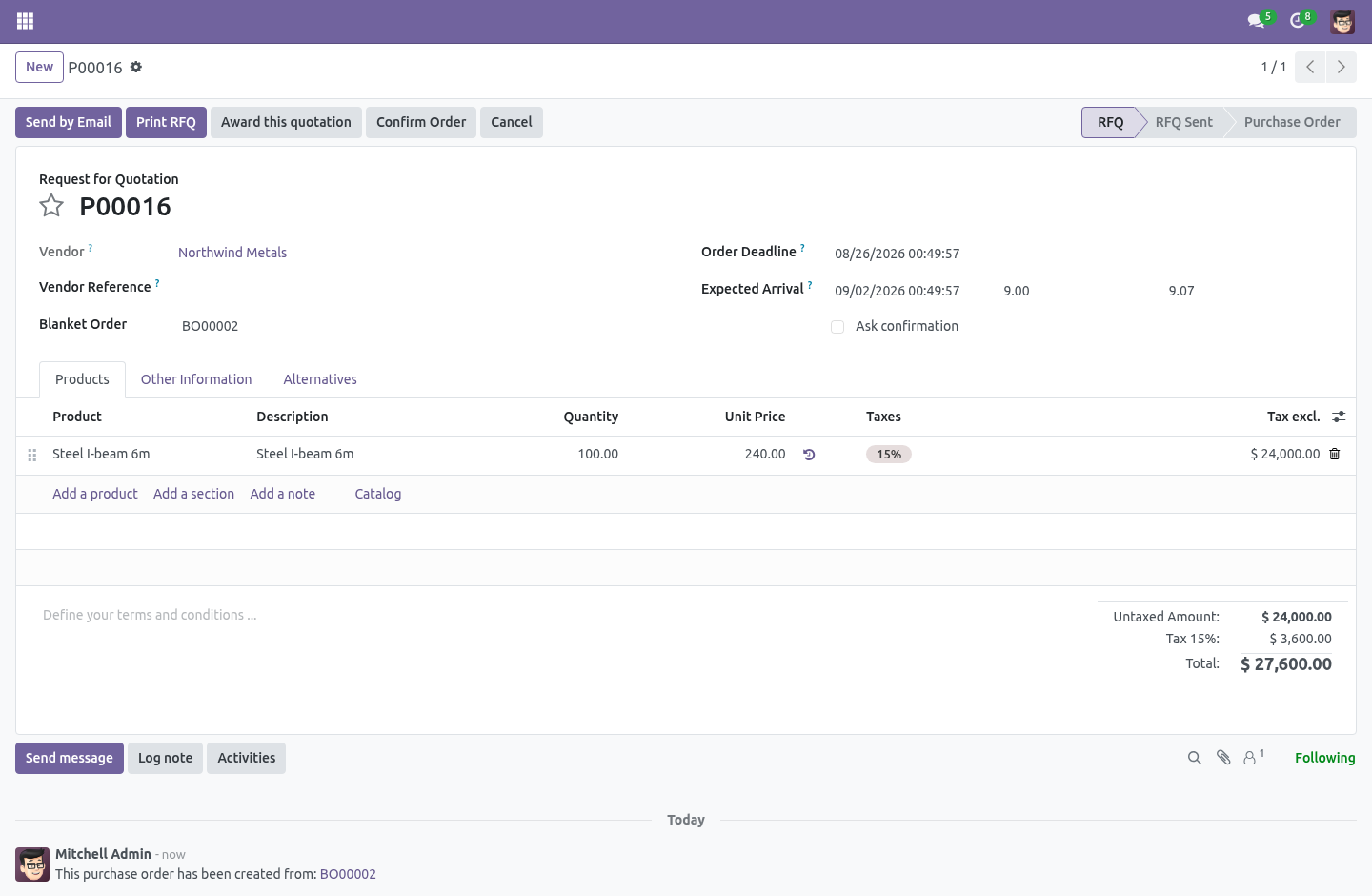
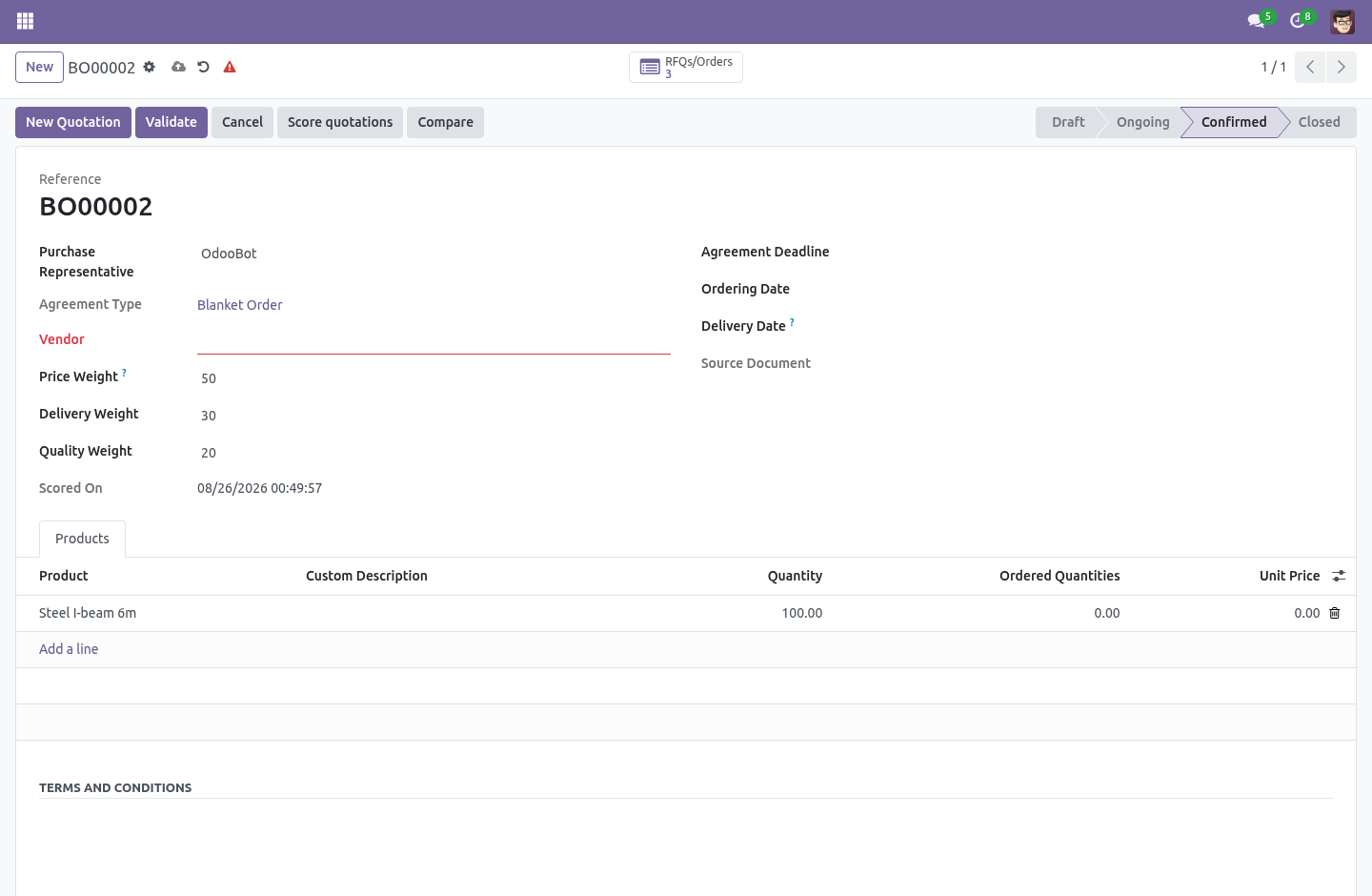
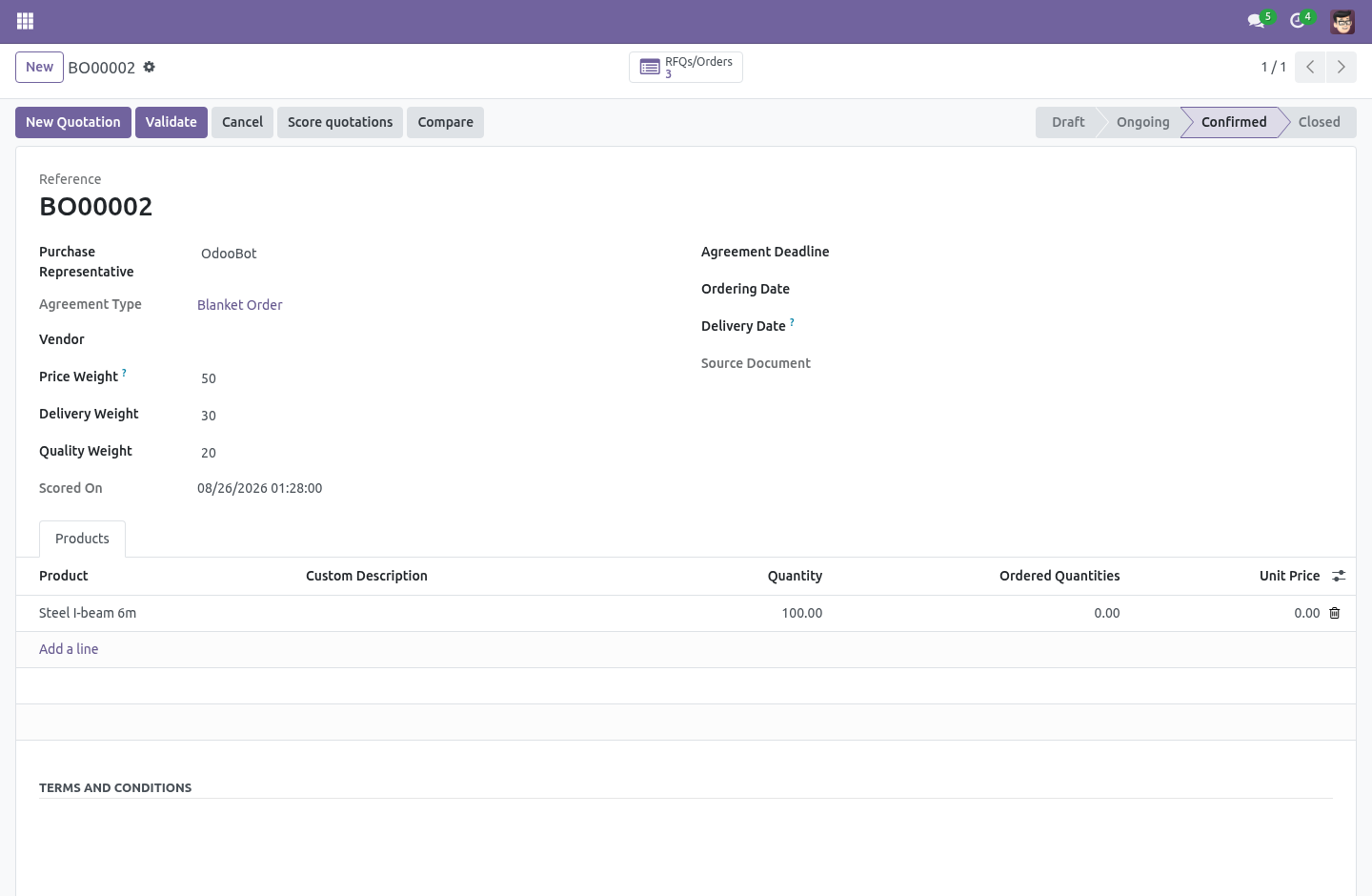
Each carries a weight you set on the agreement — 60/30/10 by default, because the cheapest is not always the one you award, and a critical part weighs delivery more than a cheap consumable does. The weights are relative: 60/30/10 and 6/3/1 rank the same. See them side by side. Compare opens every quotation on the agreement in one list: the total, the promised date, each score, the weighted total and the rank — sorted best first.
The winner is obvious, and the runner-up is the next row down for when the winner falls through. Award in one click. Award this quotation marks the winner and cancels the agreement's other draft quotations together — each with a note saying which quotation won and its score, the audit trail a buyer needs when a vendor asks why they lost. A quotation already confirmed is left alone: awarding is a decision made before anything is ordered, not a way to unwind a purchase.
The complete manual is at docs dot bambooforge dot dev, the demo database is linked from the store page, and support answers within twenty-four hours. Links are in the description.
Key facts
- What it is
- Put every vendor's quotation for a purchase agreement side by side, score them on price, delivery and quality with your weights, and award.
- For
- Purchases
- Odoo versions
- 16.0, 17.0, 18.0, 19.0, 20.0 - Community and Enterprise
- Runs on
- Odoo.sh or Odoo you host yourself - not Odoo Online, which accepts no third-party apps
- Price
- 149 EUR, one-time, on the Odoo Apps Store
- Technical name
- bambooforge_tender
- Not for
- It does not change how quotations are created or confirmed — it scores the ones already on the agreement.; It does not send the requisition or collect the quotations for you; that is Odoo's own purchase-agreement flow, unchanged.; If every quotation's promised date is already in the past when you score, delivery cannot be measured; its weight is spread over price and quality rather than silently zeroing the ranking.
- Live demo
- https://demo20.bambooforge.dev/odoo/action-purchase_requisition.action_purchase_requisition
- Manual last updated
- 2026-10-15
Purchase Tender & Bid Scoring
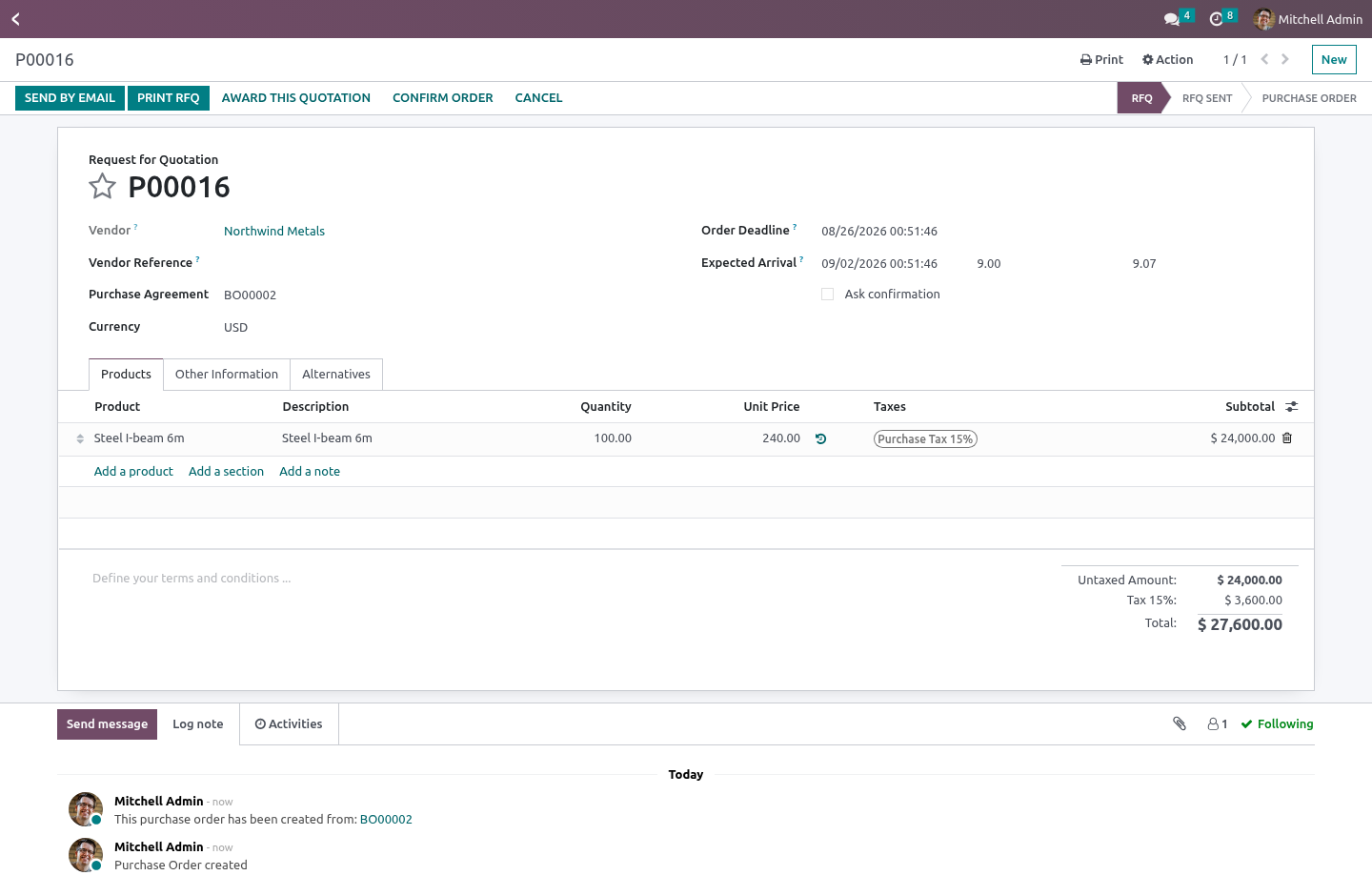
Odoo's purchase agreements let you send one requisition to several vendors and collect a quotation from each. What they do not do is help you choose — the quotations sit in a list, and comparing them is a spreadsheet somebody rebuilds every time.
Score on more than price
Each quotation is scored on three things, not one:
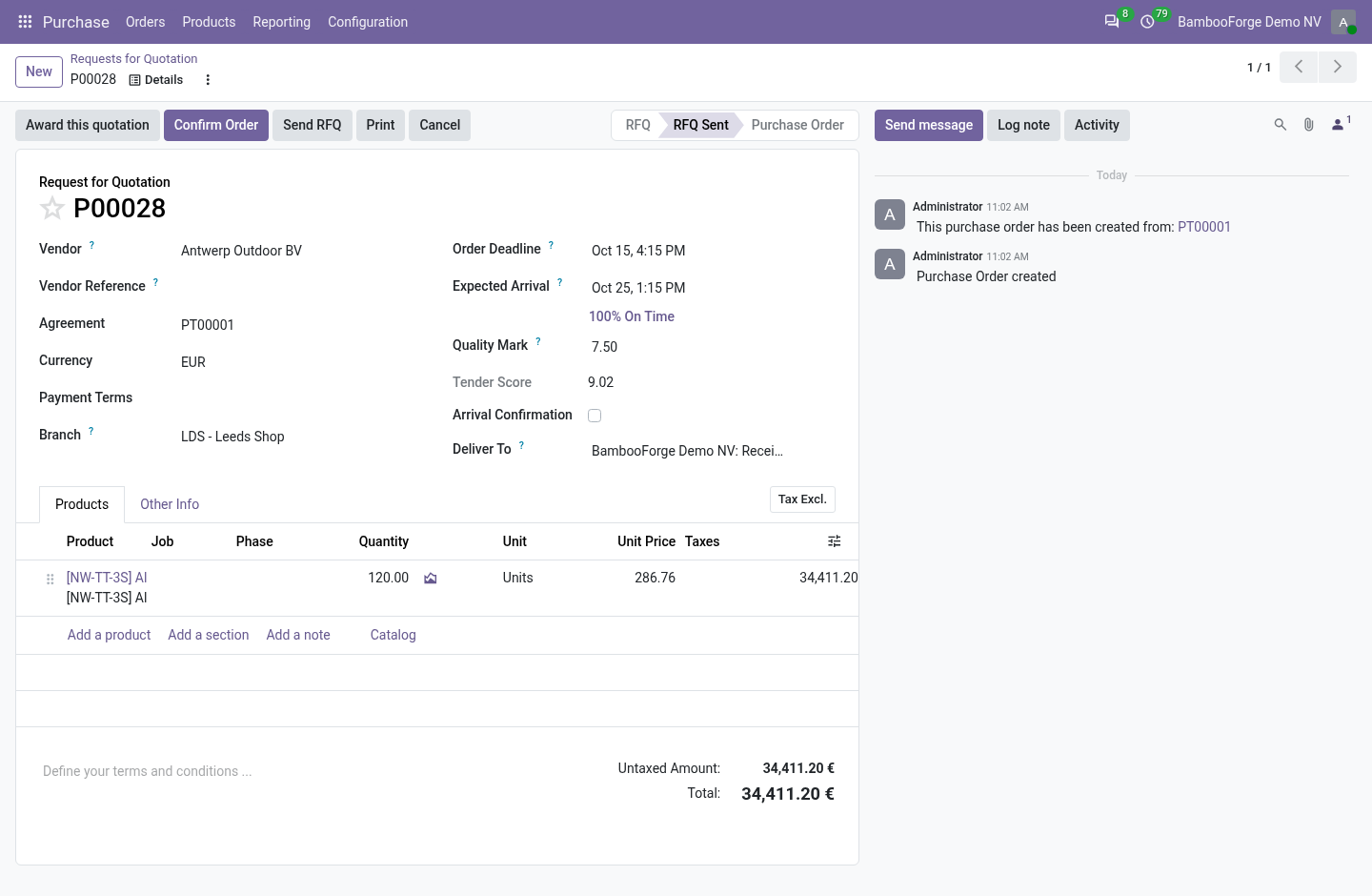
Price — the cheapest quotation scores ten; one at twice the price scores five. Relative to the best offer in the field, which is the only comparison that survives three very different bids. Quotations in different currencies are converted to your company currency first, so the vendor in the weakest currency does not win on the nominal number; and a one-cent poison bid is not allowed to become the benchmark that sinks everyone else.
Delivery — the earliest promised receipt scores ten; a slower one loses points in proportion.
Quality — a mark out of ten you give the quotation for everything price and speed do not capture: reliability, spec, terms.
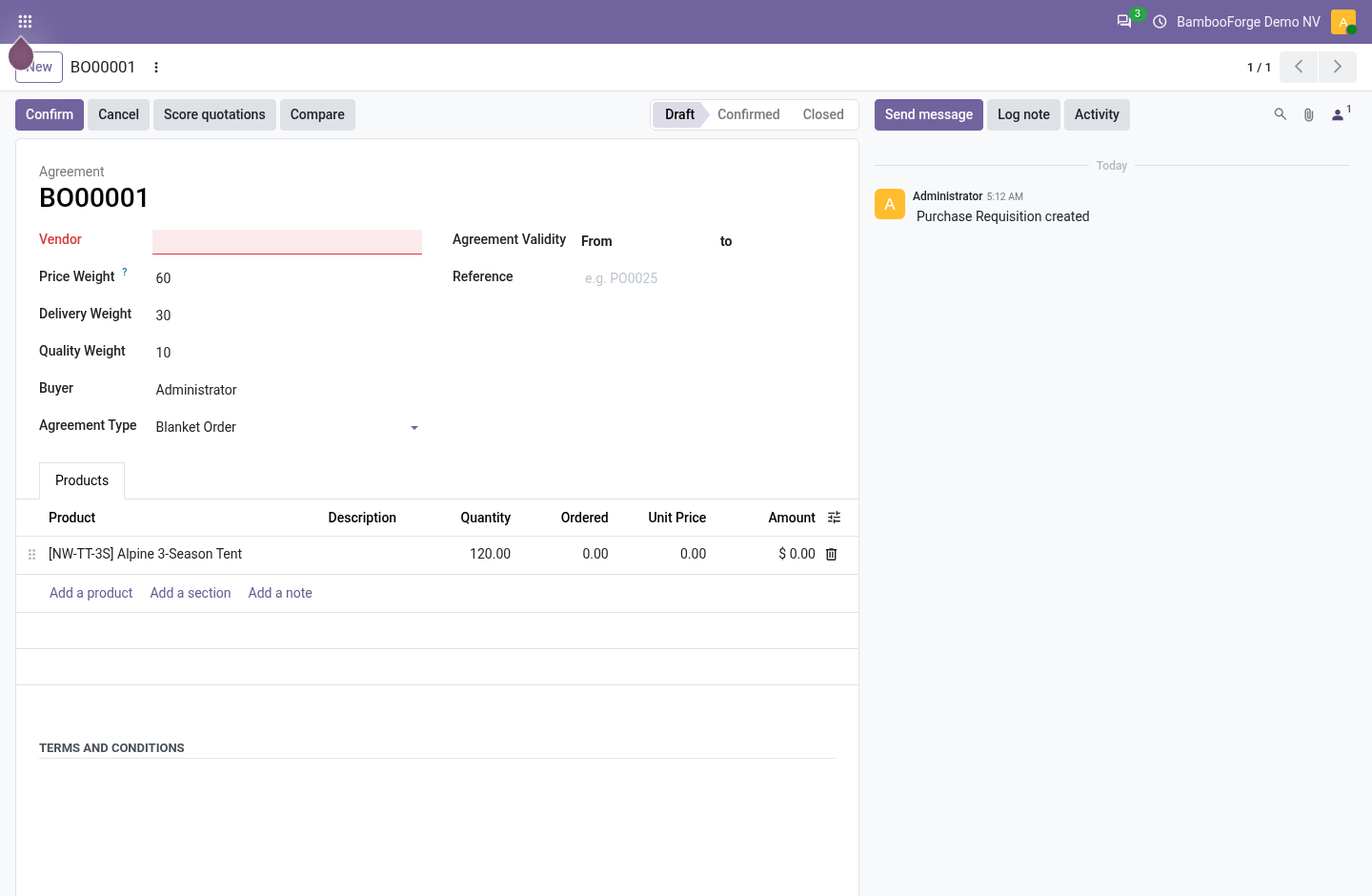
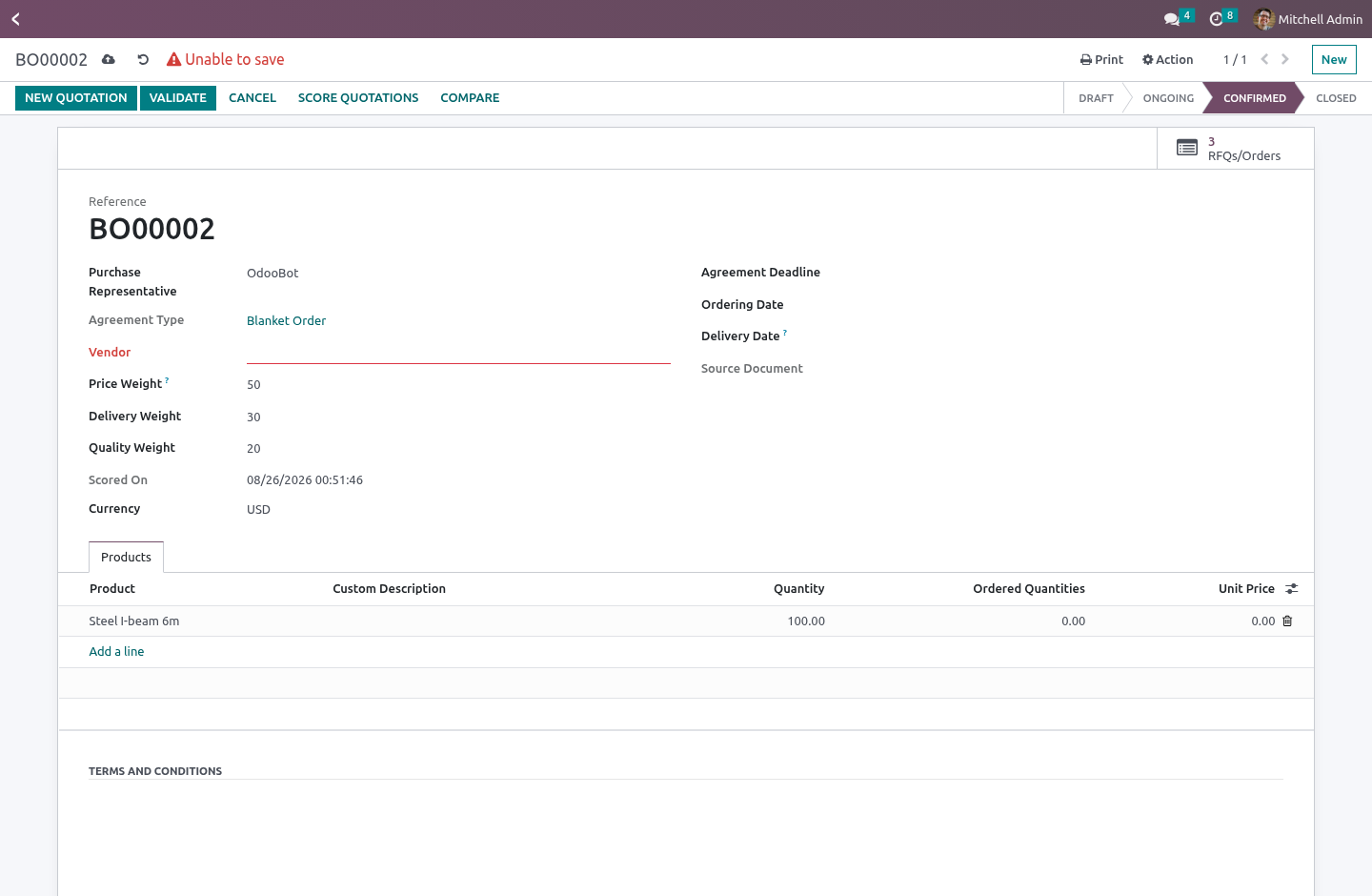
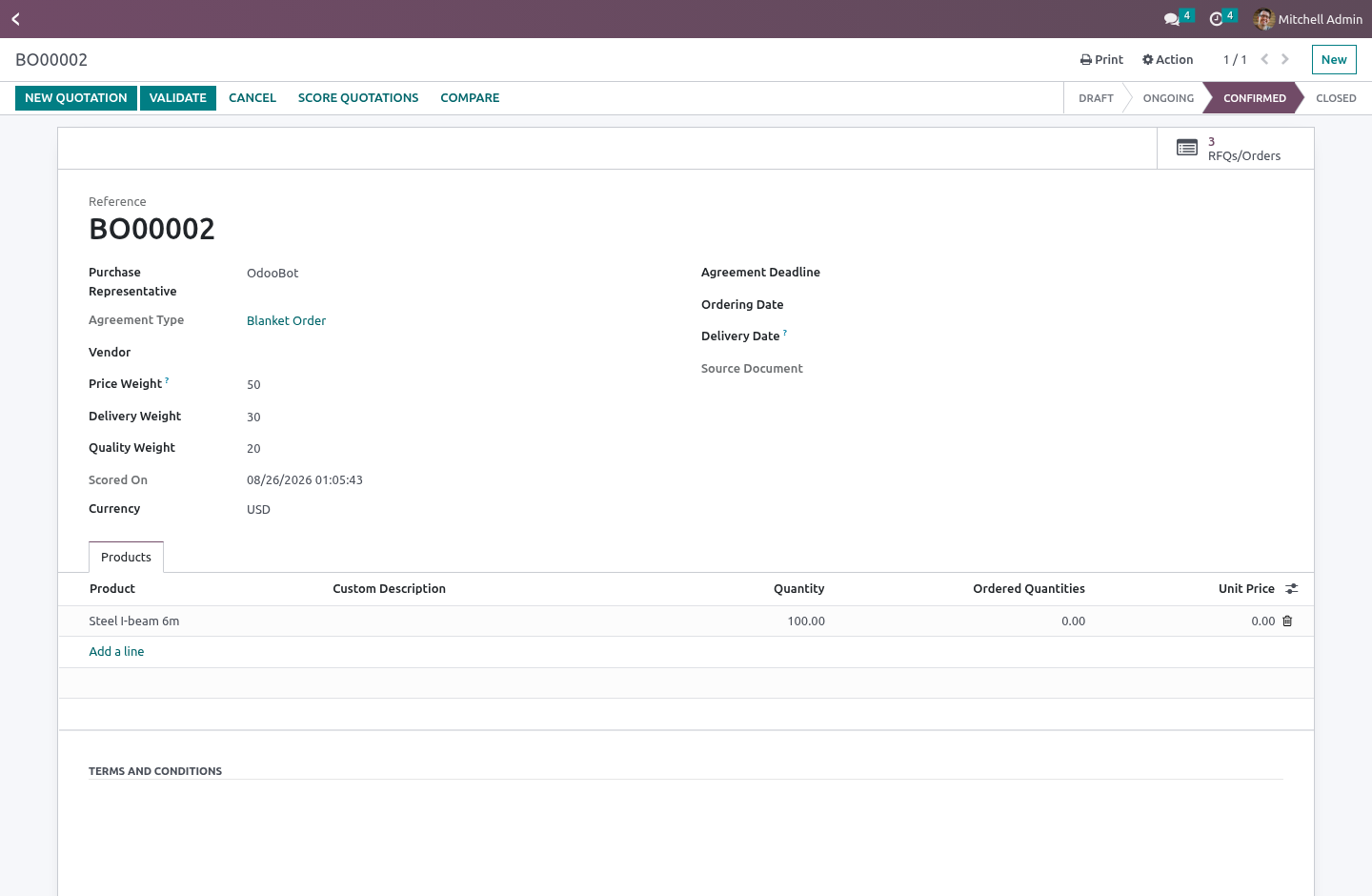
Each carries a weight you set on the agreement — 60/30/10 by default, because the cheapest is not always the one you award, and a critical part weighs delivery more than a cheap consumable does. The weights are relative: 60/30/10 and 6/3/1 rank the same.
The quality mark starts at a neutral five, so a quotation nobody has judged sits in the middle — and a buyer who types a zero has said "worst" deliberately, which counts.
See them side by side
Compare opens every quotation on the agreement in one list: the total, the promised date, each score, the weighted total and the rank — sorted best first. The winner is obvious, and the runner-up is the next row down for when the winner falls through.
Award in one click
Award this quotation marks the winner and cancels the agreement's other draft quotations together — each with a note saying which quotation won and its score, the audit trail a buyer needs when a vendor asks why they lost. A quotation already confirmed is left alone: awarding is a decision made before anything is ordered, not a way to unwind a purchase.
What it does not do
It does not change how quotations are created or confirmed — it scores the ones already on the agreement.
It does not send the requisition or collect the quotations for you; that is Odoo's own purchase-agreement flow, unchanged.
If every quotation's promised date is already in the past when you score, delivery cannot be measured; its weight is spread over price and quality rather than silently zeroing the ranking.
How we make sure it works
Before every release, 20 automated checks run against this app on Odoo 16, 17, 18, 19 and 20. Among them:
A cancelled loser cannot be re awarded.
A poison bid does not sink the honest ones.
All past dates do not silently zero the ranking.
Compare opens the comparison view not the default.
Zero weights do not divide by zero.
The complete list is in the source you receive.
Install
Copy bambooforge_tender into your addons path and update the app list, or install the ZIP from the Odoo Apps Store.
Install Purchase Tender & Bid Scoring.
Questions people ask
- Which Odoo versions does it run on?
Odoo 16.0, 17.0, 18.0, 19.0, 20.0, on the series you buy it for; each series is its own listing.
- Community or Enterprise?
Both. It needs no Enterprise app.
- What does it need?
The standard Purchase Agreements app. No extra Python package.
- Does anything leave my server?
No. It makes no call outside your Odoo server: no telemetry, no licence check, no third-party service.
- What happens if I uninstall it?
Odoo drops the app's own tables and fields; the standard records it worked on (contacts, orders, products) stay as they are.