 BambooForge Labs
School Management: Students, Classes & Tuition
School management: classes generated from a weekly pattern, a register that closes itself, fees charged pro rata, make-up lessons and marks.
Available for Odoo 16.0, Odoo 17.0, Odoo 18.0, Odoo 19.0, Odoo 20.0. Technical name bambooforge_school.
Transcript of the walkthrough (Odoo 20)
School Management: Students, Classes & Tuition. School management: classes generated from a weekly pattern, a register that closes itself, fees charged pro rata, make-up lessons and marks. Community or Enterprise? Both.
It needs no Enterprise app. In the next few minutes: school management: students, classes & tuition, then the timetable, then the register, then make-up lessons, then fees. Then what this app deliberately does not do, so you can tell before you buy whether it fits. Everything lives under School then Timetable then Classes then Students.
Odoo 20.0, Community or Enterprise. Standard apps: Invoicing (account) and Products (product). No Enterprise module is needed. Full source, OPL-1.
School Management: Students, Classes & Tuition. For a tuition centre or a small school on Odoo Community. Written around the two things every school argues about: who was in the room, and who owes what. The timetable.
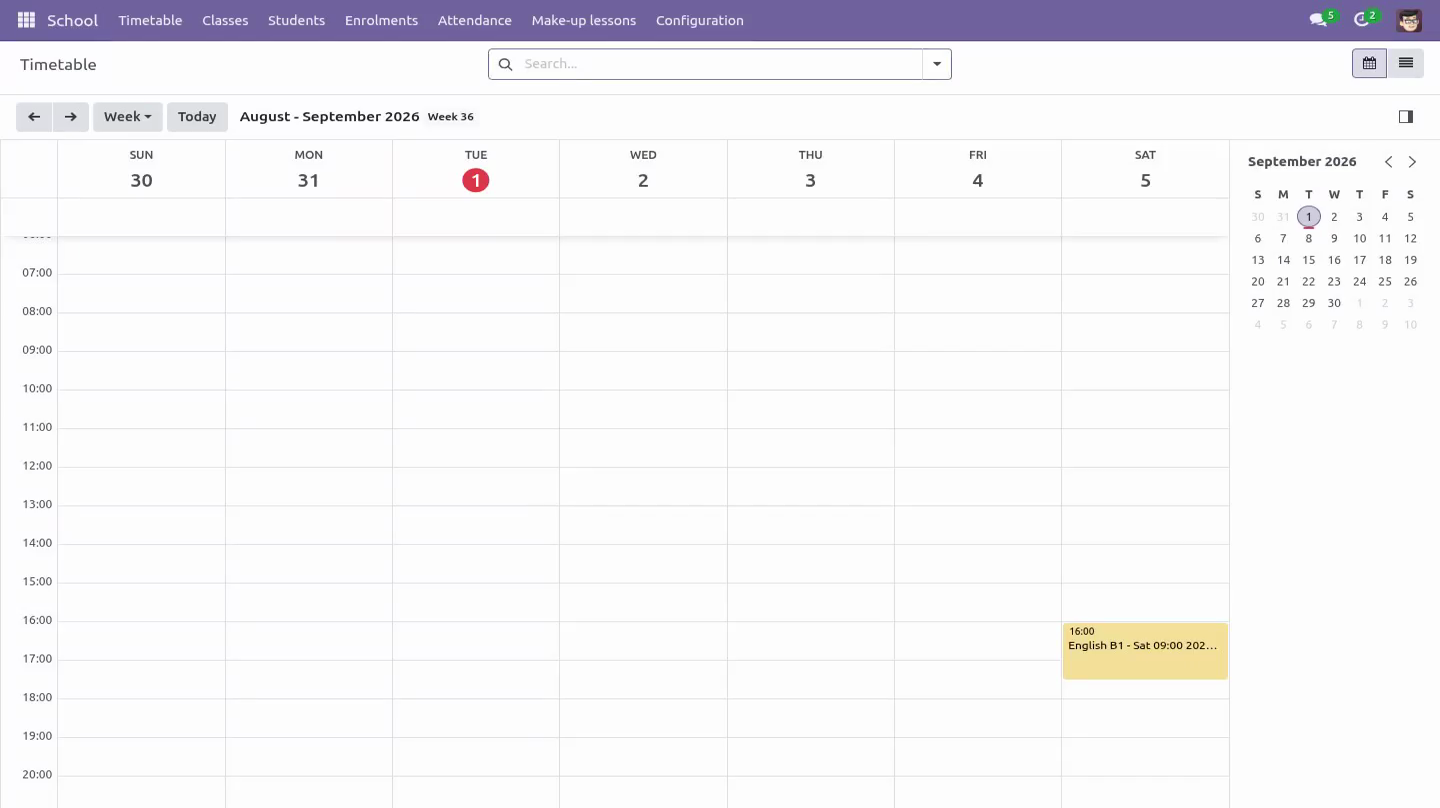
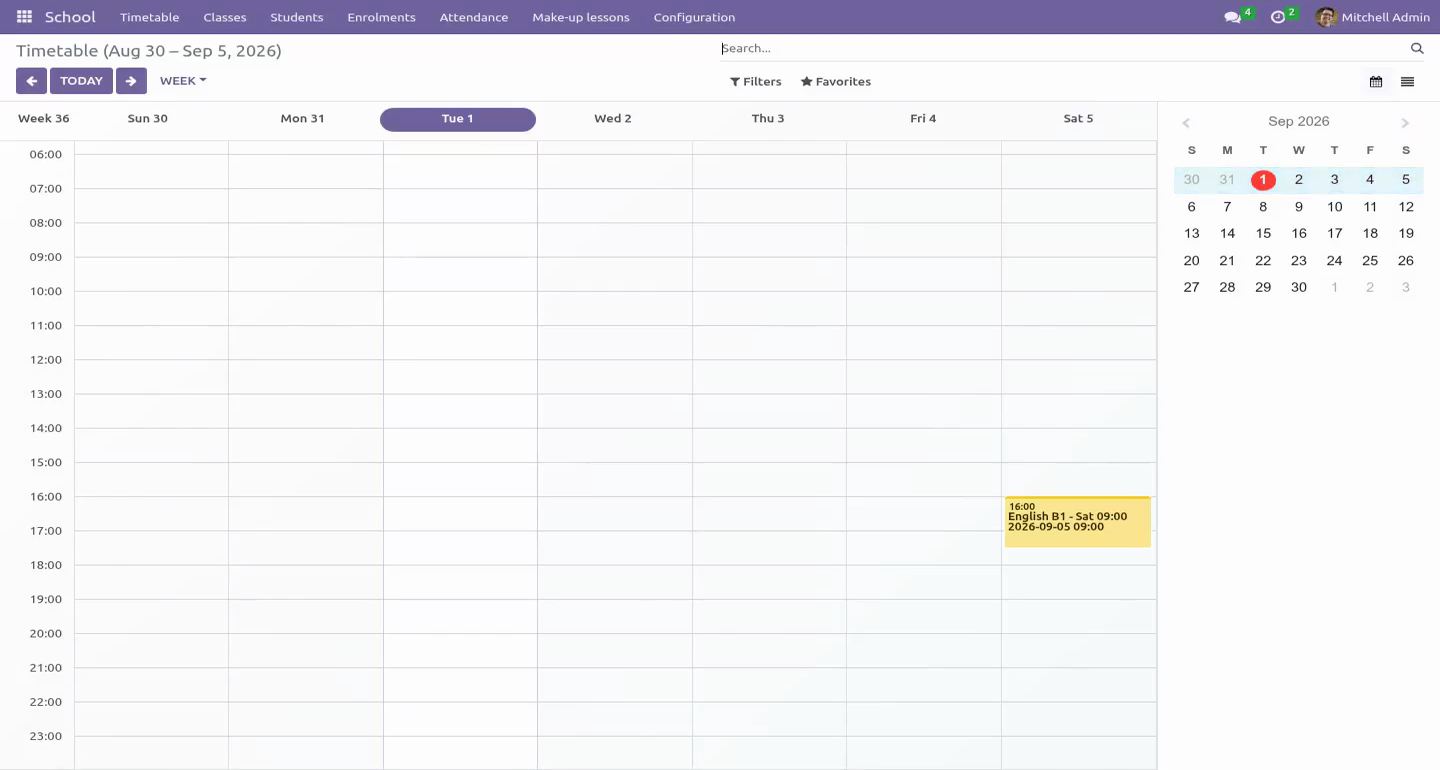
School → Timetable is the working view. A lesson can be moved, given a cover teacher, or cancelled. A cancelled lesson is owed back to whoever paid for it; a moved lesson keeps everything attached to it. Neither is a delete, so the history a parent may ask about survives.
The register. Open a lesson and mark the room. Present, absent, or excused. The lesson closes itself the morning after it ends, which is what makes the absence report trustworthy: nothing is missing because a teacher forgot.
Make-up lessons. An excused absence credits a make-up. The credit is spent explicitly, against a specific lesson, and the ledger shows both halves - earned and spent - so a dispute is settled by reading rather than by remembering. Fees.
Tuition is charged pro rata from the real timetable. A student who joins in week six pays for the lessons still to come. A withdrawal credits the same figure against the posted invoice. Marks.
Assessments carry weights that must total a hundred percent. Marks are the teacher's working notes until they are published; after that only a manager can change one, because a parent has already seen it. Questions people ask. Which Odoo versions does it run on?
Odoo 16.0, 17.0, 18.0, 19.0, 20.0, on the series you buy it for; each series is its own listing. Community or Enterprise? Both. It needs no Enterprise app.
Troubleshooting. Regenerating a term did not create the lessons I expected. Generation never touches a lesson that has already happened or one that was moved by hand. Those are left exactly as they are, on purpose.
A student's invoice looks short. Pro rata counts the lessons that remain on the real timetable at the moment of invoicing, not a fraction of the term. How we make sure it works. Before every release, 105 automated checks run against this app on Odoo 16, 17, 18, 19 and 20.
Among them: The same unused lessons are not credited twice. A make up credit cannot be handed out by ticking a box. A mark cannot be attached to a child in another class. A register the nightly job cannot close lands on a person.
The office reads its fee note without being able to edit it. The complete list is in the source you receive. Support. Every request answered within 24 hours, setup help included, by the people who wrote the code: support@bambooforge.dev Now the part most videos leave out: what this does not do.
A teacher never sees a fee, and nobody outside the office sees a child's details. That is an access rule on the models and on every one of the fields - date of birth, admission number, guardian list, care note - not a hidden notebook page. A notebook page hides a tab; it does not stop Contacts, select all, Export. This is a tuition and timetable system, not a full student information system: there is no transport, no boarding, no state reporting export.
Marks are recorded and weighted; the module does not print certificates or transcripts. Everything runs inside your Odoo. No external service is called and no data leaves the database. The complete manual is at docs dot bambooforge dot dev, the demo database is linked from the store page, and support answers within twenty-four hours.
Links are in the description.
Transcript of the walkthrough (Odoo 19)
School Management: Students, Classes & Tuition. School management: classes generated from a weekly pattern, a register that closes itself, fees charged pro rata, make-up lessons and marks. A student's invoice looks short. Pro rata counts the lessons that remain on the real timetable at the moment of invoicing, not a fraction of the term.
In the next few minutes: school management: students, classes & tuition, then the timetable, then the register, then make-up lessons, then fees. Then what this app deliberately does not do, so you can tell before you buy whether it fits. Everything lives under School then Timetable then Classes then Students. Odoo 19.0, Community or Enterprise.
Standard apps: Invoicing (account) and Products (product). No Enterprise module is needed. Full source, OPL-1. School Management: Students, Classes & Tuition.
For a tuition centre or a small school on Odoo Community. Written around the two things every school argues about: who was in the room, and who owes what. The timetable. School → Timetable is the working view.
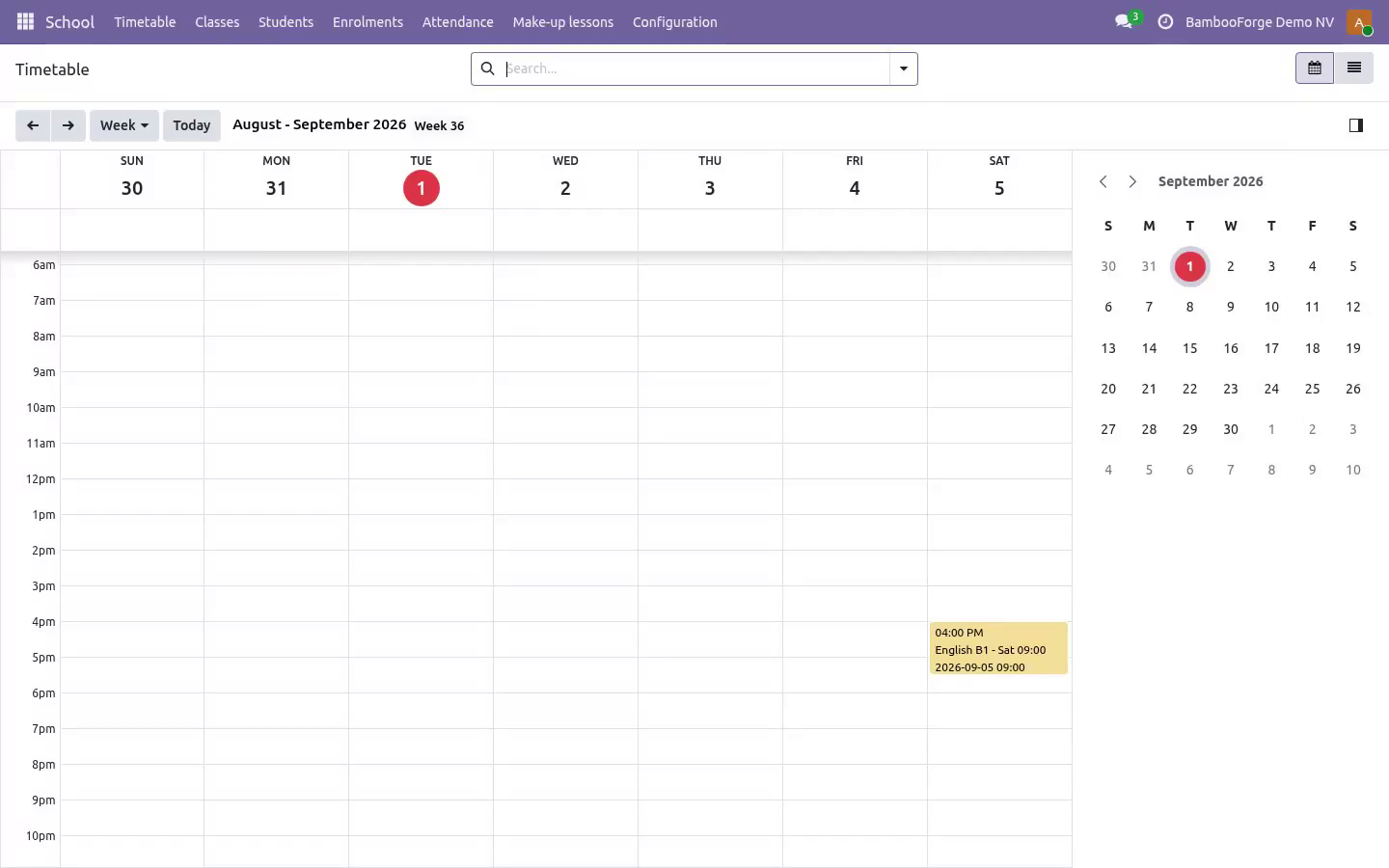
A lesson can be moved, given a cover teacher, or cancelled. A cancelled lesson is owed back to whoever paid for it; a moved lesson keeps everything attached to it. Neither is a delete, so the history a parent may ask about survives. The register.
Open a lesson and mark the room. Present, absent, or excused. The lesson closes itself the morning after it ends, which is what makes the absence report trustworthy: nothing is missing because a teacher forgot. Make-up lessons.
An excused absence credits a make-up. The credit is spent explicitly, against a specific lesson, and the ledger shows both halves - earned and spent - so a dispute is settled by reading rather than by remembering. Fees. Tuition is charged pro rata from the real timetable.
A student who joins in week six pays for the lessons still to come. A withdrawal credits the same figure against the posted invoice. Marks. Assessments carry weights that must total a hundred percent.
Marks are the teacher's working notes until they are published; after that only a manager can change one, because a parent has already seen it. Troubleshooting. Regenerating a term did not create the lessons I expected. Generation never touches a lesson that has already happened or one that was moved by hand.
Those are left exactly as they are, on purpose. A student's invoice looks short. Pro rata counts the lessons that remain on the real timetable at the moment of invoicing, not a fraction of the term. Support.
Every request answered within 24 hours, setup help included, by the people who wrote the code: support@bambooforge.dev What is removed. The school models and their records: programmes, terms, classes, sessions, enrolments, attendance, make-ups, assessments and marks. What is preserved. Everything standard.
Contacts, the invoices raised and their payments stay exactly where they are, because they are ordinary Odoo records. Now the part most videos leave out: what this does not do. A teacher never sees a fee, and nobody outside the office sees a child's details. That is an access rule on the models and on every one of the fields - date of birth, admission number, guardian list, care note - not a hidden notebook page.
A notebook page hides a tab; it does not stop Contacts, select all, Export. This is a tuition and timetable system, not a full student information system: there is no transport, no boarding, no state reporting export. Marks are recorded and weighted; the module does not print certificates or transcripts. Everything runs inside your Odoo.
No external service is called and no data leaves the database. The complete manual is at docs dot bambooforge dot dev, the demo database is linked from the store page, and support answers within twenty-four hours. Links are in the description.
Transcript of the walkthrough (Odoo 18)
School Management: Students, Classes & Tuition. School management: classes generated from a weekly pattern, a register that closes itself, fees charged pro rata, make-up lessons and marks. A student's invoice looks short. Pro rata counts the lessons that remain on the real timetable at the moment of invoicing, not a fraction of the term.
In the next few minutes: school management: students, classes & tuition, then the timetable, then the register, then make-up lessons, then fees. Then what this app deliberately does not do, so you can tell before you buy whether it fits. Everything lives under School then Timetable then Classes then Students. Odoo 18.0, Community or Enterprise.
Standard apps: Invoicing (account) and Products (product). No Enterprise module is needed. Full source, OPL-1. School Management: Students, Classes & Tuition.
For a tuition centre or a small school on Odoo Community. Written around the two things every school argues about: who was in the room, and who owes what. The timetable. School → Timetable is the working view.
A lesson can be moved, given a cover teacher, or cancelled. A cancelled lesson is owed back to whoever paid for it; a moved lesson keeps everything attached to it. Neither is a delete, so the history a parent may ask about survives. The register.
Open a lesson and mark the room. Present, absent, or excused. The lesson closes itself the morning after it ends, which is what makes the absence report trustworthy: nothing is missing because a teacher forgot. Make-up lessons.
An excused absence credits a make-up. The credit is spent explicitly, against a specific lesson, and the ledger shows both halves - earned and spent - so a dispute is settled by reading rather than by remembering. Fees. Tuition is charged pro rata from the real timetable.
A student who joins in week six pays for the lessons still to come. A withdrawal credits the same figure against the posted invoice. Marks. Assessments carry weights that must total a hundred percent.
Marks are the teacher's working notes until they are published; after that only a manager can change one, because a parent has already seen it. Troubleshooting. Regenerating a term did not create the lessons I expected. Generation never touches a lesson that has already happened or one that was moved by hand.
Those are left exactly as they are, on purpose. A student's invoice looks short. Pro rata counts the lessons that remain on the real timetable at the moment of invoicing, not a fraction of the term. Support.
Every request answered within 24 hours, setup help included, by the people who wrote the code: support@bambooforge.dev What is removed. The school models and their records: programmes, terms, classes, sessions, enrolments, attendance, make-ups, assessments and marks. What is preserved. Everything standard.
Contacts, the invoices raised and their payments stay exactly where they are, because they are ordinary Odoo records. Now the part most videos leave out: what this does not do. A teacher never sees a fee, and nobody outside the office sees a child's details. That is an access rule on the models and on every one of the fields - date of birth, admission number, guardian list, care note - not a hidden notebook page.
A notebook page hides a tab; it does not stop Contacts, select all, Export. This is a tuition and timetable system, not a full student information system: there is no transport, no boarding, no state reporting export. Marks are recorded and weighted; the module does not print certificates or transcripts. Everything runs inside your Odoo.
No external service is called and no data leaves the database. The complete manual is at docs dot bambooforge dot dev, the demo database is linked from the store page, and support answers within twenty-four hours. Links are in the description.
Transcript of the walkthrough (Odoo 17)
School Management: Students, Classes & Tuition. School management: classes generated from a weekly pattern, a register that closes itself, fees charged pro rata, make-up lessons and marks. A student's invoice looks short. Pro rata counts the lessons that remain on the real timetable at the moment of invoicing, not a fraction of the term.
In the next few minutes: school management: students, classes & tuition, then the timetable, then the register, then make-up lessons, then fees. Then what this app deliberately does not do, so you can tell before you buy whether it fits. Everything lives under School then Timetable then Classes then Students. Odoo 17.0, Community or Enterprise.
Standard apps: Invoicing (account) and Products (product). No Enterprise module is needed. Full source, OPL-1. School Management: Students, Classes & Tuition.
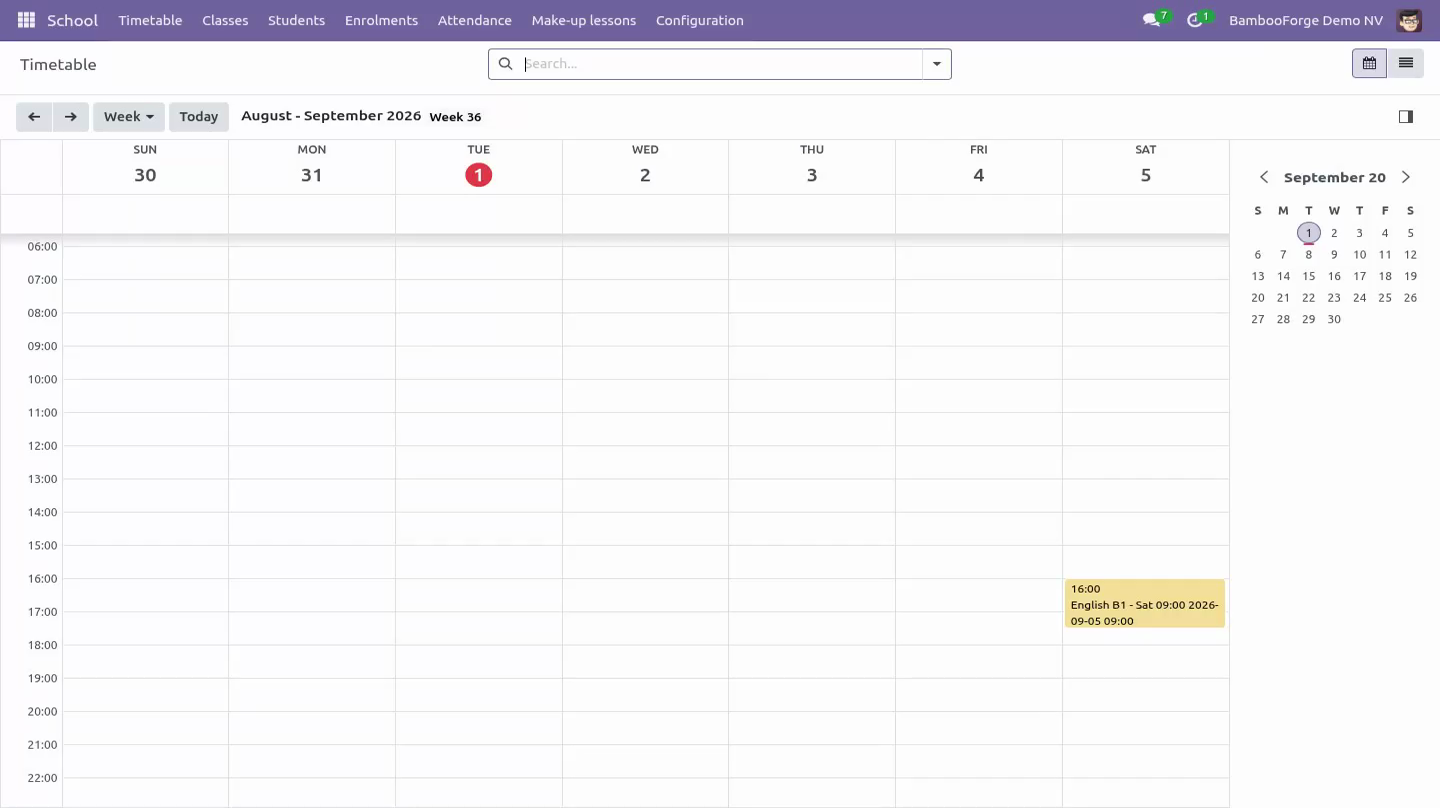
For a tuition centre or a small school on Odoo Community. Written around the two things every school argues about: who was in the room, and who owes what. The timetable. School → Timetable is the working view.
A lesson can be moved, given a cover teacher, or cancelled. A cancelled lesson is owed back to whoever paid for it; a moved lesson keeps everything attached to it. Neither is a delete, so the history a parent may ask about survives. The register.
Open a lesson and mark the room. Present, absent, or excused. The lesson closes itself the morning after it ends, which is what makes the absence report trustworthy: nothing is missing because a teacher forgot. Make-up lessons.
An excused absence credits a make-up. The credit is spent explicitly, against a specific lesson, and the ledger shows both halves - earned and spent - so a dispute is settled by reading rather than by remembering. Fees. Tuition is charged pro rata from the real timetable.
A student who joins in week six pays for the lessons still to come. A withdrawal credits the same figure against the posted invoice. Marks. Assessments carry weights that must total a hundred percent.
Marks are the teacher's working notes until they are published; after that only a manager can change one, because a parent has already seen it. Troubleshooting. Regenerating a term did not create the lessons I expected. Generation never touches a lesson that has already happened or one that was moved by hand.
Those are left exactly as they are, on purpose. A student's invoice looks short. Pro rata counts the lessons that remain on the real timetable at the moment of invoicing, not a fraction of the term. Support.
Every request answered within 24 hours, setup help included, by the people who wrote the code: support@bambooforge.dev What is removed. The school models and their records: programmes, terms, classes, sessions, enrolments, attendance, make-ups, assessments and marks. What is preserved. Everything standard.
Contacts, the invoices raised and their payments stay exactly where they are, because they are ordinary Odoo records. Now the part most videos leave out: what this does not do. A teacher never sees a fee, and nobody outside the office sees a child's details. That is an access rule on the models and on every one of the fields - date of birth, admission number, guardian list, care note - not a hidden notebook page.
A notebook page hides a tab; it does not stop Contacts, select all, Export. This is a tuition and timetable system, not a full student information system: there is no transport, no boarding, no state reporting export. Marks are recorded and weighted; the module does not print certificates or transcripts. Everything runs inside your Odoo.
No external service is called and no data leaves the database. The complete manual is at docs dot bambooforge dot dev, the demo database is linked from the store page, and support answers within twenty-four hours. Links are in the description.
Transcript of the walkthrough (Odoo 16)
School Management: Students, Classes & Tuition. School management: classes generated from a weekly pattern, a register that closes itself, fees charged pro rata, make-up lessons and marks. A student's invoice looks short. Pro rata counts the lessons that remain on the real timetable at the moment of invoicing, not a fraction of the term.
In the next few minutes: school management: students, classes & tuition, then the timetable, then the register, then make-up lessons, then fees. Then what this app deliberately does not do, so you can tell before you buy whether it fits. Everything lives under School then Timetable then Classes then Students. Odoo 16.0, Community or Enterprise.
Standard apps: Invoicing (account) and Products (product). No Enterprise module is needed. Full source, OPL-1. School Management: Students, Classes & Tuition.
For a tuition centre or a small school on Odoo Community. Written around the two things every school argues about: who was in the room, and who owes what. The timetable. School → Timetable is the working view.
A lesson can be moved, given a cover teacher, or cancelled. A cancelled lesson is owed back to whoever paid for it; a moved lesson keeps everything attached to it. Neither is a delete, so the history a parent may ask about survives. The register.
Open a lesson and mark the room. Present, absent, or excused. The lesson closes itself the morning after it ends, which is what makes the absence report trustworthy: nothing is missing because a teacher forgot. Make-up lessons.
An excused absence credits a make-up. The credit is spent explicitly, against a specific lesson, and the ledger shows both halves - earned and spent - so a dispute is settled by reading rather than by remembering. Fees. Tuition is charged pro rata from the real timetable.
A student who joins in week six pays for the lessons still to come. A withdrawal credits the same figure against the posted invoice. Marks. Assessments carry weights that must total a hundred percent.
Marks are the teacher's working notes until they are published; after that only a manager can change one, because a parent has already seen it. Troubleshooting. Regenerating a term did not create the lessons I expected. Generation never touches a lesson that has already happened or one that was moved by hand.
Those are left exactly as they are, on purpose. A student's invoice looks short. Pro rata counts the lessons that remain on the real timetable at the moment of invoicing, not a fraction of the term. Support.
Every request answered within 24 hours, setup help included, by the people who wrote the code: support@bambooforge.dev What is removed. The school models and their records: programmes, terms, classes, sessions, enrolments, attendance, make-ups, assessments and marks. What is preserved. Everything standard.
Contacts, the invoices raised and their payments stay exactly where they are, because they are ordinary Odoo records. Now the part most videos leave out: what this does not do. A teacher never sees a fee, and nobody outside the office sees a child's details. That is an access rule on the models and on every one of the fields - date of birth, admission number, guardian list, care note - not a hidden notebook page.
A notebook page hides a tab; it does not stop Contacts, select all, Export. This is a tuition and timetable system, not a full student information system: there is no transport, no boarding, no state reporting export. Marks are recorded and weighted; the module does not print certificates or transcripts. Everything runs inside your Odoo.
No external service is called and no data leaves the database. The complete manual is at docs dot bambooforge dot dev, the demo database is linked from the store page, and support answers within twenty-four hours. Links are in the description.
Key facts
- What it is
- School management: classes generated from a weekly pattern, a register that closes itself, fees charged pro rata, make-up lessons and marks.
- For
- Industries
- Odoo versions
- 16.0, 17.0, 18.0, 19.0, 20.0 - Community and Enterprise
- Runs on
- Odoo.sh or Odoo you host yourself - not Odoo Online, which accepts no third-party apps
- Price
- 159 EUR, one-time, on the Odoo Apps Store
- Technical name
- bambooforge_school
- Not for
- A teacher never sees a fee, and nobody outside the office sees a child's details. That is an access rule on the models and on every one of the fields - date of birth, admission number, guardian list, care note - not a hidden notebook page. A notebook page hides a tab; it does not stop Contacts, select all, Export.; This is a tuition and timetable system, not a full student information system: there is no transport, no boarding, no state reporting export.; Marks are recorded and weighted; the module does not print certificates or transcripts.; Everything runs inside your Odoo. No external service is called and no data leaves the database.
- Manual last updated
- 2026-10-15
School Management: Students, Classes & Tuition
For a tuition centre or a small school on Odoo Community. Written around the two things every school argues about: who was in the room, and who owes what.
Overview
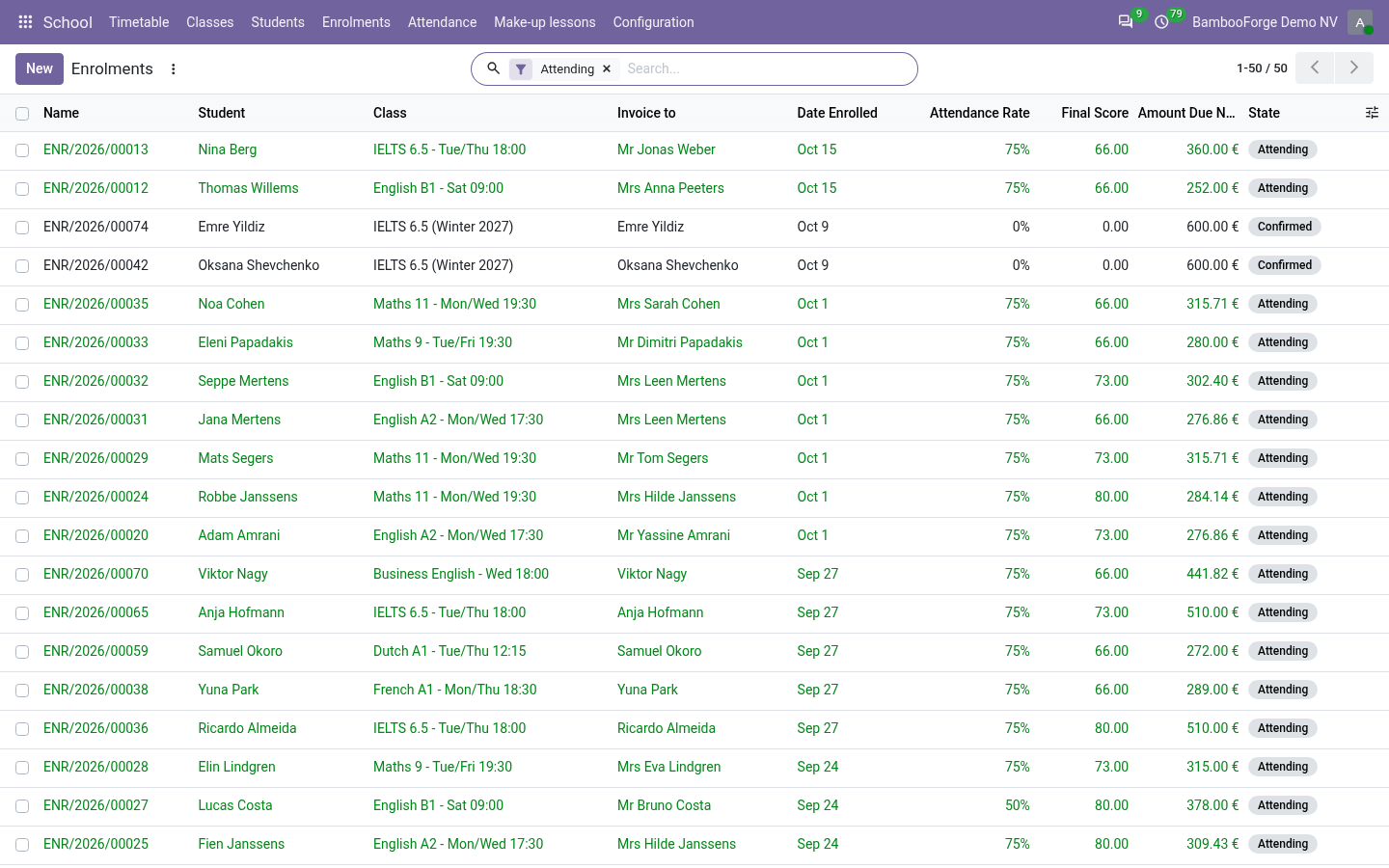
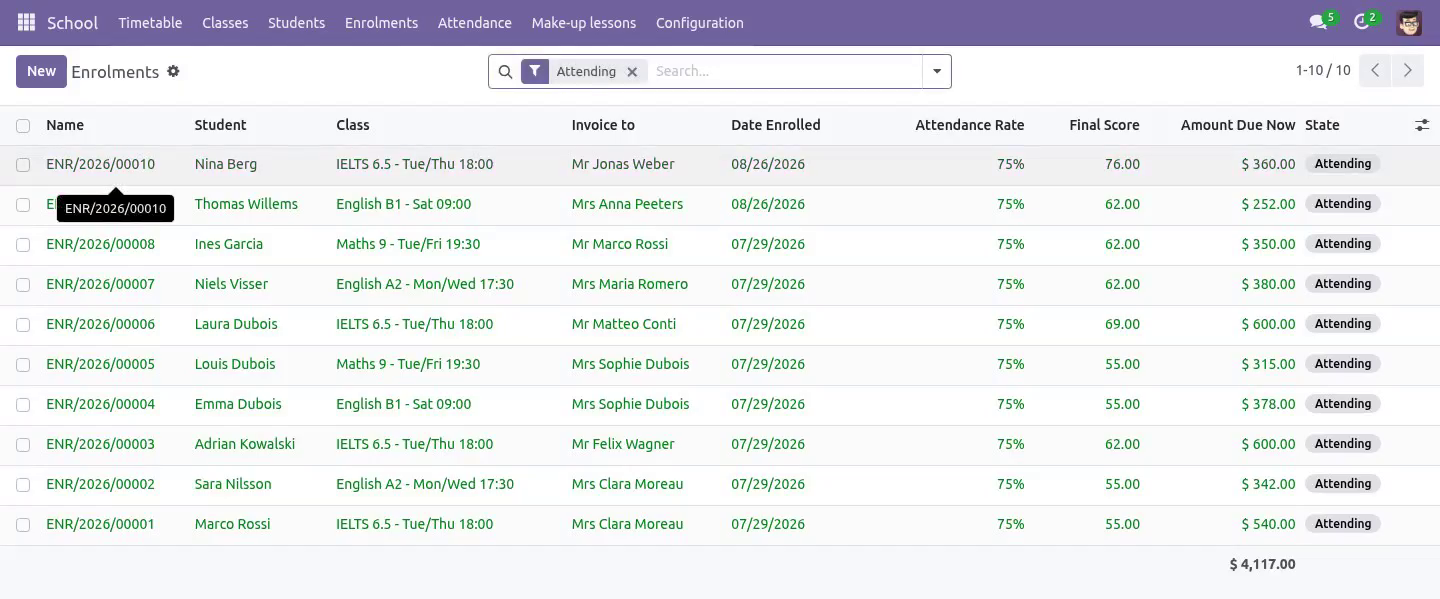
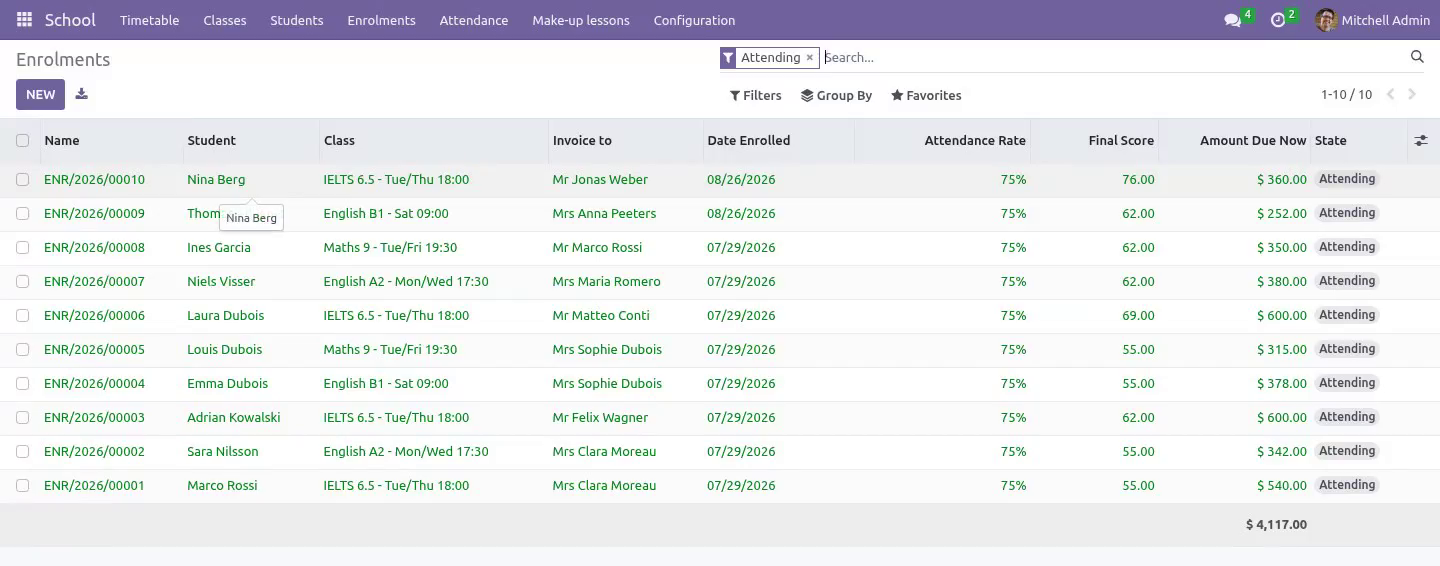
The student is in the class; somebody else pays for it. The invoice goes to the payer chosen on the enrolment - a guardian, a sponsoring company, or an adult student paying for themselves - and each line carries the child's name, so a family with three children can read one invoice and tell which lessons belong to whom.
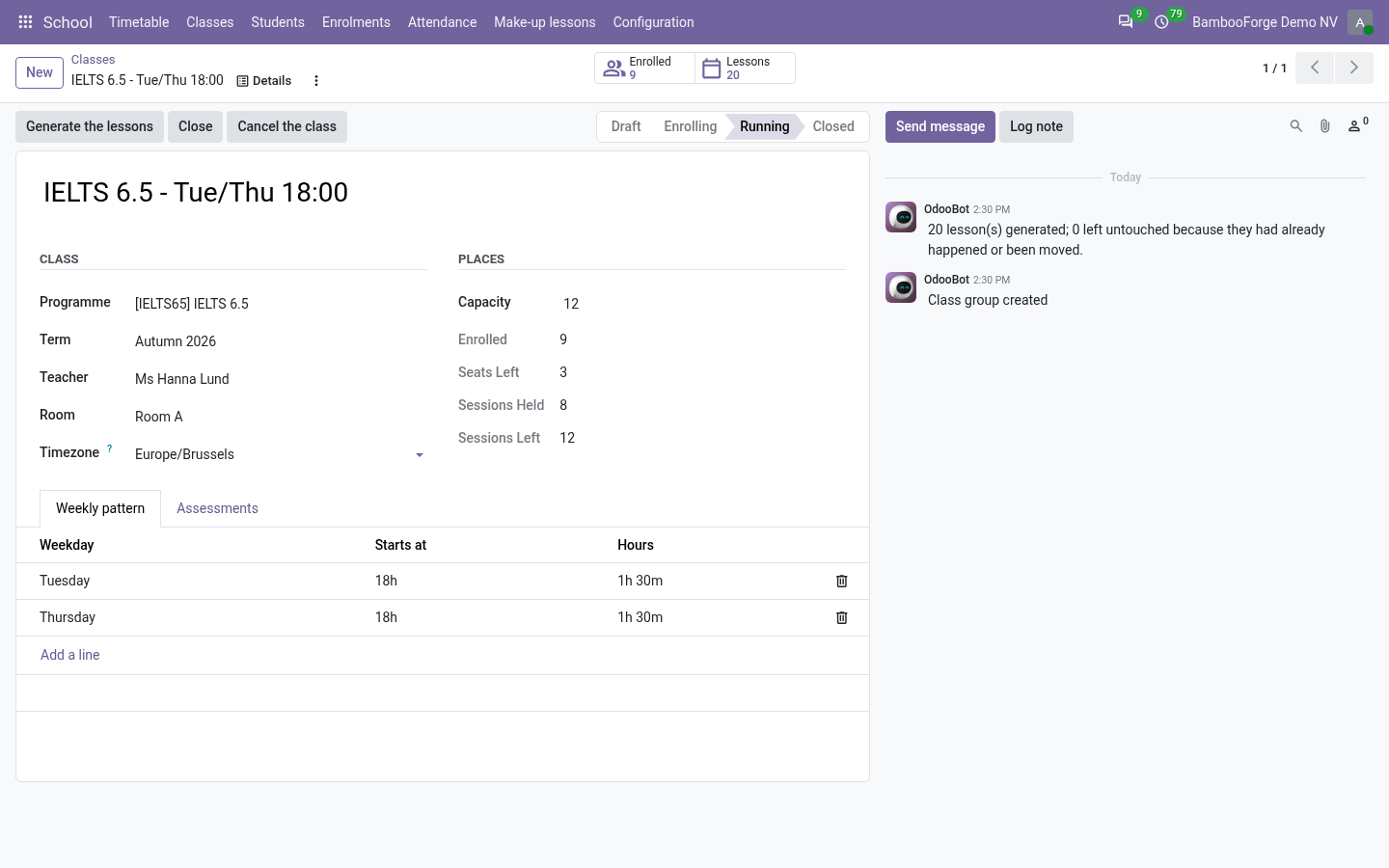
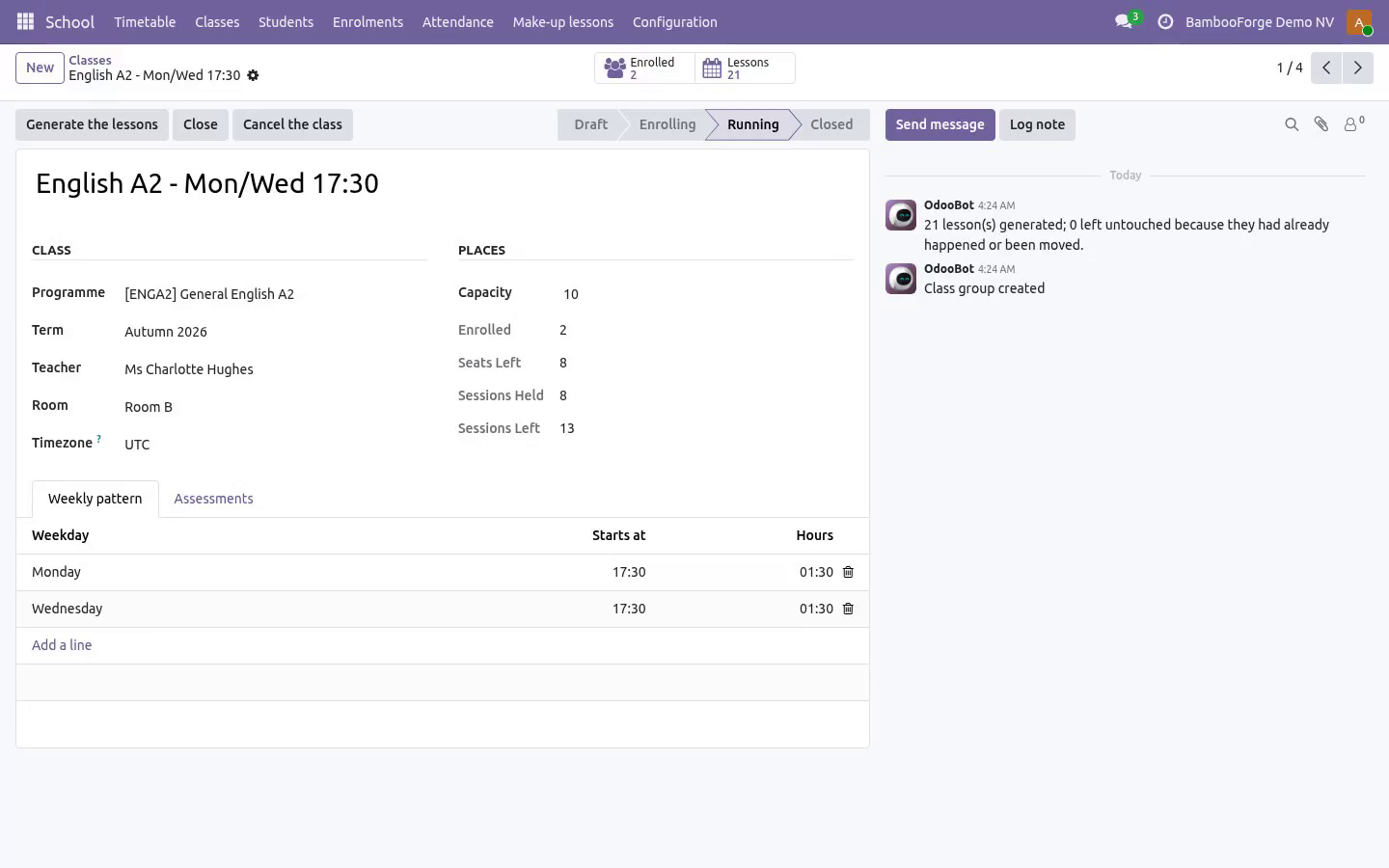
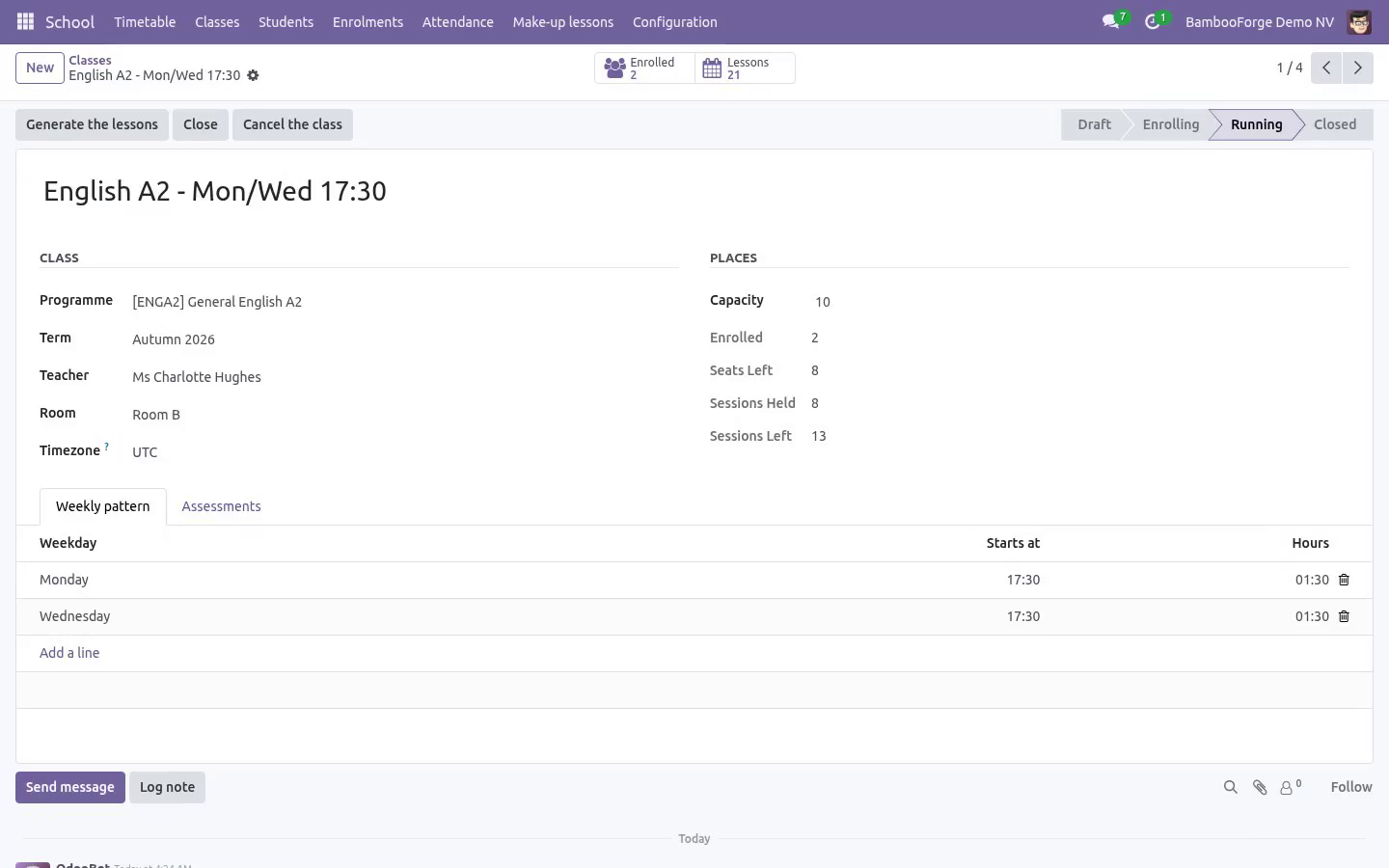
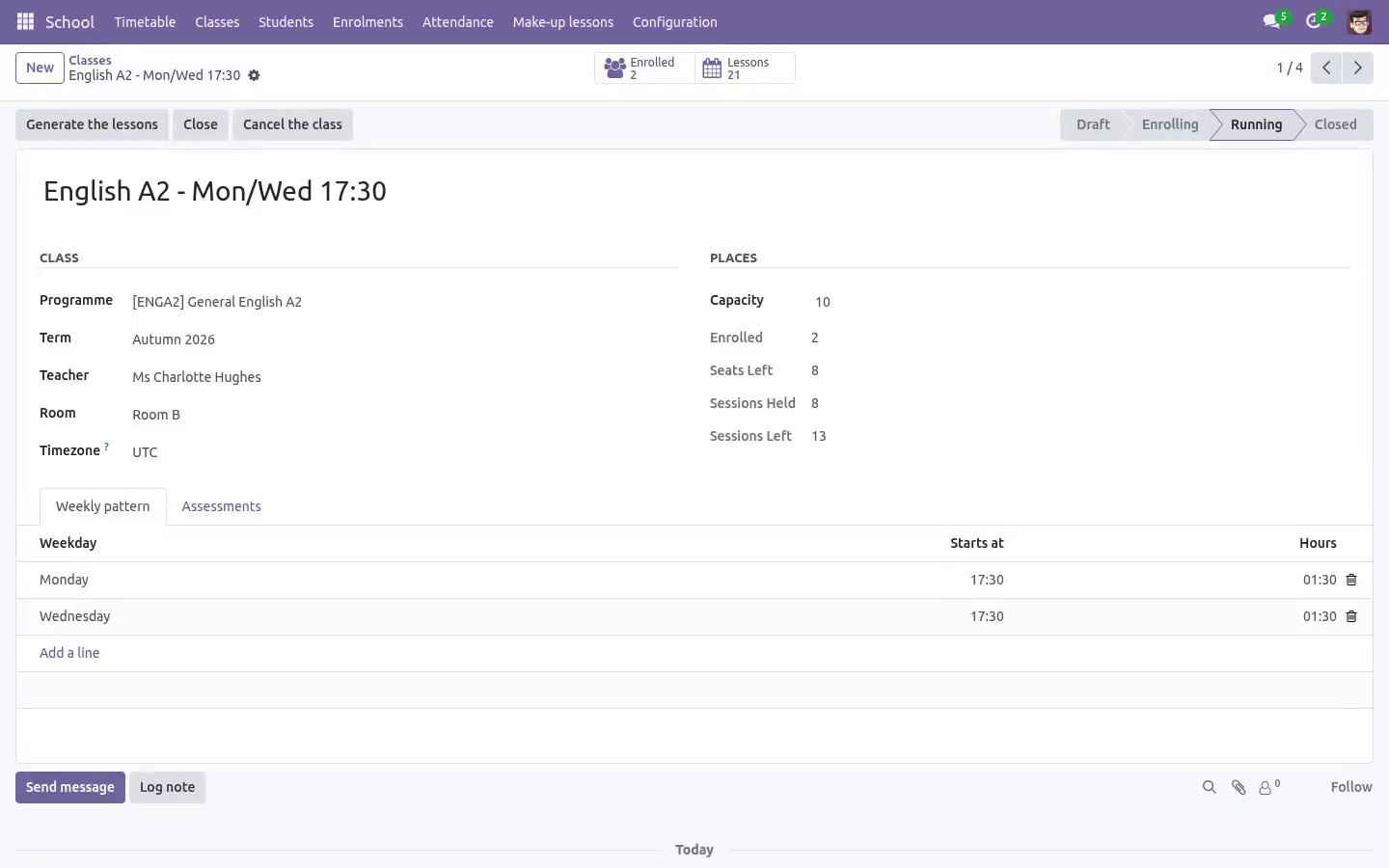
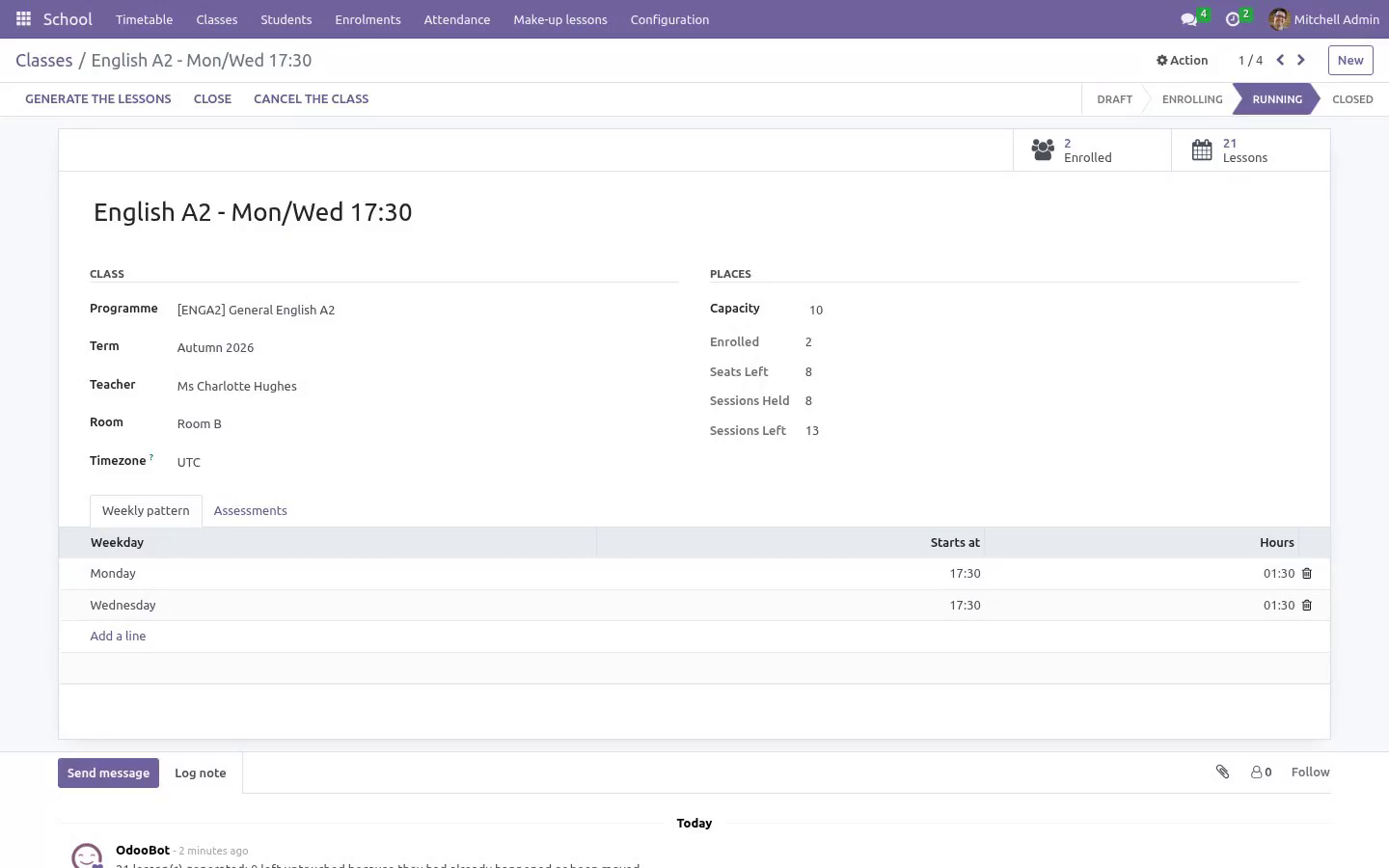
Classes are generated from a weekly pattern. Tuesday and Thursday at 18:00 across a term becomes twenty-four real lessons. Regenerating in week six never touches a lesson that has already happened, nor one somebody moved by hand.
A mid-term joiner pays for the lessons that are left, counted off the real timetable rather than a fraction somebody guessed. The same number refunds a withdrawal, as a credit note against the posted invoice.
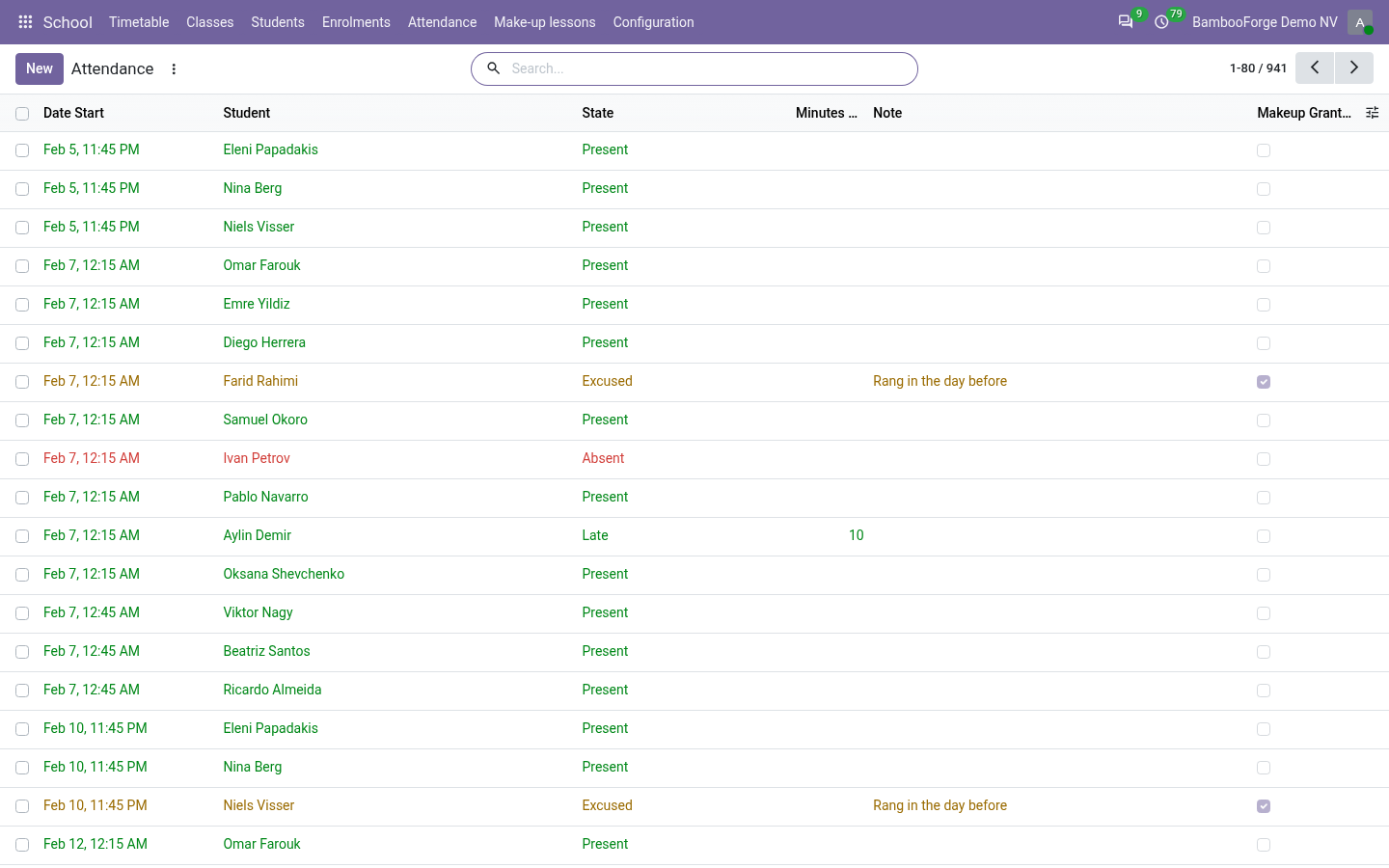
The register closes itself. One row per student per lesson, and a lesson that is over is closed the next morning - so the absence list is true without depending on a teacher remembering a button. A register cannot be signed in advance.
An excused absence earns the lesson back, a plain one does not, and the balance follows the correction a parent phones in the next morning. Spending a make-up lesson is an action somebody takes, never a number that quietly drifts.
Marks that add up. Assessment weights are held to a hundred percent, and the final mark is computed on what has actually been marked - a student with 80% in the only test that has happened has 80%, not 8%.
Requirements
Odoo 20.0, Community or Enterprise. Standard apps: Invoicing (account) and Products (product). No Enterprise module is needed. Full source, OPL-1.
Getting started
Programmes and terms. A programme is what you teach; a term is when. Both live under School → Configuration.
Classrooms carry a real capacity. A class cannot outgrow its room, and no room or teacher is ever double-booked - including when a cover teacher is put on a single lesson.
Create a class, give it a weekly slot pattern, and generate the term. The timetable fills with real lessons you can move, cancel or cover one at a time.
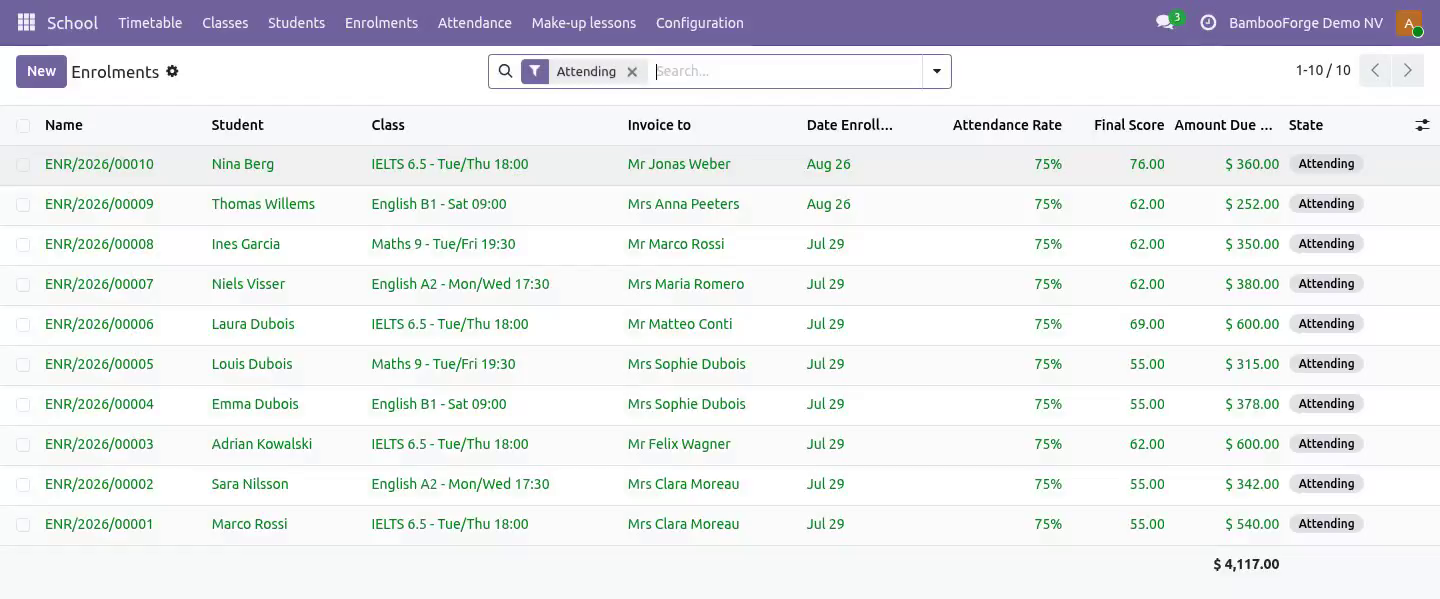
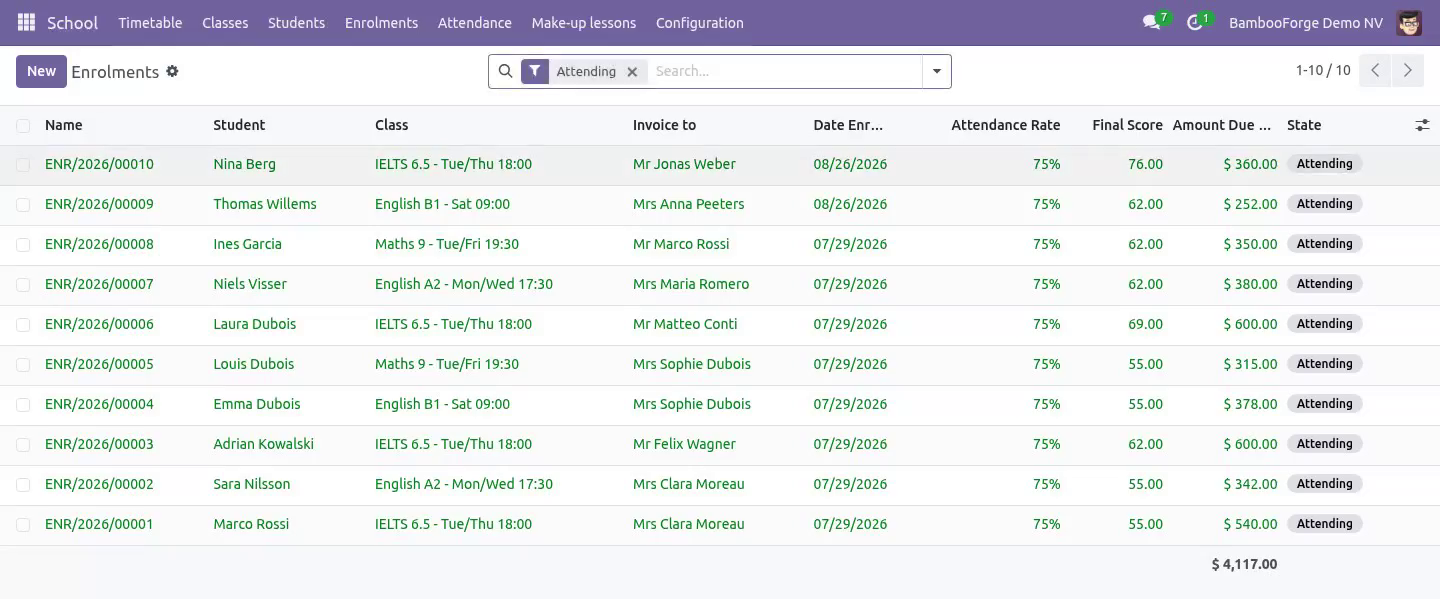
Enrol students. Choose the payer on the enrolment. Invoice from the enrolment and the tuition is raised for the lessons that remain.
Usage
The timetable
School → Timetable is the working view. A lesson can be moved, given a cover teacher, or cancelled. A cancelled lesson is owed back to whoever paid for it; a moved lesson keeps everything attached to it. Neither is a delete, so the history a parent may ask about survives.
The register
Open a lesson and mark the room. Present, absent, or excused. The lesson closes itself the morning after it ends, which is what makes the absence report trustworthy: nothing is missing because a teacher forgot.
Make-up lessons
An excused absence credits a make-up. The credit is spent explicitly, against a specific lesson, and the ledger shows both halves - earned and spent - so a dispute is settled by reading rather than by remembering.
Fees
Tuition is charged pro rata from the real timetable. A student who joins in week six pays for the lessons still to come. A withdrawal credits the same figure against the posted invoice.
Marks
Assessments carry weights that must total a hundred percent. Marks are the teacher's working notes until they are published; after that only a manager can change one, because a parent has already seen it.
Data, privacy and limits
A teacher never sees a fee, and nobody outside the office sees a child's details. That is an access rule on the models and on every one of the fields - date of birth, admission number, guardian list, care note - not a hidden notebook page. A notebook page hides a tab; it does not stop Contacts, select all, Export.
This is a tuition and timetable system, not a full student information system: there is no transport, no boarding, no state reporting export.
Marks are recorded and weighted; the module does not print certificates or transcripts.
Everything runs inside your Odoo. No external service is called and no data leaves the database.
Install
Copy bambooforge_school into your addons path and update the app list, or install the ZIP from the Odoo Apps Store.
Install School Management: Students, Classes & Tuition.
Open School - its menus are Timetable, Classes, Students, Enrolments.
Questions people ask
- Which Odoo versions does it run on?
Odoo 16.0, 17.0, 18.0, 19.0, 20.0, on the series you buy it for; each series is its own listing.
- Community or Enterprise?
Both. It needs no Enterprise app.
- What does it need?
The standard Discuss, Invoicing, Products, Settings apps. No extra Python package.
- Where does it show up?
Under the School menu (Timetable, Classes, Students, Enrolments).
- Does anything leave my server?
No. It makes no call outside your Odoo server: no telemetry, no licence check, no third-party service.
- What happens if I uninstall it?
Odoo drops the app's own tables and fields; the standard records it worked on (contacts, orders, products) stay as they are.
Troubleshooting
Regenerating a term did not create the lessons I expected. Generation never touches a lesson that has already happened or one that was moved by hand. Those are left exactly as they are, on purpose.
A student's invoice looks short. Pro rata counts the lessons that remain on the real timetable at the moment of invoicing, not a fraction of the term.
A teacher cannot see the fee fields. That is the access rule working. Fees are visible to the office roles only.
How we make sure it works
Before every release, 106 automated checks run against this app on Odoo 16, 17, 18, 19 and 20. Among them:
The same unused lessons are not credited twice.
A make up credit cannot be handed out by ticking a box.
A mark cannot be attached to a child in another class.
A register the nightly job cannot close lands on a person.
The office reads its fee note without being able to edit it.
The complete list is in the source you receive.
Support
Every request answered within 24 hours, setup help included, by the people who wrote the code: support@bambooforge.dev
Uninstallation
What is removed
The school models and their records: programmes, terms, classes, sessions, enrolments, attendance, make-ups, assessments and marks.
What is preserved
Everything standard. Contacts, the invoices raised and their payments stay exactly where they are, because they are ordinary Odoo records.
Changelog
20.0.1.3.2
Built for Odoo 20: record rules and access rights rewritten onto Odoo 20's single ir.access model, the screens rebuilt on Owl 3, and every icon moved to the icon set Odoo 20 ships.
20.0.1.0.0
First release: classes generated from a weekly pattern, a register that closes itself, fees charged pro rata, make-up lessons and marks that add up.