 BambooForge Labs
E-Invoicing All in One with Peppol Monitoring
Check that your customers' Peppol addresses are shaped the way their scheme requires, before an invoice is sent somewhere it can never arrive.
Available for Odoo 16.0, Odoo 17.0, Odoo 18.0, Odoo 19.0, Odoo 20.0. Technical name bambooforge_peppol_ops.
Transcript of the walkthrough (Odoo 20)
E-Invoicing All in One with Peppol Monitoring. Check that your customers' Peppol addresses are shaped the way their scheme requires, before an invoice is sent somewhere it can never arrive. Peppol addresses a party as scheme:identifier. The scheme — an EAS code — says what kind of identifier follows, and each has its own shape.
In the next few minutes: what this is for, then marking who uses peppol, then what is checked, then one pass over the customer list, then how we make sure it works. Then what this app deliberately does not do, so you can tell before you buy whether it fits. Everything lives under Peppol Readiness. 1.
Copy bambooforge_peppol_ops into your addons path and update the app list, or install the ZIP from the Odoo Apps Store. 2. Install Peppol Readiness Checks. 3.
Open Peppol Readiness. What this is for. Peppol addresses a party as scheme:identifier. The scheme — an EAS code — says what kind of identifier follows, and each has its own shape.
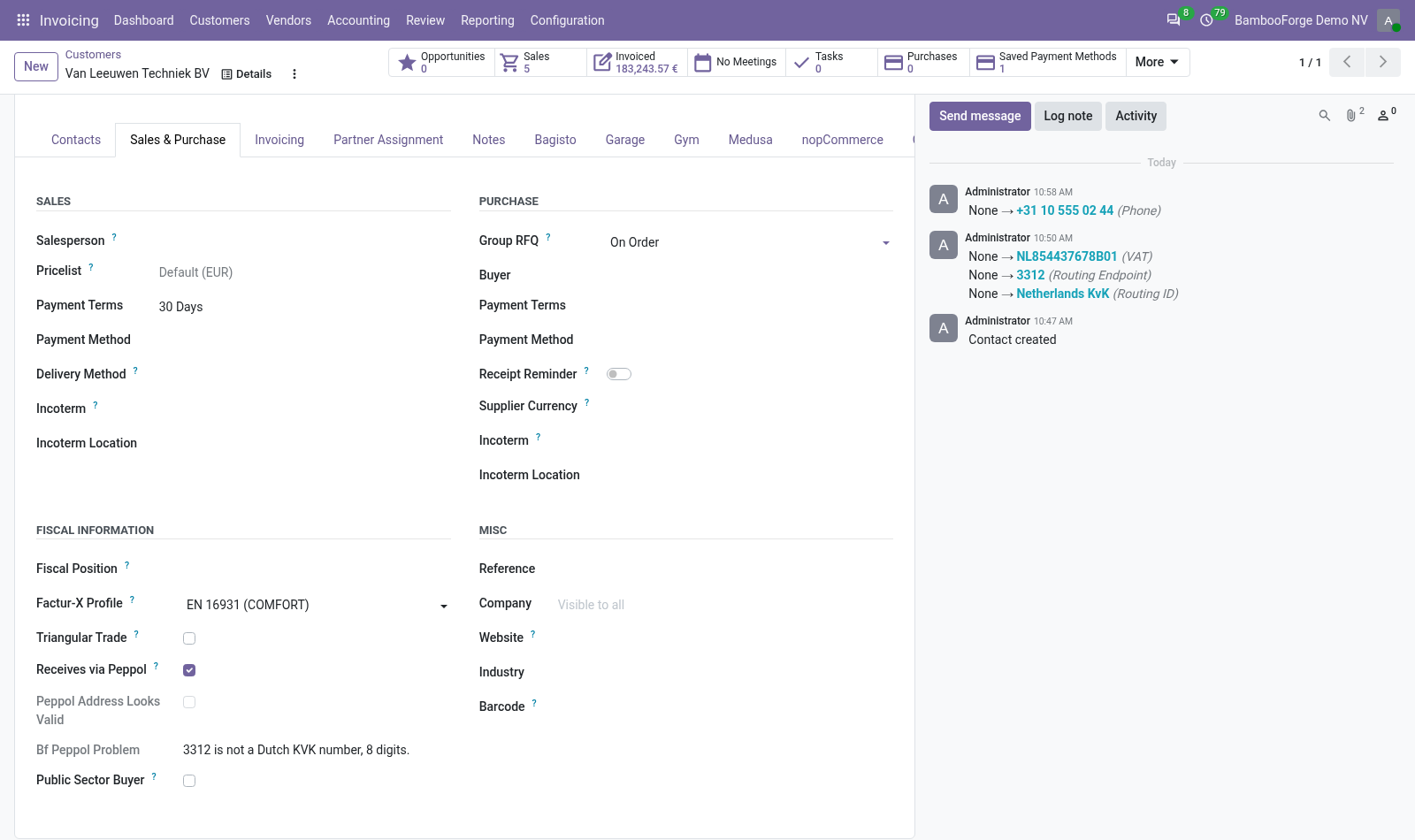
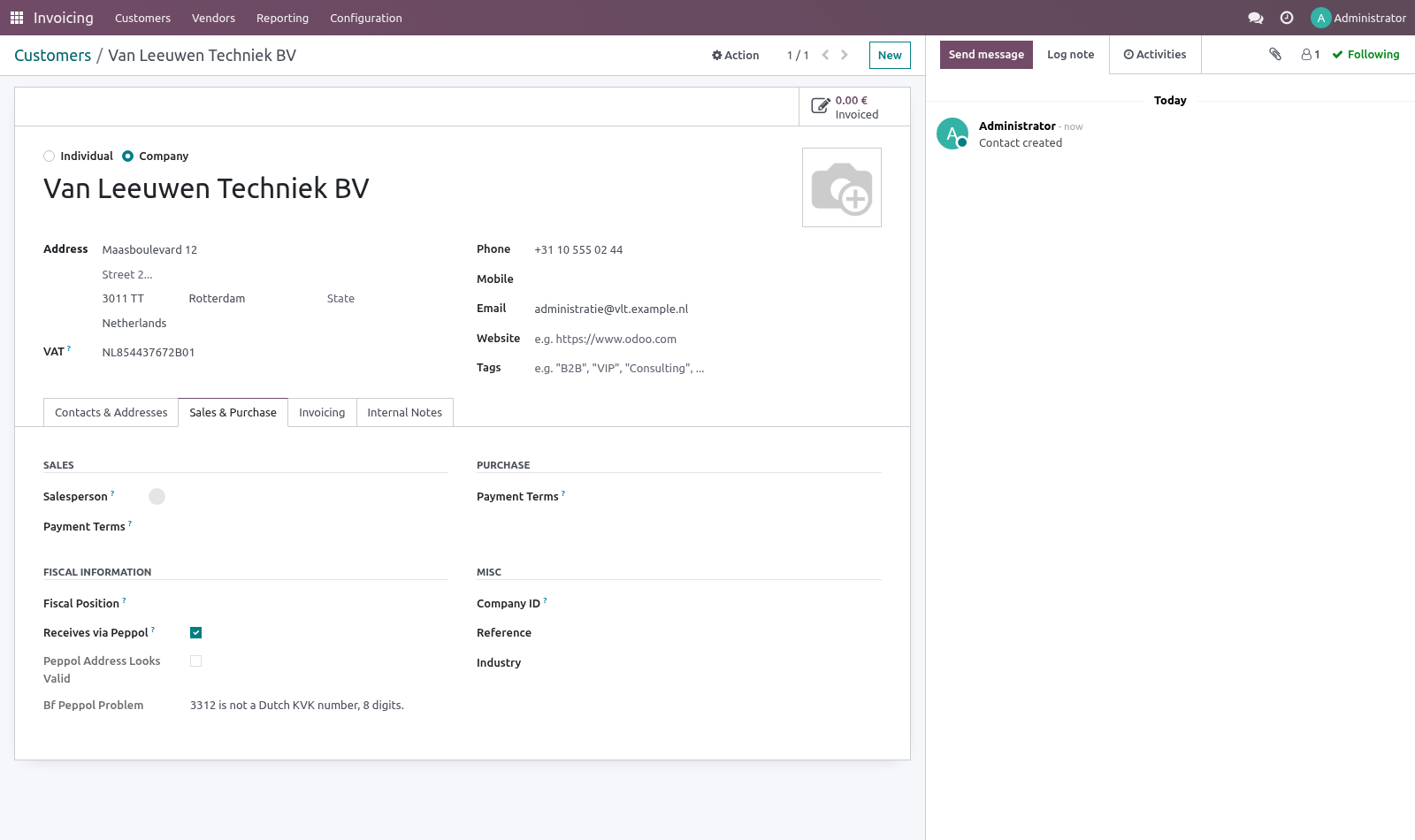
A well-formed address under the wrong scheme is the worst failure in e-invoicing: it delivers nowhere and reports nothing. Nobody notices until the customer asks where the invoice is. Marking who uses Peppol. On the customer, tick Receives via Peppol.
That turns the address checks into blocking ones for them, and leaves customers who take a PDF by email out of it. The form then shows whether the address holds up and, when it does not, what is wrong with it in one sentence. What is checked Shape per scheme — a GLN is 13 digits, a Belgian enterprise number is 10, Dutch VAT is NL + 9 digits + B + 2, Italian VAT is IT + 11, and so on for the schemes that turn up in European trade. A scheme with no rule here is left alone rather than assumed wrong.
Country sanity — a Belgian VAT scheme on a German customer is usually a copy-paste. Only a warning: a group filing through one entity is a real arrangement. Our own address — receivers check the sender, and a company that sends without being reachable itself gets answers nowhere. One pass over the customer list.
Accounting ▸ Configuration ▸ Peppol Readiness rechecks every customer marked as receiving over Peppol and opens the ones that would not deliver. Onboarding onto Peppol is a data-cleaning job, and it is far cheaper in one pass than one rejected invoice at a time. How we make sure it works. Before every release, 12 automated checks run against this app on Odoo 16, 17, 18, 19 and 20.
Among them: A customer who does not use peppol is left alone. A scheme from another country is noticed. A customer without an address is blocked. A ready customer produces no peppol findings.
The scan lists only the broken ones. The complete list is in the source you receive. Questions people ask. Which Odoo versions does it run on?
Odoo 16.0, 17.0, 18.0, 19.0, 20.0, on the series you buy it for; each series is its own listing. Community or Enterprise? Both. It needs no Enterprise app.
Now the part most videos leave out: what this does not do. The shape is checked, not the existence. Only the Peppol directory can tell you whether a participant is actually registered — and core Odoo's account_peppol does that lookup where it is available. On 16.0 the two addressing fields do not exist in core, so this app declares them under the same names core uses from 17.0.
A database upgraded later finds its data where Odoo expects it. The complete manual is at docs dot bambooforge dot dev, the demo database is linked from the store page, and support answers within twenty-four hours. Links are in the description.
Transcript of the walkthrough (Odoo 19)
Peppol Readiness Checks. Check that your customers' Peppol addresses are shaped the way their scheme requires, before an invoice is sent somewhere it can never arrive. Peppol addresses a party as scheme:identifier. The scheme — an EAS code — says what kind of identifier follows, and each has its own shape.
In the next few minutes: what this is for, then marking who uses peppol, then what is checked, then one pass over the customer list. Then what this app deliberately does not do, so you can tell before you buy whether it fits. Everything lives under Peppol Readiness. What this is for.
Peppol addresses a party as scheme:identifier. The scheme — an EAS code — says what kind of identifier follows, and each has its own shape. A well-formed address under the wrong scheme is the worst failure in e-invoicing: it delivers nowhere and reports nothing. Nobody notices until the customer asks where the invoice is.
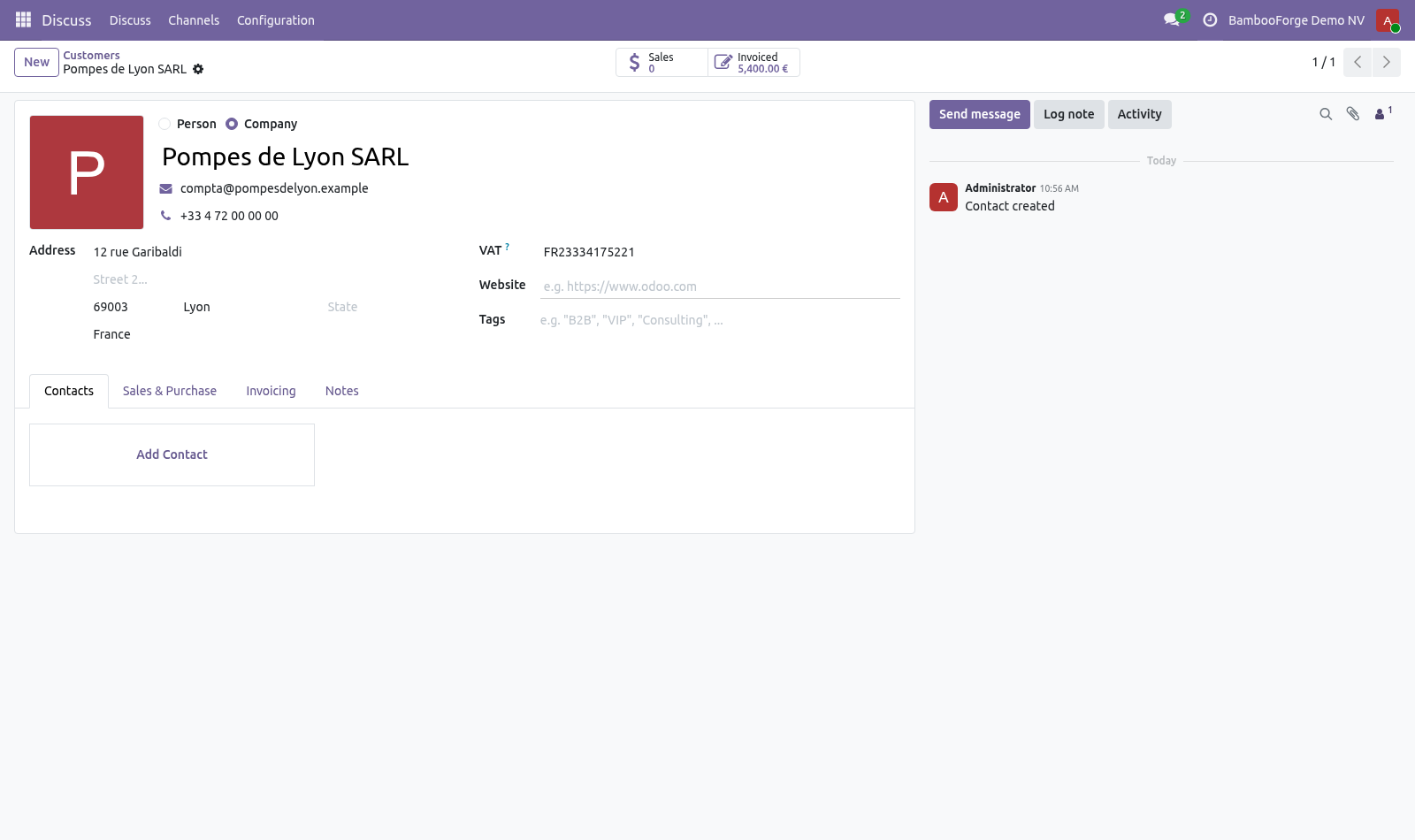
Marking who uses Peppol. On the customer, tick Receives via Peppol. That turns the address checks into blocking ones for them, and leaves customers who take a PDF by email out of it. The form then shows whether the address holds up and, when it does not, what is wrong with it in one sentence.
What is checked Shape per scheme — a GLN is 13 digits, a Belgian enterprise number is 10, Dutch VAT is NL + 9 digits + B + 2, Italian VAT is IT + 11, and so on for the schemes that turn up in European trade. A scheme with no rule here is left alone rather than assumed wrong. Country sanity — a Belgian VAT scheme on a German customer is usually a copy-paste. Only a warning: a group filing through one entity is a real arrangement.
Our own address — receivers check the sender, and a company that sends without being reachable itself gets answers nowhere. One pass over the customer list. Accounting ▸ Configuration ▸ Peppol Readiness rechecks every customer marked as receiving over Peppol and opens the ones that would not deliver. Onboarding onto Peppol is a data-cleaning job, and it is far cheaper in one pass than one rejected invoice at a time.
Now the part most videos leave out: what this does not do. The shape is checked, not the existence. Only the Peppol directory can tell you whether a participant is actually registered — and core Odoo's account_peppol does that lookup where it is available. On 16.0 the two addressing fields do not exist in core, so this app declares them under the same names core uses from 17.0.
A database upgraded later finds its data where Odoo expects it. The complete manual is at docs dot bambooforge dot dev, the demo database is linked from the store page, and support answers within twenty-four hours. Links are in the description.
Transcript of the walkthrough (Odoo 18)
Peppol Readiness Checks. Check that your customers' Peppol addresses are shaped the way their scheme requires, before an invoice is sent somewhere it can never arrive. Peppol addresses a party as scheme:identifier. The scheme — an EAS code — says what kind of identifier follows, and each has its own shape.
In the next few minutes: what this is for, then marking who uses peppol, then what is checked, then one pass over the customer list. Then what this app deliberately does not do, so you can tell before you buy whether it fits. Everything lives under Peppol Readiness. What this is for.
Peppol addresses a party as scheme:identifier. The scheme — an EAS code — says what kind of identifier follows, and each has its own shape. A well-formed address under the wrong scheme is the worst failure in e-invoicing: it delivers nowhere and reports nothing. Nobody notices until the customer asks where the invoice is.
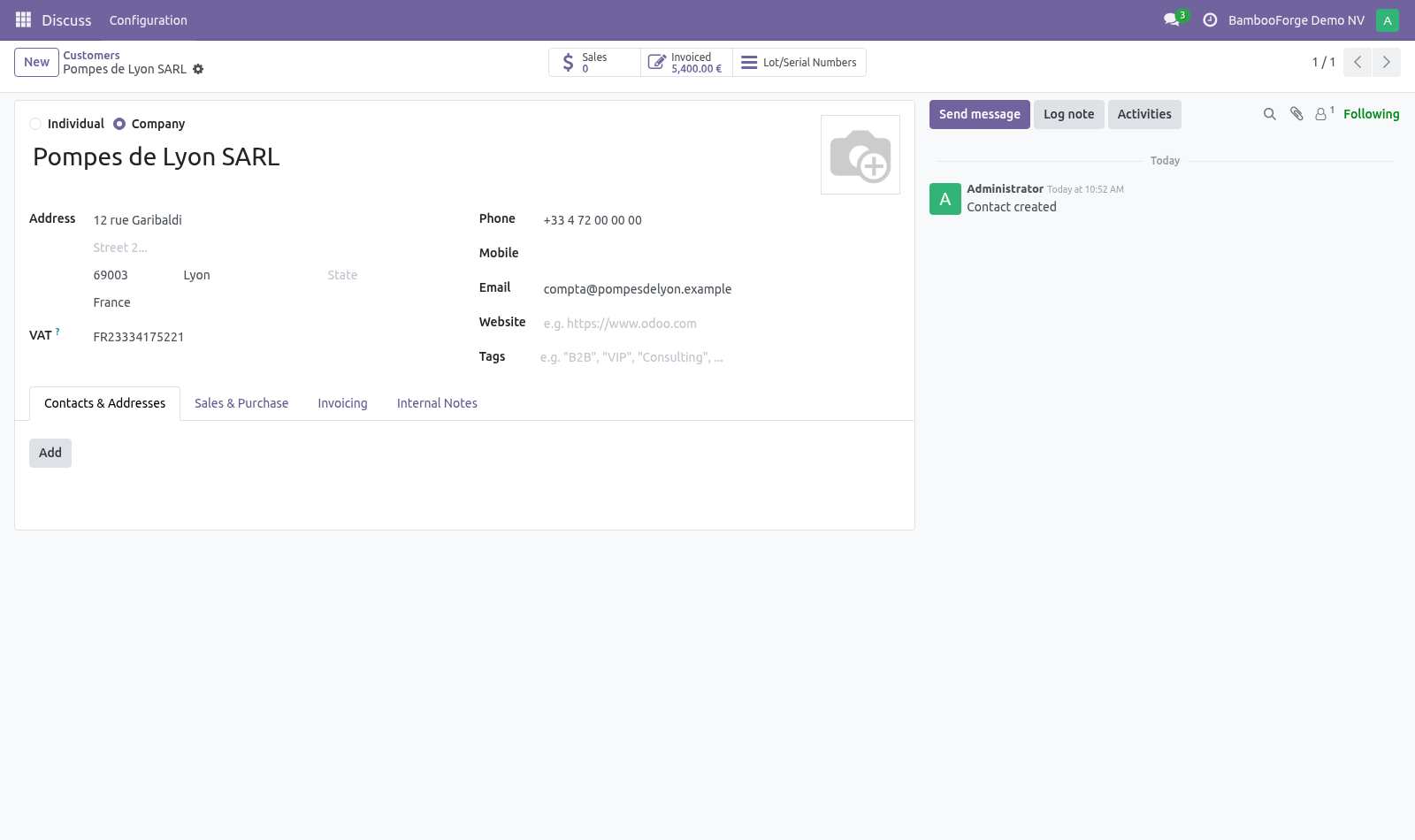
Marking who uses Peppol. On the customer, tick Receives via Peppol. That turns the address checks into blocking ones for them, and leaves customers who take a PDF by email out of it. The form then shows whether the address holds up and, when it does not, what is wrong with it in one sentence.
What is checked Shape per scheme — a GLN is 13 digits, a Belgian enterprise number is 10, Dutch VAT is NL + 9 digits + B + 2, Italian VAT is IT + 11, and so on for the schemes that turn up in European trade. A scheme with no rule here is left alone rather than assumed wrong. Country sanity — a Belgian VAT scheme on a German customer is usually a copy-paste. Only a warning: a group filing through one entity is a real arrangement.
Our own address — receivers check the sender, and a company that sends without being reachable itself gets answers nowhere. One pass over the customer list. Accounting ▸ Configuration ▸ Peppol Readiness rechecks every customer marked as receiving over Peppol and opens the ones that would not deliver. Onboarding onto Peppol is a data-cleaning job, and it is far cheaper in one pass than one rejected invoice at a time.
Now the part most videos leave out: what this does not do. The shape is checked, not the existence. Only the Peppol directory can tell you whether a participant is actually registered — and core Odoo's account_peppol does that lookup where it is available. On 16.0 the two addressing fields do not exist in core, so this app declares them under the same names core uses from 17.0.
A database upgraded later finds its data where Odoo expects it. The complete manual is at docs dot bambooforge dot dev, the demo database is linked from the store page, and support answers within twenty-four hours. Links are in the description.
Transcript of the walkthrough (Odoo 17)
Peppol Readiness Checks. Check that your customers' Peppol addresses are shaped the way their scheme requires, before an invoice is sent somewhere it can never arrive. Peppol addresses a party as scheme:identifier. The scheme — an EAS code — says what kind of identifier follows, and each has its own shape.
In the next few minutes: what this is for, then marking who uses peppol, then what is checked, then one pass over the customer list. Then what this app deliberately does not do, so you can tell before you buy whether it fits. Everything lives under Peppol Readiness. What this is for.
Peppol addresses a party as scheme:identifier. The scheme — an EAS code — says what kind of identifier follows, and each has its own shape. A well-formed address under the wrong scheme is the worst failure in e-invoicing: it delivers nowhere and reports nothing. Nobody notices until the customer asks where the invoice is.
Marking who uses Peppol. On the customer, tick Receives via Peppol. That turns the address checks into blocking ones for them, and leaves customers who take a PDF by email out of it. The form then shows whether the address holds up and, when it does not, what is wrong with it in one sentence.
What is checked Shape per scheme — a GLN is 13 digits, a Belgian enterprise number is 10, Dutch VAT is NL + 9 digits + B + 2, Italian VAT is IT + 11, and so on for the schemes that turn up in European trade. A scheme with no rule here is left alone rather than assumed wrong. Country sanity — a Belgian VAT scheme on a German customer is usually a copy-paste. Only a warning: a group filing through one entity is a real arrangement.
Our own address — receivers check the sender, and a company that sends without being reachable itself gets answers nowhere. One pass over the customer list. Accounting ▸ Configuration ▸ Peppol Readiness rechecks every customer marked as receiving over Peppol and opens the ones that would not deliver. Onboarding onto Peppol is a data-cleaning job, and it is far cheaper in one pass than one rejected invoice at a time.
Now the part most videos leave out: what this does not do. The shape is checked, not the existence. Only the Peppol directory can tell you whether a participant is actually registered — and core Odoo's account_peppol does that lookup where it is available. On 16.0 the two addressing fields do not exist in core, so this app declares them under the same names core uses from 17.0.
A database upgraded later finds its data where Odoo expects it. The complete manual is at docs dot bambooforge dot dev, the demo database is linked from the store page, and support answers within twenty-four hours. Links are in the description.
Transcript of the walkthrough (Odoo 16)
Peppol Readiness Checks. Check that your customers' Peppol addresses are shaped the way their scheme requires, before an invoice is sent somewhere it can never arrive. Peppol addresses a party as scheme:identifier. The scheme — an EAS code — says what kind of identifier follows, and each has its own shape.
In the next few minutes: what this is for, then marking who uses peppol, then what is checked, then one pass over the customer list. Then what this app deliberately does not do, so you can tell before you buy whether it fits. Everything lives under Peppol Readiness. What this is for.
Peppol addresses a party as scheme:identifier. The scheme — an EAS code — says what kind of identifier follows, and each has its own shape. A well-formed address under the wrong scheme is the worst failure in e-invoicing: it delivers nowhere and reports nothing. Nobody notices until the customer asks where the invoice is.
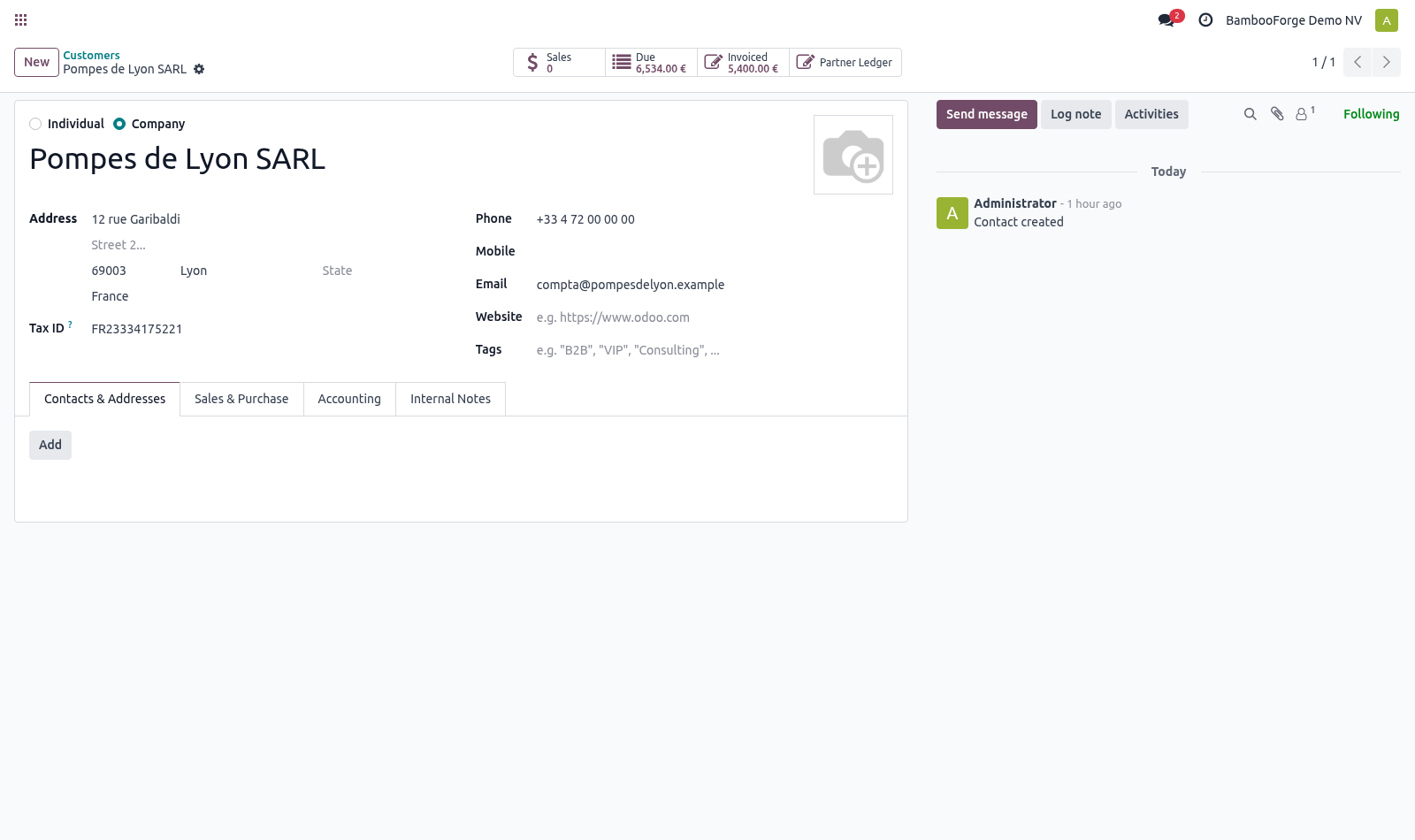
Marking who uses Peppol. On the customer, tick Receives via Peppol. That turns the address checks into blocking ones for them, and leaves customers who take a PDF by email out of it. The form then shows whether the address holds up and, when it does not, what is wrong with it in one sentence.
What is checked Shape per scheme — a GLN is 13 digits, a Belgian enterprise number is 10, Dutch VAT is NL + 9 digits + B + 2, Italian VAT is IT + 11, and so on for the schemes that turn up in European trade. A scheme with no rule here is left alone rather than assumed wrong. Country sanity — a Belgian VAT scheme on a German customer is usually a copy-paste. Only a warning: a group filing through one entity is a real arrangement.
Our own address — receivers check the sender, and a company that sends without being reachable itself gets answers nowhere. One pass over the customer list. Accounting ▸ Configuration ▸ Peppol Readiness rechecks every customer marked as receiving over Peppol and opens the ones that would not deliver. Onboarding onto Peppol is a data-cleaning job, and it is far cheaper in one pass than one rejected invoice at a time.
Now the part most videos leave out: what this does not do. The shape is checked, not the existence. Only the Peppol directory can tell you whether a participant is actually registered — and core Odoo's account_peppol does that lookup where it is available. On 16.0 the two addressing fields do not exist in core, so this app declares them under the same names core uses from 17.0.
A database upgraded later finds its data where Odoo expects it. The complete manual is at docs dot bambooforge dot dev, the demo database is linked from the store page, and support answers within twenty-four hours. Links are in the description.
Key facts
- What it is
- Check that your customers' Peppol addresses are shaped the way their scheme requires, before an invoice is sent somewhere it can never arrive.
- For
- Accounting
- Odoo versions
- 16.0, 17.0, 18.0, 19.0, 20.0 - Community and Enterprise
- Runs on
- Odoo.sh or Odoo you host yourself - not Odoo Online, which accepts no third-party apps
- Price
- 348 EUR, one-time, on the Odoo Apps Store
- Technical name
- bambooforge_peppol_ops
- Not for
- The shape is checked, not the existence. Only the Peppol directory can tell you whether a participant is actually registered — and core Odoo's account_peppol does that lookup where it is available.; On 16.0 the two addressing fields do not exist in core, so this app declares them under the same names core uses from 17.0. A database upgraded later finds its data where Odoo expects it.
- Manual last updated
- 2026-10-15
E-Invoicing All in One with Peppol Monitoring
What this is for
Peppol addresses a party as scheme:identifier. The scheme — an EAS code — says what kind of identifier follows, and each has its own shape.
A well-formed address under the wrong scheme is the worst failure in e-invoicing: it delivers nowhere and reports nothing. Nobody notices until the customer asks where the invoice is.
Marking who uses Peppol
On the customer, tick Receives via Peppol. That turns the address checks into blocking ones for them, and leaves customers who take a PDF by email out of it.
The form then shows whether the address holds up and, when it does not, what is wrong with it in one sentence.
What is checked
Shape per scheme — a GLN is 13 digits, a Belgian enterprise number is 10, Dutch VAT is NL + 9 digits + B + 2, Italian VAT is IT + 11, and so on for the schemes that turn up in European trade. A scheme with no rule here is left alone rather than assumed wrong.
Country sanity — a Belgian VAT scheme on a German customer is usually a copy-paste. Only a warning: a group filing through one entity is a real arrangement.
Our own address — receivers check the sender, and a company that sends without being reachable itself gets answers nowhere.
One pass over the customer list
Accounting ▸ Configuration ▸ Peppol Readiness rechecks every customer marked as receiving over Peppol and opens the ones that would not deliver. Onboarding onto Peppol is a data-cleaning job, and it is far cheaper in one pass than one rejected invoice at a time.
Known limits
The shape is checked, not the existence. Only the Peppol directory can tell you whether a participant is actually registered — and core Odoo's account_peppol does that lookup where it is available.
On 16.0 the two addressing fields do not exist in core, so this app declares them under the same names core uses from 17.0. A database upgraded later finds its data where Odoo expects it.
How we make sure it works
Before every release, 12 automated checks run against this app on Odoo 16, 17, 18, 19 and 20. Among them:
A customer who does not use peppol is left alone.
A scheme from another country is noticed.
A customer without an address is blocked.
A ready customer produces no peppol findings.
The scan lists only the broken ones.
The complete list is in the source you receive.
Install
Copy bambooforge_peppol_ops into your addons path and update the app list, or install the ZIP from the Odoo Apps Store.
Install Peppol Readiness Checks.
Open Peppol Readiness.
Questions people ask
- Which Odoo versions does it run on?
Odoo 16.0, 17.0, 18.0, 19.0, 20.0, on the series you buy it for; each series is its own listing.
- Community or Enterprise?
Both. It needs no Enterprise app.
- What does it need?
The standard account_edi_ubl_cii; einvoice (BambooForge) must be installed first app. No extra Python package.
- Where does it show up?
Under the Peppol Readiness menu.
- Does anything leave my server?
No. It makes no call outside your Odoo server: no telemetry, no licence check, no third-party service.
- What happens if I uninstall it?
Odoo drops the app's own tables and fields; the standard records it worked on (contacts, orders, products) stay as they are.