 BambooForge Labs
Attachment Preview All in One for Documents
Preview Microsoft Office and LibreOffice files, images and PDFs inside the Documents app, without downloading the attachment first.
Available for Odoo 16.0, Odoo 17.0, Odoo 18.0, Odoo 19.0, Odoo 20.0. Technical name bambooforge_office_preview_documents.
Transcript of the walkthrough (Odoo 20)
Attachment Preview All in One for Documents. Preview Microsoft Office and LibreOffice files, images and PDFs inside the Documents app, without downloading the attachment first. The Enterprise Documents app lists every file you store in Odoo, but its built-in preview only opens a handful of formats inline; Office and most LibreOffice files fall back to a plain download. This module closes that gap.
In the next few minutes: attachment preview all in one for documents, then configuration, then usage, then excel files and odoo spreadsheet, then customization. Then what this app deliberately does not do, so you can tell before you buy whether it fits. The exact dependency line from the manifest is. Attachment Preview All in One for Documents.
Preview Microsoft Office files, LibreOffice files, images and PDFs inline, right inside the Odoo Enterprise Documents app — no download, no external desktop application. This module is the Documents companion to BambooForge Office & PDF Preview: it teaches the Documents kanban, list and activity views to open the same inline viewer you already get on chatter attachments. This page is the complete manual. Follow it top to bottom and you can install, verify and fix the common issues without contacting support.
Configuration. There is nothing to configure. The module ships zero settings, zero menus and zero scheduled actions. It only patches the Documents views to recognise the extra formats.
Installing it is the whole setup. If your organisation restricts which file formats the Microsoft Office Online viewer may reach (for example via a firewall), see Data, privacy & limits — that is the only network consideration, and it is inherited from the base module, not configured here. Usage. 1.
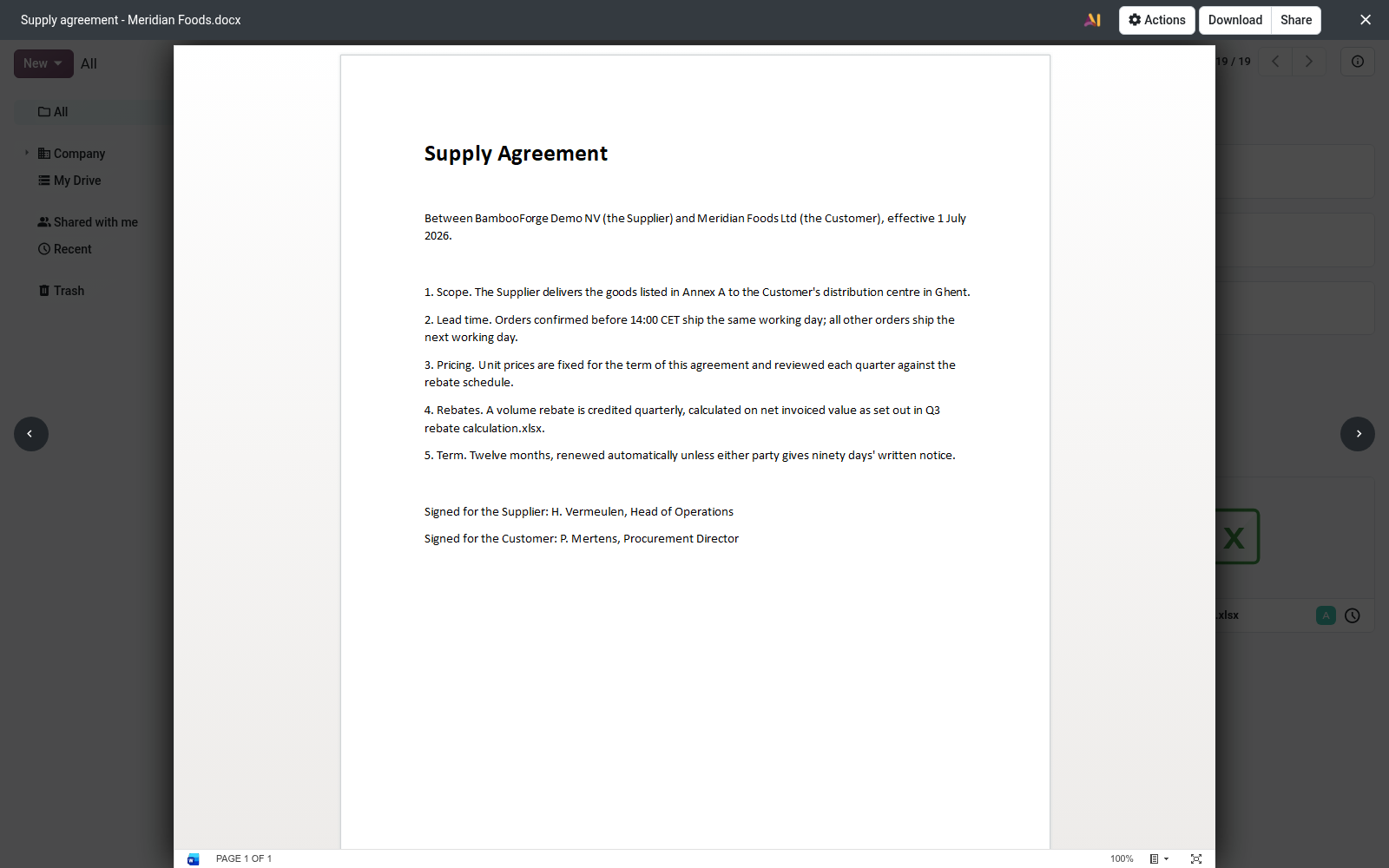
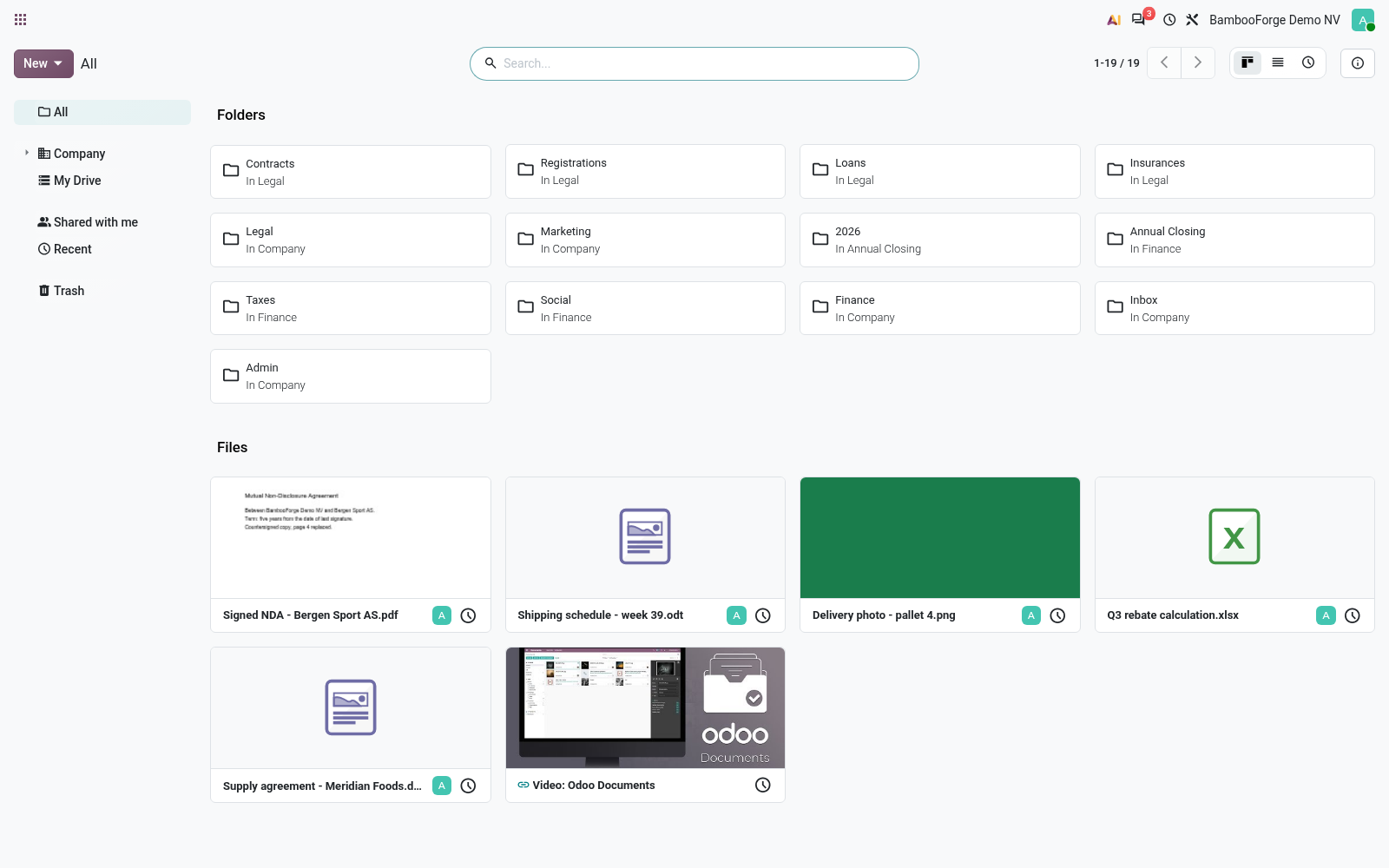
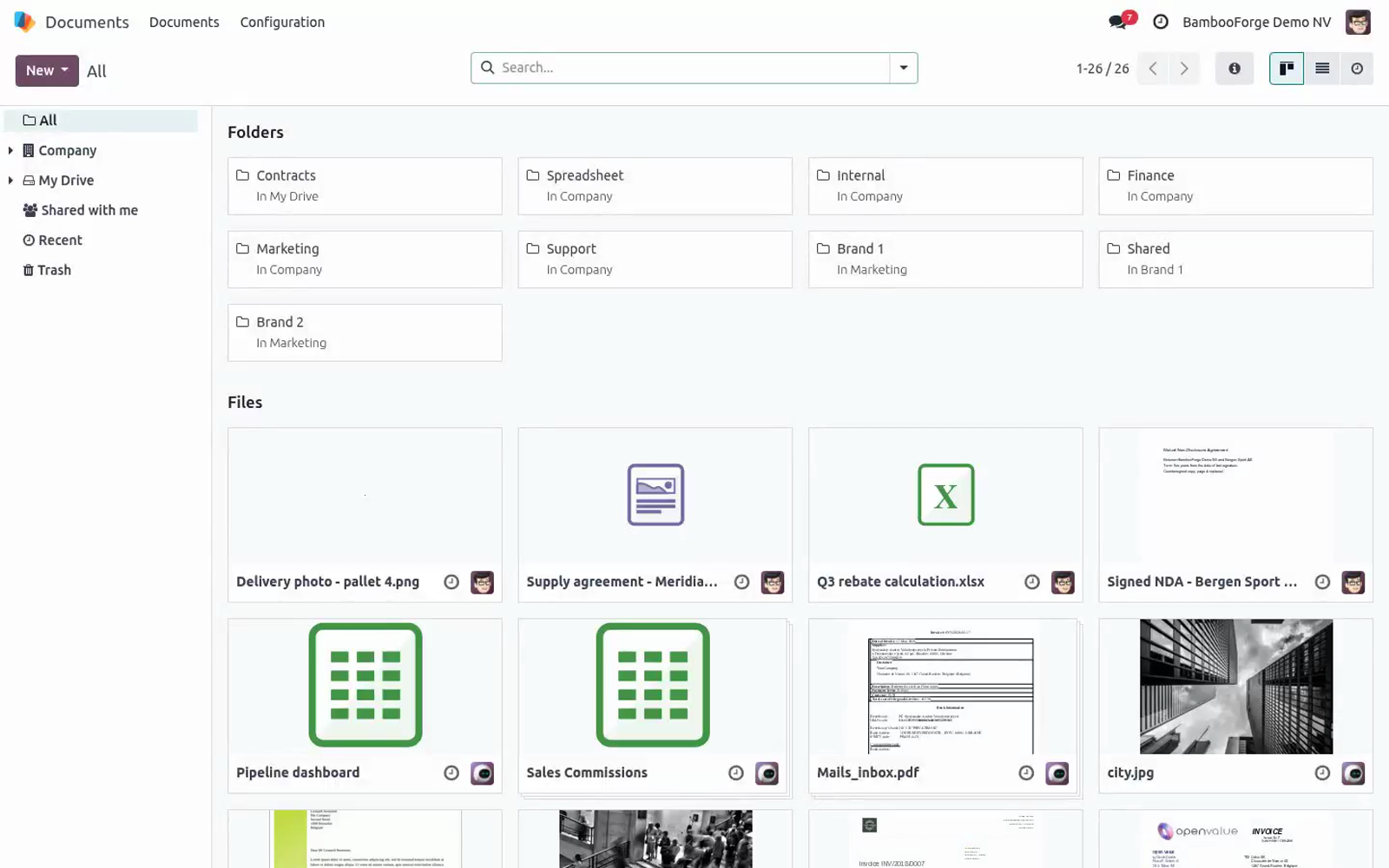
Open the Documents app from the main Odoo menu. 2. Upload (or locate) an Office, LibreOffice, PDF or image file — for example a .docx or .xlsx. 3.
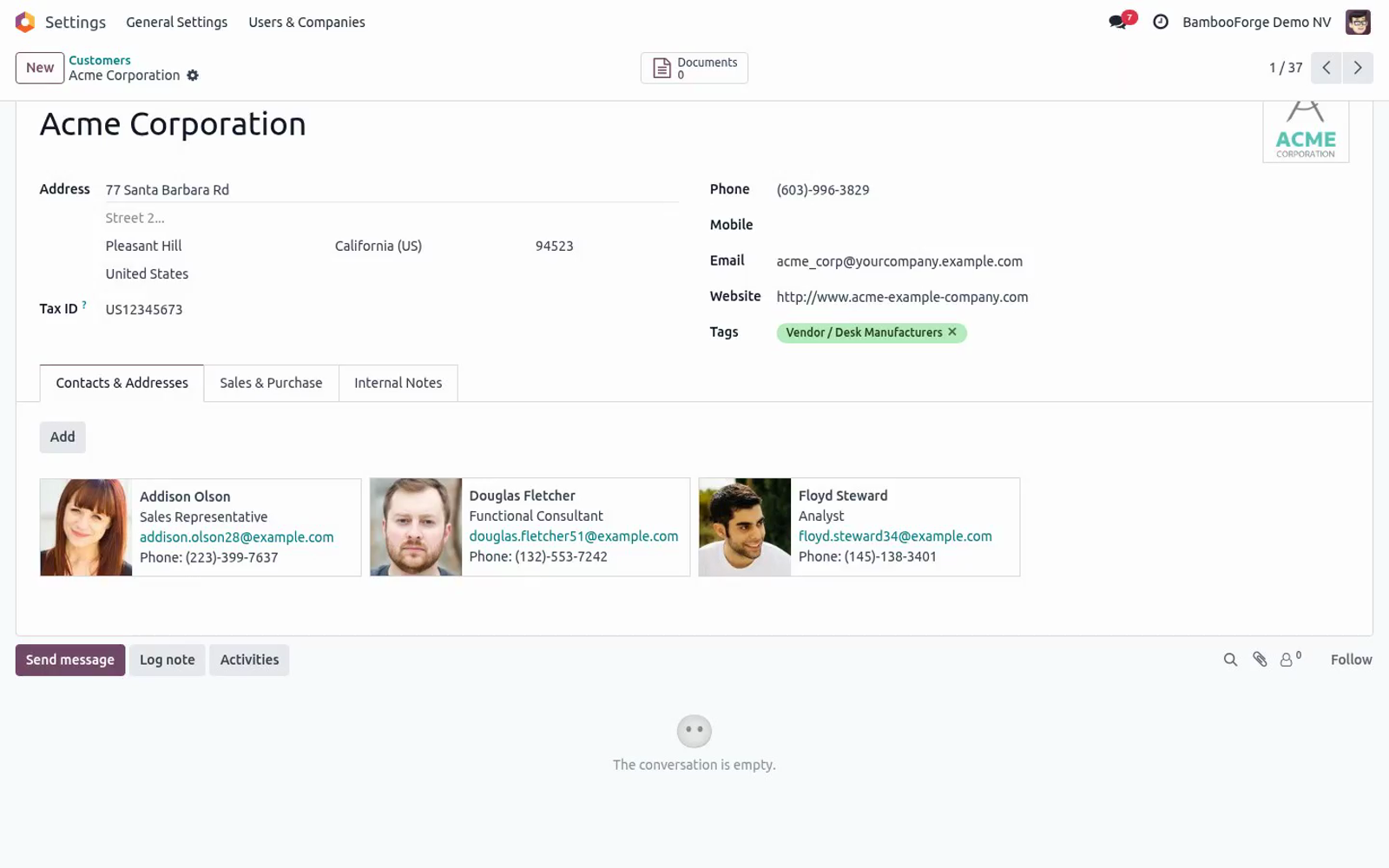
Click the file to open it, exactly as you already do for PDFs. 4. The file opens inline in the viewer instead of downloading: Word/Excel/ PowerPoint and ODF documents render in the embedded viewer, ODF templates render with the bundled local ViewerJS engine, and PDFs/images use Odoo's native viewer. This works in all three Documents layouts — the Kanban (card) view, the List view, and the Activity view — because the module patches each one.
Folders are never opened as previews; only files are. Excel files and Odoo Spreadsheet. Documents comes with Odoo Spreadsheet (documents_spreadsheet), and on its own a click on an Excel file does not preview it: it offers to import the file as an Odoo spreadsheet. With this module the click previews the workbook like any other Office file, and the import is still one click away — Open as spreadsheet, in the action bar of the preview (and of the selection), runs Spreadsheet's own import, unchanged.
CSV files, Odoo spreadsheets and files in the trash still open the way Spreadsheet opens them. If a format is not in the supported list above, the file behaves exactly as it did before installing the module (Odoo's default download/preview), so nothing you relied on breaks. Customization. The set of previewable formats lives in the base module (bambooforge_office_preview), in static/src/core/preview_utils.js — the isOfficePreviewable helper that this module calls.
To add or remove a format, edit the MIME-type / extension tables there; this Documents companion automatically follows whatever the base module recognises, with no change needed here. This module itself contains only three small view patches (documents_view/kanban, .../list, .../activity), each overriding the record's isViewable() method. If you maintain your own Documents view overrides, be aware these patches stack on top of the standard ones via Odoo's patch utility. Frequently asked questions.
Does this work on Odoo Community? No. It depends on the Enterprise Documents app, which does not exist in Community. You need Odoo 20 Enterprise.
Do I need the other BambooForge preview module too? Yes. This module is the Documents companion to BambooForge Office & PDF Preview; it reuses that module's rendering engine and lists it as a hard dependency. Both are installed automatically as dependencies when you install this one.
Support & updates Support: support@bambooforge.dev — answered within 24 hours, setup help included. Refund: report a bug within 2 months of purchase; if unresolved within 15 days, full refund. Full source is included. Updates track the supported Odoo 20 Enterprise line and the base BambooForge Office & PDF Preview module.
Upgrading & version compatibility. This build targets Odoo 20.0. Each Odoo major series (17.0, 18.0, 19.0) has its own dedicated build of this module — always install the build that matches your Odoo version. Mixing a build with a different Odoo series is not supported.
Patch upgrades (same series, e.g. 20.0.1.0.0 → later). 1. Back up your database and filestore first.
2. Replace the module folder with the newer build. 3. Restart Odoo with the module updated.
4. Odoo applies any schema/data changes automatically. Your existing records and configuration are preserved. Cross-version migration (moving to a newer Odoo).
Upgrading Odoo itself is a database migration handled by Odoo's standard upgrade tooling. When you migrate the database to the next Odoo series, install the matching build of this module for that series. Data created by this module carries over with the database migration. Now the part most videos leave out: what this does not do.
This module stores no data and adds no models, fields or scheduled actions. It only changes how the Documents views decide whether a file is previewable. Rendered locally (no upload): PDFs and images use Odoo's native viewer; ODF template files (.ott .ots .otp) render with the bundled ViewerJS/WebODF engine in your browser. In scope: inline preview of the listed formats in the Documents kanban, list and activity views.
Out of scope: editing files in place, converting between formats, and previewing formats outside the supported list (those keep Odoo's default behaviour). The complete manual is at docs dot bambooforge dot dev, the demo database is linked from the store page, and support answers within twenty-four hours. Links are in the description.
Transcript of the walkthrough (Odoo 19)
Attachment Preview for Documents (Enterprise). Preview Microsoft Office and LibreOffice files, images and PDFs inside the Documents app, without downloading the attachment first. The Enterprise Documents app lists every file you store in Odoo, but its built-in preview only opens a handful of formats inline; Office and most LibreOffice files fall back to a plain download. This module closes that gap.
In the next few minutes: attachment preview for documents (enterprise), then configuration, then usage, then customization, then troubleshooting. Then what this app deliberately does not do, so you can tell before you buy whether it fits. 'depends': ['bambooforge_office_preview', 'documents'] Attachment Preview for Documents (Enterprise). Preview Microsoft Office files, LibreOffice files, images and PDFs inline, right inside the Odoo Enterprise Documents app — no download, no external desktop application.
This module is the Documents companion to BambooForge Office & PDF Preview: it teaches the Documents kanban, list and activity views to open the same inline viewer you already get on chatter attachments. This page is the complete manual. Follow it top to bottom and you can install, verify and fix the common issues without contacting support. Configuration.
There is nothing to configure. The module ships zero settings, zero menus and zero scheduled actions. It only patches the Documents views to recognise the extra formats. Installing it is the whole setup.
If your organisation restricts which file formats the Microsoft Office Online viewer may reach (for example via a firewall), see Data, privacy & limits — that is the only network consideration, and it is inherited from the base module, not configured here. Usage. 1. Open the Documents app from the main Odoo menu.
2. Upload (or locate) an Office, LibreOffice, PDF or image file — for example a .docx or .xlsx. 3. Click the file to open it, exactly as you already do for PDFs.
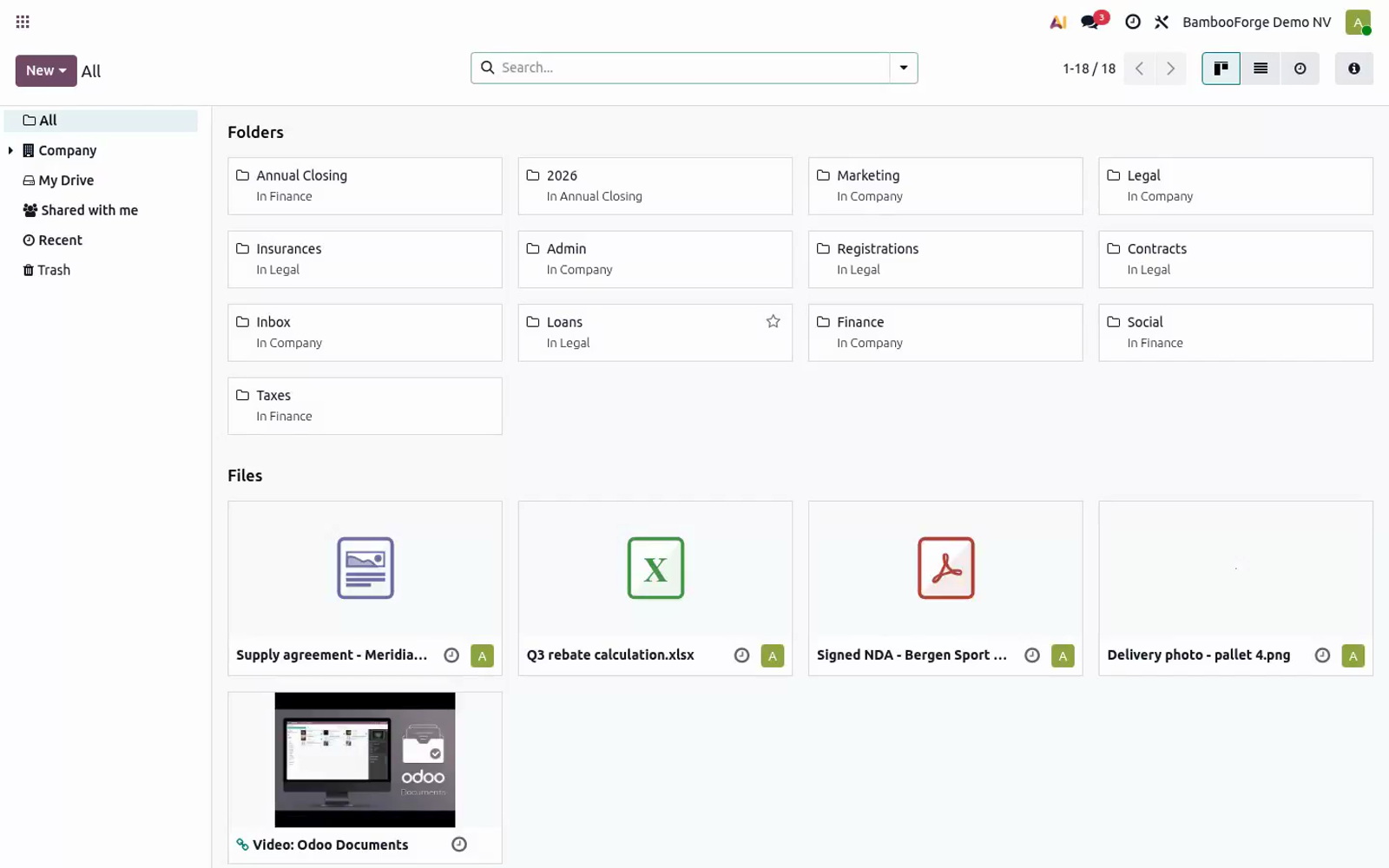
4. The file opens inline in the viewer instead of downloading: Word/Excel/ PowerPoint and ODF documents render in the embedded viewer, ODF templates render with the bundled local ViewerJS engine, and PDFs/images use Odoo's native viewer. This works in all three Documents layouts — the Kanban (card) view, the List view, and the Activity view — because the module patches each one. Folders are never opened as previews; only files are.
Customization. The set of previewable formats lives in the base module (bambooforge_office_preview), in static/src/core/preview_utils.js — the isOfficePreviewable helper that this module calls. To add or remove a format, edit the MIME-type / extension tables there; this Documents companion automatically follows whatever the base module recognises, with no change needed here. This module itself contains only three small view patches (documents_view/kanban, .../list, .../activity), each overriding the record's isViewable() method.
If you maintain your own Documents view overrides, be aware these patches stack on top of the standard ones via Odoo's patch utility. Troubleshooting - Install fails: "Documents app not found" The documents module is Enterprise-only. This module cannot run on Odoo Community — you need Odoo 19 Enterprise. - Install fails: missing bambooforge_office_preview The base preview module is a hard dependency.
Copy it into the addons path too, then Update Apps List and install again. - Files still download instead of previewing in Documents The browser is serving cached JavaScript. Hard-refresh (Ctrl/Cmd-Shift-R); if you run a multi-worker server, also restart Odoo so the asset bundle is regenerated. - One specific format does not preview Confirm its extension is in the supported list above.
Formats outside that list fall back to Odoo's default behaviour by design. A file with a wrong or missing MIME type is matched by its filename extension instead. Frequently asked questions. Does this work on Odoo Community?
No. It depends on the Enterprise Documents app, which does not exist in Community. You need Odoo 19 Enterprise. Do I need the other BambooForge preview module too?
Yes. This module is the Documents companion to BambooForge Office & PDF Preview; it reuses that module's rendering engine and lists it as a hard dependency. Both are installed automatically as dependencies when you install this one. Support & updates.
.. BAMBOOFORGE-DOC-APPENDIX (auto-generated: Upgrade/Uninstall/Changelog + bespoke) Support: support@bambooforge.dev — answered within 24 hours, setup help included. Refund: report a bug within 2 months of purchase; if unresolved within 15 days, full refund. Full source is included.
Updates track the supported Odoo 19 Enterprise line and the base BambooForge Office & PDF Preview module. Upgrading & version compatibility. This build targets Odoo 19.0. Each Odoo major series (17.0, 18.0, 19.0) has its own dedicated build of this module — always install the build that matches your Odoo version.
Mixing a build with a different Odoo series is not supported. Patch upgrades (same series, e.g. 19.0.1.0.0 → later). ./odoo-bin -c your.conf -u bambooforge_office_preview_documents -d your_db 4.
Odoo applies any schema/data changes automatically. Your existing records and configuration are preserved. Cross-version migration (e.g. Odoo 17 → 18).
Upgrading Odoo itself is a database migration handled by Odoo's standard upgrade tooling. When you migrate the database to the next Odoo series, install the matching build of this module for that series. Data created by this module carries over with the database migration. Now the part most videos leave out: what this does not do.
This module stores no data and adds no models, fields or scheduled actions. It only changes how the Documents views decide whether a file is previewable. Rendered locally (no upload): PDFs and images use Odoo's native viewer; ODF template files (.ott .ots .otp) render with the bundled ViewerJS/WebODF engine in your browser. In scope: inline preview of the listed formats in the Documents kanban, list and activity views.
Out of scope: editing files in place, converting between formats, and previewing formats outside the supported list (those keep Odoo's default behaviour). The complete manual is at docs dot bambooforge dot dev, the demo database is linked from the store page, and support answers within twenty-four hours. Links are in the description.
Transcript of the walkthrough (Odoo 18)
Attachment Preview for Documents (Enterprise). Preview Microsoft Office and LibreOffice files, images and PDFs inside the Documents app, without downloading the attachment first. The Enterprise Documents app lists every file you store in Odoo, but its built-in preview only opens a handful of formats inline; Office and most LibreOffice files fall back to a plain download. This module closes that gap.
In the next few minutes: attachment preview for documents (enterprise), then configuration, then usage, then customization, then troubleshooting. Then what this app deliberately does not do, so you can tell before you buy whether it fits. 'depends': ['bambooforge_office_preview', 'documents'] Attachment Preview for Documents (Enterprise). Preview Microsoft Office files, LibreOffice files, images and PDFs inline, right inside the Odoo Enterprise Documents app — no download, no external desktop application.
This module is the Documents companion to BambooForge Office & PDF Preview: it teaches the Documents kanban, list and activity views to open the same inline viewer you already get on chatter attachments. This page is the complete manual. Follow it top to bottom and you can install, verify and fix the common issues without contacting support. Configuration.
There is nothing to configure. The module ships zero settings, zero menus and zero scheduled actions. It only patches the Documents views to recognise the extra formats. Installing it is the whole setup.
If your organisation restricts which file formats the Microsoft Office Online viewer may reach (for example via a firewall), see Data, privacy & limits — that is the only network consideration, and it is inherited from the base module, not configured here. Usage. 1. Open the Documents app from the main Odoo menu.
2. Upload (or locate) an Office, LibreOffice, PDF or image file — for example a .docx or .xlsx. 3. Click the file to open it, exactly as you already do for PDFs.
4. The file opens inline in the viewer instead of downloading: Word/Excel/ PowerPoint and ODF documents render in the embedded viewer, ODF templates render with the bundled local ViewerJS engine, and PDFs/images use Odoo's native viewer. This works in all three Documents layouts — the Kanban (card) view, the List view, and the Activity view — because the module patches each one. Folders are never opened as previews; only files are.
Customization. The set of previewable formats lives in the base module (bambooforge_office_preview), in static/src/core/preview_utils.js — the isOfficePreviewable helper that this module calls. To add or remove a format, edit the MIME-type / extension tables there; this Documents companion automatically follows whatever the base module recognises, with no change needed here. This module itself contains only three small view patches (documents_view/kanban, .../list, .../activity), each overriding the record's isViewable() method.
If you maintain your own Documents view overrides, be aware these patches stack on top of the standard ones via Odoo's patch utility. Troubleshooting - Install fails: "Documents app not found" The documents module is Enterprise-only. This module cannot run on Odoo Community — you need Odoo 18 Enterprise. - Install fails: missing bambooforge_office_preview The base preview module is a hard dependency.
Copy it into the addons path too, then Update Apps List and install again. - Files still download instead of previewing in Documents The browser is serving cached JavaScript. Hard-refresh (Ctrl/Cmd-Shift-R); if you run a multi-worker server, also restart Odoo so the asset bundle is regenerated. - One specific format does not preview Confirm its extension is in the supported list above.
Formats outside that list fall back to Odoo's default behaviour by design. A file with a wrong or missing MIME type is matched by its filename extension instead. Frequently asked questions. Does this work on Odoo Community?
No. It depends on the Enterprise Documents app, which does not exist in Community. You need Odoo 18 Enterprise. Do I need the other BambooForge preview module too?
Yes. This module is the Documents companion to BambooForge Office & PDF Preview; it reuses that module's rendering engine and lists it as a hard dependency. Both are installed automatically as dependencies when you install this one. Support & updates.
.. BAMBOOFORGE-DOC-APPENDIX (auto-generated: Upgrade/Uninstall/Changelog + bespoke) Support: support@bambooforge.dev — answered within 24 hours, setup help included. Refund: report a bug within 2 months of purchase; if unresolved within 15 days, full refund. Full source is included.
Updates track the supported Odoo 18 Enterprise line and the base BambooForge Office & PDF Preview module. Upgrading & version compatibility. This build targets Odoo 18.0. Each Odoo major series (17.0, 18.0, 19.0) has its own dedicated build of this module — always install the build that matches your Odoo version.
Mixing a build with a different Odoo series is not supported. Patch upgrades (same series, e.g. 18.0.1.0.0 → later). ./odoo-bin -c your.conf -u bambooforge_office_preview_documents -d your_db 4.
Odoo applies any schema/data changes automatically. Your existing records and configuration are preserved. Cross-version migration (e.g. Odoo 17 → 18).
Upgrading Odoo itself is a database migration handled by Odoo's standard upgrade tooling. When you migrate the database to the next Odoo series, install the matching build of this module for that series. Data created by this module carries over with the database migration. Now the part most videos leave out: what this does not do.
This module stores no data and adds no models, fields or scheduled actions. It only changes how the Documents views decide whether a file is previewable. Rendered locally (no upload): PDFs and images use Odoo's native viewer; ODF template files (.ott .ots .otp) render with the bundled ViewerJS/WebODF engine in your browser. In scope: inline preview of the listed formats in the Documents kanban, list and activity views.
Out of scope: editing files in place, converting between formats, and previewing formats outside the supported list (those keep Odoo's default behaviour). The complete manual is at docs dot bambooforge dot dev, the demo database is linked from the store page, and support answers within twenty-four hours. Links are in the description.
Transcript of the walkthrough (Odoo 17)
Attachment Preview for Documents (Enterprise). Preview Microsoft Office and LibreOffice files, images and PDFs inside the Documents app, without downloading the attachment first. The Enterprise Documents app lists every file you store in Odoo, but its built-in preview only opens a handful of formats inline; Office and most LibreOffice files fall back to a plain download. This module closes that gap.
In the next few minutes: attachment preview for documents (enterprise), then configuration, then usage, then customization, then troubleshooting. Then what this app deliberately does not do, so you can tell before you buy whether it fits. 'depends': ['bambooforge_office_preview', 'documents'] Attachment Preview for Documents (Enterprise). Preview Microsoft Office files, LibreOffice files, images and PDFs inline, right inside the Odoo Enterprise Documents app — no download, no external desktop application.
This module is the Documents companion to BambooForge Office & PDF Preview: it teaches the Documents kanban, list and activity views to open the same inline viewer you already get on chatter attachments. This page is the complete manual. Follow it top to bottom and you can install, verify and fix the common issues without contacting support. Configuration.
There is nothing to configure. The module ships zero settings, zero menus and zero scheduled actions. It only patches the Documents views to recognise the extra formats. Installing it is the whole setup.
If your organisation restricts which file formats the Microsoft Office Online viewer may reach (for example via a firewall), see Data, privacy & limits — that is the only network consideration, and it is inherited from the base module, not configured here. Usage. 1. Open the Documents app from the main Odoo menu.
2. Upload (or locate) an Office, LibreOffice, PDF or image file — for example a .docx or .xlsx. 3. Click the file to open it, exactly as you already do for PDFs.
4. The file opens inline in the viewer instead of downloading: Word/Excel/ PowerPoint and ODF documents render in the embedded viewer, ODF templates render with the bundled local ViewerJS engine, and PDFs/images use Odoo's native viewer. This works in all three Documents layouts — the Kanban (card) view, the List view, and the Activity view — because the module patches each one. Folders are never opened as previews; only files are.
Customization. The set of previewable formats lives in the base module (bambooforge_office_preview), in static/src/core/preview_utils.js — the isOfficePreviewable helper that this module calls. To add or remove a format, edit the MIME-type / extension tables there; this Documents companion automatically follows whatever the base module recognises, with no change needed here. This module itself contains only three small view patches (documents_view/kanban, .../list, .../activity), each overriding the record's isViewable() method.
If you maintain your own Documents view overrides, be aware these patches stack on top of the standard ones via Odoo's patch utility. Troubleshooting - Install fails: "Documents app not found" The documents module is Enterprise-only. This module cannot run on Odoo Community — you need Odoo 17 Enterprise. - Install fails: missing bambooforge_office_preview The base preview module is a hard dependency.
Copy it into the addons path too, then Update Apps List and install again. - Files still download instead of previewing in Documents The browser is serving cached JavaScript. Hard-refresh (Ctrl/Cmd-Shift-R); if you run a multi-worker server, also restart Odoo so the asset bundle is regenerated. - One specific format does not preview Confirm its extension is in the supported list above.
Formats outside that list fall back to Odoo's default behaviour by design. A file with a wrong or missing MIME type is matched by its filename extension instead. Frequently asked questions. Does this work on Odoo Community?
No. It depends on the Enterprise Documents app, which does not exist in Community. You need Odoo 17 Enterprise. Do I need the other BambooForge preview module too?
Yes. This module is the Documents companion to BambooForge Office & PDF Preview; it reuses that module's rendering engine and lists it as a hard dependency. Both are installed automatically as dependencies when you install this one. Support & updates.
.. BAMBOOFORGE-DOC-APPENDIX (auto-generated: Upgrade/Uninstall/Changelog + bespoke) Support: support@bambooforge.dev — answered within 24 hours, setup help included. Refund: report a bug within 2 months of purchase; if unresolved within 15 days, full refund. Full source is included.
Updates track the supported Odoo 17 Enterprise line and the base BambooForge Office & PDF Preview module. Upgrading & version compatibility. This build targets Odoo 17.0. Each Odoo major series (17.0, 18.0, 19.0) has its own dedicated build of this module — always install the build that matches your Odoo version.
Mixing a build with a different Odoo series is not supported. Patch upgrades (same series, e.g. 17.0.1.0.0 → later). ./odoo-bin -c your.conf -u bambooforge_office_preview_documents -d your_db 4.
Odoo applies any schema/data changes automatically. Your existing records and configuration are preserved. Cross-version migration (e.g. Odoo 17 → 18).
Upgrading Odoo itself is a database migration handled by Odoo's standard upgrade tooling. When you migrate the database to the next Odoo series, install the matching build of this module for that series. Data created by this module carries over with the database migration. Now the part most videos leave out: what this does not do.
This module stores no data and adds no models, fields or scheduled actions. It only changes how the Documents views decide whether a file is previewable. Rendered locally (no upload): PDFs and images use Odoo's native viewer; ODF template files (.ott .ots .otp) render with the bundled ViewerJS/WebODF engine in your browser. In scope: inline preview of the listed formats in the Documents kanban, list and activity views.
Out of scope: editing files in place, converting between formats, and previewing formats outside the supported list (those keep Odoo's default behaviour). The complete manual is at docs dot bambooforge dot dev, the demo database is linked from the store page, and support answers within twenty-four hours. Links are in the description.
Transcript of the walkthrough (Odoo 16)
Attachment Preview for Documents (Enterprise). Preview Microsoft Office and LibreOffice files, images and PDFs inside the Documents app, without downloading the attachment first. The Enterprise Documents app lists every file you store in Odoo, but its built-in preview only opens a handful of formats inline; Office and most LibreOffice files fall back to a plain download. This module closes that gap.
In the next few minutes: attachment preview for documents (enterprise), then configuration, then usage, then customization, then troubleshooting. Then what this app deliberately does not do, so you can tell before you buy whether it fits. 'depends': ['bambooforge_office_preview', 'documents'] Attachment Preview for Documents (Enterprise). Preview Microsoft Office files, LibreOffice files, images and PDFs inline, right inside the Odoo Enterprise Documents app — no download, no external desktop application.
This module is the Documents companion to BambooForge Office & PDF Preview: it teaches the Documents kanban, list and activity views to open the same inline viewer you already get on chatter attachments. This page is the complete manual. Follow it top to bottom and you can install, verify and fix the common issues without contacting support. Configuration.
There is nothing to configure. The module ships zero settings, zero menus and zero scheduled actions. It only patches the Documents views to recognise the extra formats. Installing it is the whole setup.
If your organisation restricts which file formats the Microsoft Office Online viewer may reach (for example via a firewall), see Data, privacy & limits — that is the only network consideration, and it is inherited from the base module, not configured here. Usage. 1. Open the Documents app from the main Odoo menu.
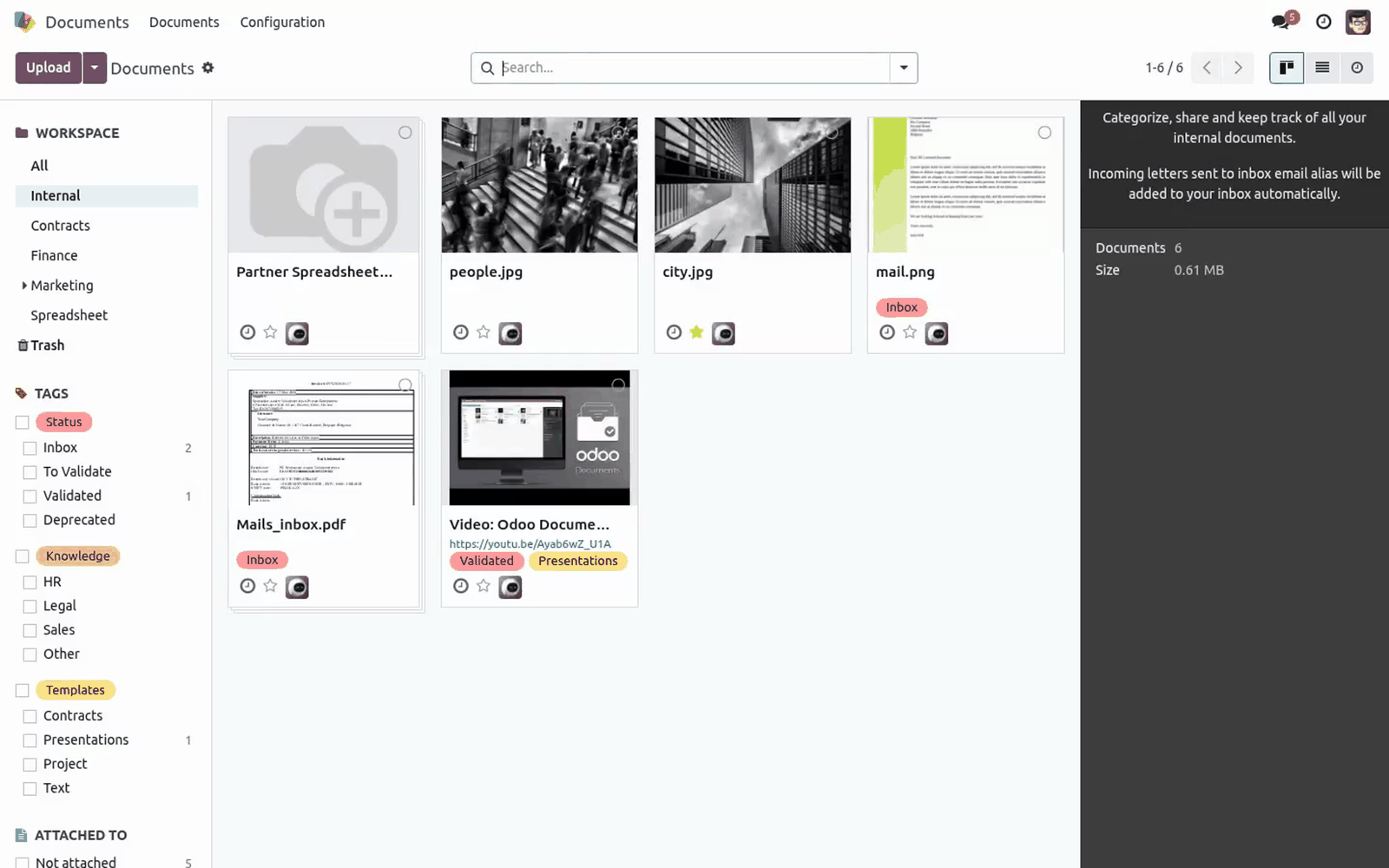
2. Upload (or locate) an Office, LibreOffice, PDF or image file — for example a .docx or .xlsx. 3. Click the file to open it, exactly as you already do for PDFs.
4. The file opens inline in the viewer instead of downloading: Word/Excel/ PowerPoint and ODF documents render in the embedded viewer, ODF templates render with the bundled local ViewerJS engine, and PDFs/images use Odoo's native viewer. This works in all three Documents layouts — the Kanban (card) view, the List view, and the Activity view — because the module patches each one. Folders are never opened as previews; only files are.
Customization. The set of previewable formats lives in the base module (bambooforge_office_preview), in static/src/core/preview_utils.js — the isOfficePreviewable helper that this module calls. To add or remove a format, edit the MIME-type / extension tables there; this Documents companion automatically follows whatever the base module recognises, with no change needed here. This module itself contains only three small view patches (documents_view/kanban, .../list, .../activity), each overriding the record's isViewable() method.
If you maintain your own Documents view overrides, be aware these patches stack on top of the standard ones via Odoo's patch utility. Troubleshooting - Install fails: "Documents app not found" The documents module is Enterprise-only. This module cannot run on Odoo Community — you need Odoo 17 Enterprise. - Install fails: missing bambooforge_office_preview The base preview module is a hard dependency.
Copy it into the addons path too, then Update Apps List and install again. - Files still download instead of previewing in Documents The browser is serving cached JavaScript. Hard-refresh (Ctrl/Cmd-Shift-R); if you run a multi-worker server, also restart Odoo so the asset bundle is regenerated. - One specific format does not preview Confirm its extension is in the supported list above.
Formats outside that list fall back to Odoo's default behaviour by design. A file with a wrong or missing MIME type is matched by its filename extension instead. Frequently asked questions. Does this work on Odoo Community?
No. It depends on the Enterprise Documents app, which does not exist in Community. You need Odoo 17 Enterprise. Do I need the other BambooForge preview module too?
Yes. This module is the Documents companion to BambooForge Office & PDF Preview; it reuses that module's rendering engine and lists it as a hard dependency. Both are installed automatically as dependencies when you install this one. Support & updates.
.. BAMBOOFORGE-DOC-APPENDIX (auto-generated: Upgrade/Uninstall/Changelog + bespoke) Support: support@bambooforge.dev — answered within 24 hours, setup help included. Refund: report a bug within 2 months of purchase; if unresolved within 15 days, full refund. Full source is included.
Updates track the supported Odoo 17 Enterprise line and the base BambooForge Office & PDF Preview module. Upgrading & version compatibility. This build targets Odoo 17.0. Each Odoo major series (17.0, 18.0, 19.0) has its own dedicated build of this module — always install the build that matches your Odoo version.
Mixing a build with a different Odoo series is not supported. Patch upgrades (same series, e.g. 17.0.1.0.0 → later). ./odoo-bin -c your.conf -u bambooforge_office_preview_documents -d your_db 4.
Odoo applies any schema/data changes automatically. Your existing records and configuration are preserved. Cross-version migration (e.g. Odoo 17 → 18).
Upgrading Odoo itself is a database migration handled by Odoo's standard upgrade tooling. When you migrate the database to the next Odoo series, install the matching build of this module for that series. Data created by this module carries over with the database migration. Now the part most videos leave out: what this does not do.
This module stores no data and adds no models, fields or scheduled actions. It only changes how the Documents views decide whether a file is previewable. Rendered locally (no upload): PDFs and images use Odoo's native viewer; ODF template files (.ott .ots .otp) render with the bundled ViewerJS/WebODF engine in your browser. In scope: inline preview of the listed formats in the Documents kanban, list and activity views.
Out of scope: editing files in place, converting between formats, and previewing formats outside the supported list (those keep Odoo's default behaviour). The complete manual is at docs dot bambooforge dot dev, the demo database is linked from the store page, and support answers within twenty-four hours. Links are in the description.
Key facts
- What it is
- Preview Microsoft Office and LibreOffice files, images and PDFs inside the Documents app, without downloading the attachment first.
- For
- Document Management
- Odoo versions
- 16.0, 17.0, 18.0, 19.0, 20.0 - Community and Enterprise
- Runs on
- Odoo.sh or Odoo you host yourself - not Odoo Online, which accepts no third-party apps
- Price
- 118 EUR, one-time, on the Odoo Apps Store
- Technical name
- bambooforge_office_preview_documents
- Not for
- This module stores no data and adds no models, fields or scheduled actions. It only changes how the Documents views decide whether a file is previewable.; Rendered locally (no upload): PDFs and images use Odoo's native viewer; ODF template files (.ott .ots .otp) render with the bundled ViewerJS/WebODF engine in your browser.; Rendered via Microsoft (file leaves your server): Microsoft Office files and ODF document bodies (.odt .ods .odp) are shown through the Microsoft Office Online viewer. To do that, the base module exposes a short-lived, access-checked link that Microsoft fetches over the public internet. If you cannot allow that for confidential documents, download those files instead — PDFs, images and ODF templates still preview locally.; In scope: inline preview of the listed formats in the Documents kanban, list and activity views.; Out of scope: editing files in place, converting between formats, and previewing formats outside the supported list (those keep Odoo's default behaviour).
- Manual last updated
- 2026-10-15
Attachment Preview All in One for Documents
Preview Microsoft Office files, LibreOffice files, images and PDFs inline, right inside the Odoo Enterprise Documents app — no download, no external desktop application. This module is the Documents companion to BambooForge Office & PDF Preview: it teaches the Documents kanban, list and activity views to open the same inline viewer you already get on chatter attachments.
This page is the complete manual. Follow it top to bottom and you can install, verify and fix the common issues without contacting support.
Overview
The Enterprise Documents app lists every file you store in Odoo, but its built-in preview only opens a handful of formats inline; Office and most LibreOffice files fall back to a plain download. This module closes that gap.
It patches the Documents kanban, list and activity views so that a file is treated as viewable whenever the underlying BambooForge Office & PDF Preview engine can render it. When you open such a file in Documents, the file viewer shows it inline instead of forcing a download.
Formats recognised (inherited from the base preview engine):
Family |
Extensions |
|---|---|
Word |
.doc .docx .docm .dot .dotx .dotm |
Excel |
.xls .xlsx .xlsm .xlt .xltx .xltm |
PowerPoint |
.ppt .pptx .pptm .pot .potx .potm |
LibreOffice / ODF documents |
.odt .ods .odp |
LibreOffice / ODF templates |
.ott .ots .otp |
Text |
.rtf .txt |
PDF and images |
.pdf plus the image formats Odoo already previews |
The module adds no new menus, models or settings of its own. It only extends the existing Documents views. Folders are never treated as previewable.
Requirements
Odoo: 20.0 Enterprise only. The Documents app ships only with Odoo Enterprise, so this module cannot install on Community.
Base module: BambooForge Office & PDF Preview: Inline Attachment Viewer (technical name bambooforge_office_preview). This module depends on it and reuses its preview engine — install it too (it is the module that actually renders the files).
Documents app: technical name documents. This is a hard dependency and is installed automatically when you install this module.
Python: no extra libraries beyond a standard Odoo 20 Enterprise install.
Odoo access: any internal user who can open the Documents app sees the inline previews — there is nothing extra to grant.
Network: most formats render in the browser, but Microsoft Office and ODF document files are rendered through the Microsoft Office Online viewer, which requires the file to be reachable over the public internet. See Data, privacy & limits for exactly what leaves your server.
The exact dependency line from the manifest is:
'depends': ['bambooforge_office_preview', 'documents']
Installation
Copy both bambooforge_office_preview and bambooforge_office_preview_documents into your Odoo addons path.
Restart the Odoo service.
Open Apps, click Update Apps List, search for Office Preview for Documents, and press Activate / Install.
The Documents app and the base Office & PDF Preview module install automatically as dependencies.
Because this module is marked auto_install, it also installs itself automatically the moment both bambooforge_office_preview and documents are present in the same database — so if you already run the base preview module and the Documents app, this companion comes along on the next Apps update.
After installation, hard-refresh your browser (Ctrl/Cmd-Shift-R) once so the new JavaScript assets load.
Configuration
There is nothing to configure. The module ships zero settings, zero menus and zero scheduled actions. It only patches the Documents views to recognise the extra formats. Installing it is the whole setup.
If your organisation restricts which file formats the Microsoft Office Online viewer may reach (for example via a firewall), see Data, privacy & limits — that is the only network consideration, and it is inherited from the base module, not configured here.
Usage
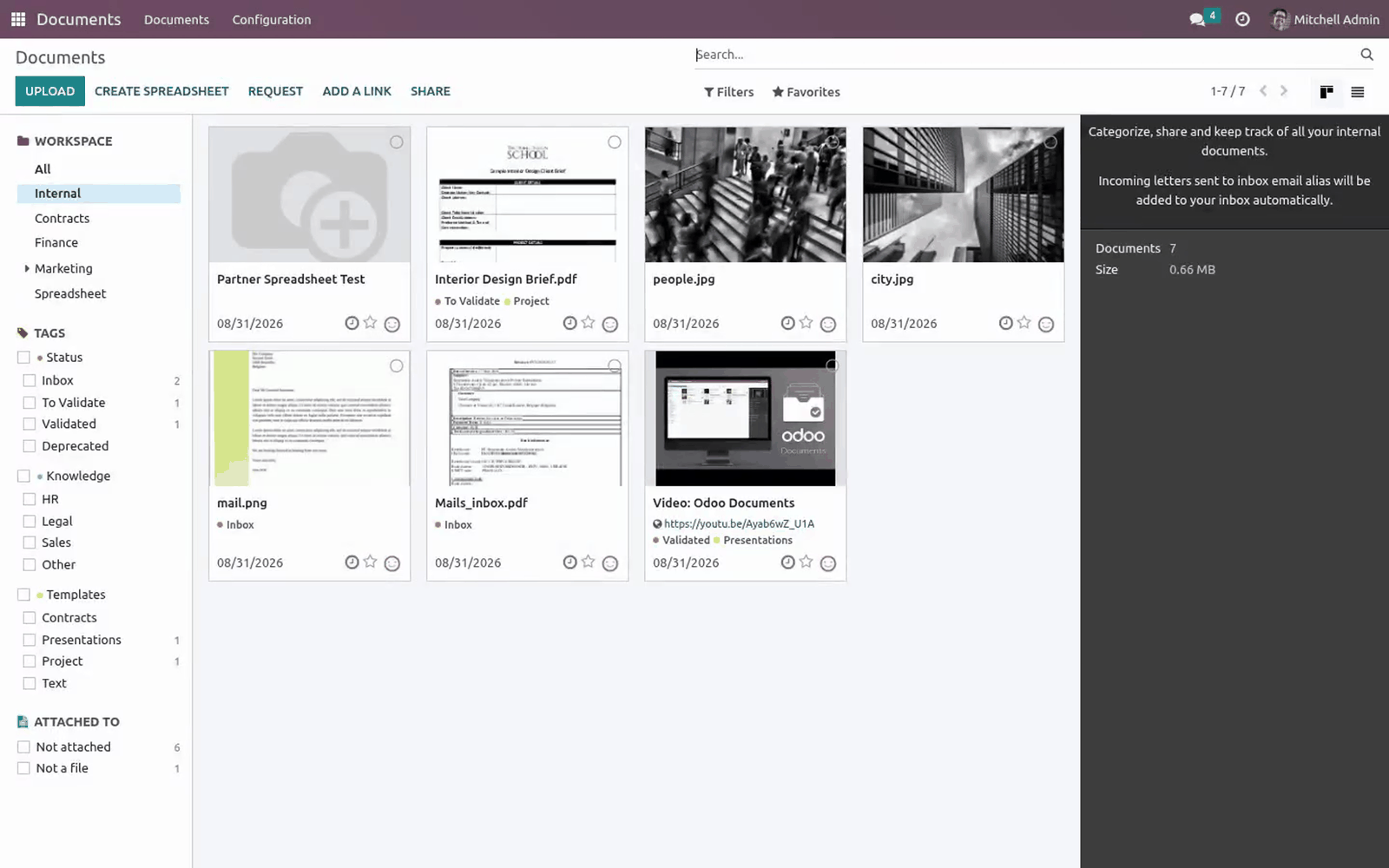
Open the Documents app from the main Odoo menu.
Upload (or locate) an Office, LibreOffice, PDF or image file — for example a .docx or .xlsx.
Click the file to open it, exactly as you already do for PDFs.
The file opens inline in the viewer instead of downloading: Word/Excel/ PowerPoint and ODF documents render in the embedded viewer, ODF templates render with the bundled local ViewerJS engine, and PDFs/images use Odoo's native viewer.
This works in all three Documents layouts — the Kanban (card) view, the List view, and the Activity view — because the module patches each one. Folders are never opened as previews; only files are.
Excel files and Odoo Spreadsheet
Documents comes with Odoo Spreadsheet (documents_spreadsheet), and on its own a click on an Excel file does not preview it: it offers to import the file as an Odoo spreadsheet. With this module the click previews the workbook like any other Office file, and the import is still one click away — Open as spreadsheet, in the action bar of the preview (and of the selection), runs Spreadsheet's own import, unchanged. CSV files, Odoo spreadsheets and files in the trash still open the way Spreadsheet opens them.
If a format is not in the supported list above, the file behaves exactly as it did before installing the module (Odoo's default download/preview), so nothing you relied on breaks.
Customization
The set of previewable formats lives in the base module (bambooforge_office_preview), in static/src/core/preview_utils.js — the isOfficePreviewable helper that this module calls. To add or remove a format, edit the MIME-type / extension tables there; this Documents companion automatically follows whatever the base module recognises, with no change needed here.
This module itself contains only three small view patches (documents_view/kanban, .../list, .../activity), each overriding the record's isViewable() method. If you maintain your own Documents view overrides, be aware these patches stack on top of the standard ones via Odoo's patch utility.
Troubleshooting
Symptom |
Cause and fix |
|---|---|
Install fails: "Documents app not found" |
The documents module is Enterprise-only. This module cannot run on Odoo Community — you need Odoo 20 Enterprise. |
Install fails: missing bambooforge_office_preview |
The base preview module is a hard dependency. Copy it into the addons path too, then Update Apps List and install again. |
Files still download instead of previewing in Documents |
The browser is serving cached JavaScript. Hard-refresh (Ctrl/Cmd-Shift-R); if you run a multi-worker server, also restart Odoo so the asset bundle is regenerated. |
One specific format does not preview |
Confirm its extension is in the supported list above. Formats outside that list fall back to Odoo's default behaviour by design. A file with a wrong or missing MIME type is matched by its filename extension instead. |
A large Office/ODF document is slow or blank |
Office and ODF document files render through the Microsoft Office Online viewer, which has its own file-size and time limits. Very large files may render slowly or not at all — download such files instead. |
Office files preview on chatter attachments but not in Documents |
The Documents companion is not installed or not active. Check Apps and confirm Office Preview for Documents shows Installed. |
Preview opens but the document area is empty / shows a viewer error |
For Office and ODF documents the file must be reachable from the public internet by the Microsoft viewer. On an air-gapped or internal-only server these formats cannot render; PDFs, images and ODF templates still work because they render locally. |
Nothing changed after install |
You opened Documents in a tab loaded before the upgrade. Reload the page so the patched views load. |
Frequently asked questions
Does this work on Odoo Community? No. It depends on the Enterprise Documents app, which does not exist in Community. You need Odoo 20 Enterprise.
Do I need the other BambooForge preview module too? Yes. This module is the Documents companion to BambooForge Office & PDF Preview; it reuses that module's rendering engine and lists it as a hard dependency. Both are installed automatically as dependencies when you install this one.
Will it install by itself? Yes — it is an auto-install module. Once both the base preview module and the Documents app are in the database, this companion installs on the next Apps update without you selecting it.
Which file formats are supported? Word, Excel, PowerPoint, the common LibreOffice/ODF documents and templates, RTF, plain text, PDF and images — see the table under What this app does.
Does my document leave the server? For PDFs, images and ODF templates, no — they render locally in the browser. Microsoft Office files and ODF documents are rendered by the Microsoft Office Online viewer, so those files are fetched over the public internet by Microsoft. See Data, privacy & limits.
Does it add any settings or menus? No. There is nothing to configure; installing it is the whole setup.
What support and refund policy do I get? Every request is answered within 24 hours, setup help included. If you report a bug within 2 months of purchase and it is not resolved within 15 days, you are entitled to a full money-back refund.
Data, privacy & limits
This module stores no data and adds no models, fields or scheduled actions. It only changes how the Documents views decide whether a file is previewable.
Rendered locally (no upload): PDFs and images use Odoo's native viewer; ODF template files (.ott .ots .otp) render with the bundled ViewerJS/WebODF engine in your browser.
Rendered via Microsoft (file leaves your server): Microsoft Office files and ODF document bodies (.odt .ods .odp) are shown through the Microsoft Office Online viewer. To do that, the base module exposes a short-lived, access-checked link that Microsoft fetches over the public internet. If you cannot allow that for confidential documents, download those files instead — PDFs, images and ODF templates still preview locally.
In scope: inline preview of the listed formats in the Documents kanban, list and activity views.
Out of scope: editing files in place, converting between formats, and previewing formats outside the supported list (those keep Odoo's default behaviour).
Support & updates
Support: support@bambooforge.dev — answered within 24 hours, setup help included.
Refund: report a bug within 2 months of purchase; if unresolved within 15 days, full refund.
Full source is included. Updates track the supported Odoo 20 Enterprise line and the base BambooForge Office & PDF Preview module.
Upgrading & version compatibility
This build targets Odoo 20.0. Each Odoo major series (16.0, 17.0, 18.0, 19.0, 20.0) has its own dedicated build of this module — always install the build that matches your Odoo version. Mixing a build with a different Odoo series is not supported.
Patch upgrades (same series, e.g. 20.0.1.0.0 → later)
Back up your database and filestore first.
Replace the module folder with the newer build.
Restart Odoo with the module updated:
./odoo-bin -c your.conf -u bambooforge_office_preview_documents -d your_db
Odoo applies any schema/data changes automatically. Your existing records and configuration are preserved.
Cross-version migration (moving to a newer Odoo)
Upgrading Odoo itself is a database migration handled by Odoo's standard upgrade tooling. When you migrate the database to the next Odoo series, install the matching build of this module for that series. Data created by this module carries over with the database migration.
Uninstallation
You can remove this module at any time from Apps → (this module) → Uninstall, or from the command line. Uninstalling is clean and reversible by reinstalling — but note what is and is not deleted.
What is removed
The fields, views and analysis definitions this module added.
The menus, actions, views and reports this module installed.
What is preserved
Your standard Odoo data (partners, products, sales, invoices, inventory moves) is not deleted — this module only reads and annotates it; the underlying records stay.
Attachments and chatter messages on standard records are kept.
As always, take a database backup before uninstalling in production.
Changelog
20.0.2.0.2
The patch for the Documents activity view now loads from the bundle Odoo moved that view into. Loaded from the wrong one it referenced a file that bundle does not carry, and the whole web client failed to start.
The Office viewer is pointed at the attachment behind the document. Odoo 20 hands the previewer the document id with a minus in front of it, which addresses no file at all, and Word and OpenDocument files opened on an empty frame.
20.0.2.0.1
Built for Odoo 20: record rules and access rights rewritten onto Odoo 20's single ir.access model, the screens rebuilt on Owl 3, and every icon moved to the icon set Odoo 20 ships.
20.0.2.0.0
Current release for Odoo 20.0. This build includes:
Allows users to preview Microsoft Office files, LibreOffice files, images, and PDFs in Documents App.
Feature additions and fixes ship as new builds on the Odoo Apps store; this page and the module's version reflect the current published release. Always keep the build matched to your Odoo series (see Upgrading & version compatibility).
How we make sure it works
Before every release, 11 automated checks run against this app on Odoo 16, 17, 18, 19 and 20. Among them:
It appears only when both sides are installed.
It adds no records of its own.
An excel file previews and still opens as a spreadsheet.
A word file opens in the office viewer.
The listing offers somewhere to try it.
The complete list is in the source you receive.