 BambooForge Labs
Attachment Preview: Office & PDF Viewer
Preview Microsoft Office and LibreOffice files, images and PDFs inline on any record, without downloading the attachment first.
Available for Odoo 16.0, Odoo 17.0, Odoo 18.0, Odoo 19.0, Odoo 20.0. Technical name bambooforge_office_preview.
Transcript of the walkthrough (Odoo 20)
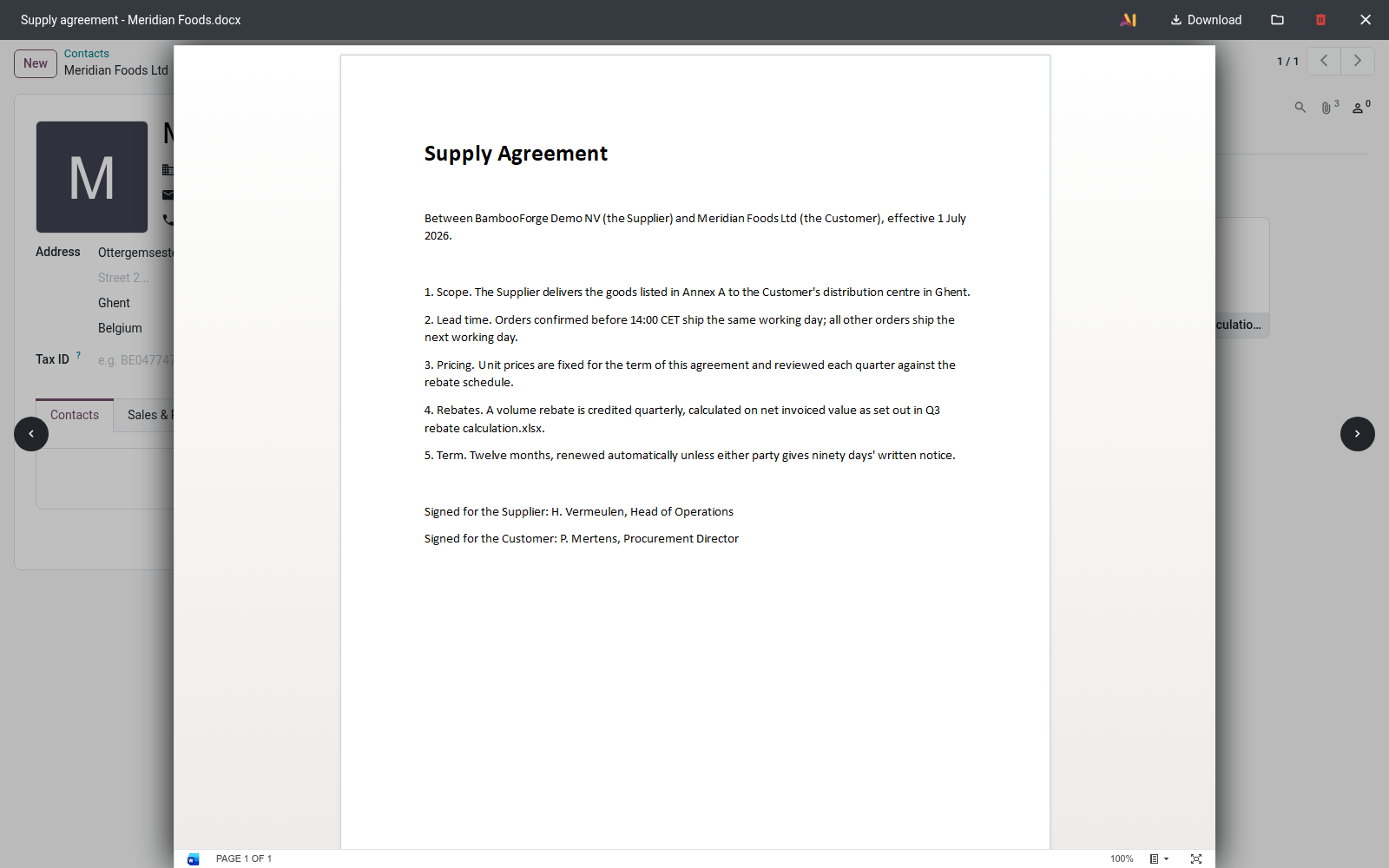
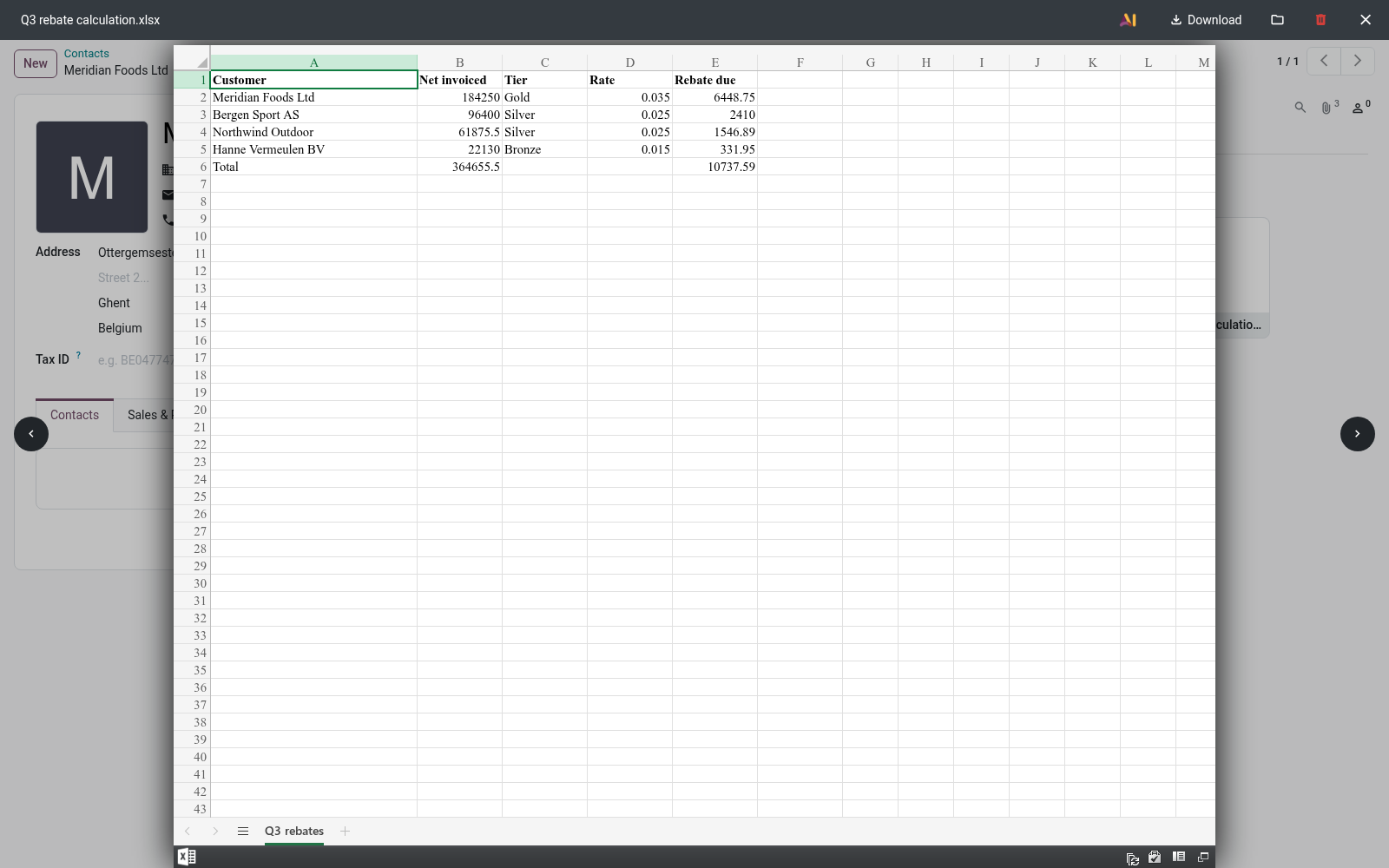
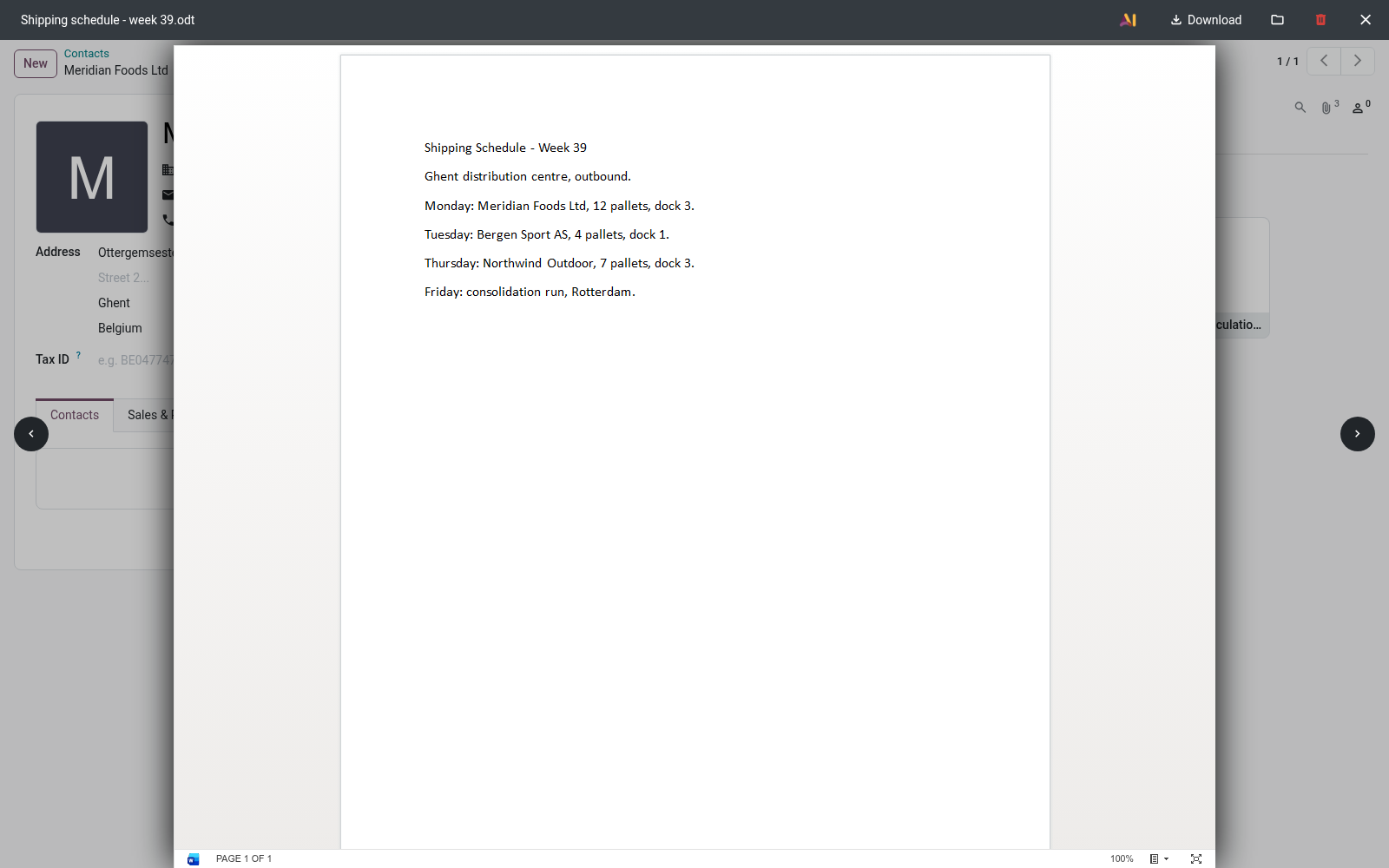
Attachment Preview: Office & PDF Viewer. Preview Microsoft Office and LibreOffice files, images and PDFs inline on any record, without downloading the attachment first. The app extends Odoo's attachment handling so that office documents preview in place, the same way Odoo already previews images and PDFs. There is nothing to configure and no new menu — once installed, eligible attachments simply become viewable.
In the next few minutes: attachment preview: office & pdf viewer, then configuration, then usage, then customization, then frequently asked questions. Then what this app deliberately does not do, so you can tell before you buy whether it fits. Attachment Preview: Office & PDF Viewer. Open Microsoft Office, OpenDocument and PDF attachments inline inside Odoo — in the chatter attachment view and in Odoo's web file-viewer modal — instead of downloading every file just to read it.
Word, Excel, PowerPoint and OpenDocument documents render through Microsoft's official Office Online viewer; OpenDocument templates render locally in your browser, and PDFs use Odoo's built-in viewer. This page is the complete manual. If you follow it top to bottom you can install the app, understand exactly how each file type is rendered (and where its content goes), use it, and fix the common issues without contacting support. Configuration.
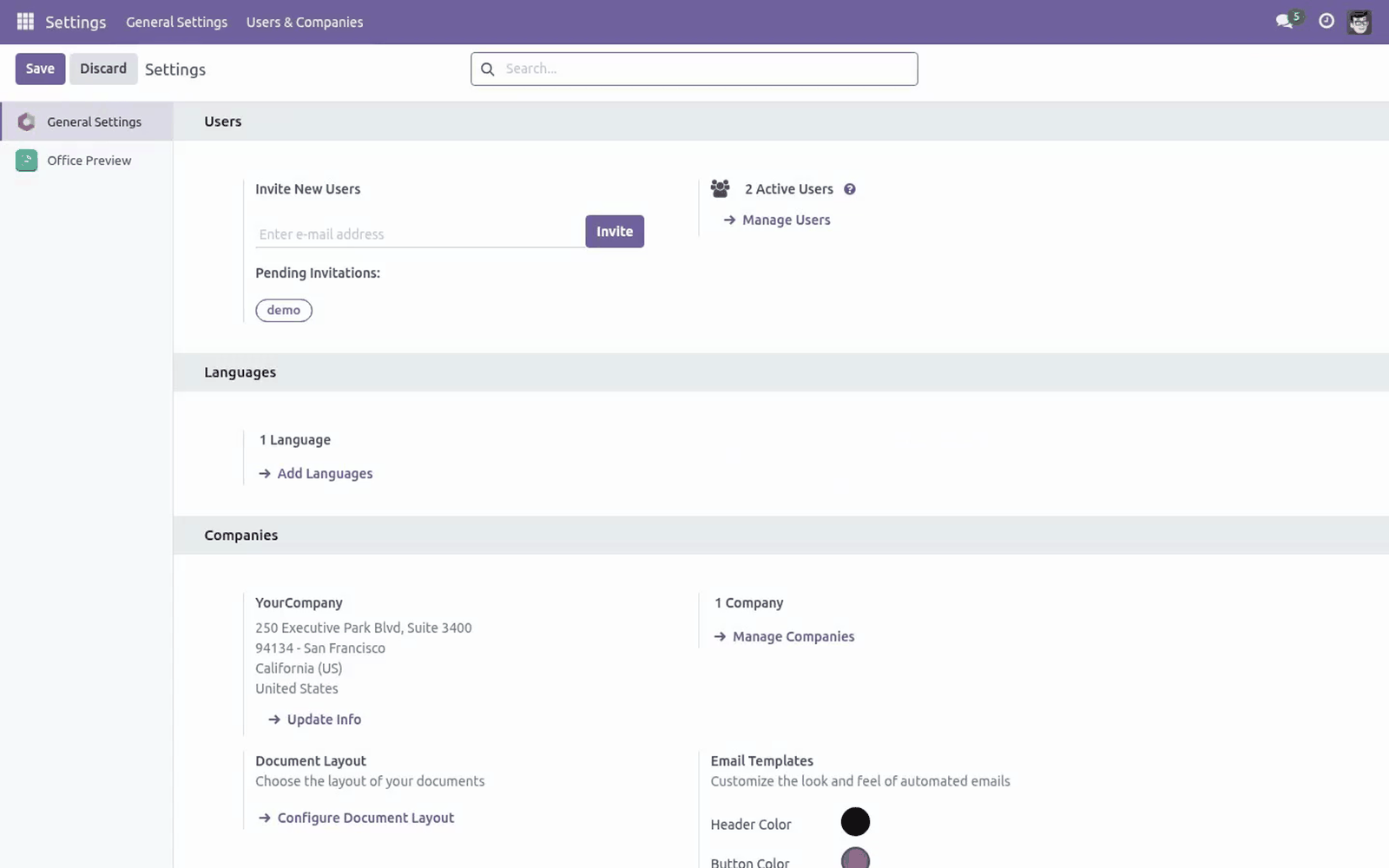
This app is zero-config. There are no settings screens, no menus and no fields to fill in. Once it is installed it works on every eligible attachment for every user who can read that attachment. The only stored configuration is created automatically: the first time a Microsoft- viewer preview is requested, the app generates a random signing secret and saves it in the system parameter bambooforge_office_preview.token_secret (Settings ▸ Technical ▸ System Parameters).
You never need to set or touch this — it is used internally to sign the short-lived preview links described in Data, privacy & limits. Leave it alone unless you are deliberately rotating the secret, in which case deleting the parameter lets the app regenerate a new one. Usage. There is no button to "turn on" preview.
You simply open a file the way you already do. 1. Open any record that has messages and attachments (for example a sale order, project task, or any document with a chatter). Customization.
The app is small and the source is included (OPL-1), so it is straightforward to adjust: Which formats are previewable is defined in static/src/core/preview_utils.js — three MIME-type sets (Office, OpenDocument documents, OpenDocument templates) plus an extension-based fallback map (EXT_KIND). Add or remove an entry there to change the supported list. The rendering route per format is also in preview_utils.js: the officePreviewSource function returns the Microsoft embed URL (/bambooforge_office_preview/ms_embed/<id>) for documents, or the local ViewerJS URL for OpenDocument templates. Link lifetime: the signed Microsoft preview link is valid for 6 hours (_TTL in controllers/main.py).
Shorten or lengthen it there. Where the iframe appears is set by the QWeb template inheritances in static/src/core/common/attachment_view.xml (chatter) and static/src/core/file_viewer/file_viewer.xml (modal). After editing any asset, upgrade the module (or run Odoo with --dev=assets) so the web bundle is rebuilt. Frequently asked questions.
Does it need any configuration? No. It is zero-config: install it and eligible attachments become previewable for everyone who can read them. Does my server need internet access?
For Microsoft Office and OpenDocument documents (Word/Excel/PowerPoint, .odt/.ods/ .odp), yes — Microsoft's Office Online viewer fetches the file from your server, so it must be reachable from the internet. OpenDocument templates and PDFs render locally and need no internet. Support & updates Support: support@bambooforge.dev — answered within 24 hours, setup help included. Refund: report a bug within 2 months of purchase; if it is not resolved within 15 days, you receive a full refund.
Full source is included (OPL-1). Updates track the supported Odoo 20 line. Upgrading & version compatibility. This build targets Odoo 20.0.
Each Odoo major series (17.0, 18.0, 19.0) has its own dedicated build of this module — always install the build that matches your Odoo version. Mixing a build with a different Odoo series is not supported. Patch upgrades (same series, e.g. 20.0.1.0.0 → later).
1. Back up your database and filestore first. 2. Replace the module folder with the newer build.
3. Restart Odoo with the module updated. 4. Odoo applies any schema/data changes automatically.
Your existing records and configuration are preserved. Cross-version migration (moving to a newer Odoo). Upgrading Odoo itself is a database migration handled by Odoo's standard upgrade tooling. When you migrate the database to the next Odoo series, install the matching build of this module for that series.
Data created by this module carries over with the database migration. Uninstallation. You can remove this module at any time from Apps → (this module) → Uninstall, or from the command line. Uninstalling is clean and reversible by reinstalling — but note what is and is not deleted.
Now the part most videos leave out: what this does not do. OpenDocument templates (.ott, .otp, .ots) are rendered by the bundled ViewerJS / WebODF entirely in your browser. The file content does not go to any external service. PDFs use Odoo's built-in PDF viewer — local, unchanged by this app.
A preview is only generated after an access check — the requesting user must have read access to the attachment under Odoo's record rules. Microsoft is handed a short-lived, HMAC-signed token (valid 6 hours) pointing at a file route that verifies the signature and expiry. There is no permanent public file URL; a leaked link stops working when it expires. The complete manual is at docs dot bambooforge dot dev, the demo database is linked from the store page, and support answers within twenty-four hours.
Links are in the description.
Transcript of the walkthrough (Odoo 19)
Attachment Preview: Office & PDF Viewer. Preview Microsoft Office and LibreOffice files, images and PDFs inline on any record, without downloading the attachment first. The app extends Odoo's attachment handling so that office documents preview in place, the same way Odoo already previews images and PDFs. There is nothing to configure and no new menu — once installed, eligible attachments simply become viewable.
In the next few minutes: attachment preview: office & pdf viewer, then configuration, then usage, then customization, then troubleshooting. Then what this app deliberately does not do, so you can tell before you buy whether it fits. Attachment Preview: Office & PDF Viewer. Open Microsoft Office, OpenDocument and PDF attachments inline inside Odoo — in the chatter attachment view and in Odoo's web file-viewer modal — instead of downloading every file just to read it.
Word, Excel, PowerPoint and OpenDocument documents render through Microsoft's official Office Online viewer; OpenDocument templates render locally in your browser, and PDFs use Odoo's built-in viewer. This page is the complete manual. If you follow it top to bottom you can install the app, understand exactly how each file type is rendered (and where its content goes), use it, and fix the common issues without contacting support. Configuration.
This app is zero-config. There are no settings screens, no menus and no fields to fill in. Once it is installed it works on every eligible attachment for every user who can read that attachment. The only stored configuration is created automatically: the first time a Microsoft- viewer preview is requested, the app generates a random signing secret and saves it in the system parameter bambooforge_office_preview.token_secret (Settings ▸ Technical ▸ System Parameters).
You never need to set or touch this — it is used internally to sign the short-lived preview links described in Data, privacy & limits. Leave it alone unless you are deliberately rotating the secret, in which case deleting the parameter lets the app regenerate a new one. Usage. There is no button to "turn on" preview.
You simply open a file the way you already do. 1. Open any record that has messages and attachments (for example a sale order, project task, or any document with a chatter). Customization.
The app is small and the source is included (OPL-1), so it is straightforward to adjust: Which formats are previewable is defined in static/src/core/preview_utils.js — three MIME-type sets (Office, OpenDocument documents, OpenDocument templates) plus an extension-based fallback map (EXT_KIND). Add or remove an entry there to change the supported list. The rendering route per format is also in preview_utils.js: the officePreviewSource function returns the Microsoft embed URL (/bambooforge_office_preview/ms_embed/<id>) for documents, or the local ViewerJS URL for OpenDocument templates. Link lifetime: the signed Microsoft preview link is valid for 6 hours (_TTL in controllers/main.py).
Shorten or lengthen it there. Where the iframe appears is set by the QWeb template inheritances in static/src/core/common/attachment_view.xml (chatter) and static/src/core/file_viewer/file_viewer.xml (modal). After editing any asset, upgrade the module (or run Odoo with --dev=assets) so the web bundle is rebuilt. Troubleshooting - A specific file type does not preview Its MIME type/extension is not in the supported list.
Confirm the format is one of those in What this app does. Files saved with an unusual or wrong MIME type and an unrecognised extension fall through to Odoo's default handling (download). - An Office or OpenDocument document shows a blank/grey iframe or "can't display" These formats are rendered by Microsoft's Office Online viewer, which fetches the file from your server. If your Odoo server is not reachable from the public internet, Microsoft cannot load it.
Verify the server is publicly reachable and that web.base.url (System Parameters) is the correct public URL. - Preview works for PDF/templates but not for Word/Excel/PowerPoint Same cause as above: only the Microsoft-viewer formats need outbound internet and a publicly reachable server. PDFs and OpenDocument templates render locally, so they keep working offline. - A large file is slow to appear or times out The whole file is fetched before it renders (by Microsoft for documents, by your browser for templates/PDF).
Very large files take longer; allow more time, or split/compress the document. Frequently asked questions. Does it need any configuration? No.
It is zero-config: install it and eligible attachments become previewable for everyone who can read them. Does my server need internet access? For Microsoft Office and OpenDocument documents (Word/Excel/PowerPoint, .odt/.ods/ .odp), yes — Microsoft's Office Online viewer fetches the file from your server, so it must be reachable from the internet. OpenDocument templates and PDFs render locally and need no internet.
Support & updates. .. BAMBOOFORGE-DOC-APPENDIX (auto-generated: Upgrade/Uninstall/Changelog + bespoke) Support: support@bambooforge.dev — answered within 24 hours, setup help included. Refund: report a bug within 2 months of purchase; if it is not resolved within 15 days, you receive a full refund.
Full source is included (OPL-1). Updates track the supported Odoo 19 line. Upgrading & version compatibility. This build targets Odoo 19.0.
Each Odoo major series (17.0, 18.0, 19.0) has its own dedicated build of this module — always install the build that matches your Odoo version. Mixing a build with a different Odoo series is not supported. Patch upgrades (same series, e.g. 19.0.1.0.0 → later).
./odoo-bin -c your.conf -u bambooforge_office_preview -d your_db 4. Odoo applies any schema/data changes automatically. Your existing records and configuration are preserved. Cross-version migration (e.g.
Odoo 17 → 18). Upgrading Odoo itself is a database migration handled by Odoo's standard upgrade tooling. When you migrate the database to the next Odoo series, install the matching build of this module for that series. Data created by this module carries over with the database migration.
Now the part most videos leave out: what this does not do. OpenDocument templates (.ott, .otp, .ots) are rendered by the bundled ViewerJS / WebODF entirely in your browser. The file content does not go to any external service. PDFs use Odoo's built-in PDF viewer — local, unchanged by this app.
A preview is only generated after an access check — the requesting user must have read access to the attachment under Odoo's record rules. Microsoft is handed a short-lived, HMAC-signed token (valid 6 hours) pointing at a file route that verifies the signature and expiry. There is no permanent public file URL; a leaked link stops working when it expires. The complete manual is at docs dot bambooforge dot dev, the demo database is linked from the store page, and support answers within twenty-four hours.
Links are in the description.
Transcript of the walkthrough (Odoo 18)
Attachment Preview: Office & PDF Viewer. Preview Microsoft Office and LibreOffice files, images and PDFs inline on any record, without downloading the attachment first. The app extends Odoo's attachment handling so that office documents preview in place, the same way Odoo already previews images and PDFs. There is nothing to configure and no new menu — once installed, eligible attachments simply become viewable.
In the next few minutes: attachment preview: office & pdf viewer, then configuration, then usage, then customization, then troubleshooting. Then what this app deliberately does not do, so you can tell before you buy whether it fits. Attachment Preview: Office & PDF Viewer. Open Microsoft Office, OpenDocument and PDF attachments inline inside Odoo — in the chatter attachment view and in Odoo's web file-viewer modal — instead of downloading every file just to read it.
Word, Excel, PowerPoint and OpenDocument documents render through Microsoft's official Office Online viewer; OpenDocument templates render locally in your browser, and PDFs use Odoo's built-in viewer. This page is the complete manual. If you follow it top to bottom you can install the app, understand exactly how each file type is rendered (and where its content goes), use it, and fix the common issues without contacting support. Configuration.
This app is zero-config. There are no settings screens, no menus and no fields to fill in. Once it is installed it works on every eligible attachment for every user who can read that attachment. The only stored configuration is created automatically: the first time a Microsoft- viewer preview is requested, the app generates a random signing secret and saves it in the system parameter bambooforge_office_preview.token_secret (Settings ▸ Technical ▸ System Parameters).
You never need to set or touch this — it is used internally to sign the short-lived preview links described in Data, privacy & limits. Leave it alone unless you are deliberately rotating the secret, in which case deleting the parameter lets the app regenerate a new one. Usage. There is no button to "turn on" preview.
You simply open a file the way you already do. 1. Open any record that has messages and attachments (for example a sale order, project task, or any document with a chatter). Customization.
The app is small and the source is included (OPL-1), so it is straightforward to adjust: Which formats are previewable is defined in static/src/core/preview_utils.js — three MIME-type sets (Office, OpenDocument documents, OpenDocument templates) plus an extension-based fallback map (EXT_KIND). Add or remove an entry there to change the supported list. The rendering route per format is also in preview_utils.js: the officePreviewSource function returns the Microsoft embed URL (/bambooforge_office_preview/ms_embed/<id>) for documents, or the local ViewerJS URL for OpenDocument templates. Link lifetime: the signed Microsoft preview link is valid for 6 hours (_TTL in controllers/main.py).
Shorten or lengthen it there. Where the iframe appears is set by the QWeb template inheritances in static/src/core/common/attachment_view.xml (chatter) and static/src/core/file_viewer/file_viewer.xml (modal). After editing any asset, upgrade the module (or run Odoo with --dev=assets) so the web bundle is rebuilt. Troubleshooting - A specific file type does not preview Its MIME type/extension is not in the supported list.
Confirm the format is one of those in What this app does. Files saved with an unusual or wrong MIME type and an unrecognised extension fall through to Odoo's default handling (download). - An Office or OpenDocument document shows a blank/grey iframe or "can't display" These formats are rendered by Microsoft's Office Online viewer, which fetches the file from your server. If your Odoo server is not reachable from the public internet, Microsoft cannot load it.
Verify the server is publicly reachable and that web.base.url (System Parameters) is the correct public URL. - Preview works for PDF/templates but not for Word/Excel/PowerPoint Same cause as above: only the Microsoft-viewer formats need outbound internet and a publicly reachable server. PDFs and OpenDocument templates render locally, so they keep working offline. - A large file is slow to appear or times out The whole file is fetched before it renders (by Microsoft for documents, by your browser for templates/PDF).
Very large files take longer; allow more time, or split/compress the document. Frequently asked questions. Does it need any configuration? No.
It is zero-config: install it and eligible attachments become previewable for everyone who can read them. Does my server need internet access? For Microsoft Office and OpenDocument documents (Word/Excel/PowerPoint, .odt/.ods/ .odp), yes — Microsoft's Office Online viewer fetches the file from your server, so it must be reachable from the internet. OpenDocument templates and PDFs render locally and need no internet.
Support & updates. .. BAMBOOFORGE-DOC-APPENDIX (auto-generated: Upgrade/Uninstall/Changelog + bespoke) Support: support@bambooforge.dev — answered within 24 hours, setup help included. Refund: report a bug within 2 months of purchase; if it is not resolved within 15 days, you receive a full refund.
Full source is included (OPL-1). Updates track the supported Odoo 18 line. Upgrading & version compatibility. This build targets Odoo 18.0.
Each Odoo major series (17.0, 18.0, 19.0) has its own dedicated build of this module — always install the build that matches your Odoo version. Mixing a build with a different Odoo series is not supported. Patch upgrades (same series, e.g. 18.0.1.0.0 → later).
./odoo-bin -c your.conf -u bambooforge_office_preview -d your_db 4. Odoo applies any schema/data changes automatically. Your existing records and configuration are preserved. Cross-version migration (e.g.
Odoo 17 → 18). Upgrading Odoo itself is a database migration handled by Odoo's standard upgrade tooling. When you migrate the database to the next Odoo series, install the matching build of this module for that series. Data created by this module carries over with the database migration.
Now the part most videos leave out: what this does not do. OpenDocument templates (.ott, .otp, .ots) are rendered by the bundled ViewerJS / WebODF entirely in your browser. The file content does not go to any external service. PDFs use Odoo's built-in PDF viewer — local, unchanged by this app.
A preview is only generated after an access check — the requesting user must have read access to the attachment under Odoo's record rules. Microsoft is handed a short-lived, HMAC-signed token (valid 6 hours) pointing at a file route that verifies the signature and expiry. There is no permanent public file URL; a leaked link stops working when it expires. The complete manual is at docs dot bambooforge dot dev, the demo database is linked from the store page, and support answers within twenty-four hours.
Links are in the description.
Transcript of the walkthrough (Odoo 17)
Attachment Preview: Office & PDF Viewer. Preview Microsoft Office and LibreOffice files, images and PDFs inline on any record, without downloading the attachment first. The app extends Odoo's attachment handling so that office documents preview in place, the same way Odoo already previews images and PDFs. There is nothing to configure and no new menu — once installed, eligible attachments simply become viewable.
In the next few minutes: attachment preview: office & pdf viewer, then configuration, then usage, then customization, then troubleshooting. Then what this app deliberately does not do, so you can tell before you buy whether it fits. Attachment Preview: Office & PDF Viewer. Open Microsoft Office, OpenDocument and PDF attachments inline inside Odoo — in the chatter attachment view and in Odoo's web file-viewer modal — instead of downloading every file just to read it.
Word, Excel, PowerPoint and OpenDocument documents render through Microsoft's official Office Online viewer; OpenDocument templates render locally in your browser, and PDFs use Odoo's built-in viewer. This page is the complete manual. If you follow it top to bottom you can install the app, understand exactly how each file type is rendered (and where its content goes), use it, and fix the common issues without contacting support. Configuration.
This app is zero-config. There are no settings screens, no menus and no fields to fill in. Once it is installed it works on every eligible attachment for every user who can read that attachment. The only stored configuration is created automatically: the first time a Microsoft- viewer preview is requested, the app generates a random signing secret and saves it in the system parameter bambooforge_office_preview.token_secret (Settings ▸ Technical ▸ System Parameters).
You never need to set or touch this — it is used internally to sign the short-lived preview links described in Data, privacy & limits. Leave it alone unless you are deliberately rotating the secret, in which case deleting the parameter lets the app regenerate a new one. Usage. There is no button to "turn on" preview.
You simply open a file the way you already do. 1. Open any record that has messages and attachments (for example a sale order, project task, or any document with a chatter). Customization.
The app is small and the source is included (OPL-1), so it is straightforward to adjust: Which formats are previewable is defined in static/src/core/preview_utils.js — three MIME-type sets (Office, OpenDocument documents, OpenDocument templates) plus an extension-based fallback map (EXT_KIND). Add or remove an entry there to change the supported list. The rendering route per format is also in preview_utils.js: the officePreviewSource function returns the Microsoft embed URL (/bambooforge_office_preview/ms_embed/<id>) for documents, or the local ViewerJS URL for OpenDocument templates. Link lifetime: the signed Microsoft preview link is valid for 6 hours (_TTL in controllers/main.py).
Shorten or lengthen it there. Where the iframe appears is set by the QWeb template inheritances in static/src/core/common/attachment_view.xml (chatter) and static/src/core/file_viewer/file_viewer.xml (modal). After editing any asset, upgrade the module (or run Odoo with --dev=assets) so the web bundle is rebuilt. Troubleshooting - A specific file type does not preview Its MIME type/extension is not in the supported list.
Confirm the format is one of those in What this app does. Files saved with an unusual or wrong MIME type and an unrecognised extension fall through to Odoo's default handling (download). - An Office or OpenDocument document shows a blank/grey iframe or "can't display" These formats are rendered by Microsoft's Office Online viewer, which fetches the file from your server. If your Odoo server is not reachable from the public internet, Microsoft cannot load it.
Verify the server is publicly reachable and that web.base.url (System Parameters) is the correct public URL. - Preview works for PDF/templates but not for Word/Excel/PowerPoint Same cause as above: only the Microsoft-viewer formats need outbound internet and a publicly reachable server. PDFs and OpenDocument templates render locally, so they keep working offline. - A large file is slow to appear or times out The whole file is fetched before it renders (by Microsoft for documents, by your browser for templates/PDF).
Very large files take longer; allow more time, or split/compress the document. Frequently asked questions. Does it need any configuration? No.
It is zero-config: install it and eligible attachments become previewable for everyone who can read them. Does my server need internet access? For Microsoft Office and OpenDocument documents (Word/Excel/PowerPoint, .odt/.ods/ .odp), yes — Microsoft's Office Online viewer fetches the file from your server, so it must be reachable from the internet. OpenDocument templates and PDFs render locally and need no internet.
Support & updates. .. BAMBOOFORGE-DOC-APPENDIX (auto-generated: Upgrade/Uninstall/Changelog + bespoke) Support: support@bambooforge.dev — answered within 24 hours, setup help included. Refund: report a bug within 2 months of purchase; if it is not resolved within 15 days, you receive a full refund.
Full source is included (OPL-1). Updates track the supported Odoo 17 line. Upgrading & version compatibility. This build targets Odoo 17.0.
Each Odoo major series (17.0, 18.0, 19.0) has its own dedicated build of this module — always install the build that matches your Odoo version. Mixing a build with a different Odoo series is not supported. Patch upgrades (same series, e.g. 17.0.1.0.0 → later).
./odoo-bin -c your.conf -u bambooforge_office_preview -d your_db 4. Odoo applies any schema/data changes automatically. Your existing records and configuration are preserved. Cross-version migration (e.g.
Odoo 17 → 18). Upgrading Odoo itself is a database migration handled by Odoo's standard upgrade tooling. When you migrate the database to the next Odoo series, install the matching build of this module for that series. Data created by this module carries over with the database migration.
Now the part most videos leave out: what this does not do. OpenDocument templates (.ott, .otp, .ots) are rendered by the bundled ViewerJS / WebODF entirely in your browser. The file content does not go to any external service. PDFs use Odoo's built-in PDF viewer — local, unchanged by this app.
A preview is only generated after an access check — the requesting user must have read access to the attachment under Odoo's record rules. Microsoft is handed a short-lived, HMAC-signed token (valid 6 hours) pointing at a file route that verifies the signature and expiry. There is no permanent public file URL; a leaked link stops working when it expires. The complete manual is at docs dot bambooforge dot dev, the demo database is linked from the store page, and support answers within twenty-four hours.
Links are in the description.
Transcript of the walkthrough (Odoo 16)
Attachment Preview: Office & PDF Viewer. Preview Microsoft Office and LibreOffice files, images and PDFs inline on any record, without downloading the attachment first. The app extends Odoo's attachment handling so that office documents preview in place, the same way Odoo already previews images and PDFs. There is nothing to configure and no new menu — once installed, eligible attachments simply become viewable.
In the next few minutes: attachment preview: office & pdf viewer, then configuration, then usage, then customization, then troubleshooting. Then what this app deliberately does not do, so you can tell before you buy whether it fits. Attachment Preview: Office & PDF Viewer. Open Microsoft Office, OpenDocument and PDF attachments inline inside Odoo — in the chatter attachment view and in Odoo's web file-viewer modal — instead of downloading every file just to read it.
Word, Excel, PowerPoint and OpenDocument documents render through Microsoft's official Office Online viewer; OpenDocument templates render locally in your browser, and PDFs use Odoo's built-in viewer. This page is the complete manual. If you follow it top to bottom you can install the app, understand exactly how each file type is rendered (and where its content goes), use it, and fix the common issues without contacting support. Configuration.
This app is zero-config. There are no settings screens, no menus and no fields to fill in. Once it is installed it works on every eligible attachment for every user who can read that attachment. The only stored configuration is created automatically: the first time a Microsoft- viewer preview is requested, the app generates a random signing secret and saves it in the system parameter bambooforge_office_preview.token_secret (Settings ▸ Technical ▸ System Parameters).
You never need to set or touch this — it is used internally to sign the short-lived preview links described in Data, privacy & limits. Leave it alone unless you are deliberately rotating the secret, in which case deleting the parameter lets the app regenerate a new one. Usage. There is no button to "turn on" preview.
You simply open a file the way you already do. 1. Open any record that has messages and attachments (for example a sale order, project task, or any document with a chatter). Customization.
The app is small and the source is included (OPL-1), so it is straightforward to adjust: Which formats are previewable is defined in static/src/core/preview_utils.js — three MIME-type sets (Office, OpenDocument documents, OpenDocument templates) plus an extension-based fallback map (EXT_KIND). Add or remove an entry there to change the supported list. The rendering route per format is also in preview_utils.js: the officePreviewSource function returns the Microsoft embed URL (/bambooforge_office_preview/ms_embed/<id>) for documents, or the local ViewerJS URL for OpenDocument templates. Link lifetime: the signed Microsoft preview link is valid for 6 hours (_TTL in controllers/main.py).
Shorten or lengthen it there. Where the iframe appears is set by the QWeb template inheritances in static/src/core/common/attachment_view.xml (chatter) and static/src/core/file_viewer/file_viewer.xml (modal). After editing any asset, upgrade the module (or run Odoo with --dev=assets) so the web bundle is rebuilt. Troubleshooting - A specific file type does not preview Its MIME type/extension is not in the supported list.
Confirm the format is one of those in What this app does. Files saved with an unusual or wrong MIME type and an unrecognised extension fall through to Odoo's default handling (download). - An Office or OpenDocument document shows a blank/grey iframe or "can't display" These formats are rendered by Microsoft's Office Online viewer, which fetches the file from your server. If your Odoo server is not reachable from the public internet, Microsoft cannot load it.
Verify the server is publicly reachable and that web.base.url (System Parameters) is the correct public URL. - Preview works for PDF/templates but not for Word/Excel/PowerPoint Same cause as above: only the Microsoft-viewer formats need outbound internet and a publicly reachable server. PDFs and OpenDocument templates render locally, so they keep working offline. - A large file is slow to appear or times out The whole file is fetched before it renders (by Microsoft for documents, by your browser for templates/PDF).
Very large files take longer; allow more time, or split/compress the document. Frequently asked questions. Does it need any configuration? No.
It is zero-config: install it and eligible attachments become previewable for everyone who can read them. Does my server need internet access? For Microsoft Office and OpenDocument documents (Word/Excel/PowerPoint, .odt/.ods/ .odp), yes — Microsoft's Office Online viewer fetches the file from your server, so it must be reachable from the internet. OpenDocument templates and PDFs render locally and need no internet.
Support & updates. .. BAMBOOFORGE-DOC-APPENDIX (auto-generated: Upgrade/Uninstall/Changelog + bespoke) Support: support@bambooforge.dev — answered within 24 hours, setup help included. Refund: report a bug within 2 months of purchase; if it is not resolved within 15 days, you receive a full refund.
Full source is included (OPL-1). Updates track the supported Odoo 17 line. Upgrading & version compatibility. This build targets Odoo 17.0.
Each Odoo major series (17.0, 18.0, 19.0) has its own dedicated build of this module — always install the build that matches your Odoo version. Mixing a build with a different Odoo series is not supported. Patch upgrades (same series, e.g. 17.0.1.0.0 → later).
./odoo-bin -c your.conf -u bambooforge_office_preview -d your_db 4. Odoo applies any schema/data changes automatically. Your existing records and configuration are preserved. Cross-version migration (e.g.
Odoo 17 → 18). Upgrading Odoo itself is a database migration handled by Odoo's standard upgrade tooling. When you migrate the database to the next Odoo series, install the matching build of this module for that series. Data created by this module carries over with the database migration.
Now the part most videos leave out: what this does not do. OpenDocument templates (.ott, .otp, .ots) are rendered by the bundled ViewerJS / WebODF entirely in your browser. The file content does not go to any external service. PDFs use Odoo's built-in PDF viewer — local, unchanged by this app.
A preview is only generated after an access check — the requesting user must have read access to the attachment under Odoo's record rules. Microsoft is handed a short-lived, HMAC-signed token (valid 6 hours) pointing at a file route that verifies the signature and expiry. There is no permanent public file URL; a leaked link stops working when it expires. The complete manual is at docs dot bambooforge dot dev, the demo database is linked from the store page, and support answers within twenty-four hours.
Links are in the description.
Key facts
- What it is
- Preview Microsoft Office and LibreOffice files, images and PDFs inline on any record, without downloading the attachment first.
- For
- Document Management
- Odoo versions
- 16.0, 17.0, 18.0, 19.0, 20.0 - Community and Enterprise
- Runs on
- Odoo.sh or Odoo you host yourself - not Odoo Online, which accepts no third-party apps
- Price
- 69 EUR, one-time, on the Odoo Apps Store
- Technical name
- bambooforge_office_preview
- Not for
- Be precise about where each file goes — it differs by format:; Microsoft Office documents and OpenDocument documents (Word/Excel/PowerPoint, .rtf, .txt, .odt, .ods, .odp) are rendered by Microsoft's Office Online viewer, a third-party service. To render them, Microsoft's service fetches the file content from your Odoo server over the internet (the same as opening the file on Office.com). For these formats the file content leaves your server and is processed by Microsoft.; OpenDocument templates (.ott, .otp, .ots) are rendered by the bundled ViewerJS / WebODF entirely in your browser. The file content does not go to any external service.; PDFs use Odoo's built-in PDF viewer — local, unchanged by this app.; How the Microsoft link is protected:; A preview is only generated after an access check — the requesting user must have read access to the attachment under Odoo's record rules.; Microsoft is handed a short-lived, HMAC-signed token (valid 6 hours) pointing at a file route that verifies the signature and expiry. There is no permanent public file URL; a leaked link stops working when it expires.; The signing secret is generated randomly on first use and stored in the system parameter bambooforge_office_preview.token_secret.
- Manual last updated
- 2026-10-15
Attachment Preview: Office & PDF Viewer
Open Microsoft Office, OpenDocument and PDF attachments inline inside Odoo — in the chatter attachment view and in Odoo's web file-viewer modal — instead of downloading every file just to read it. Word, Excel, PowerPoint and OpenDocument documents render through Microsoft's official Office Online viewer; OpenDocument templates render locally in your browser, and PDFs use Odoo's built-in viewer.
This page is the complete manual. If you follow it top to bottom you can install the app, understand exactly how each file type is rendered (and where its content goes), use it, and fix the common issues without contacting support.
Overview
The app extends Odoo's attachment handling so that office documents preview in place, the same way Odoo already previews images and PDFs. There is nothing to configure and no new menu — once installed, eligible attachments simply become viewable.
It recognises an attachment by its MIME type, and falls back to the file extension when the MIME type is generic or missing. Three rendering paths are used, chosen automatically per file:
File type |
Examples |
Rendered by |
|---|---|---|
Microsoft Office documents |
.doc, .docx, .docm, .dotx, .dotm, .xls, .xlsx, .xlsm, .xltx, .xltm, .ppt, .pptx, .pptm; plus .rtf and .txt |
Microsoft Office Online viewer (external service) |
OpenDocument documents |
.odt, .ods, .odp |
Microsoft Office Online viewer (external service) |
OpenDocument templates |
.ott, .otp, .ots |
Bundled ViewerJS / WebODF, locally in your browser |
Odoo's built-in PDF viewer (unchanged) |
The app touches two places in the Odoo web client:
the chatter attachment view (the document panel that opens beside a record's messages), and
Odoo's web file-viewer modal (the full-screen overlay you get when you click an attachment).
Wherever Odoo would already show an image or PDF preview, this app adds the office and OpenDocument formats alongside it. SVG files are deliberately left non-previewable for safety.
Requirements
Odoo: 20.0, Community or Enterprise. The app depends only on the Mail module (mail), which is present on every Odoo install.
Python: no extra libraries. Nothing is added or compiled on the server.
Browser: any current desktop browser (Chrome, Firefox, Edge, Safari). Previews render in an <iframe>, so a browser that blocks third-party iframes will affect the Microsoft-viewer formats.
Network — important: to preview Microsoft Office and OpenDocument documents (the formats handled by Microsoft's Office Online viewer), your Odoo server must be reachable from the public internet, because Microsoft's service fetches the file from your server to render it. OpenDocument templates and PDFs render without any internet connection. See Data, privacy & limits.
Access rights: any internal user can preview a file they are allowed to read. Previews are access-checked against Odoo's normal record rules — no special group is added.
Installation
Copy bambooforge_office_preview into your Odoo addons path.
Restart the Odoo service.
Open Apps, click Update Apps List, search for Office & PDF Preview, and press Activate / Install. The Mail dependency is already installed, so the app activates immediately.
There is no companion software to install, no external account to create, and no server package to add.
Configuration
This app is zero-config. There are no settings screens, no menus and no fields to fill in. Once it is installed it works on every eligible attachment for every user who can read that attachment.
The only stored configuration is created automatically: the first time a Microsoft- viewer preview is requested, the app generates a random signing secret and saves it in the system parameter bambooforge_office_preview.token_secret (Settings ▸ Technical ▸ System Parameters). You never need to set or touch this — it is used internally to sign the short-lived preview links described in Data, privacy & limits. Leave it alone unless you are deliberately rotating the secret, in which case deleting the parameter lets the app regenerate a new one.
For the Microsoft-viewer formats, the app builds the file link from Odoo's web.base.url parameter (falling back to the request host). If your public URL is wrong there, the preview link will be wrong too — see Troubleshooting.
Usage
There is no button to "turn on" preview. You simply open a file the way you already do.
From the chatter:
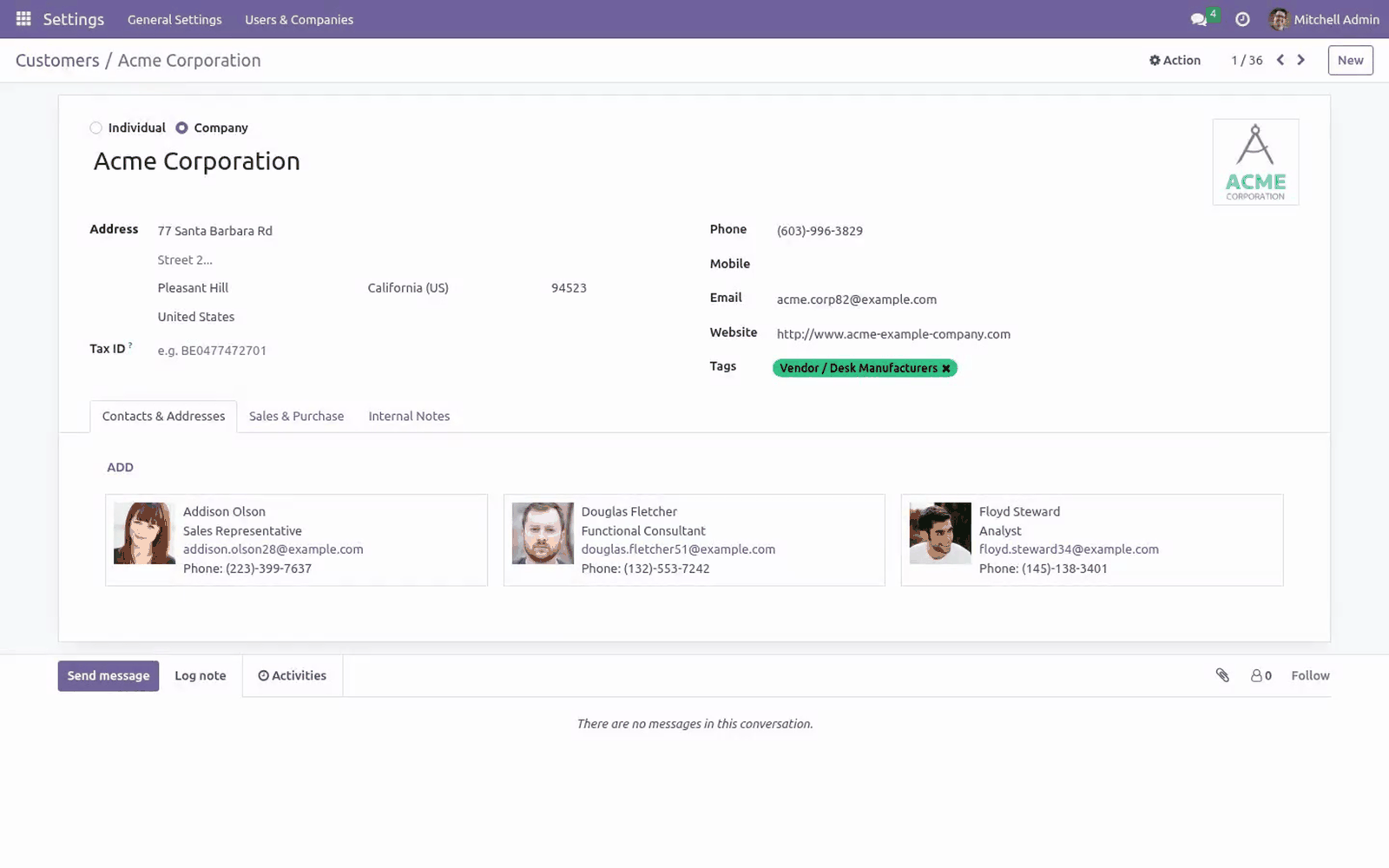
Open any record that has messages and attachments (for example a sale order, project task, or any document with a chatter).
Click the paperclip / attachment to open the attachment panel beside the chatter.
Click an Office, OpenDocument or PDF attachment. It renders inline in the panel — no download.
From the file-viewer modal:
Anywhere Odoo shows an attachment chip (chatter, a Many2many attachments field, a message), click the attachment.
Odoo opens its full-screen file-viewer overlay. The document renders inside it.
Use the viewer controls to scroll/zoom; close the overlay to return to your record.
The preview is read-only: the viewer renders the file for reading and never modifies the stored attachment.
Customization
The app is small and the source is included (OPL-1), so it is straightforward to adjust:
Which formats are previewable is defined in static/src/core/preview_utils.js — three MIME-type sets (Office, OpenDocument documents, OpenDocument templates) plus an extension-based fallback map (EXT_KIND). Add or remove an entry there to change the supported list.
The rendering route per format is also in preview_utils.js: the officePreviewSource function returns the Microsoft embed URL (/bambooforge_office_preview/ms_embed/<id>) for documents, or the local ViewerJS URL for OpenDocument templates.
Link lifetime: the signed Microsoft preview link is valid for 6 hours (_TTL in controllers/main.py). Shorten or lengthen it there.
Where the iframe appears is set by the QWeb template inheritances in static/src/core/common/attachment_view.xml (chatter) and static/src/core/file_viewer/file_viewer.xml (modal).
After editing any asset, upgrade the module (or run Odoo with --dev=assets) so the web bundle is rebuilt.
Troubleshooting
Symptom |
Cause and fix |
|---|---|
A specific file type does not preview |
Its MIME type/extension is not in the supported list. Confirm the format is one of those in What this app does. Files saved with an unusual or wrong MIME type and an unrecognised extension fall through to Odoo's default handling (download). |
An Office or OpenDocument document shows a blank/grey iframe or "can't display" |
These formats are rendered by Microsoft's Office Online viewer, which fetches the file from your server. If your Odoo server is not reachable from the public internet, Microsoft cannot load it. Verify the server is publicly reachable and that web.base.url (System Parameters) is the correct public URL. |
Preview works for PDF/templates but not for Word/Excel/PowerPoint |
Same cause as above: only the Microsoft-viewer formats need outbound internet and a publicly reachable server. PDFs and OpenDocument templates render locally, so they keep working offline. |
A large file is slow to appear or times out |
The whole file is fetched before it renders (by Microsoft for documents, by your browser for templates/PDF). Very large files take longer; allow more time, or split/compress the document. |
The preview link works at first, then later fails with "Not Found" |
The Microsoft preview link is a short-lived signed token (6-hour validity). Re- open the attachment to mint a fresh link. |
Browser shows nothing / iframe is blocked |
A browser extension or corporate policy is blocking iframes or the view.officeapps.live.com domain. Allow that domain, or test in a clean browser profile. |
"Unsupported file type" alert from the local viewer |
The bundled ViewerJS could not match a plugin for that OpenDocument template. Confirm the file really is a valid .ott / .otp / .ots template. |
A user can open the record but not preview the file |
Previews are access-checked: the user must have read access to the attachment under Odoo's record rules. Grant the needed access, or the user will only be able to see files they are permitted to read. |
SVG files won't preview |
Intentional. SVG is deliberately excluded from inline preview for safety. |
Frequently asked questions
Does it need any configuration? No. It is zero-config: install it and eligible attachments become previewable for everyone who can read them.
Does my server need internet access? For Microsoft Office and OpenDocument documents (Word/Excel/PowerPoint, .odt/.ods/ .odp), yes — Microsoft's Office Online viewer fetches the file from your server, so it must be reachable from the internet. OpenDocument templates and PDFs render locally and need no internet.
Are my files sent to Microsoft? To render Office and OpenDocument documents, Microsoft's Office Online viewer accesses the file via a short-lived, signed link — the same as opening the file on Office.com. OpenDocument templates and PDFs render locally in your browser and are never sent out. See Data, privacy & limits.
Are the preview links secure? Yes. Generating a preview is access-checked (the user must be allowed to read the file), and the link Microsoft uses is a short-lived, HMAC-signed token that expires after 6 hours. There is no permanent public file URL.
Which file types are supported? Word, Excel and PowerPoint (including macro and template variants), OpenDocument text/ spreadsheet/presentation and their templates, PDF, RTF and plain text — over 20 formats in all. The full list is in What this app does.
Where do previews appear? In the mail/chatter attachment view and in Odoo's web file-viewer modal.
Can I edit a document in the preview? No. It is preview-only; the viewer renders the file for reading and never modifies it.
Does it work in Odoo Enterprise? Yes. It depends only on the Mail module and works on Community and Enterprise.
What support and refund policy do I get? Every request is answered within 24 hours, setup help included. If you report a bug within 2 months of purchase and it is not resolved within 15 days, you are entitled to a full money-back refund.
Data, privacy & limits
Be precise about where each file goes — it differs by format:
Microsoft Office documents and OpenDocument documents (Word/Excel/PowerPoint, .rtf, .txt, .odt, .ods, .odp) are rendered by Microsoft's Office Online viewer, a third-party service. To render them, Microsoft's service fetches the file content from your Odoo server over the internet (the same as opening the file on Office.com). For these formats the file content leaves your server and is processed by Microsoft.
OpenDocument templates (.ott, .otp, .ots) are rendered by the bundled ViewerJS / WebODF entirely in your browser. The file content does not go to any external service.
PDFs use Odoo's built-in PDF viewer — local, unchanged by this app.
How the Microsoft link is protected:
A preview is only generated after an access check — the requesting user must have read access to the attachment under Odoo's record rules.
Microsoft is handed a short-lived, HMAC-signed token (valid 6 hours) pointing at a file route that verifies the signature and expiry. There is no permanent public file URL; a leaked link stops working when it expires.
The signing secret is generated randomly on first use and stored in the system parameter bambooforge_office_preview.token_secret.
Limits / out of scope:
Preview-only — no editing, no annotation, no in-document text search.
Fully on-prem / offline rendering for all formats is not included today (only templates and PDF render offline). It is on the roadmap.
The Microsoft viewer's rendering fidelity and availability are governed by Microsoft.
Support & updates
Support: support@bambooforge.dev — answered within 24 hours, setup help included.
Refund: report a bug within 2 months of purchase; if it is not resolved within 15 days, you receive a full refund.
Full source is included (OPL-1). Updates track the supported Odoo 20 line.
Upgrading & version compatibility
This build targets Odoo 20.0. Each Odoo major series (16.0, 17.0, 18.0, 19.0, 20.0) has its own dedicated build of this module — always install the build that matches your Odoo version. Mixing a build with a different Odoo series is not supported.
Patch upgrades (same series, e.g. 20.0.1.0.0 → later)
Back up your database and filestore first.
Replace the module folder with the newer build.
Restart Odoo with the module updated:
./odoo-bin -c your.conf -u bambooforge_office_preview -d your_db
Odoo applies any schema/data changes automatically. Your existing records and configuration are preserved.
Cross-version migration (moving to a newer Odoo)
Upgrading Odoo itself is a database migration handled by Odoo's standard upgrade tooling. When you migrate the database to the next Odoo series, install the matching build of this module for that series. Data created by this module carries over with the database migration.
Uninstallation
You can remove this module at any time from Apps → (this module) → Uninstall, or from the command line. Uninstalling is clean and reversible by reinstalling — but note what is and is not deleted.
What is removed
The fields, views and analysis definitions this module added.
The menus, actions, views and reports this module installed.
What is preserved
Your standard Odoo data (partners, products, sales, invoices, inventory moves) is not deleted — this module only reads and annotates it; the underlying records stay.
Attachments and chatter messages on standard records are kept.
As always, take a database backup before uninstalling in production.
Changelog
20.0.2.2.2
An app that previews something other than a plain attachment - the Documents app previews a document - can now tell the viewer which attachment holds the file, so the Office viewer is given a real one.
20.0.2.2.1
Built for Odoo 20: record rules and access rights rewritten onto Odoo 20's single ir.access model, the screens rebuilt on Owl 3, and every icon moved to the icon set Odoo 20 ships.
20.0.2.0.2
Current release for Odoo 20.0. This build includes:
Allows users to preview Microsoft Office files, LibreOffice files, images, and PDFs.
Feature additions and fixes ship as new builds on the Odoo Apps store; this page and the module's version reflect the current published release. Always keep the build matched to your Odoo series (see Upgrading & version compatibility).
How we make sure it works
Before every release, 10 automated checks run against this app on Odoo 16, 17, 18, 19 and 20. Among them:
The module adds no model of its own.
Unticked switch keeps the viewer.
Local only switch wins.
Settings round trip through the settings screen.
The behaviour is configurable from settings.
The complete list is in the source you receive.