 BambooForge Labs
Helpdesk & Ticket Management for Community
A helpdesk for Odoo Community: tickets by mail and portal, targets counted in working hours, escalation with a name on it, and safe merges.
Available for Odoo 16.0, Odoo 17.0, Odoo 18.0, Odoo 19.0, Odoo 20.0. Technical name bambooforge_helpdesk.
Transcript of the walkthrough (Odoo 20)
Helpdesk & Ticket Management for Community. A helpdesk for Odoo Community: tickets by mail and portal, targets counted in working hours, escalation with a name on it, and safe merges. Said before you buy, because it is the half that decides whether the app fits: In the next few minutes: helpdesk & ticket management for community, then working hours, not wall-clock hours, then the clock stops while you are waiting on the customer, then what counts as an answer, then missing a target has a name on it. Then what this app deliberately does not do, so you can tell before you buy whether it fits.
Everything lives under Helpdesk then Overview then Tickets then Reporting. 1. Copy bambooforge_helpdesk into your addons path and update the app list, or install the ZIP from the Odoo Apps Store. 2.
Install Helpdesk & Ticket Management for Community. 3. Open Helpdesk - its menus are Overview, Tickets, Reporting, Configuration. Helpdesk & Ticket Management for Community.
Odoo Community has no helpdesk. This is one. It is built around the three things that decide whether a support desk is trusted rather than merely installed: the clock, the mailbox, and who can read what. Working hours, not wall-clock hours.
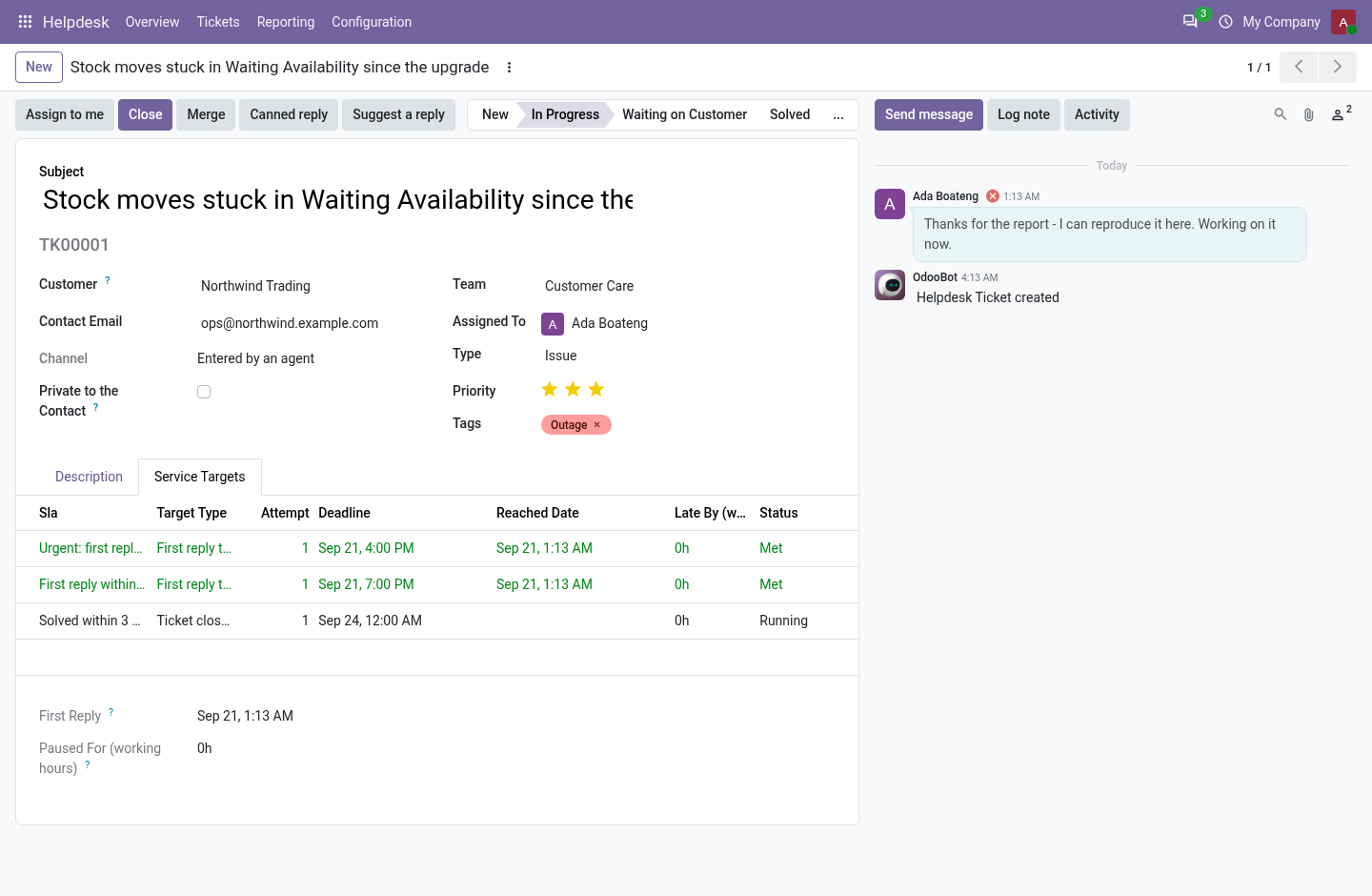
Every service target is a number of working hours on the team's own calendar. Four hours promised at 16:00 on a Friday is 11:00 on Monday - one hour left on the Friday, three on the Monday morning - and public holidays on that calendar are skipped like any other closed day. A desk that measures in wall-clock hours reports itself late every weekend and stops being believed within a month. one hour left on the Friday, three on the Monday morning - and public The team falls back to the company calendar when it has none of its own, so a fresh install already counts correctly.
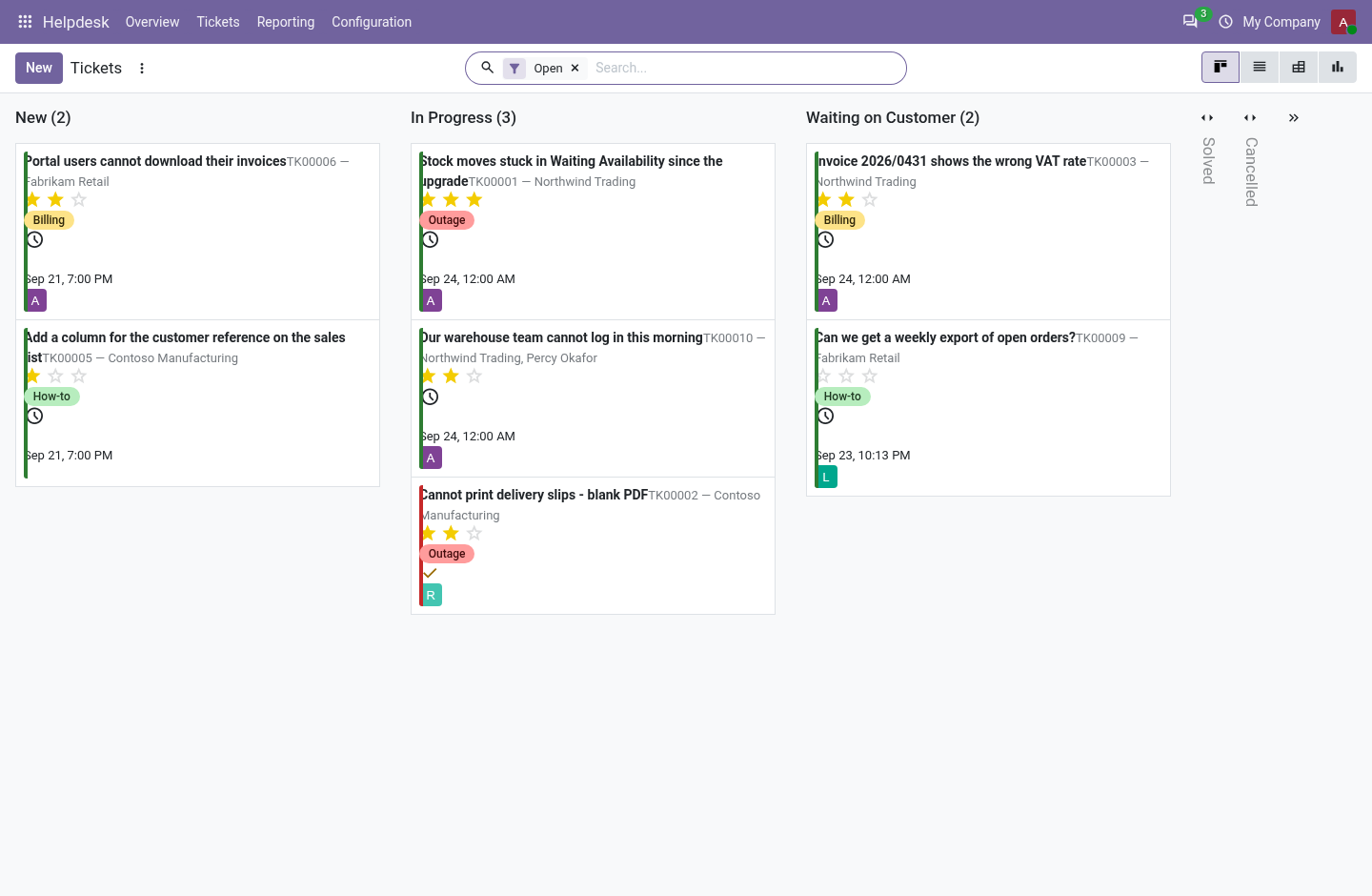
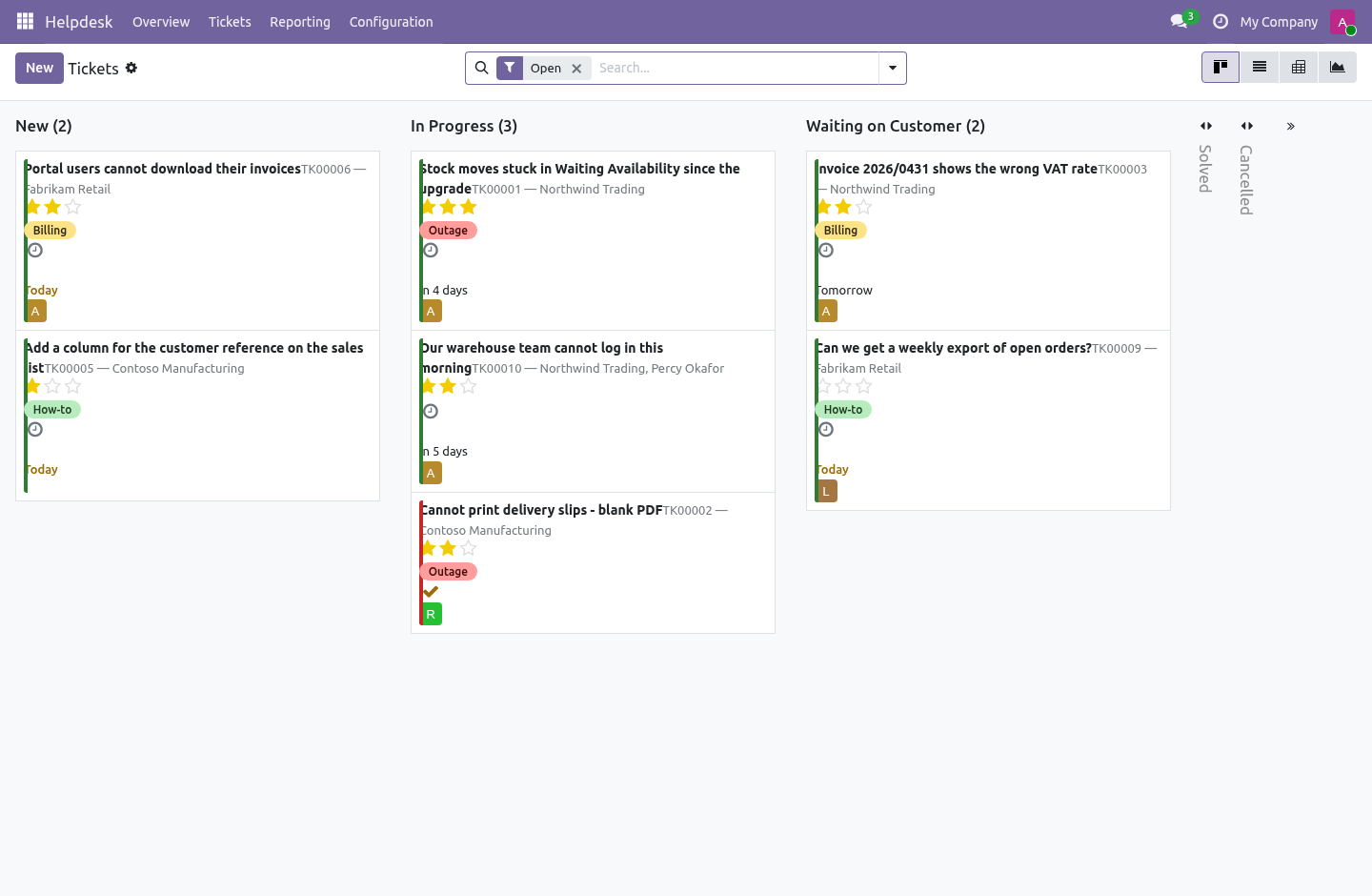
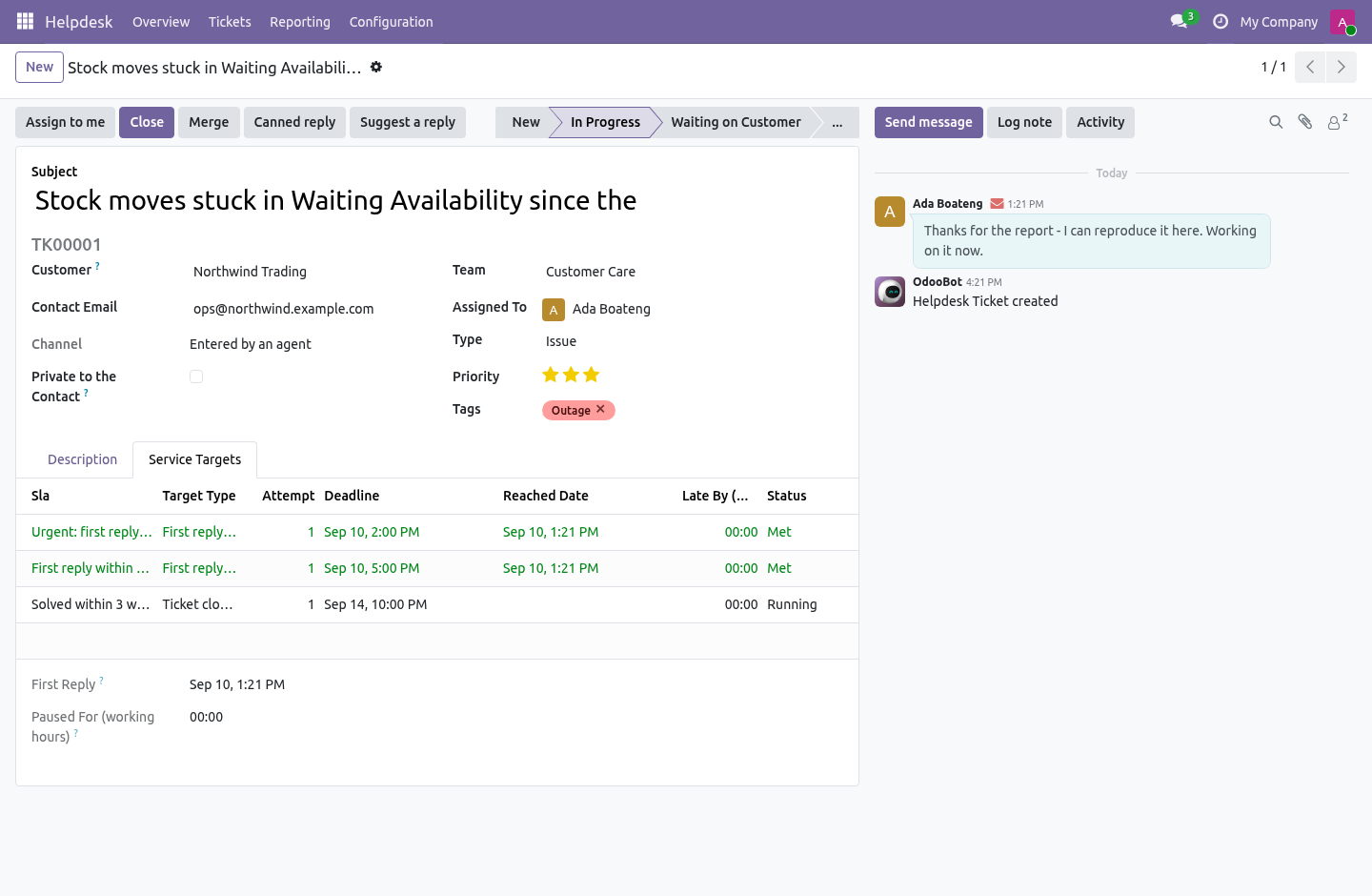
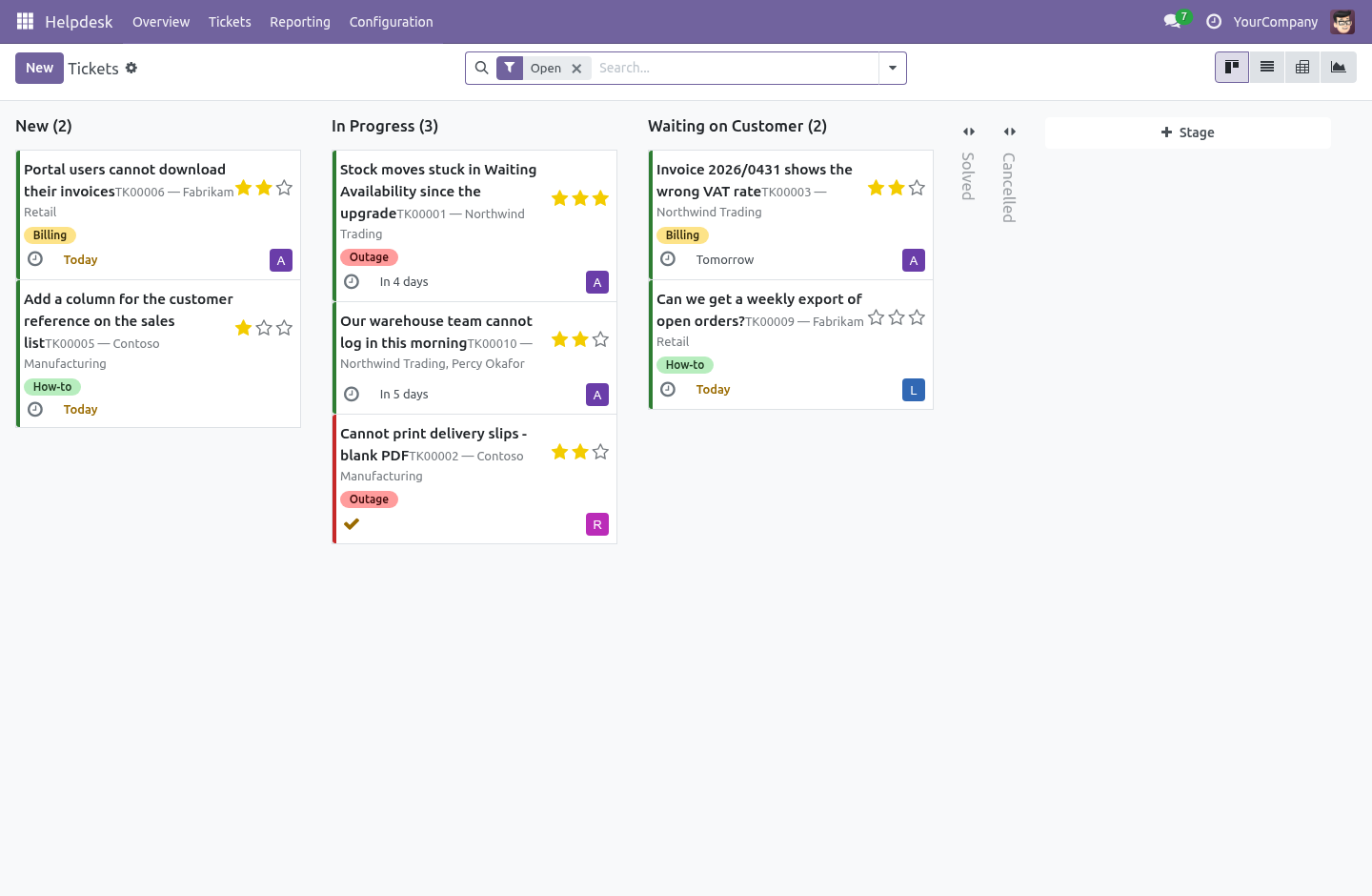
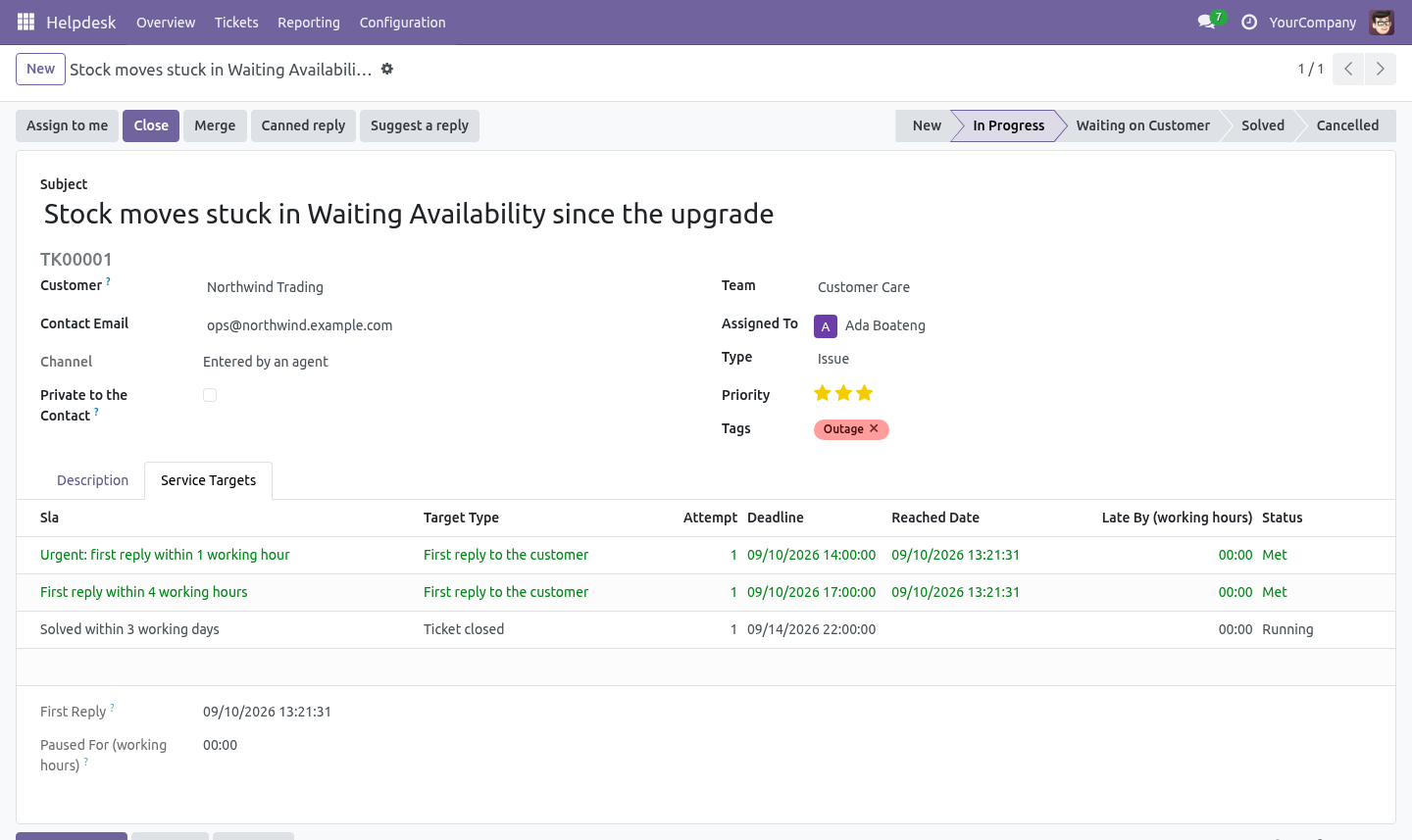
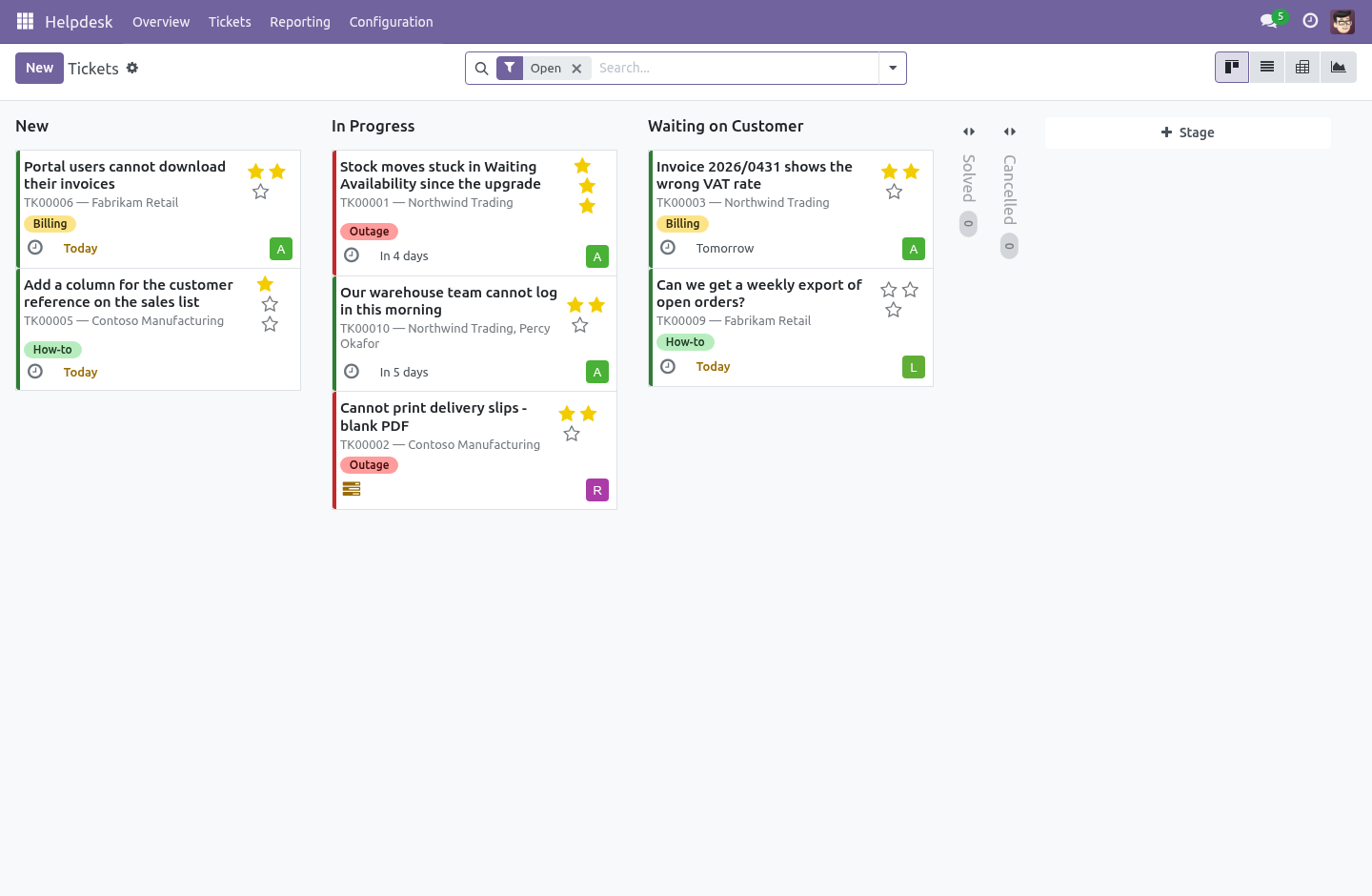
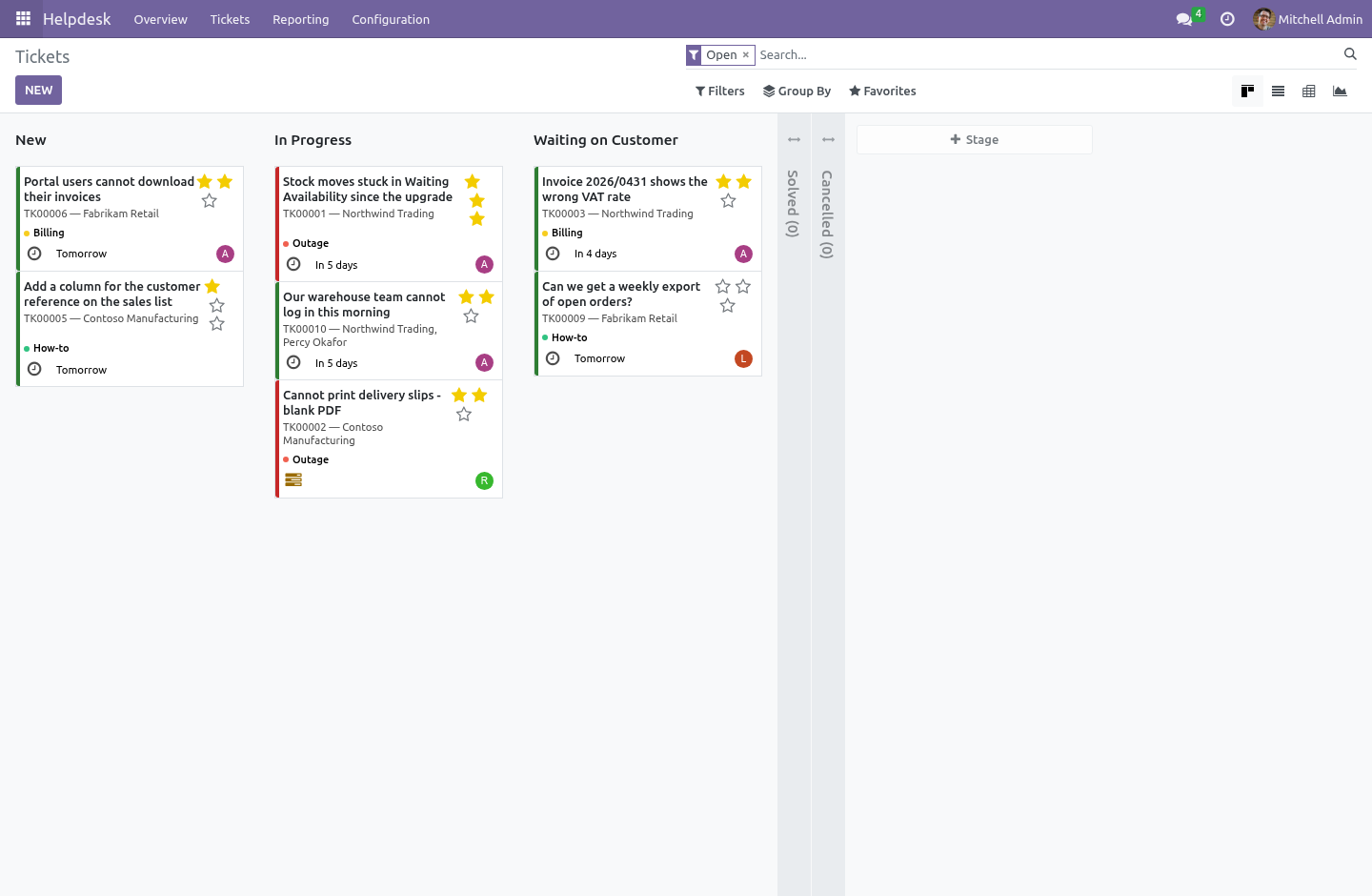
The clock stops while you are waiting on the customer. Mark a stage Waiting on Customer and every running target on a ticket in that stage is paused. When the customer answers, the time spent waiting is measured in working hours and given back: each deadline moves forward by exactly that much. How long a ticket was paused is on the ticket, in hours, so the number can be argued with rather than believed.
The escalation cron knows about the pause too: a paused ticket past its deadline is not reported as late, because you are not late for somebody else's silence. What counts as an answer. The first-reply target is met by a message the customer can read, written by somebody on our side. An internal note is not an answer.
Moving the ticket to another column is not an answer. The customer writing again is not an answer. This is the single most commonly faked number in helpdesk software, and the one a customer can check against their own inbox. Missing a target has a name on it.
When a deadline passes, the target is marked missed once, with how many working hours it went over, and an activity is created for the escalation user of that policy - or the team leader if the policy names nobody. Not a red colour on a list nobody opens. Running the cron again does not pile up a second activity. Reopening starts a new clock, and keeps the old one.
A reopened ticket gets a new resolution target, counted from the reopening, recorded as attempt 2. The rows from attempt 1 are left exactly as they were: last month's report does not change because somebody reopened a ticket in March. The first-reply target is not re-issued. It was promised once and met once; re-issuing it would let a reopen quietly rewrite the number.
Reclassification. Raise a ticket to Urgent and the urgent policy attaches counted from now, not backdated to a creation time when nobody had promised anything. A note goes in the chatter saying so. Targets already running are never withdrawn by editing a tag: a promise made is a promise kept.
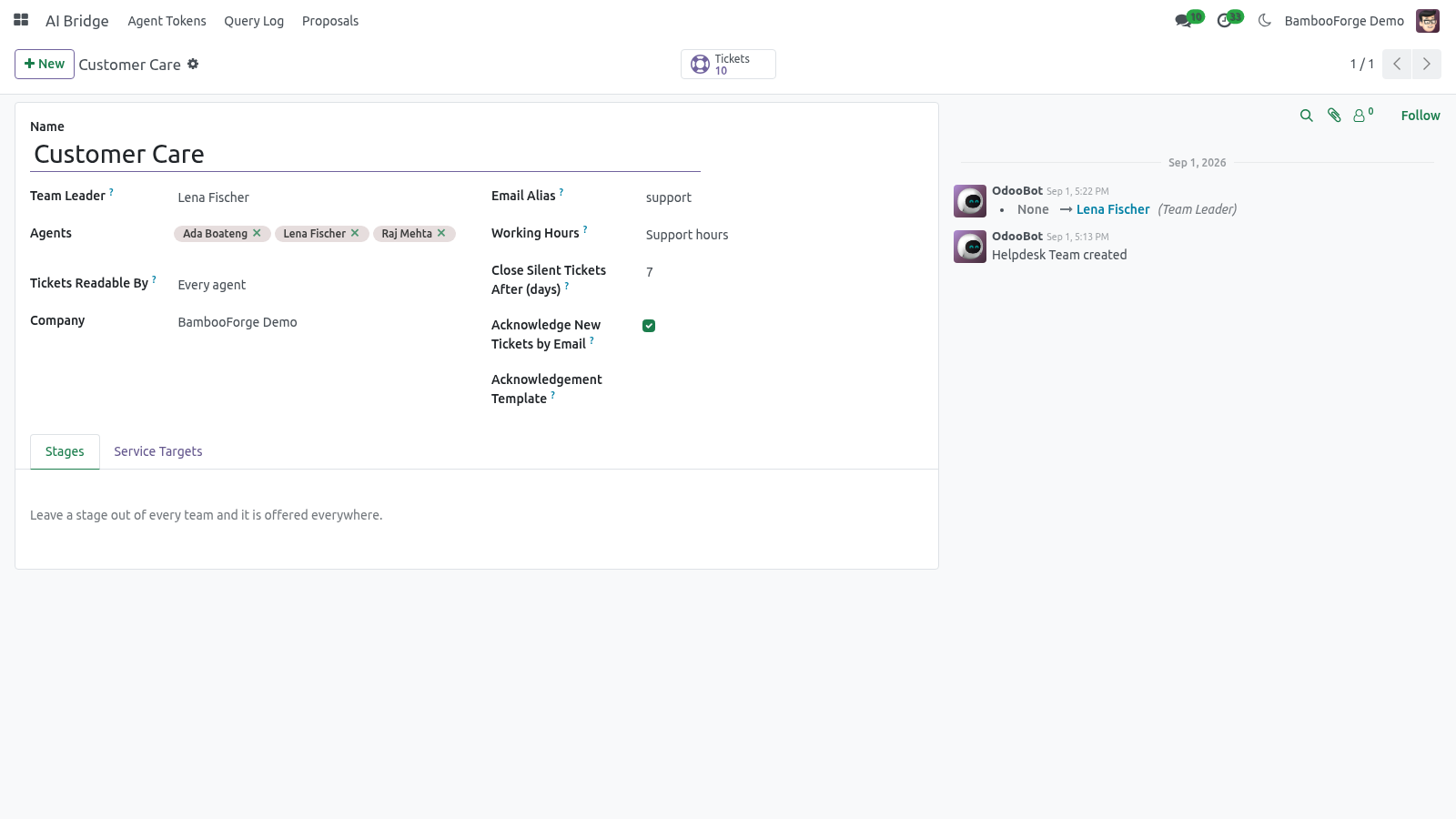
The mailbox. Each team has an alias. Mail to it opens a ticket in that team; replies land on the ticket they belong to, because the desk answers through the chatter and the mail headers do the rest. An unknown sender never silently creates a contact.
The name and the address are kept on the ticket, and a human decides whether that is a customer. A helpdesk that creates a partner per inbound mail turns a contact database into a spam trap within a quarter. A receipt, once. A ticket opened by email is answered at once with its number and a link to follow it, so the customer knows the mail arrived and has something to quote.
Per team, on by default, with a template you can replace. It is sent once per ticket and never to a machine: the raw headers are read before the ticket exists, and anything marked Auto-Submitted, Precedence: bulk, a bounce, or a no-reply address gets no receipt. The receipt marks itself the same way. Without both halves, a desk that acknowledges mail acknowledges the out-of-office reply to its own acknowledgement, and two mail servers spend the weekend talking to each other.
Canned responses. Helpdesk -> Configuration -> Canned Responses The answer the desk gives forty times a week, written once. A canned response is HTML with placeholders - {{ object.partner_name }}, {{ object.number }}, {{ object.name }}, {{ object.user_id.name }}, {{ object.team_id.name }}, {{ user.name }} - a shortcut agents type to find it (/fixed), the teams it belongs to (none means every team), and what happens after it is sent: move the ticket to a stage, add tags, or close it with a reason. The complete manual is at docs dot bambooforge dot dev, the demo database is linked from the store page, and support answers within twenty-four hours.
Links are in the description.
Transcript of the walkthrough (Odoo 19)
Helpdesk & Ticket Management for Community. A helpdesk for Odoo Community: tickets by mail and portal, targets counted in working hours, escalation with a name on it, and safe merges. Odoo Community has no helpdesk. This is one.
It is built around the three things that decide whether a support desk is trusted rather than merely installed: the clock, the mailbox, and who can read what. In the next few minutes: helpdesk & ticket management for community, then working hours, not wall-clock hours, then the clock stops while you are waiting on the customer, then what counts as an answer, then missing a target has a name on it. Then what this app deliberately does not do, so you can tell before you buy whether it fits. Everything lives under Helpdesk then Overview then Tickets then Reporting.
Helpdesk & Ticket Management for Community. Odoo Community has no helpdesk. This is one. It is built around the three things that decide whether a support desk is trusted rather than merely installed: the clock, the mailbox, and who can read what.
Working hours, not wall-clock hours. Every service target is a number of working hours on the team's own calendar. Four hours promised at 16:00 on a Friday is 11:00 on Monday - one hour left on the Friday, three on the Monday morning - and public holidays on that calendar are skipped like any other closed day. A desk that measures in wall-clock hours reports itself late every weekend and stops being believed within a month.
one hour left on the Friday, three on the Monday morning - and public The team falls back to the company calendar when it has none of its own, so a fresh install already counts correctly. The clock stops while you are waiting on the customer. Mark a stage Waiting on Customer and every running target on a ticket in that stage is paused. When the customer answers, the time spent waiting is measured in working hours and given back: each deadline moves forward by exactly that much.
How long a ticket was paused is on the ticket, in hours, so the number can be argued with rather than believed. The escalation cron knows about the pause too: a paused ticket past its deadline is not reported as late, because you are not late for somebody else's silence. What counts as an answer. The first-reply target is met by a message the customer can read, written by somebody on our side.
An internal note is not an answer. Moving the ticket to another column is not an answer. The customer writing again is not an answer. This is the single most commonly faked number in helpdesk software, and the one a customer can check against their own inbox.
Missing a target has a name on it. When a deadline passes, the target is marked missed once, with how many working hours it went over, and an activity is created for the escalation user of that policy - or the team leader if the policy names nobody. Not a red colour on a list nobody opens. Running the cron again does not pile up a second activity.
Reopening starts a new clock, and keeps the old one. A reopened ticket gets a new resolution target, counted from the reopening, recorded as attempt 2. The rows from attempt 1 are left exactly as they were: last month's report does not change because somebody reopened a ticket in March. The first-reply target is not re-issued.
It was promised once and met once; re-issuing it would let a reopen quietly rewrite the number. Reclassification. Raise a ticket to Urgent and the urgent policy attaches counted from now, not backdated to a creation time when nobody had promised anything. A note goes in the chatter saying so.
Targets already running are never withdrawn by editing a tag: a promise made is a promise kept. The mailbox. Each team has an alias. Mail to it opens a ticket in that team; replies land on the ticket they belong to, because the desk answers through the chatter and the mail headers do the rest.
An unknown sender never silently creates a contact. The name and the address are kept on the ticket, and a human decides whether that is a customer. A helpdesk that creates a partner per inbound mail turns a contact database into a spam trap within a quarter. A receipt, once.
A ticket opened by email is answered at once with its number and a link to follow it, so the customer knows the mail arrived and has something to quote. Per team, on by default, with a template you can replace. It is sent once per ticket and never to a machine: the raw headers are read before the ticket exists, and anything marked Auto-Submitted, Precedence: bulk, a bounce, or a no-reply address gets no receipt. The receipt marks itself the same way.
Without both halves, a desk that acknowledges mail acknowledges the out-of-office reply to its own acknowledgement, and two mail servers spend the weekend talking to each other. Agents and managers. An Agent works tickets: reads, answers, moves and closes them. An agent cannot delete a ticket and cannot change teams, stages or targets.
A Manager does all that, plus configuration, plus deleting - which is refused on a closed ticket unless it is a manager doing it, because a closed ticket is history. The complete manual is at docs dot bambooforge dot dev, the demo database is linked from the store page, and support answers within twenty-four hours. Links are in the description.
Transcript of the walkthrough (Odoo 18)
Helpdesk & Ticket Management for Community. A helpdesk for Odoo Community: tickets by mail and portal, targets counted in working hours, escalation with a name on it, and safe merges. Odoo Community has no helpdesk. This is one.
It is built around the three things that decide whether a support desk is trusted rather than merely installed: the clock, the mailbox, and who can read what. In the next few minutes: helpdesk & ticket management for community, then working hours, not wall-clock hours, then the clock stops while you are waiting on the customer, then what counts as an answer, then missing a target has a name on it. Then what this app deliberately does not do, so you can tell before you buy whether it fits. Everything lives under Helpdesk then Overview then Tickets then Reporting.
Helpdesk & Ticket Management for Community. Odoo Community has no helpdesk. This is one. It is built around the three things that decide whether a support desk is trusted rather than merely installed: the clock, the mailbox, and who can read what.
Working hours, not wall-clock hours. Every service target is a number of working hours on the team's own calendar. Four hours promised at 16:00 on a Friday is 11:00 on Monday - one hour left on the Friday, three on the Monday morning - and public holidays on that calendar are skipped like any other closed day. A desk that measures in wall-clock hours reports itself late every weekend and stops being believed within a month.
one hour left on the Friday, three on the Monday morning - and public The team falls back to the company calendar when it has none of its own, so a fresh install already counts correctly. The clock stops while you are waiting on the customer. Mark a stage Waiting on Customer and every running target on a ticket in that stage is paused. When the customer answers, the time spent waiting is measured in working hours and given back: each deadline moves forward by exactly that much.
How long a ticket was paused is on the ticket, in hours, so the number can be argued with rather than believed. The escalation cron knows about the pause too: a paused ticket past its deadline is not reported as late, because you are not late for somebody else's silence. What counts as an answer. The first-reply target is met by a message the customer can read, written by somebody on our side.
An internal note is not an answer. Moving the ticket to another column is not an answer. The customer writing again is not an answer. This is the single most commonly faked number in helpdesk software, and the one a customer can check against their own inbox.
Missing a target has a name on it. When a deadline passes, the target is marked missed once, with how many working hours it went over, and an activity is created for the escalation user of that policy - or the team leader if the policy names nobody. Not a red colour on a list nobody opens. Running the cron again does not pile up a second activity.
Reopening starts a new clock, and keeps the old one. A reopened ticket gets a new resolution target, counted from the reopening, recorded as attempt 2. The rows from attempt 1 are left exactly as they were: last month's report does not change because somebody reopened a ticket in March. The first-reply target is not re-issued.
It was promised once and met once; re-issuing it would let a reopen quietly rewrite the number. Reclassification. Raise a ticket to Urgent and the urgent policy attaches counted from now, not backdated to a creation time when nobody had promised anything. A note goes in the chatter saying so.
Targets already running are never withdrawn by editing a tag: a promise made is a promise kept. The mailbox. Each team has an alias. Mail to it opens a ticket in that team; replies land on the ticket they belong to, because the desk answers through the chatter and the mail headers do the rest.
An unknown sender never silently creates a contact. The name and the address are kept on the ticket, and a human decides whether that is a customer. A helpdesk that creates a partner per inbound mail turns a contact database into a spam trap within a quarter. A receipt, once.
A ticket opened by email is answered at once with its number and a link to follow it, so the customer knows the mail arrived and has something to quote. Per team, on by default, with a template you can replace. It is sent once per ticket and never to a machine: the raw headers are read before the ticket exists, and anything marked Auto-Submitted, Precedence: bulk, a bounce, or a no-reply address gets no receipt. The receipt marks itself the same way.
Without both halves, a desk that acknowledges mail acknowledges the out-of-office reply to its own acknowledgement, and two mail servers spend the weekend talking to each other. Agents and managers. An Agent works tickets: reads, answers, moves and closes them. An agent cannot delete a ticket and cannot change teams, stages or targets.
A Manager does all that, plus configuration, plus deleting - which is refused on a closed ticket unless it is a manager doing it, because a closed ticket is history. The complete manual is at docs dot bambooforge dot dev, the demo database is linked from the store page, and support answers within twenty-four hours. Links are in the description.
Transcript of the walkthrough (Odoo 17)
Helpdesk & Ticket Management for Community. A helpdesk for Odoo Community: tickets by mail and portal, targets counted in working hours, escalation with a name on it, and safe merges. Odoo Community has no helpdesk. This is one.
It is built around the three things that decide whether a support desk is trusted rather than merely installed: the clock, the mailbox, and who can read what. In the next few minutes: helpdesk & ticket management for community, then working hours, not wall-clock hours, then the clock stops while you are waiting on the customer, then what counts as an answer, then missing a target has a name on it. Then what this app deliberately does not do, so you can tell before you buy whether it fits. Everything lives under Helpdesk then Overview then Tickets then Reporting.
Helpdesk & Ticket Management for Community. Odoo Community has no helpdesk. This is one. It is built around the three things that decide whether a support desk is trusted rather than merely installed: the clock, the mailbox, and who can read what.
Working hours, not wall-clock hours. Every service target is a number of working hours on the team's own calendar. Four hours promised at 16:00 on a Friday is 11:00 on Monday - one hour left on the Friday, three on the Monday morning - and public holidays on that calendar are skipped like any other closed day. A desk that measures in wall-clock hours reports itself late every weekend and stops being believed within a month.
one hour left on the Friday, three on the Monday morning - and public The team falls back to the company calendar when it has none of its own, so a fresh install already counts correctly. The clock stops while you are waiting on the customer. Mark a stage Waiting on Customer and every running target on a ticket in that stage is paused. When the customer answers, the time spent waiting is measured in working hours and given back: each deadline moves forward by exactly that much.
How long a ticket was paused is on the ticket, in hours, so the number can be argued with rather than believed. The escalation cron knows about the pause too: a paused ticket past its deadline is not reported as late, because you are not late for somebody else's silence. What counts as an answer. The first-reply target is met by a message the customer can read, written by somebody on our side.
An internal note is not an answer. Moving the ticket to another column is not an answer. The customer writing again is not an answer. This is the single most commonly faked number in helpdesk software, and the one a customer can check against their own inbox.
Missing a target has a name on it. When a deadline passes, the target is marked missed once, with how many working hours it went over, and an activity is created for the escalation user of that policy - or the team leader if the policy names nobody. Not a red colour on a list nobody opens. Running the cron again does not pile up a second activity.
Reopening starts a new clock, and keeps the old one. A reopened ticket gets a new resolution target, counted from the reopening, recorded as attempt 2. The rows from attempt 1 are left exactly as they were: last month's report does not change because somebody reopened a ticket in March. The first-reply target is not re-issued.
It was promised once and met once; re-issuing it would let a reopen quietly rewrite the number. Reclassification. Raise a ticket to Urgent and the urgent policy attaches counted from now, not backdated to a creation time when nobody had promised anything. A note goes in the chatter saying so.
Targets already running are never withdrawn by editing a tag: a promise made is a promise kept. The mailbox. Each team has an alias. Mail to it opens a ticket in that team; replies land on the ticket they belong to, because the desk answers through the chatter and the mail headers do the rest.
An unknown sender never silently creates a contact. The name and the address are kept on the ticket, and a human decides whether that is a customer. A helpdesk that creates a partner per inbound mail turns a contact database into a spam trap within a quarter. A receipt, once.
A ticket opened by email is answered at once with its number and a link to follow it, so the customer knows the mail arrived and has something to quote. Per team, on by default, with a template you can replace. It is sent once per ticket and never to a machine: the raw headers are read before the ticket exists, and anything marked Auto-Submitted, Precedence: bulk, a bounce, or a no-reply address gets no receipt. The receipt marks itself the same way.
Without both halves, a desk that acknowledges mail acknowledges the out-of-office reply to its own acknowledgement, and two mail servers spend the weekend talking to each other. Agents and managers. An Agent works tickets: reads, answers, moves and closes them. An agent cannot delete a ticket and cannot change teams, stages or targets.
A Manager does all that, plus configuration, plus deleting - which is refused on a closed ticket unless it is a manager doing it, because a closed ticket is history. The complete manual is at docs dot bambooforge dot dev, the demo database is linked from the store page, and support answers within twenty-four hours. Links are in the description.
Transcript of the walkthrough (Odoo 16)
Helpdesk & Ticket Management for Community. A helpdesk for Odoo Community: tickets by mail and portal, targets counted in working hours, escalation with a name on it, and safe merges. Odoo Community has no helpdesk. This is one.
It is built around the three things that decide whether a support desk is trusted rather than merely installed: the clock, the mailbox, and who can read what. In the next few minutes: helpdesk & ticket management for community, then working hours, not wall-clock hours, then the clock stops while you are waiting on the customer, then what counts as an answer, then missing a target has a name on it. Then what this app deliberately does not do, so you can tell before you buy whether it fits. Everything lives under Helpdesk then Overview then Tickets then Reporting.
Helpdesk & Ticket Management for Community. Odoo Community has no helpdesk. This is one. It is built around the three things that decide whether a support desk is trusted rather than merely installed: the clock, the mailbox, and who can read what.
Working hours, not wall-clock hours. Every service target is a number of working hours on the team's own calendar. Four hours promised at 16:00 on a Friday is 11:00 on Monday - one hour left on the Friday, three on the Monday morning - and public holidays on that calendar are skipped like any other closed day. A desk that measures in wall-clock hours reports itself late every weekend and stops being believed within a month.
one hour left on the Friday, three on the Monday morning - and public The team falls back to the company calendar when it has none of its own, so a fresh install already counts correctly. The clock stops while you are waiting on the customer. Mark a stage Waiting on Customer and every running target on a ticket in that stage is paused. When the customer answers, the time spent waiting is measured in working hours and given back: each deadline moves forward by exactly that much.
How long a ticket was paused is on the ticket, in hours, so the number can be argued with rather than believed. The escalation cron knows about the pause too: a paused ticket past its deadline is not reported as late, because you are not late for somebody else's silence. What counts as an answer. The first-reply target is met by a message the customer can read, written by somebody on our side.
An internal note is not an answer. Moving the ticket to another column is not an answer. The customer writing again is not an answer. This is the single most commonly faked number in helpdesk software, and the one a customer can check against their own inbox.
Missing a target has a name on it. When a deadline passes, the target is marked missed once, with how many working hours it went over, and an activity is created for the escalation user of that policy - or the team leader if the policy names nobody. Not a red colour on a list nobody opens. Running the cron again does not pile up a second activity.
Reopening starts a new clock, and keeps the old one. A reopened ticket gets a new resolution target, counted from the reopening, recorded as attempt 2. The rows from attempt 1 are left exactly as they were: last month's report does not change because somebody reopened a ticket in March. The first-reply target is not re-issued.
It was promised once and met once; re-issuing it would let a reopen quietly rewrite the number. Reclassification. Raise a ticket to Urgent and the urgent policy attaches counted from now, not backdated to a creation time when nobody had promised anything. A note goes in the chatter saying so.
Targets already running are never withdrawn by editing a tag: a promise made is a promise kept. The mailbox. Each team has an alias. Mail to it opens a ticket in that team; replies land on the ticket they belong to, because the desk answers through the chatter and the mail headers do the rest.
An unknown sender never silently creates a contact. The name and the address are kept on the ticket, and a human decides whether that is a customer. A helpdesk that creates a partner per inbound mail turns a contact database into a spam trap within a quarter. A receipt, once.
A ticket opened by email is answered at once with its number and a link to follow it, so the customer knows the mail arrived and has something to quote. Per team, on by default, with a template you can replace. It is sent once per ticket and never to a machine: the raw headers are read before the ticket exists, and anything marked Auto-Submitted, Precedence: bulk, a bounce, or a no-reply address gets no receipt. The receipt marks itself the same way.
Without both halves, a desk that acknowledges mail acknowledges the out-of-office reply to its own acknowledgement, and two mail servers spend the weekend talking to each other. Agents and managers. An Agent works tickets: reads, answers, moves and closes them. An agent cannot delete a ticket and cannot change teams, stages or targets.
A Manager does all that, plus configuration, plus deleting - which is refused on a closed ticket unless it is a manager doing it, because a closed ticket is history. The complete manual is at docs dot bambooforge dot dev, the demo database is linked from the store page, and support answers within twenty-four hours. Links are in the description.
Key facts
- What it is
- A helpdesk for Odoo Community: tickets by mail and portal, targets counted in working hours, escalation with a name on it, and safe merges.
- For
- Extra Tools
- Odoo versions
- 16.0, 17.0, 18.0, 19.0, 20.0 - Community and Enterprise
- Runs on
- Odoo.sh or Odoo you host yourself - not Odoo Online, which accepts no third-party apps
- Price
- 149 EUR, one-time, on the Odoo Apps Store
- Technical name
- bambooforge_helpdesk
- Not for
- Said before you buy, because it is the half that decides whether the app fits:; Count a paused ticket as late: the clock stops while you wait on the customer.; Treat moving a ticket to another column as an answer.; Deflect tickets with a knowledge base: that is a separate app, coming.; Send a rating request twice for one close, or to a cancelled ticket.
- Manual last updated
- 2026-09-21
Helpdesk & Ticket Management for Community
Odoo Community has no helpdesk. This is one. It is built around the three things that decide whether a support desk is trusted rather than merely installed: the clock, the mailbox, and who can read what.
The clock
Working hours, not wall-clock hours
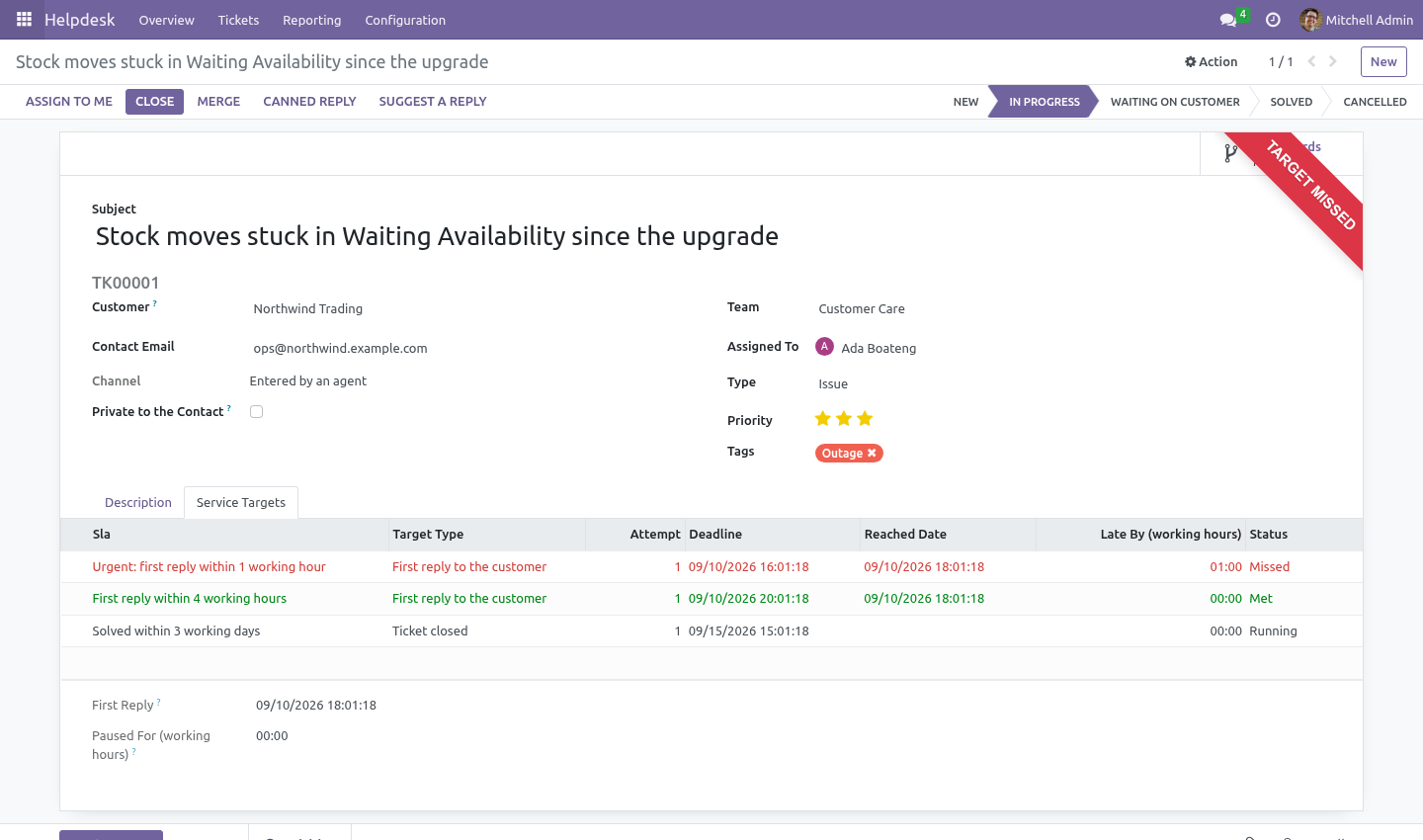
Every service target is a number of working hours on the team's own calendar. Four hours promised at 16:00 on a Friday is 11:00 on Monday - one hour left on the Friday, three on the Monday morning - and public holidays on that calendar are skipped like any other closed day. A desk that measures in wall-clock hours reports itself late every weekend and stops being believed within a month.
The team falls back to the company calendar when it has none of its own, so a fresh install already counts correctly.
The clock stops while you are waiting on the customer
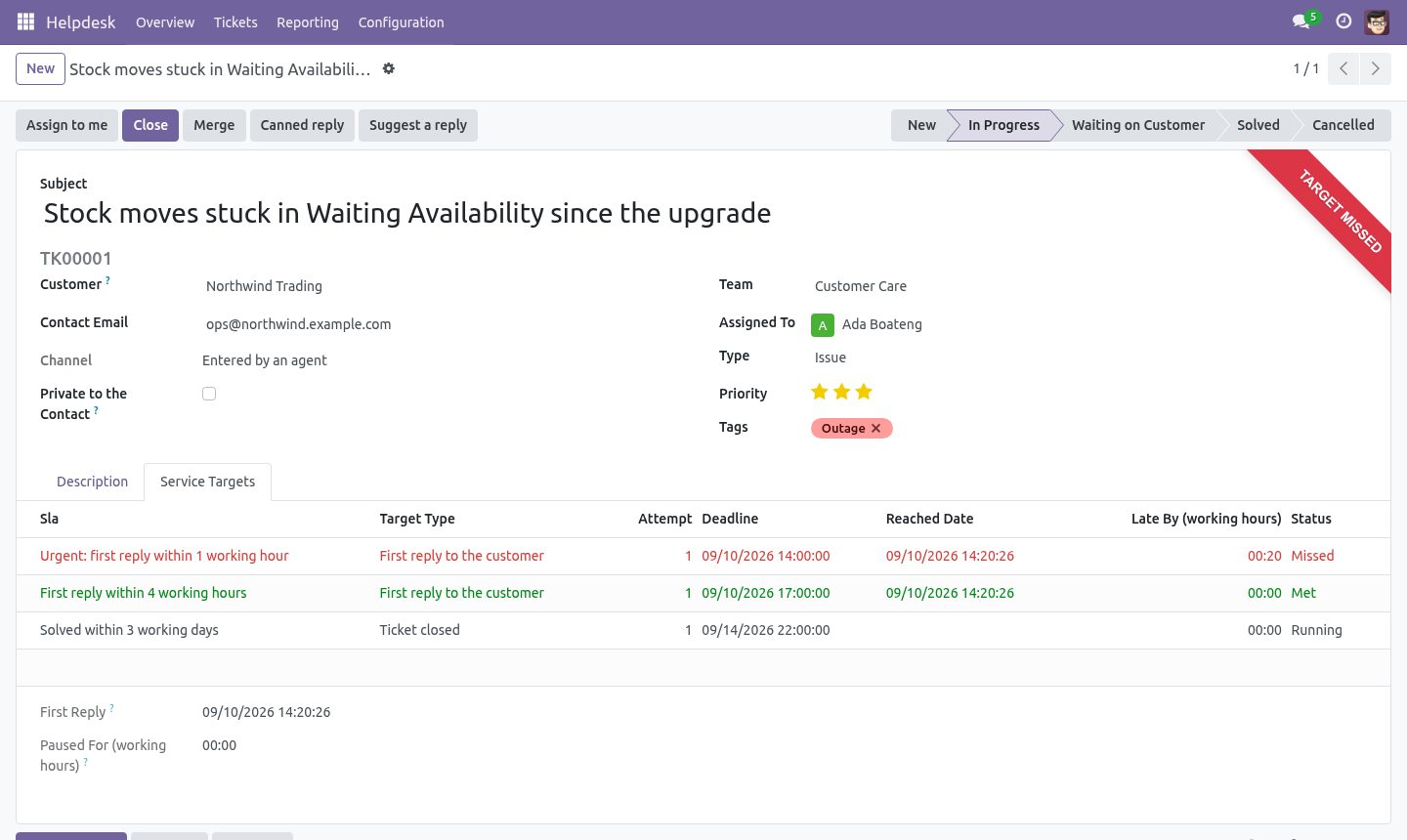
Mark a stage Waiting on Customer and every running target on a ticket in that stage is paused. When the customer answers, the time spent waiting is measured in working hours and given back: each deadline moves forward by exactly that much. How long a ticket was paused is on the ticket, in hours, so the number can be argued with rather than believed.
The escalation cron knows about the pause too: a paused ticket past its deadline is not reported as late, because you are not late for somebody else's silence.
What counts as an answer
The first-reply target is met by a message the customer can read, written by somebody on our side. An internal note is not an answer. Moving the ticket to another column is not an answer. The customer writing again is not an answer.
This is the single most commonly faked number in helpdesk software, and the one a customer can check against their own inbox.
Missing a target has a name on it
When a deadline passes, the target is marked missed once, with how many working hours it went over, and an activity is created for the escalation user of that policy - or the team leader if the policy names nobody. Not a red colour on a list nobody opens. Running the cron again does not pile up a second activity.
Reopening starts a new clock, and keeps the old one
A reopened ticket gets a new resolution target, counted from the reopening, recorded as attempt 2. The rows from attempt 1 are left exactly as they were: last month's report does not change because somebody reopened a ticket in March.
The first-reply target is not re-issued. It was promised once and met once; re-issuing it would let a reopen quietly rewrite the number.
Reclassification
Raise a ticket to Urgent and the urgent policy attaches counted from now, not backdated to a creation time when nobody had promised anything. A note goes in the chatter saying so. Targets already running are never withdrawn by editing a tag: a promise made is a promise kept.
The mailbox
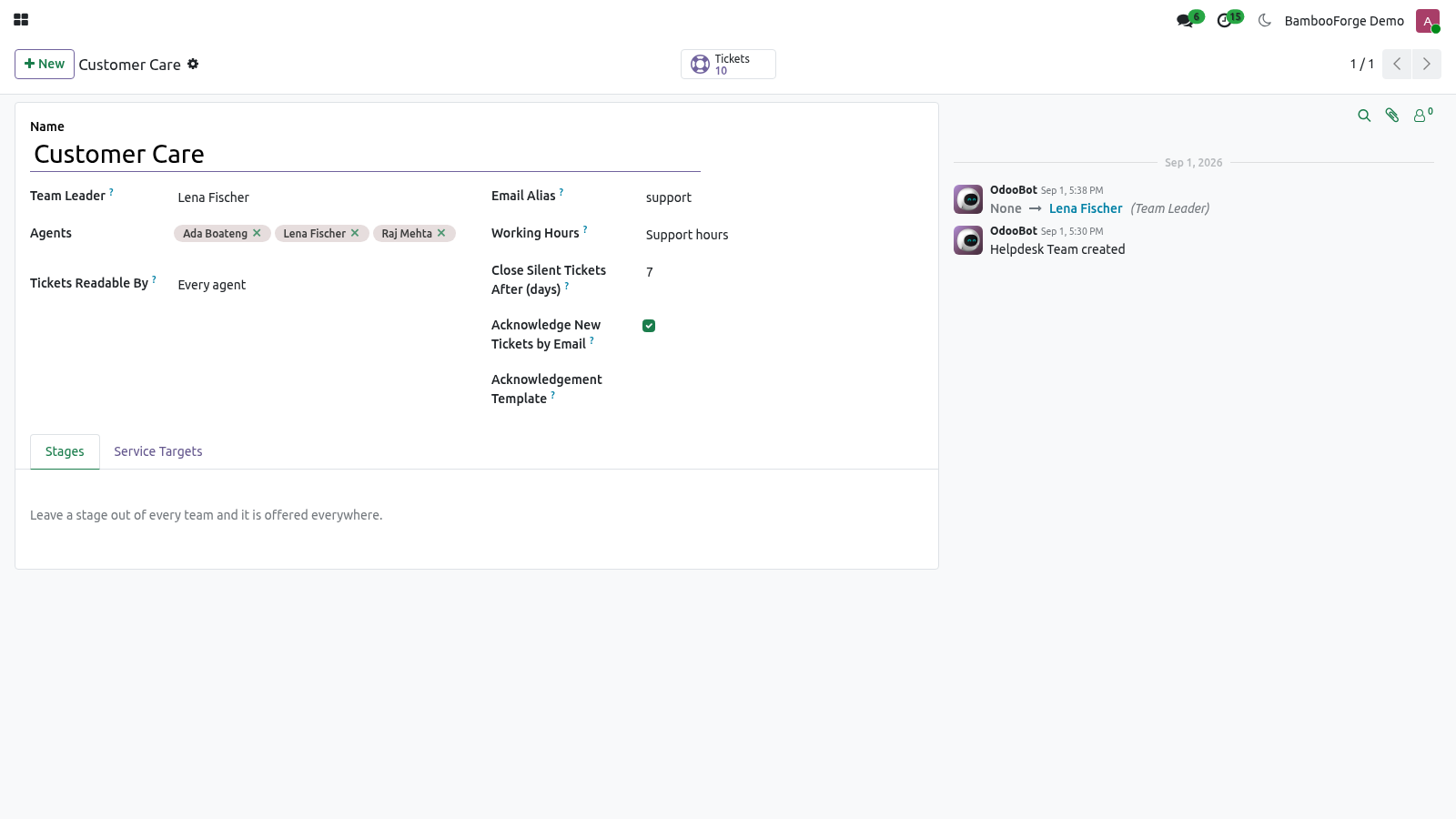
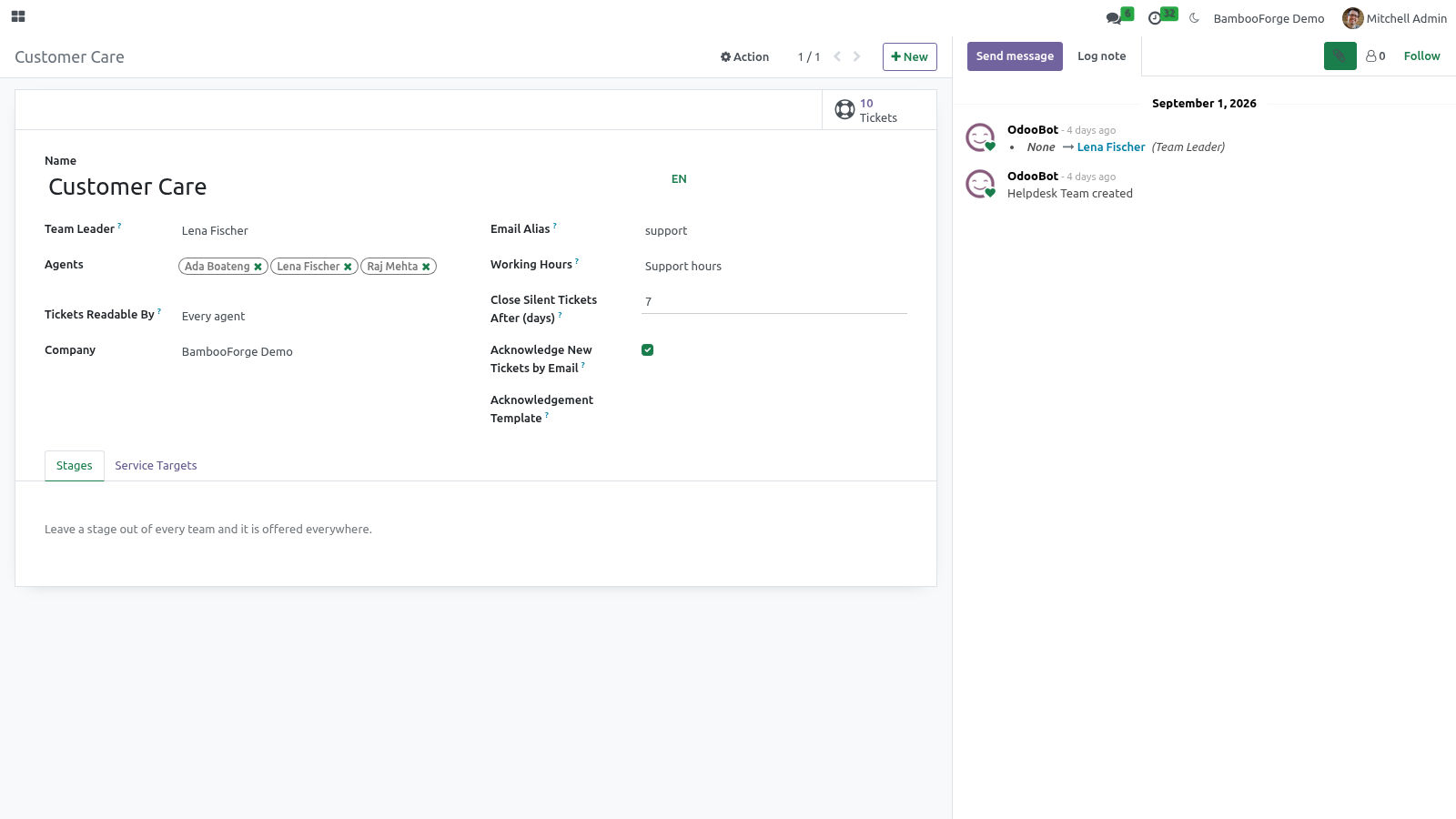
Each team has an alias. Mail to it opens a ticket in that team; replies land on the ticket they belong to, because the desk answers through the chatter and the mail headers do the rest.
An unknown sender never silently creates a contact. The name and the address are kept on the ticket, and a human decides whether that is a customer. A helpdesk that creates a partner per inbound mail turns a contact database into a spam trap within a quarter.
A known address is matched to its contact, and the customer is added as a follower so the answer reaches them.
A receipt, once
A ticket opened by email is answered at once with its number and a link to follow it, so the customer knows the mail arrived and has something to quote. Per team, on by default, with a template you can replace.
It is sent once per ticket and never to a machine: the raw headers are read before the ticket exists, and anything marked Auto-Submitted, Precedence: bulk, a bounce, or a no-reply address gets no receipt. The receipt marks itself the same way. Without both halves, a desk that acknowledges mail acknowledges the out-of-office reply to its own acknowledgement, and two mail servers spend the weekend talking to each other.
Addresses the customer copied are kept on the ticket as Also on the thread - kept, not turned into contacts.
Answering faster
Canned responses
Helpdesk -> Configuration -> Canned Responses
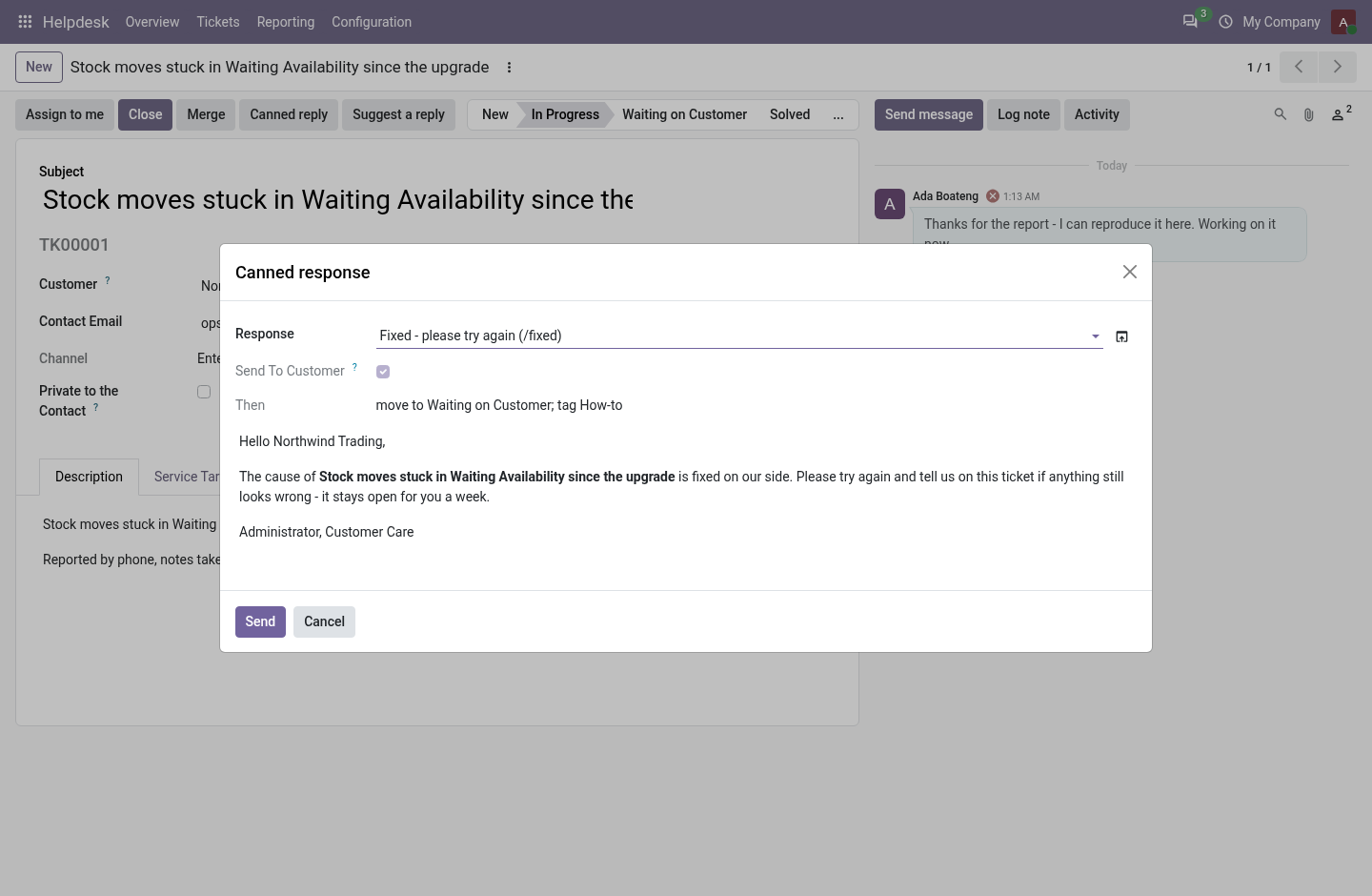
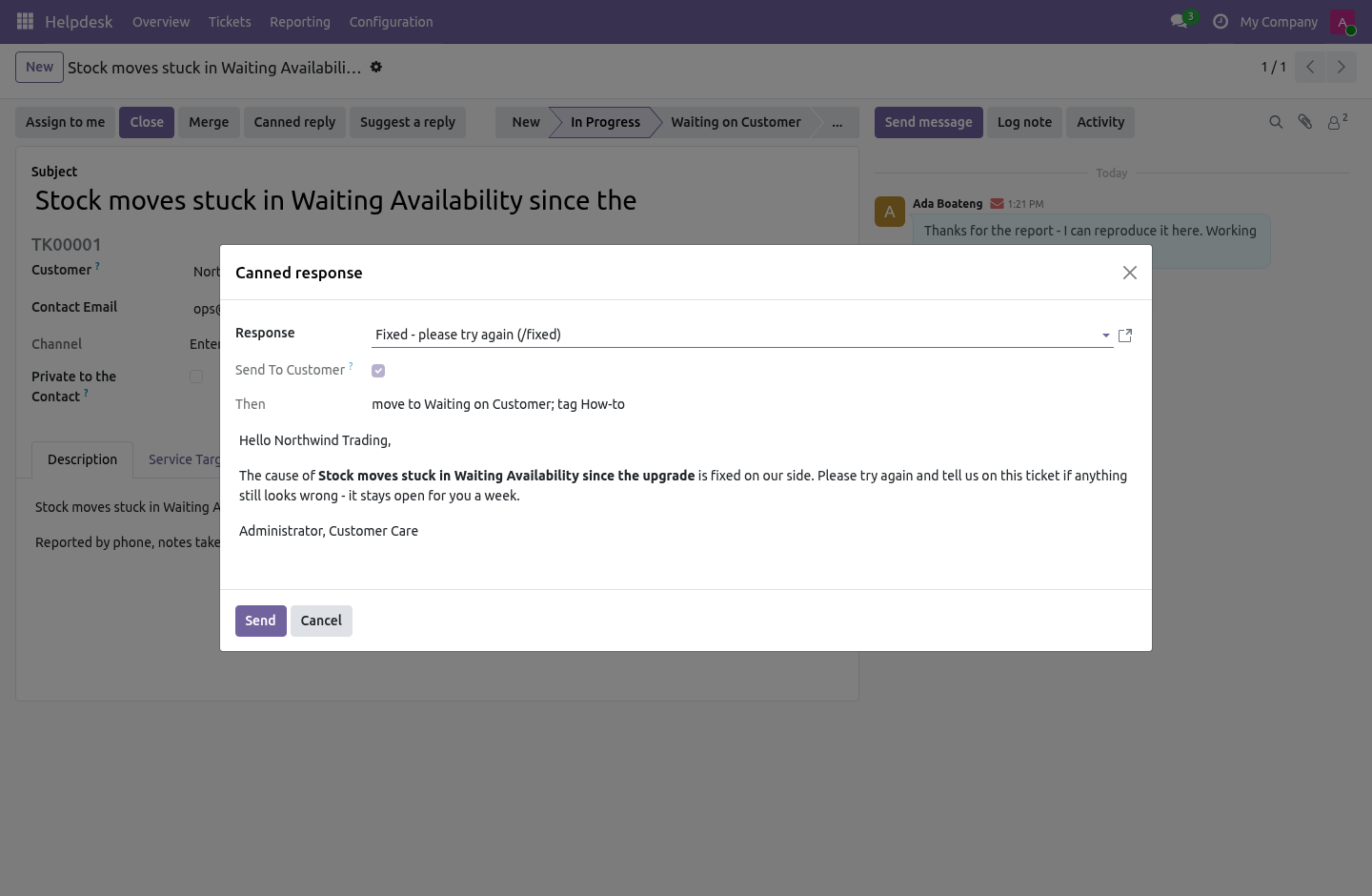
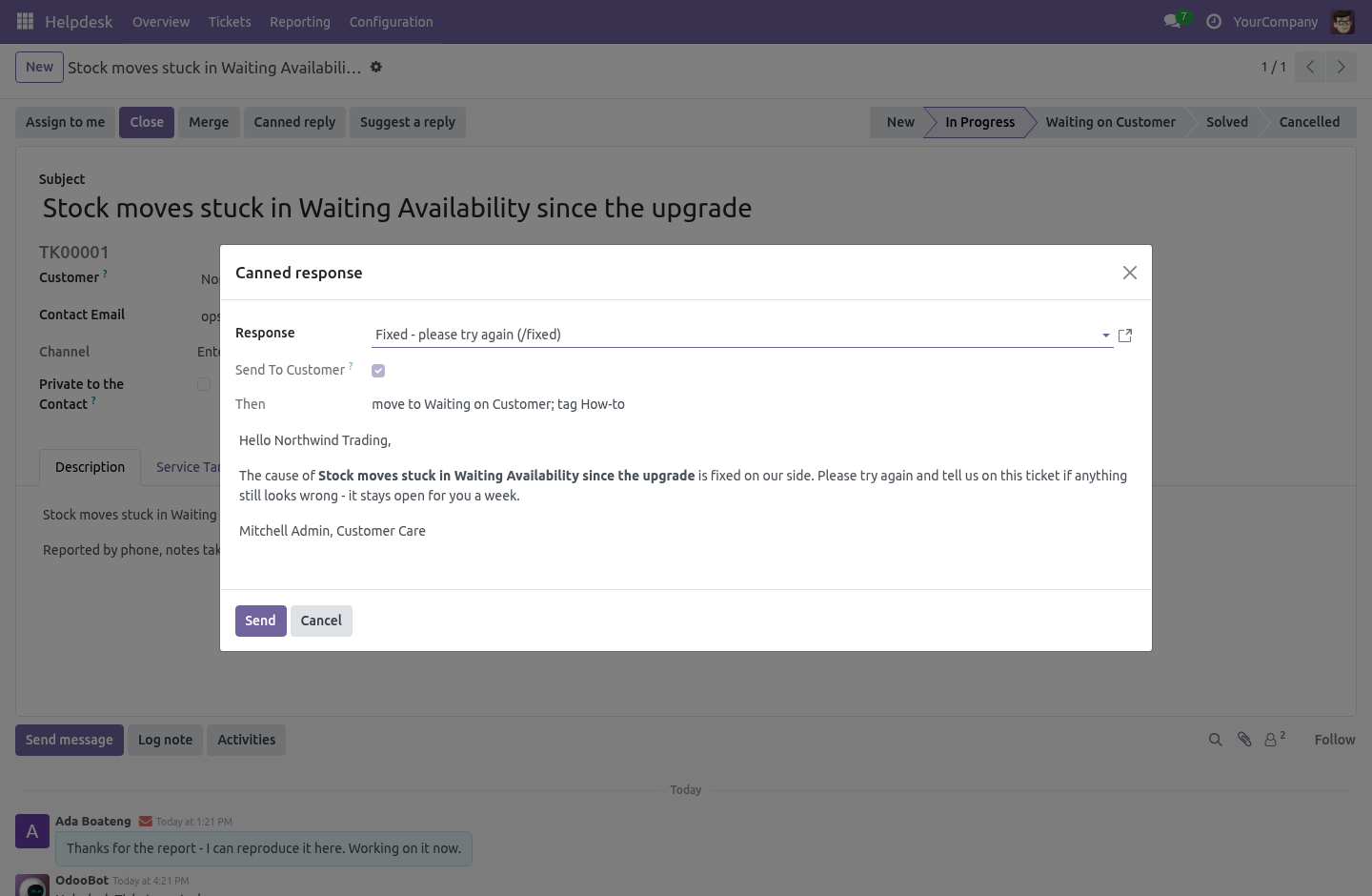
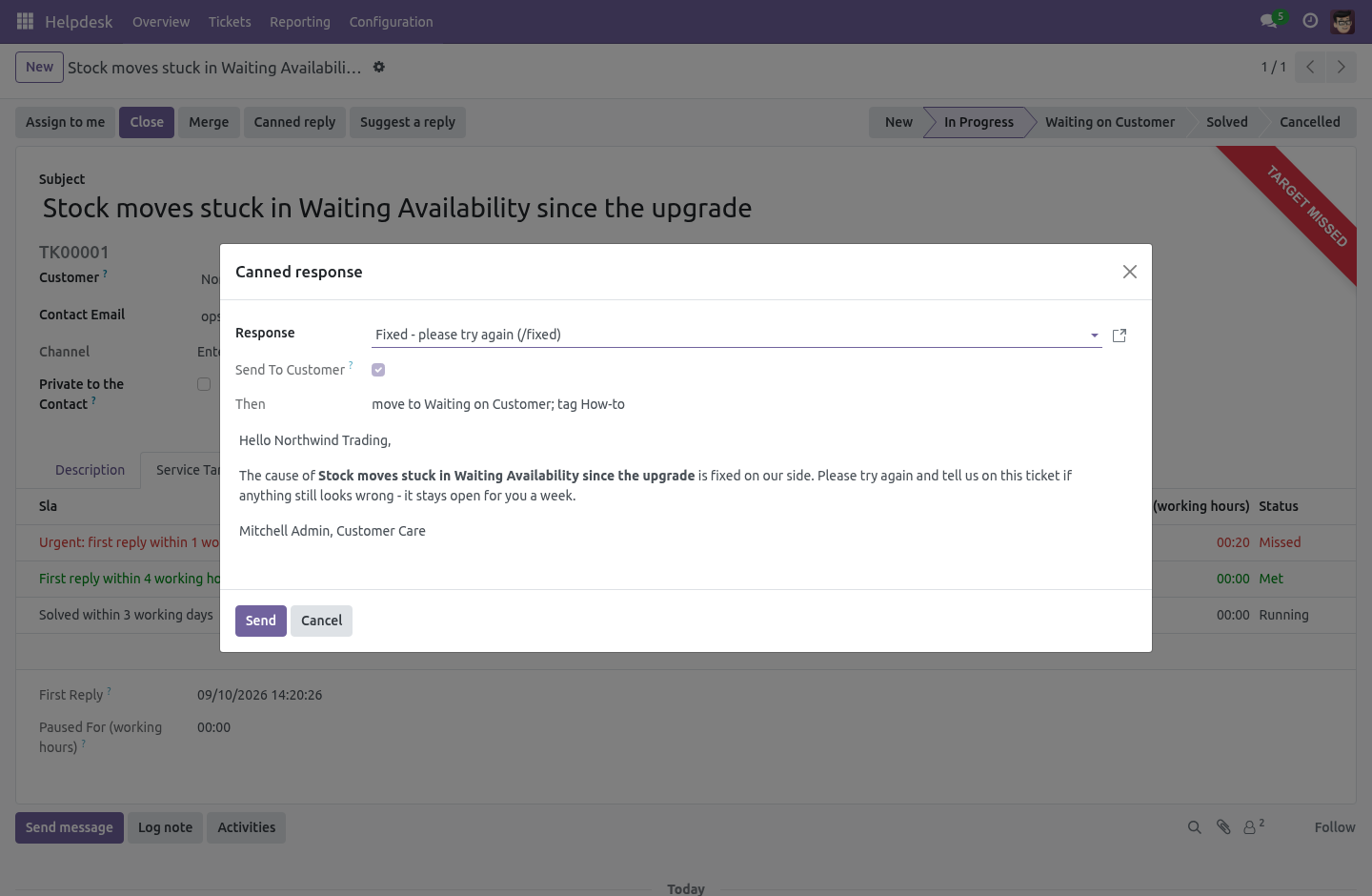
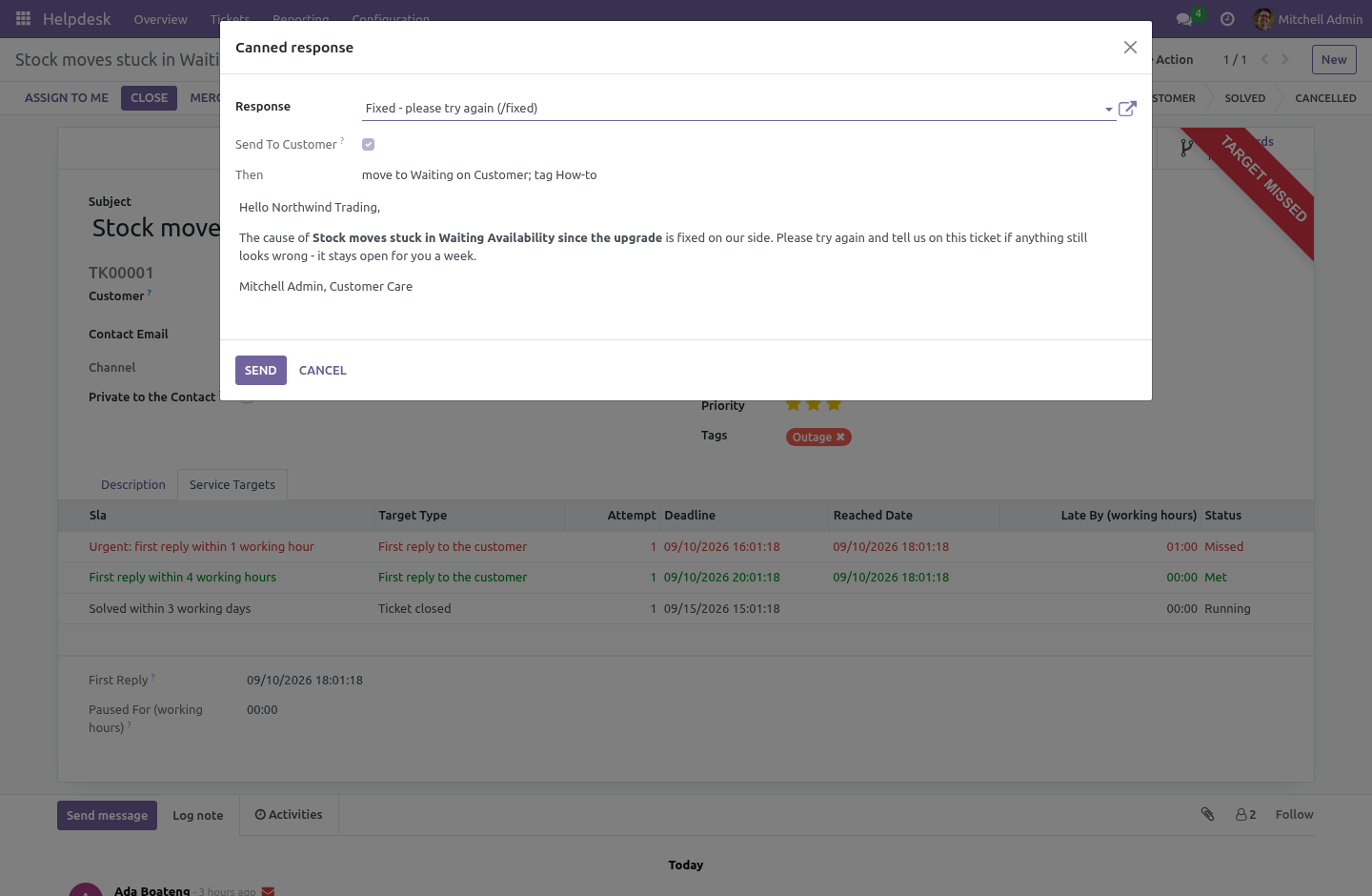
The answer the desk gives forty times a week, written once. A canned response is HTML with placeholders - {{ object.partner_name }}, {{ object.number }}, {{ object.name }}, {{ object.user_id.name }}, {{ object.team_id.name }}, {{ user.name }} - a shortcut agents type to find it (/fixed), the teams it belongs to (none means every team), and what happens after it is sent: move the ticket to a stage, add tags, or close it with a reason.
On a ticket, Canned reply opens the picker. The text is rendered for this ticket before anything is sent, and the agent can edit it there. A response marked Send to customer is a reply the customer reads and counts as a first reply; one that is not is posted as an internal note and counts as nothing. Managers write responses; agents use them.
A rating after every solved ticket
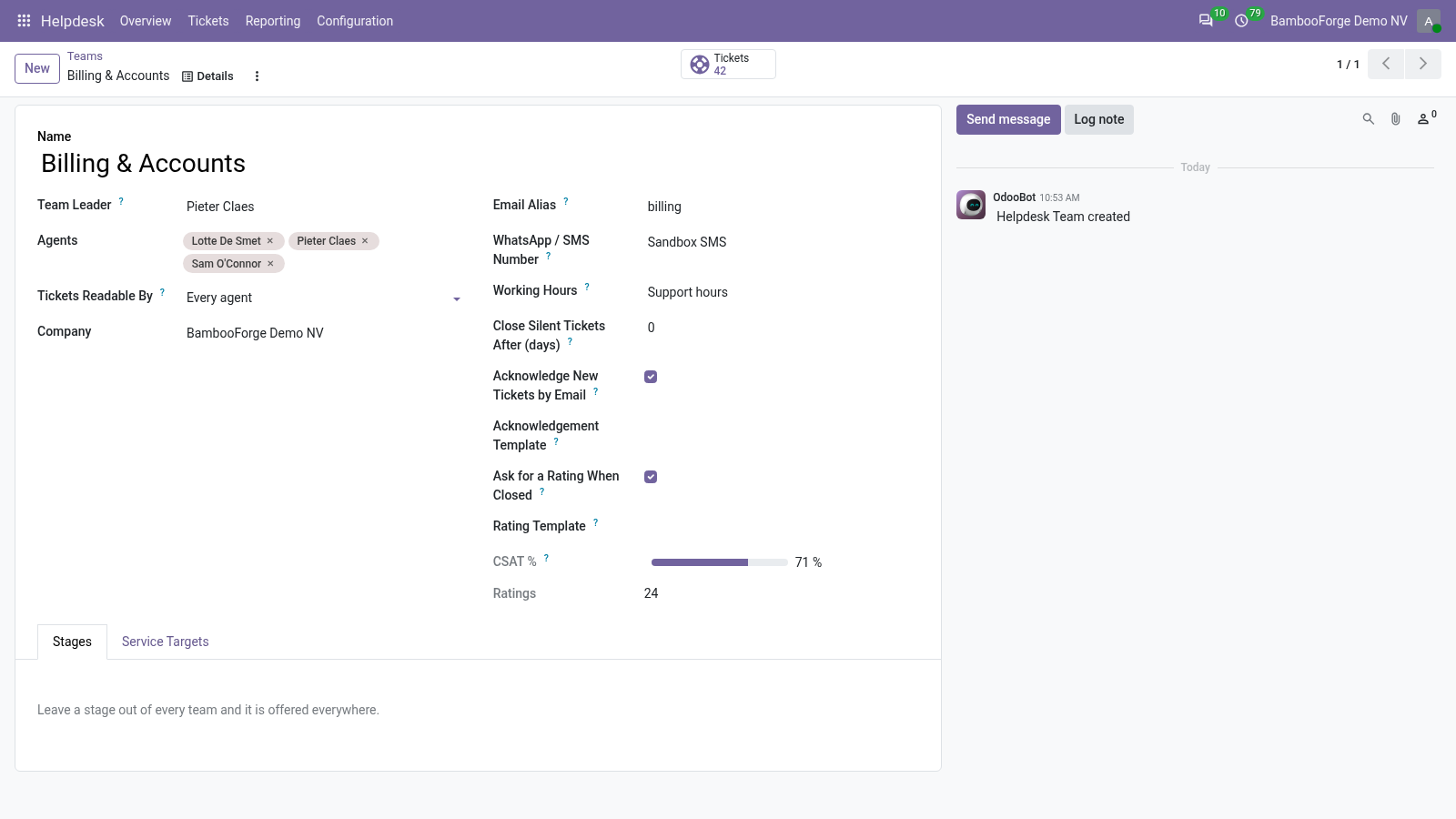
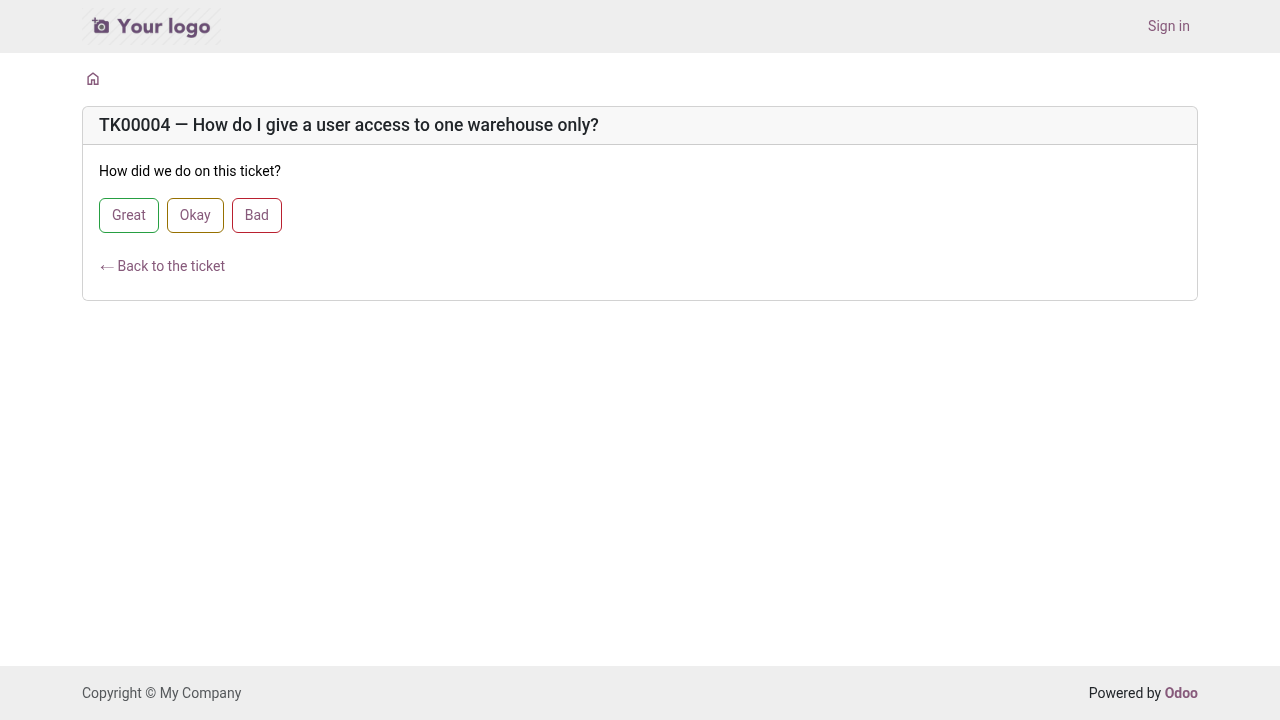
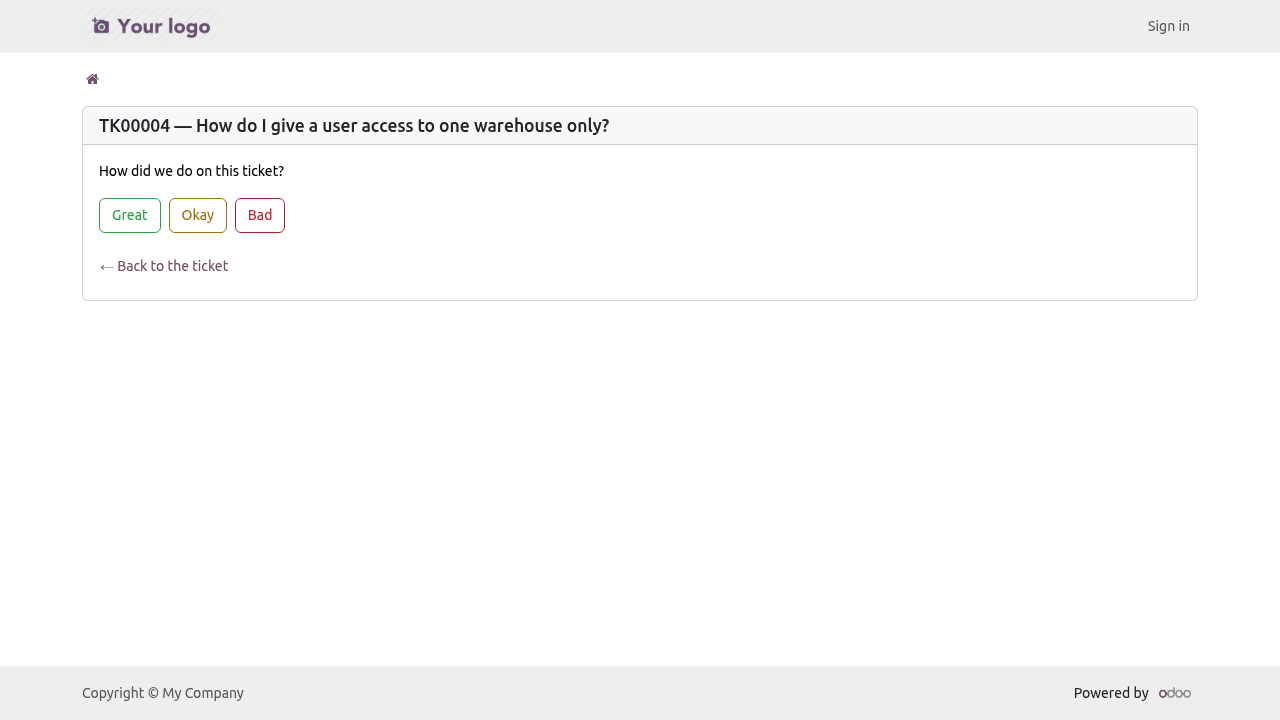
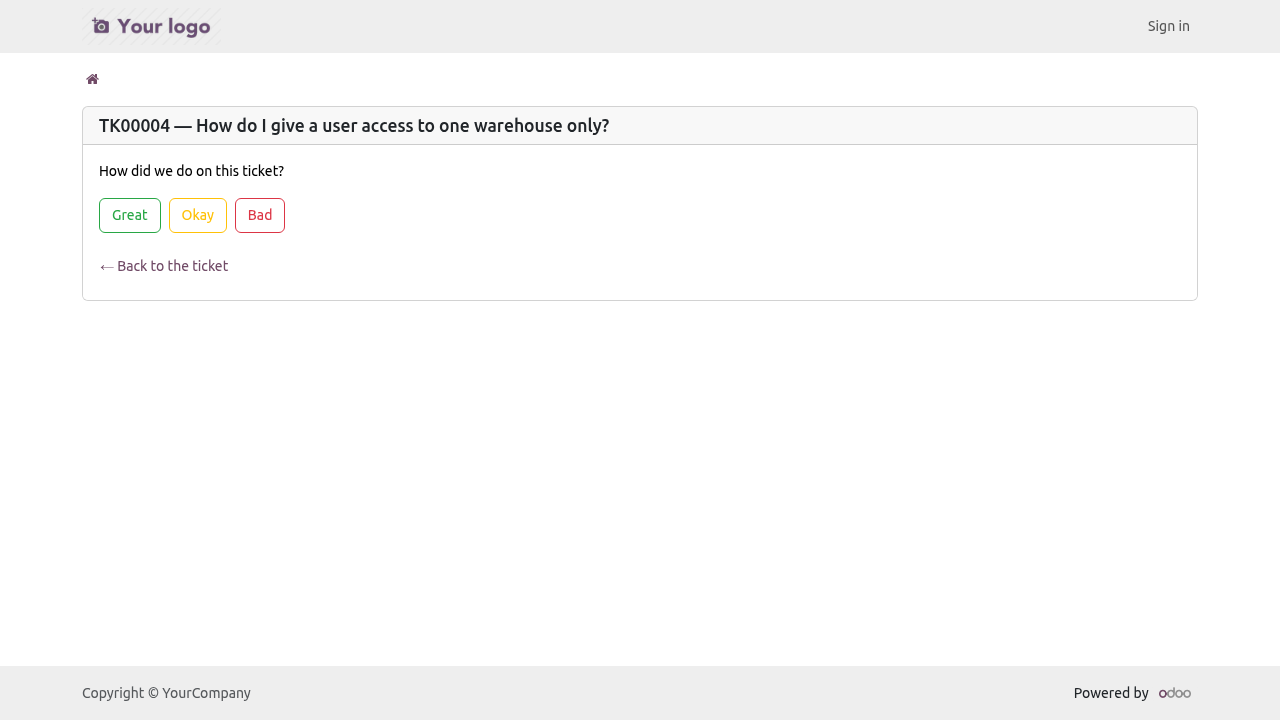
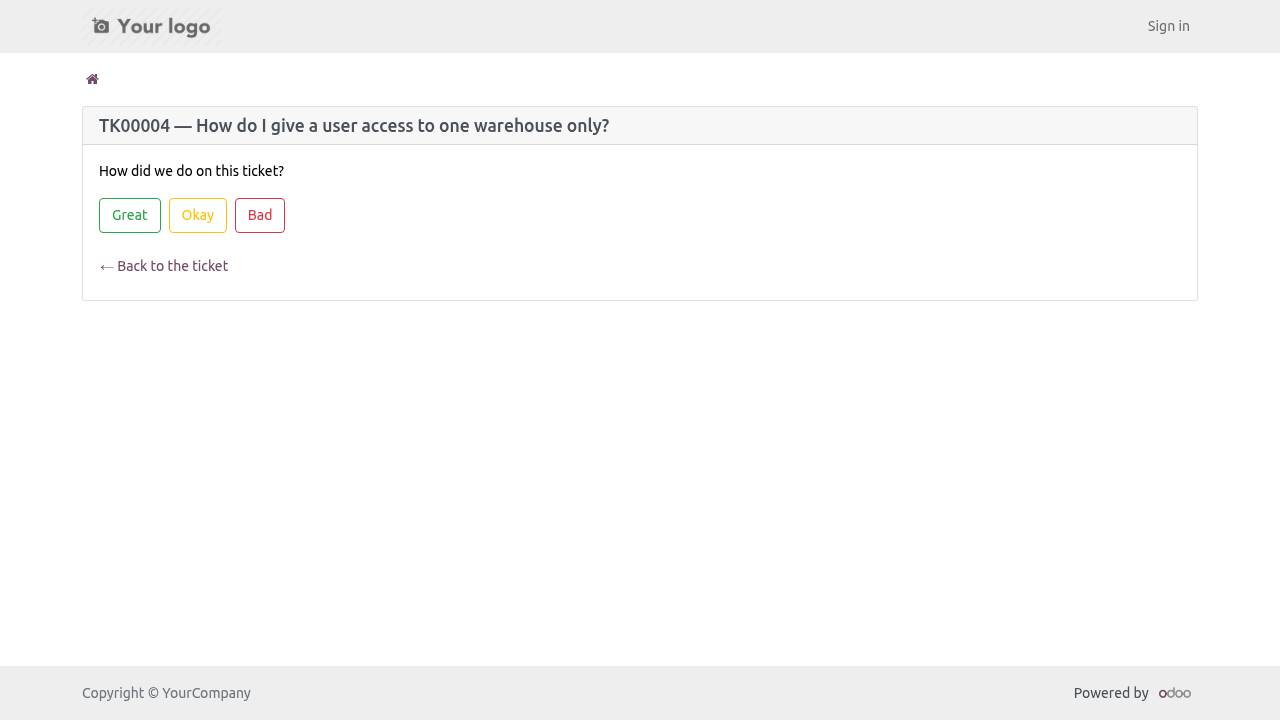
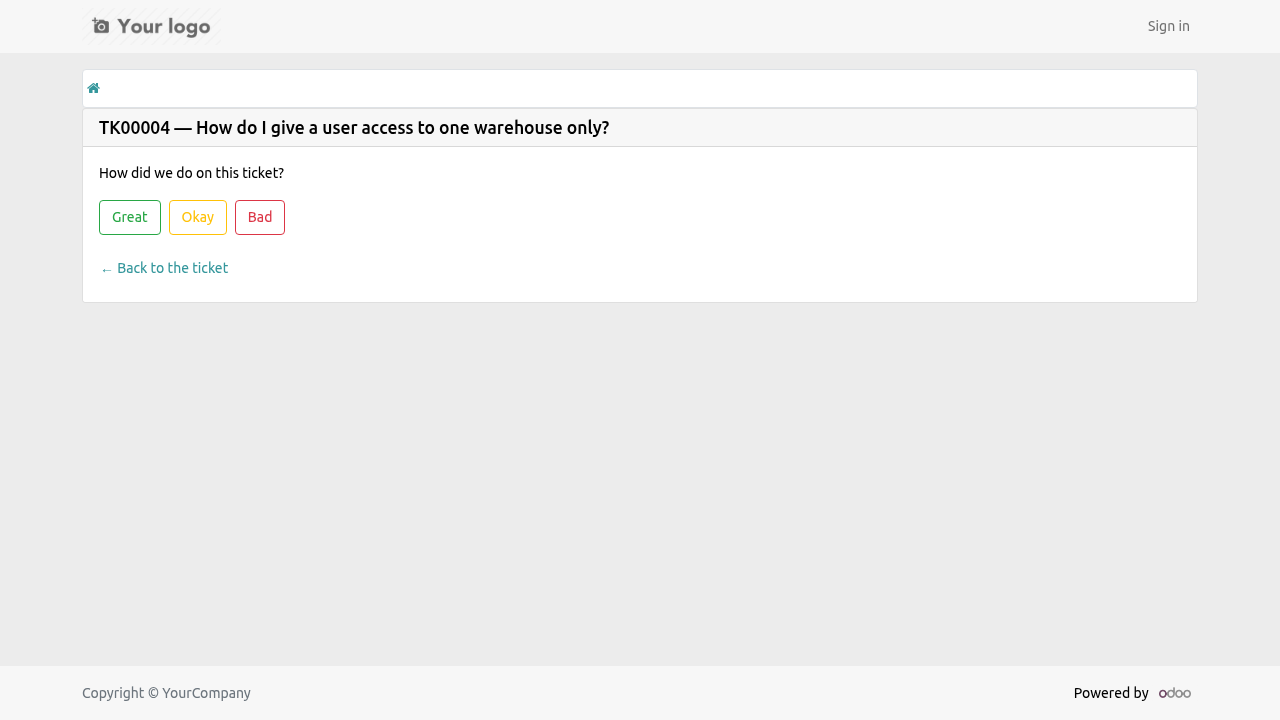
When a ticket closes with a reason that counts as solved (or no reason at all), the customer gets one mail with three links: Great, Okay, Bad. One click records the answer; the page it lands on takes an optional comment. The score, the comment and the time land on the ticket, and a note in the chatter says what came back.
Rules, because a satisfaction number is easy to inflate:
asked once per close - reopening resets it, so the next close asks again;
not asked for a cancelled ticket, a ticket with no address, or a team that turned it off (Ask for a Rating When Closed, per team);
a change of mind counts for a day; after that the first answer stands;
the link carries the ticket's own access token, so nobody rates somebody else's ticket.
The team card shows CSAT - the share of ratings that were Great - and how many ratings it rests on. Tickets filter and group by rating.
Suggest a reply
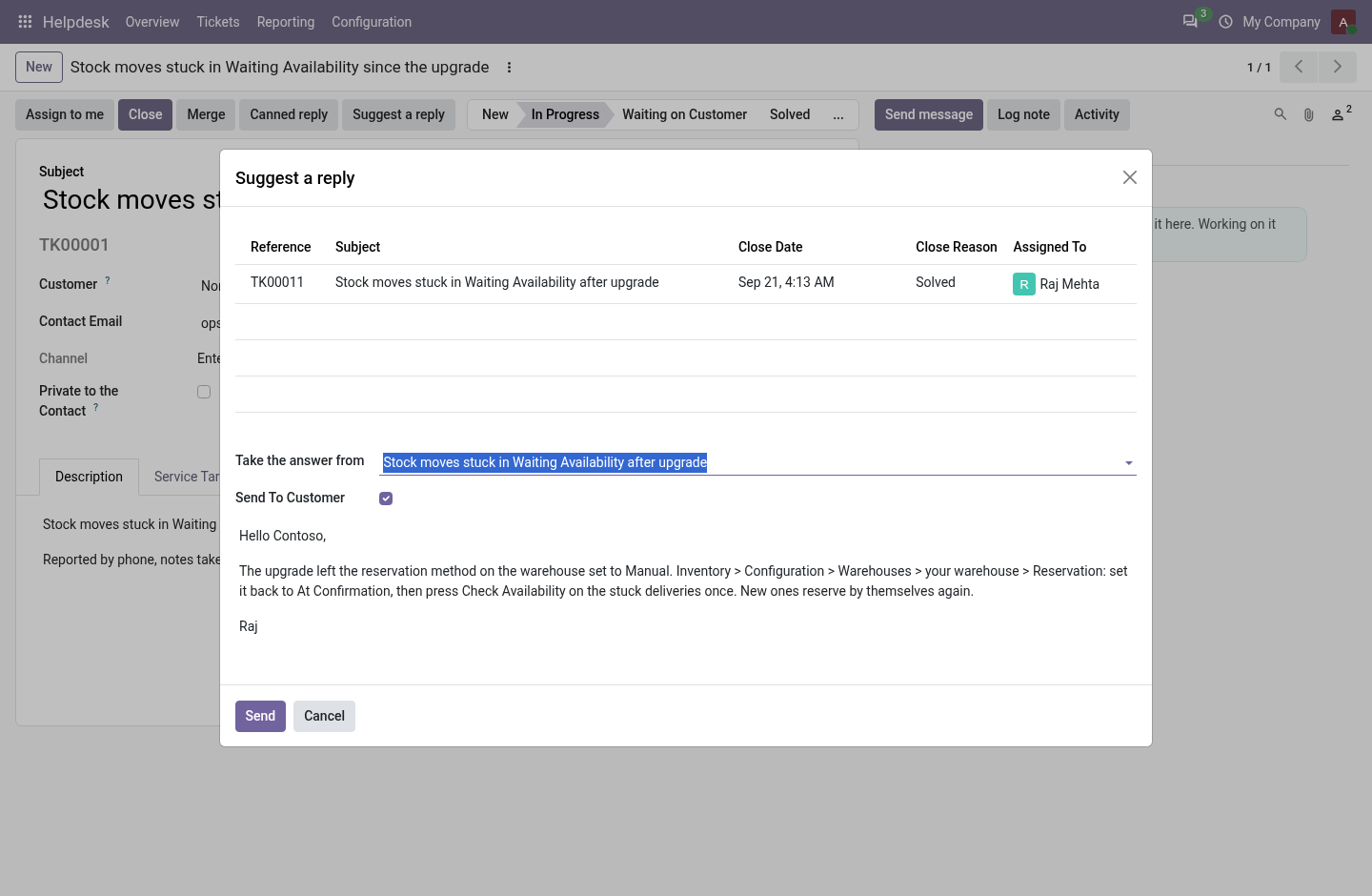
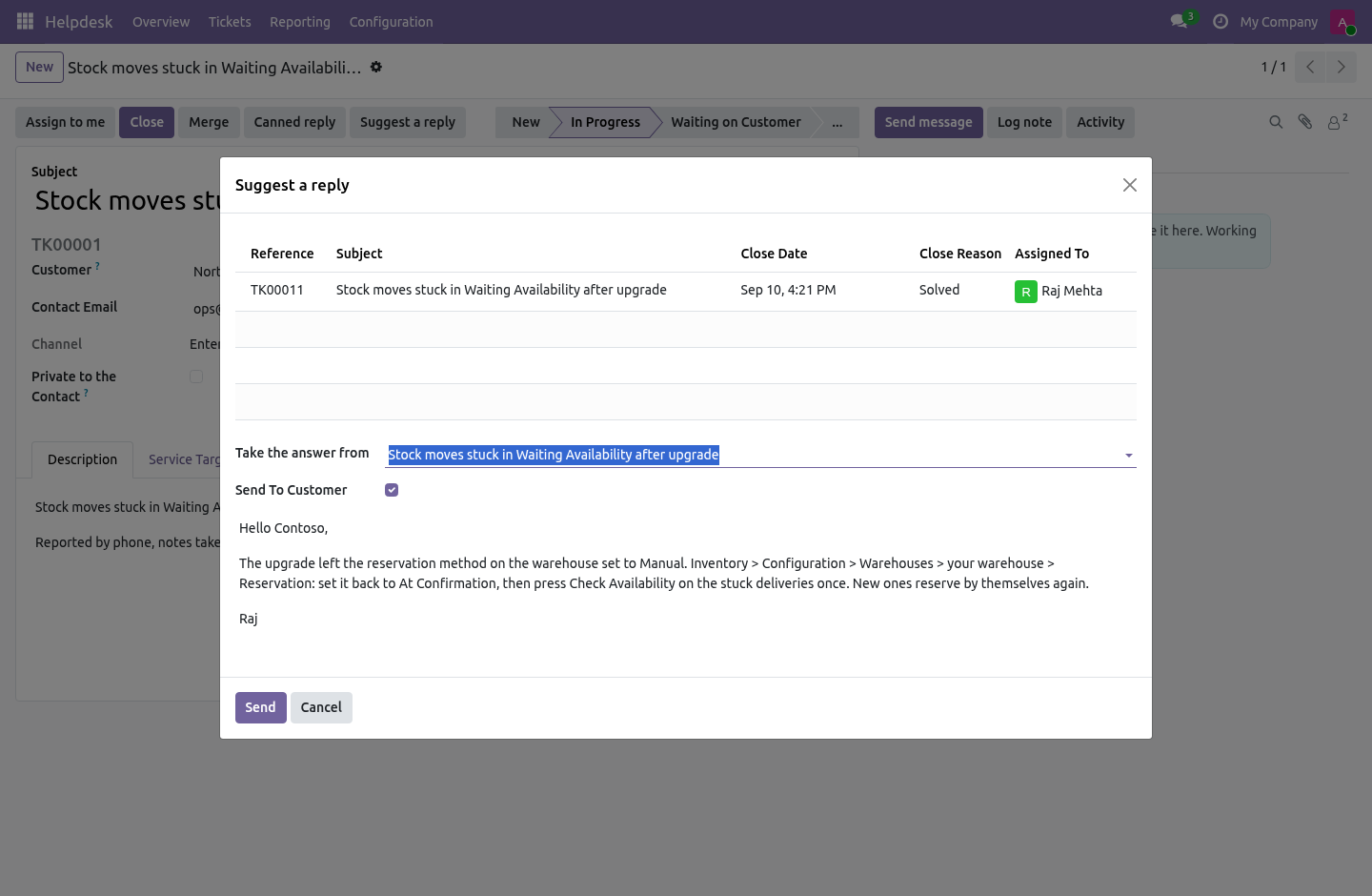
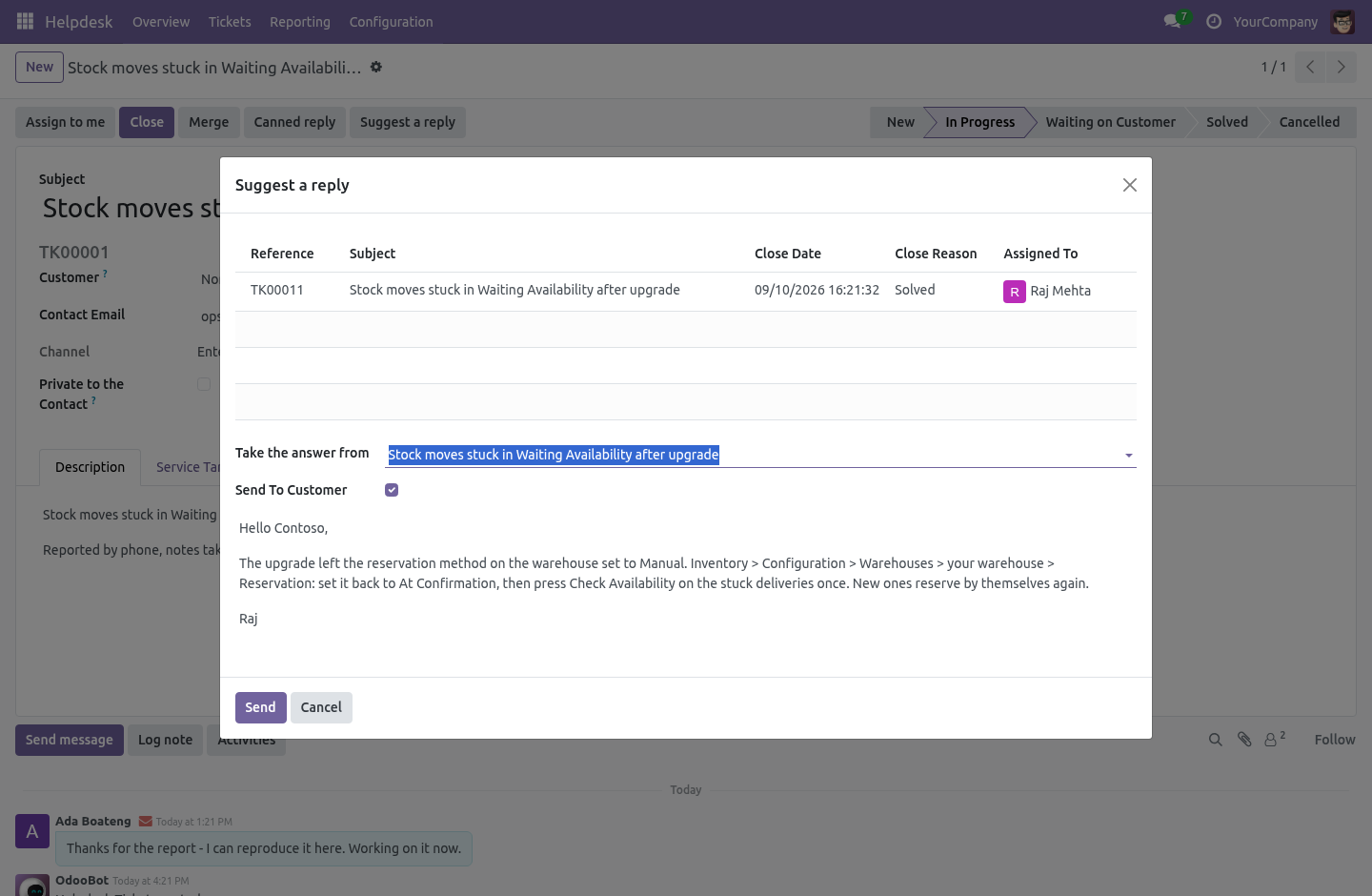
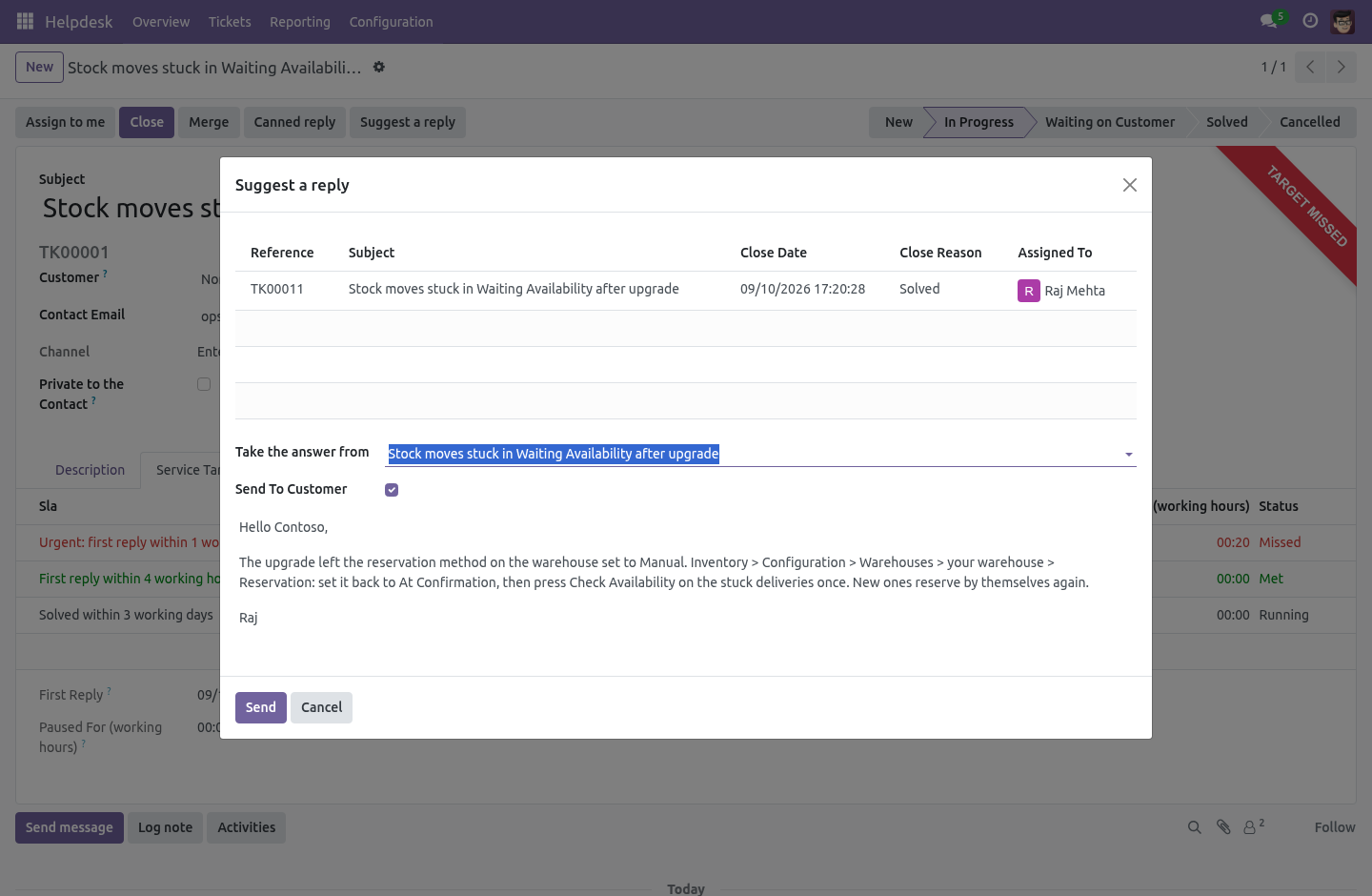
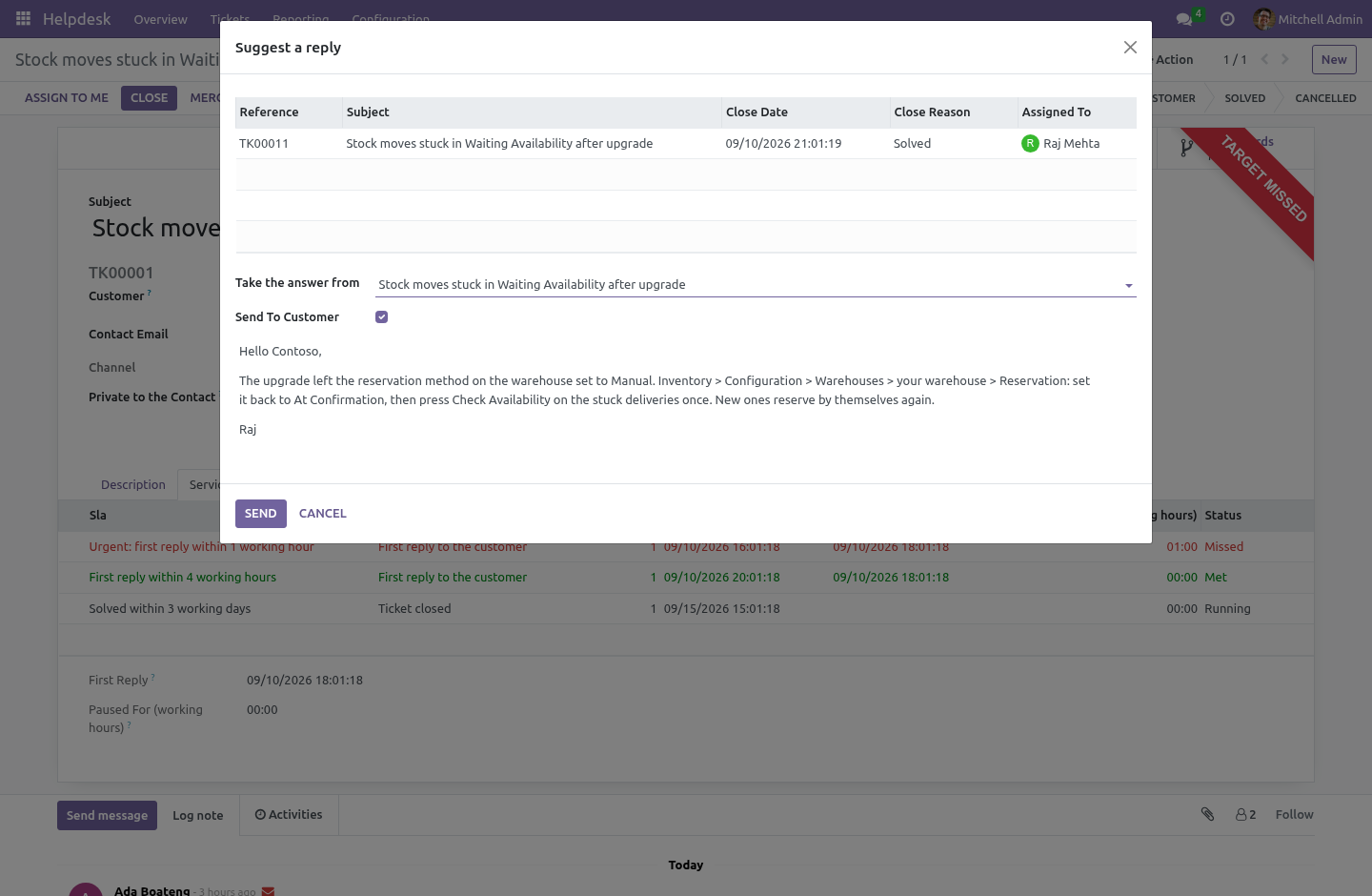
Suggest a reply on a ticket lists the solved tickets of the same team whose subject shares words with this one - the desk's own answer bank, ranked by how many words match and how recent they are. Pick one and the last thing the desk wrote to that customer becomes the draft; edit it and press Send, or send it as a note. Nothing is posted until then.
With AI Assistant installed and configured (a key, or a local server such as Ollama, in which case nothing leaves the building), the same wizard gains Draft with AI: the model reads the ticket, the last messages and the similar tickets' answers and writes a draft. The ticket gains Summarise, which posts five lines for whoever picks it up next as an internal note. Both are installed by the Helpdesk: AI reply drafts and summaries bridge, by itself.
WhatsApp and SMS as a channel
With the Marketing Automation: SMS & WhatsApp add-on installed, a team can be pointed at one of its providers (Twilio or Meta). The number becomes a channel:
an inbound message from a number with an open ticket on the team is added to that ticket as the customer's message, and takes it off hold like any other answer;
any other message opens a ticket on the team, first line as the subject, with the number on the ticket; a contact whose mobile or phone matches is attached, and nobody is invented otherwise;
every reply an agent sends to the customer on such a ticket is sent to the number, and logged on the ticket's Messages sent tab with the provider's answer; a failure is a note on the ticket, not silence;
STOP words are honoured before anything else, the way the add-on does.
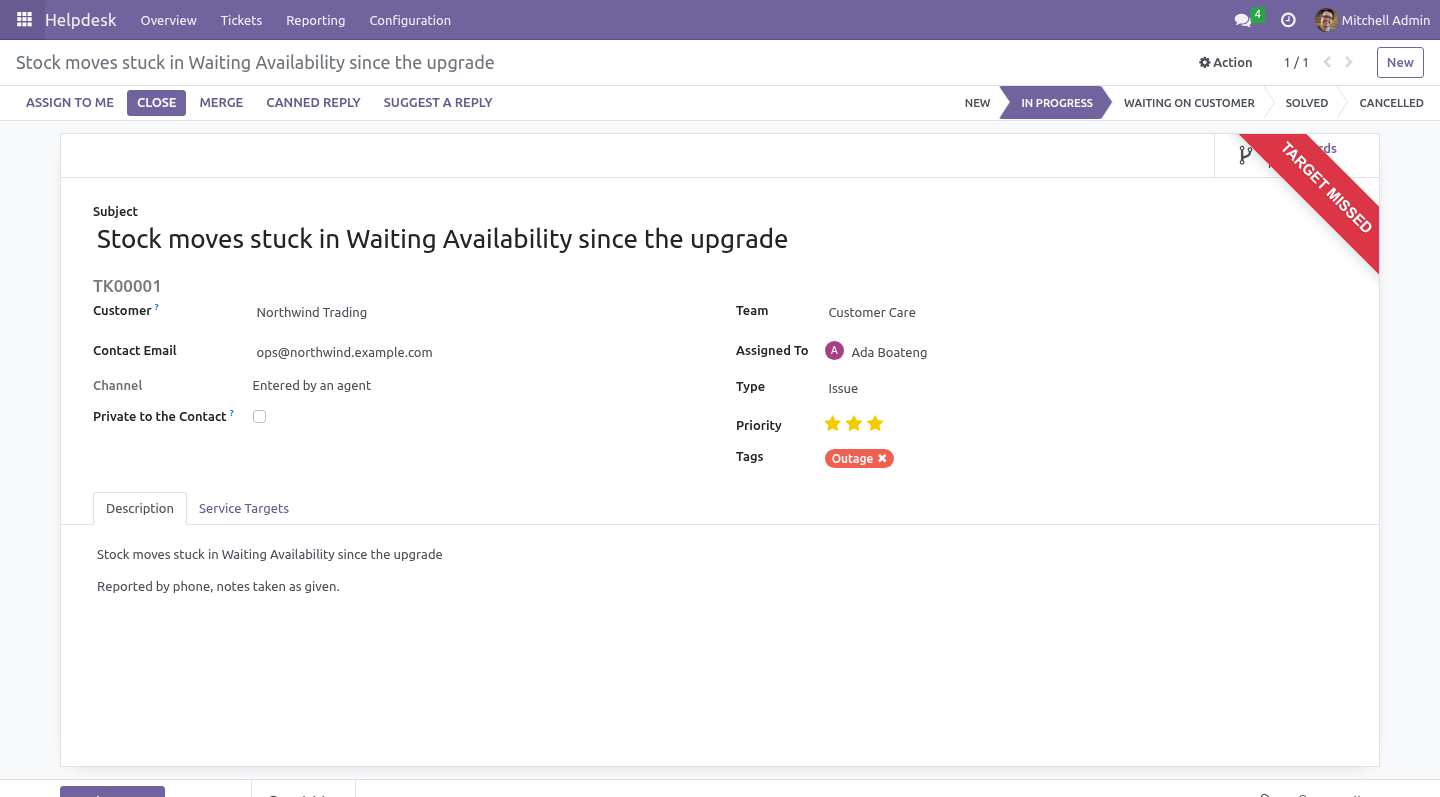
The ticket's Channel says where it came from - email, portal, WhatsApp, SMS, or an agent - and the list groups by it. Installed by the Helpdesk: WhatsApp and SMS channel bridge, by itself.
Who can read what
Agents and managers
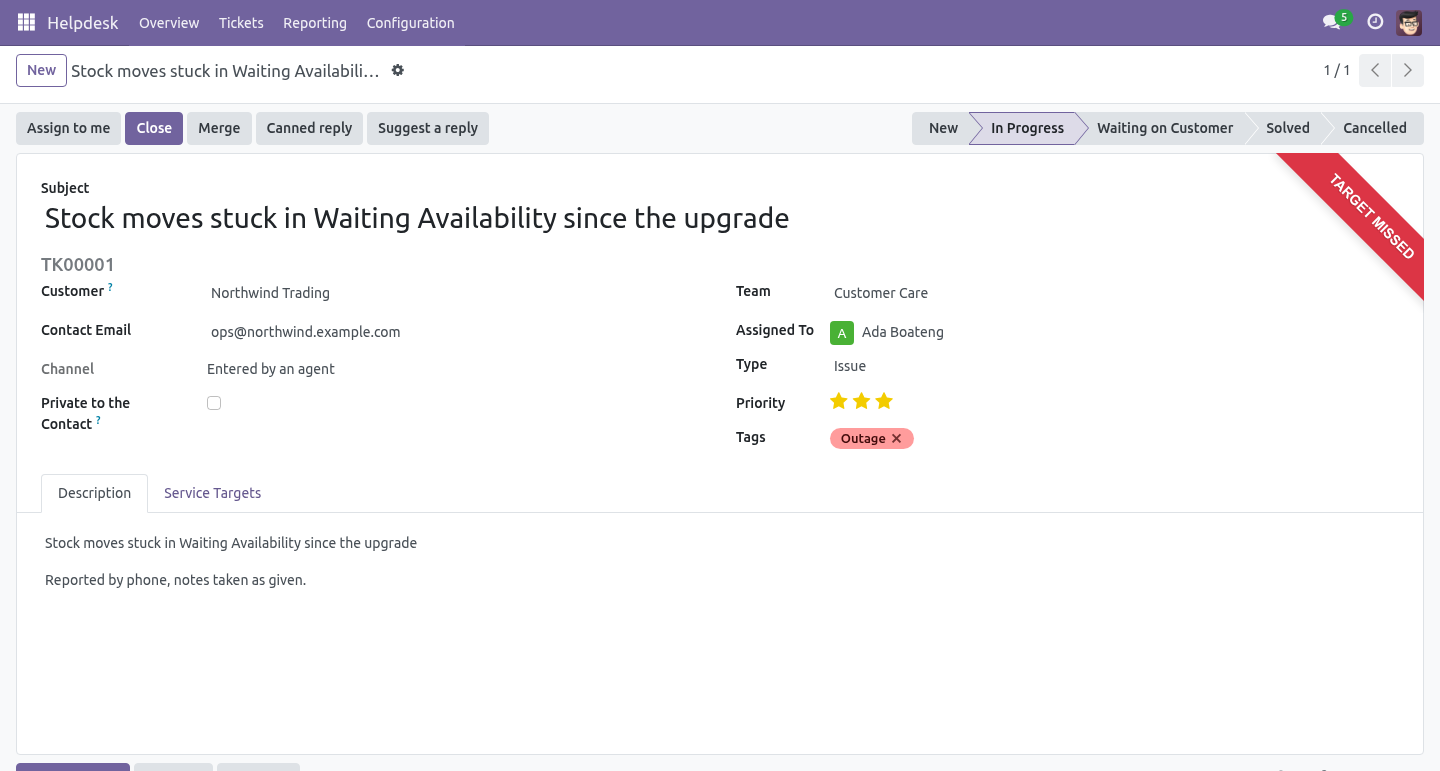
An Agent works tickets: reads, answers, moves and closes them. An agent cannot delete a ticket and cannot change teams, stages or targets. A Manager does all that, plus configuration, plus deleting - which is refused on a closed ticket unless it is a manager doing it, because a closed ticket is history.
Teams that are nobody else's business
A team is readable by every agent by default, which is how most desks actually run. Set it to its own agents and a team handling payroll, legal or staff complaints becomes invisible to the rest of the desk - a record rule, not a hidden menu.
The customer portal
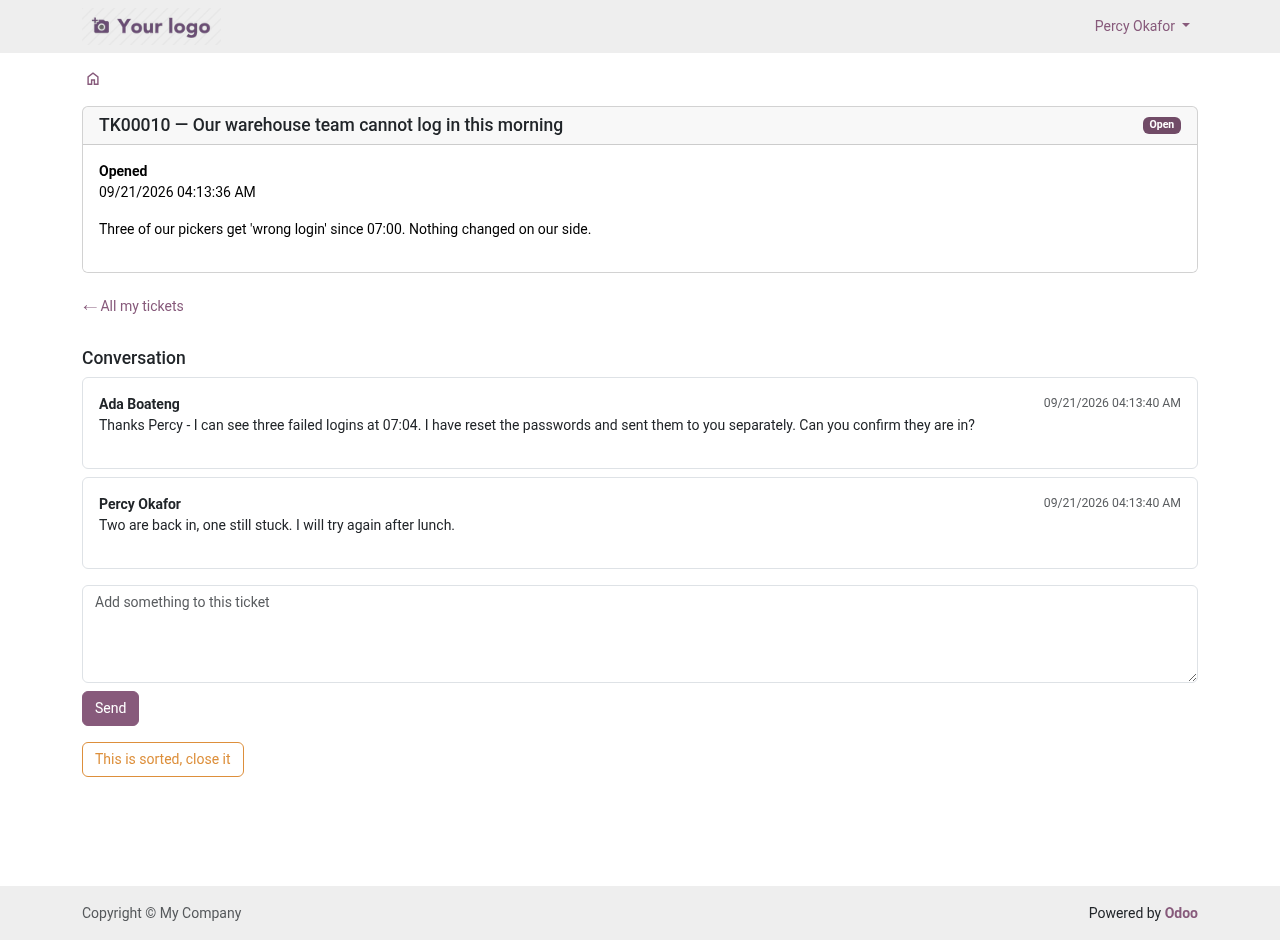
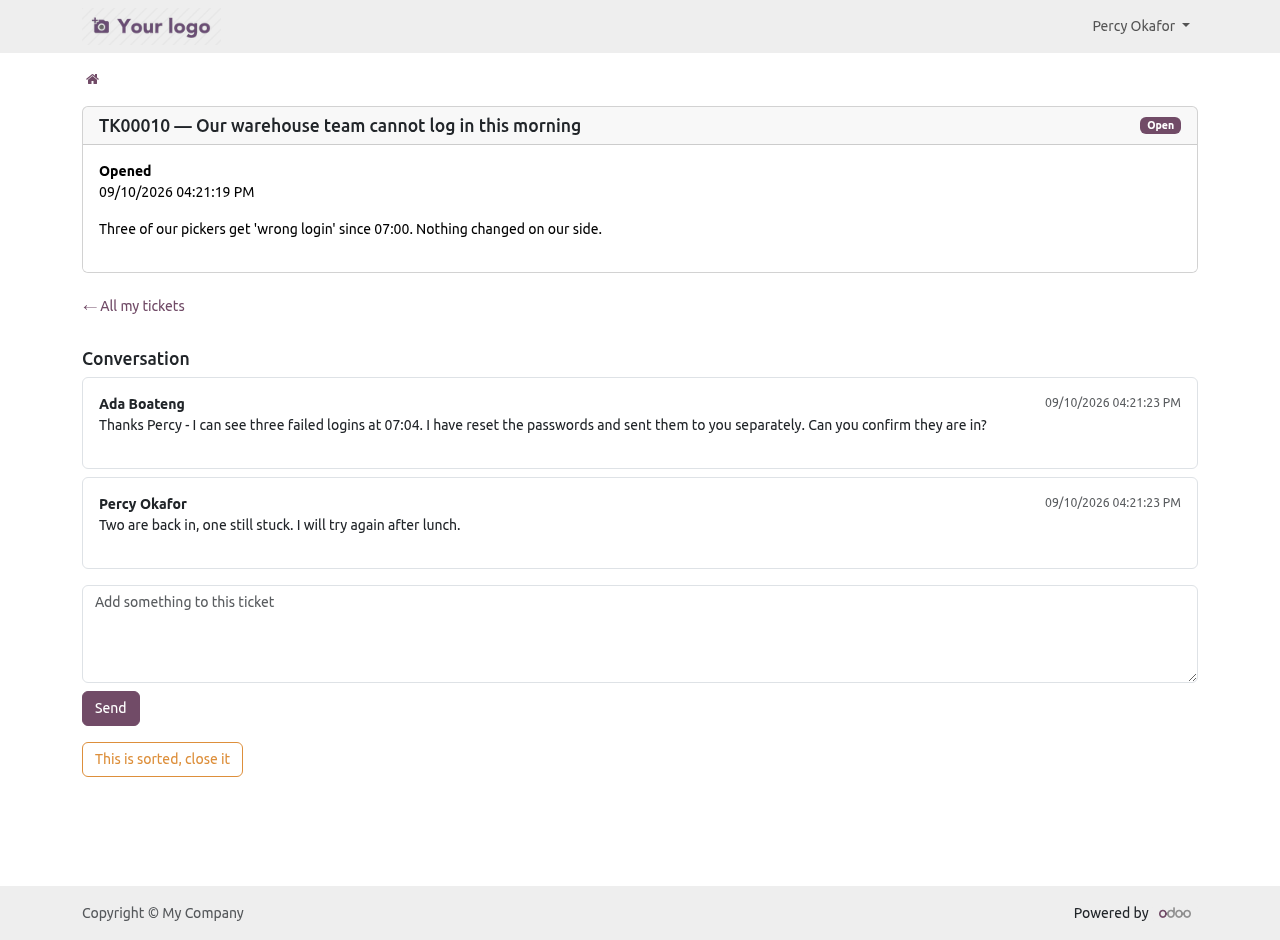
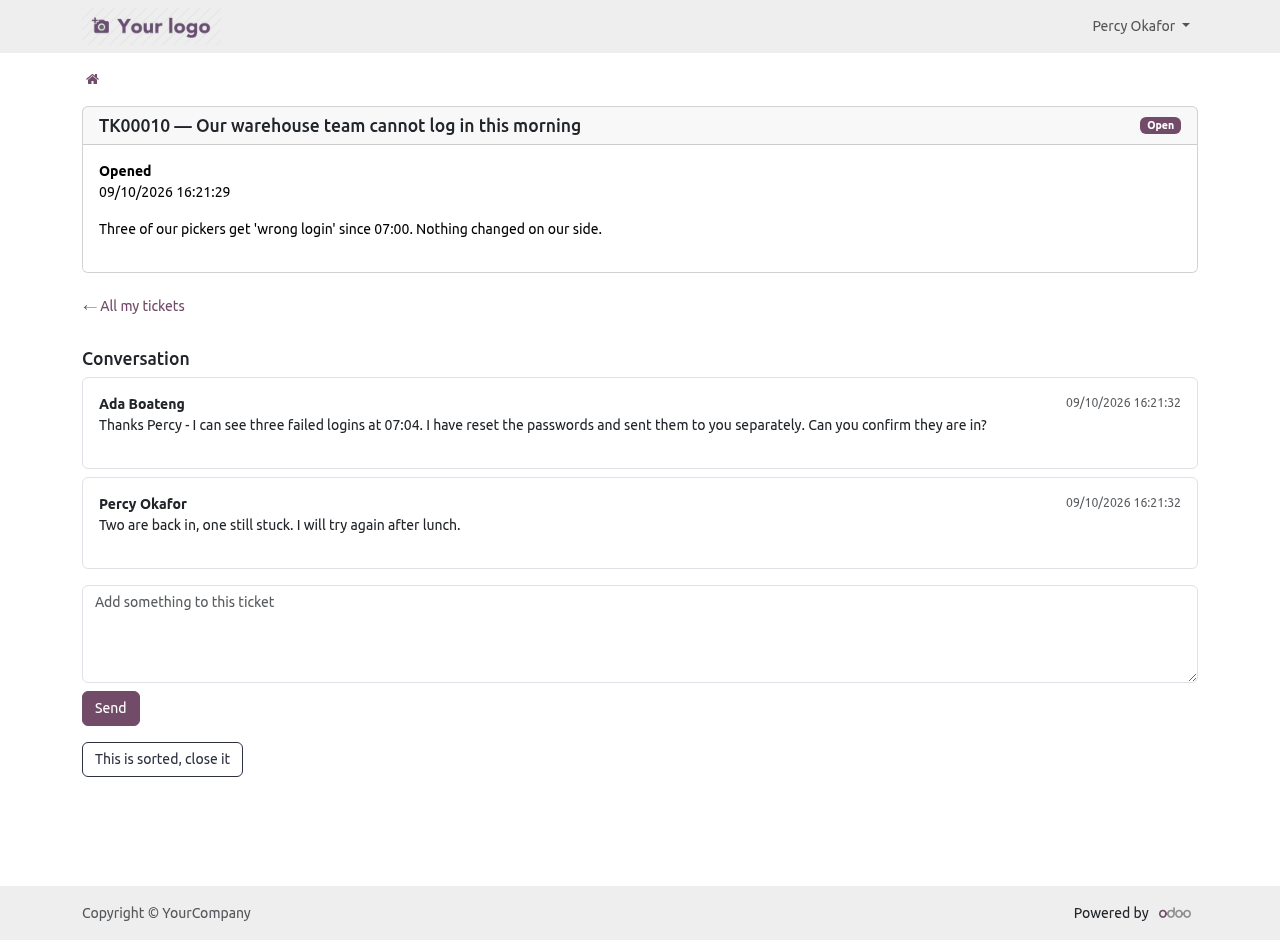
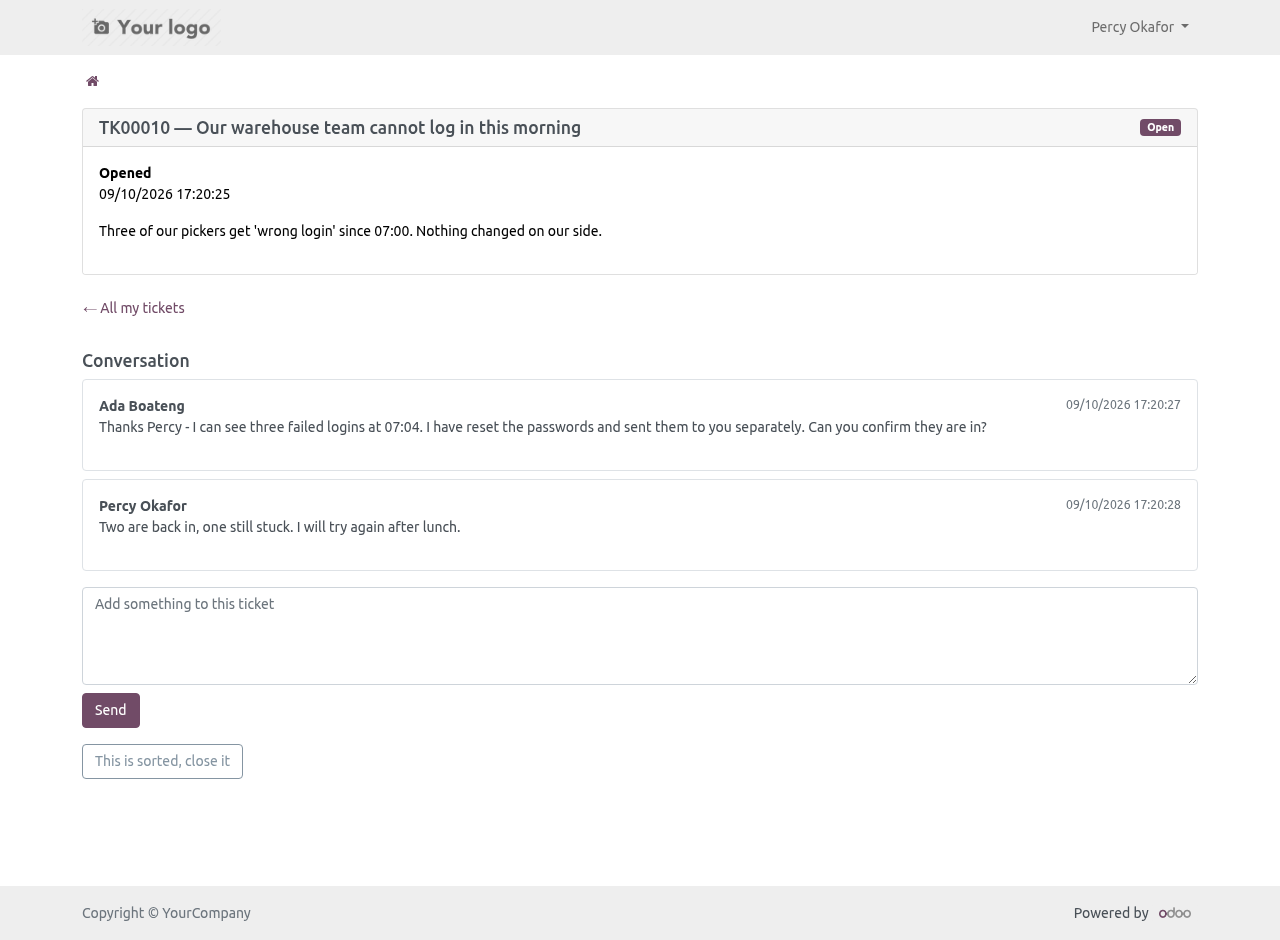
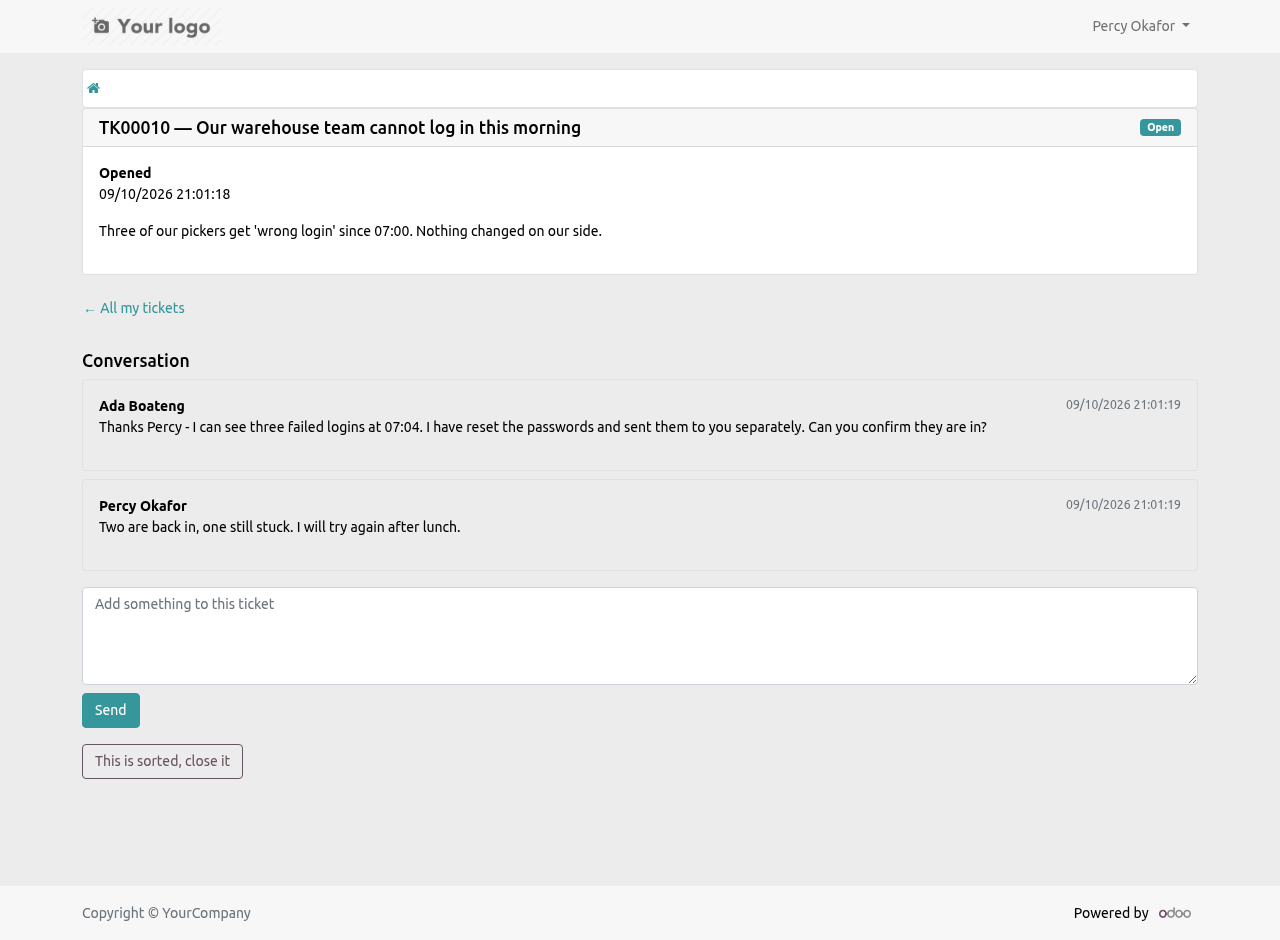
A customer sees their tickets at /my/tickets: the conversation, not the back office. Internal notes are filtered on the server, by message subtype, before anything is rendered - not hidden by a widget that a future version might render differently.
A customer can add a message, close their own ticket, and open a new one. A customer cannot set the priority: letting them would let anybody buy themselves a one-hour target. Writing back on a ticket that was waiting on the customer moves it out of that stage automatically, so the desk sees it again and the clock restarts.
By default a portal user sees the tickets of their whole company, which is what a customer's operations team expects. Tick Private to the contact and a ticket stays with the person named on it - a complaint about a colleague is not for the whole company's portal.
There is a plain rate limit on new tickets from the portal: ten in an hour from one contact, after which the form says so.
Merging
Two reports of the same fault are merged from either ticket. The messages, the files and the followers move onto the ticket you keep; the others are closed with the reason Merged into another ticket and carry a link to the winner. Nothing is deleted.
Tickets from two companies are refused: their documents and their books are separate, and a merge would move one company's messages into the other's. Different customers are allowed but warned about in the wizard, in as many words, because sometimes they really are the same fault.
Housekeeping
Two scheduled jobs, both opt-in, both isolating failures per record so one bad ticket cannot stop the run:
Close tickets nobody answered. Set a number of days on the team. Tickets sitting in a Waiting on Customer stage with no word back for that long are closed with the reason No answer from the customer. Tickets the desk still owes an answer are never touched.
Delete closed tickets past retention. Set a number of months in Settings, per company. Closed tickets older than that are removed with their messages and files. Zero - the default - keeps everything for ever, which is the right default for anybody who has not thought about it yet.
What it needs
base, mail, portal, resource and base_setup. All Community. No Enterprise module is required, and none is used.
How we make sure it works
Before every release, 93 automated checks run against this app on Odoo 16, 17, 18, 19 and 20. Among them:
A team cannot be left without a way out.
The portal list hides notes and keeps the order.
A reply nobody receives is not an answer.
A team with history cannot be deleted.
A used target policy cannot be deleted.
The complete list is in the source you receive.
What it does not do
Said before you buy, because it is the half that decides whether the app fits:
Count a paused ticket as late: the clock stops while you wait on the customer.
Treat moving a ticket to another column as an answer.
Deflect tickets with a knowledge base: that is a separate app, coming.
Send a rating request twice for one close, or to a cancelled ticket.
Install
Copy bambooforge_helpdesk into your addons path and update the app list, or install the ZIP from the Odoo Apps Store.
Install Helpdesk & Ticket Management for Community.
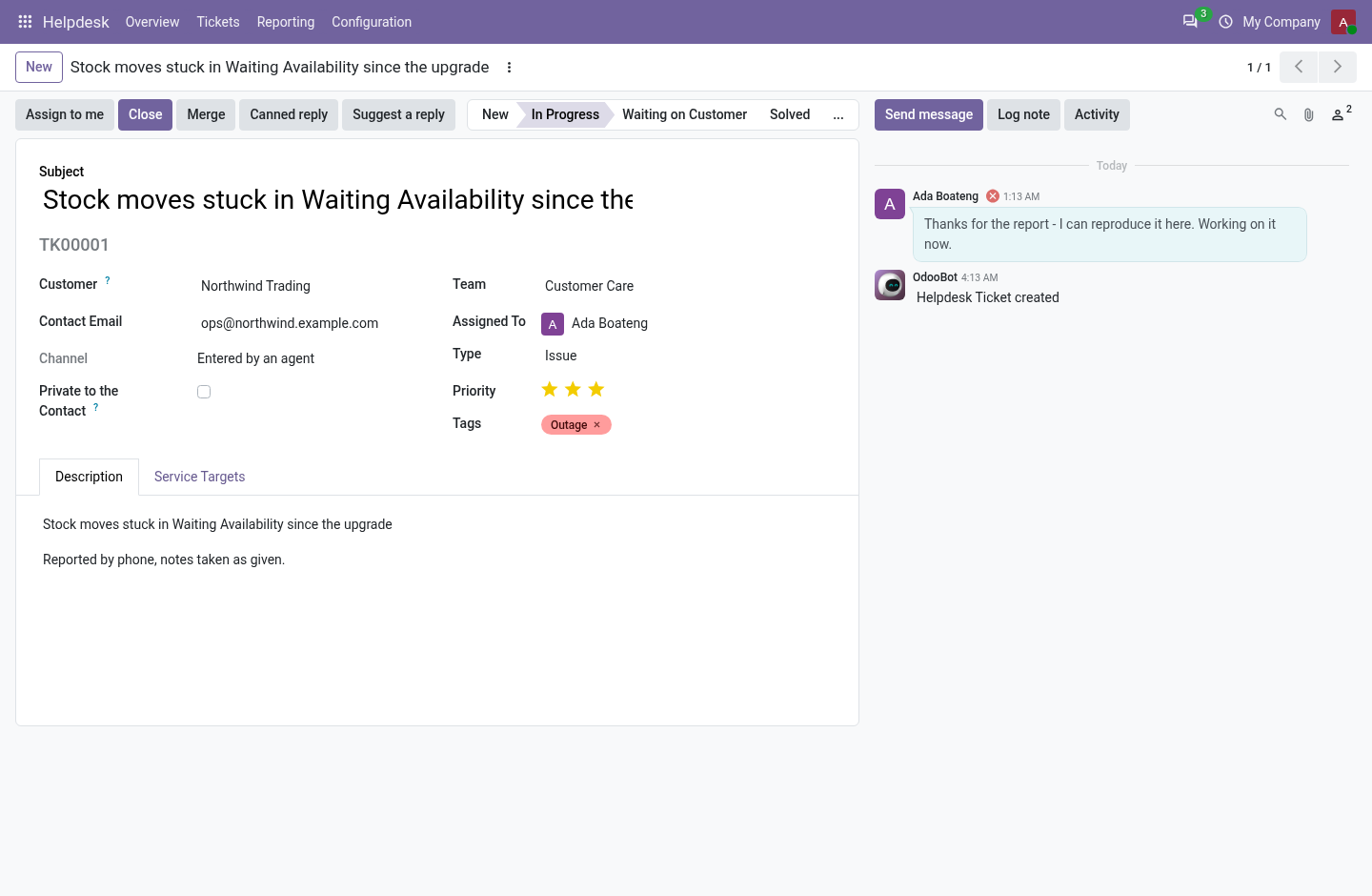
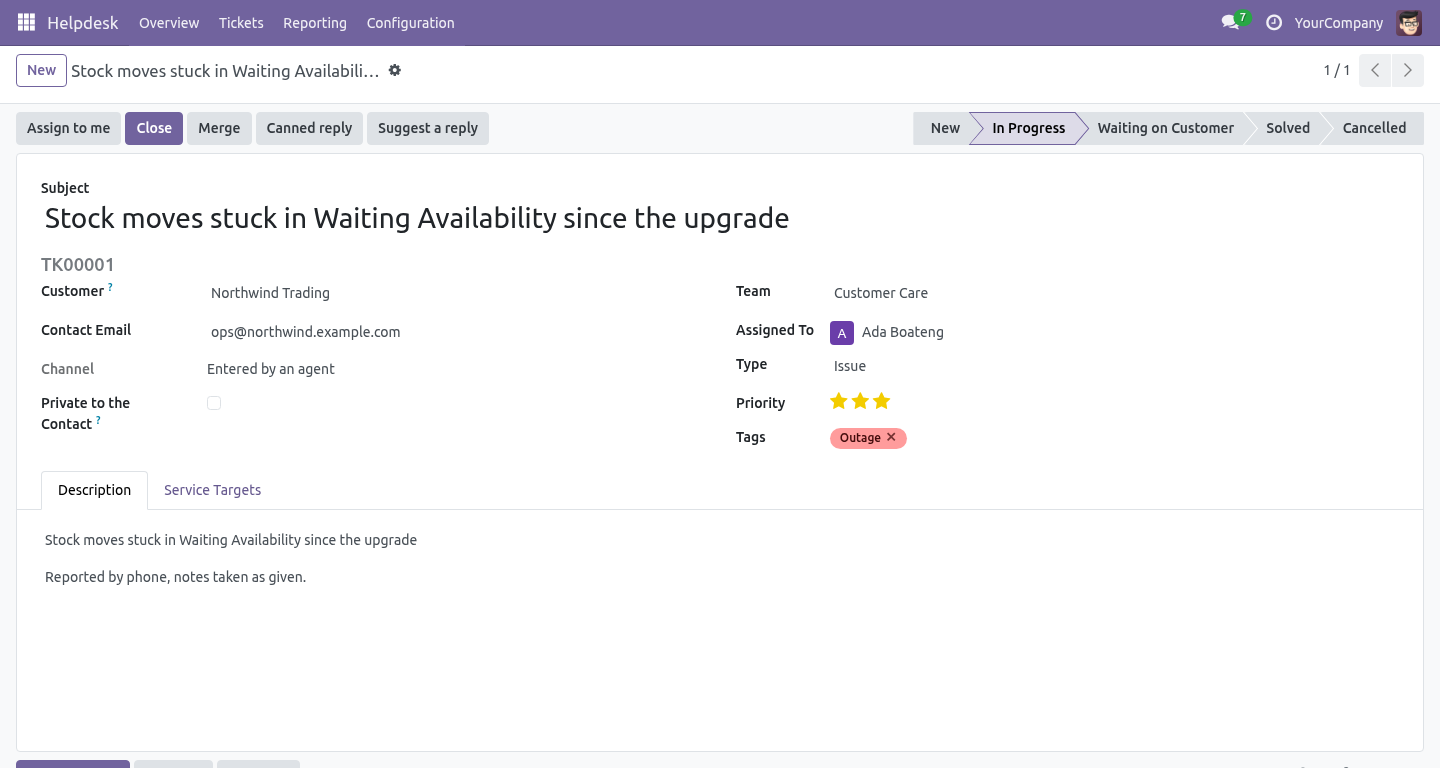
Open Helpdesk - its menus are Overview, Tickets, Reporting, Configuration.
Questions people ask
- Which Odoo versions does it run on?
Odoo 16.0, 17.0, 18.0, 19.0, 20.0, on the series you buy it for; each series is its own listing.
- Community or Enterprise?
Both. It needs no Enterprise app.
- What does it need?
The standard Discuss, Portal, Resource, Settings apps. No extra Python package.
- Where does it show up?
Under the Helpdesk menu (Overview, Tickets, Reporting, Configuration).
- Does anything leave my server?
No. It makes no call outside your Odoo server: no telemetry, no licence check, no third-party service.
- What happens if I uninstall it?
Odoo drops the app's own tables and fields; the standard records it worked on (contacts, orders, products) stay as they are.
What changed in 1.2
Canned responses with placeholders and a macro (move, tag, close), rendered on the ticket before they go, scoped per team.
A rating after every solved ticket: one mail, three links, once per close; CSAT on the team card.
Suggest a reply from the team's own solved tickets; Draft with AI and Summarise with the AI Assistant bridge.
WhatsApp and SMS as a channel with the messaging bridge: inbound opens or continues a ticket, replies go back to the number.
The channel a ticket came in on is on the ticket.