 BambooForge Labs
Garage & Auto Repair Management
Garage and auto repair job cards with an authorised figure that cannot be exceeded quietly, booked versus actual time, and service history.
Available for Odoo 16.0, Odoo 17.0, Odoo 18.0, Odoo 19.0, Odoo 20.0. Technical name bambooforge_garage.
Transcript of the walkthrough (Odoo 20)
Garage & Auto Repair Management. Garage and auto repair job cards with an authorised figure that cannot be exceeded quietly, booked versus actual time, and service history. Said before you buy, because it is the half that decides whether the app fits: In the next few minutes: garage & auto repair management, then the authorisation, then the vehicle, then the workshop, then the money. Then what this app deliberately does not do, so you can tell before you buy whether it fits.
Everything lives under Garage then Job cards then Vehicles then Configuration. 1. Copy bambooforge_garage into your addons path and update the app list, or install the ZIP from the Odoo Apps Store. 2.
Install Garage & Auto Repair Management. 3. Open Garage - its menus are Job cards, Vehicles, Configuration. Garage & Auto Repair Management.
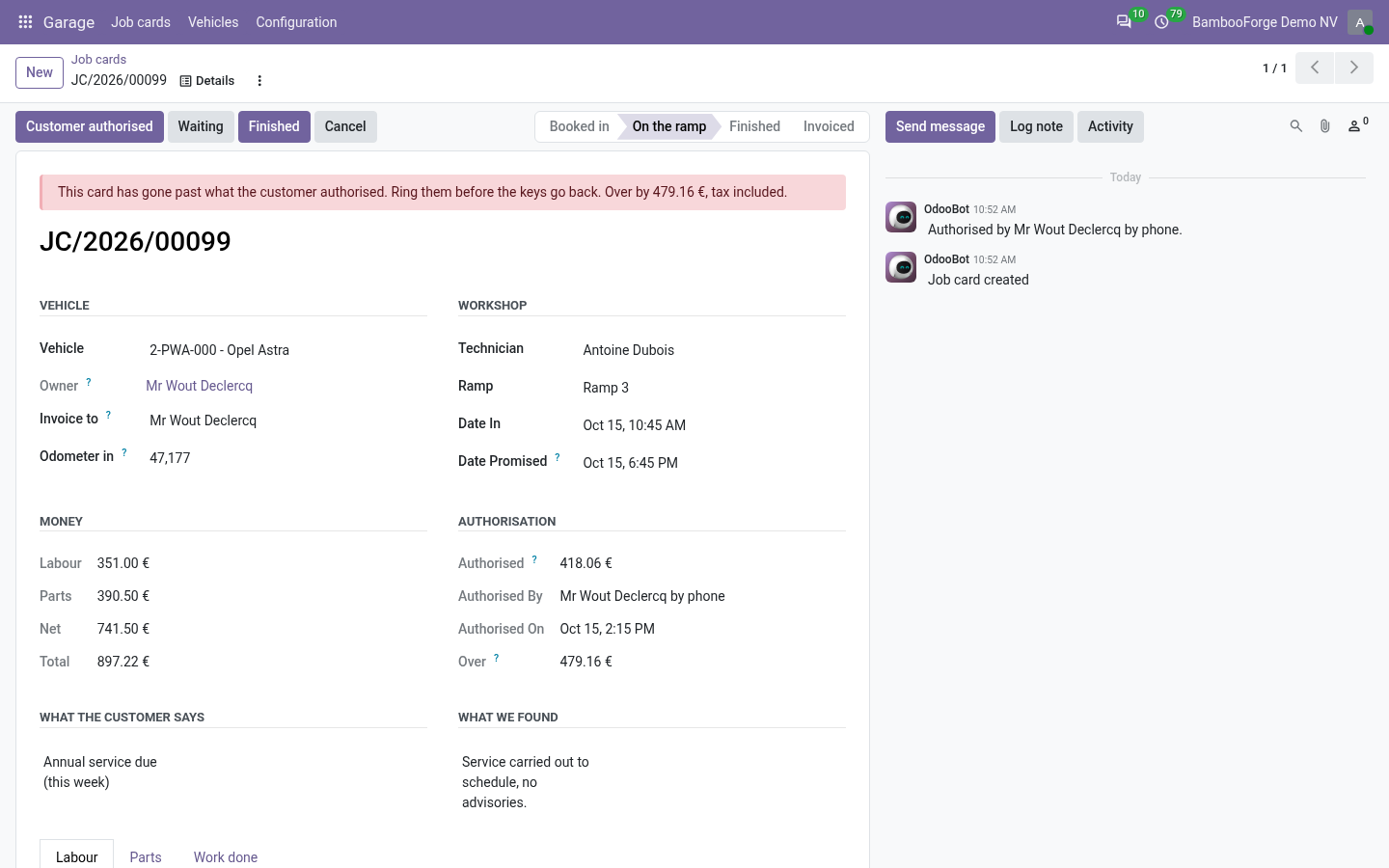
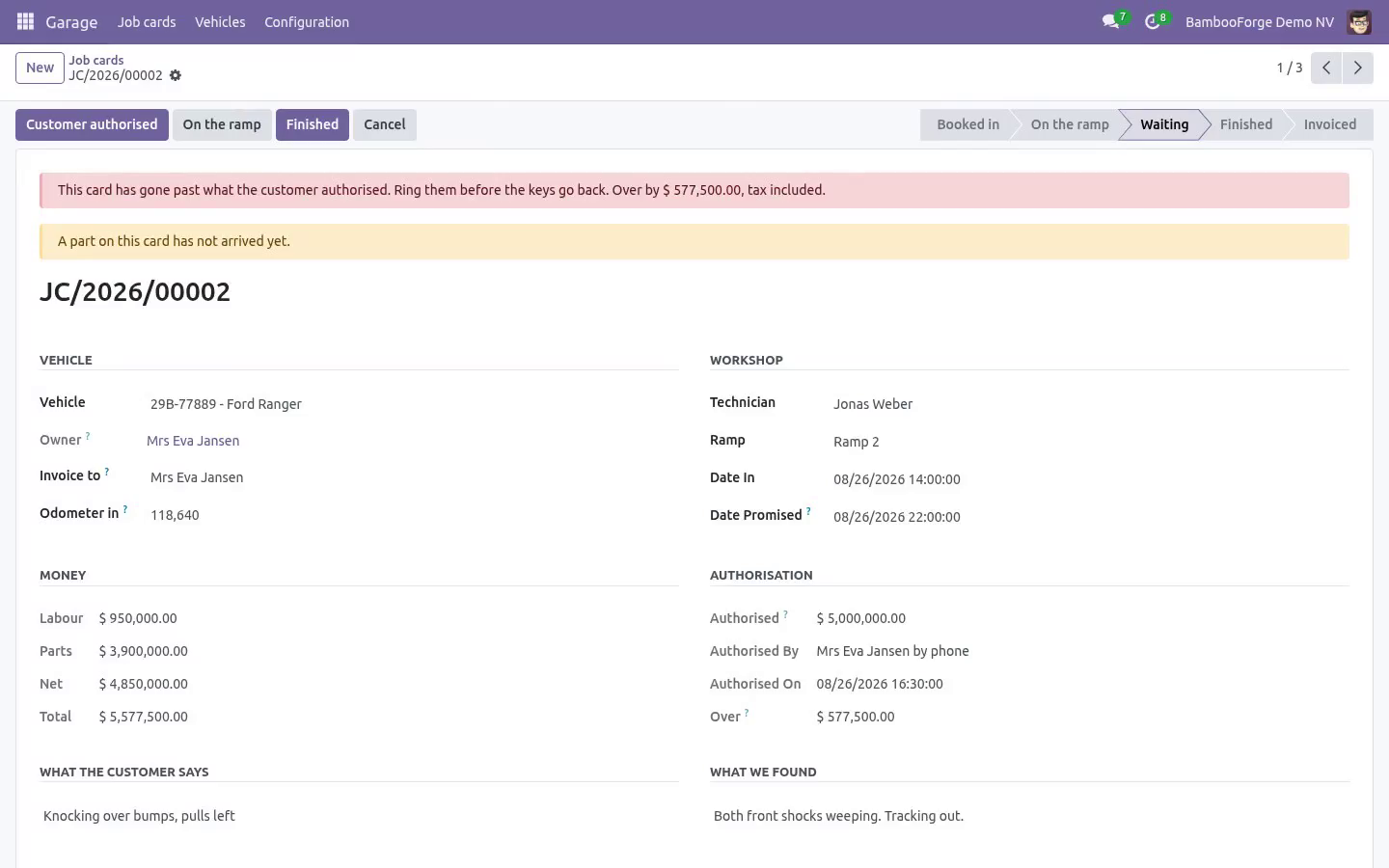
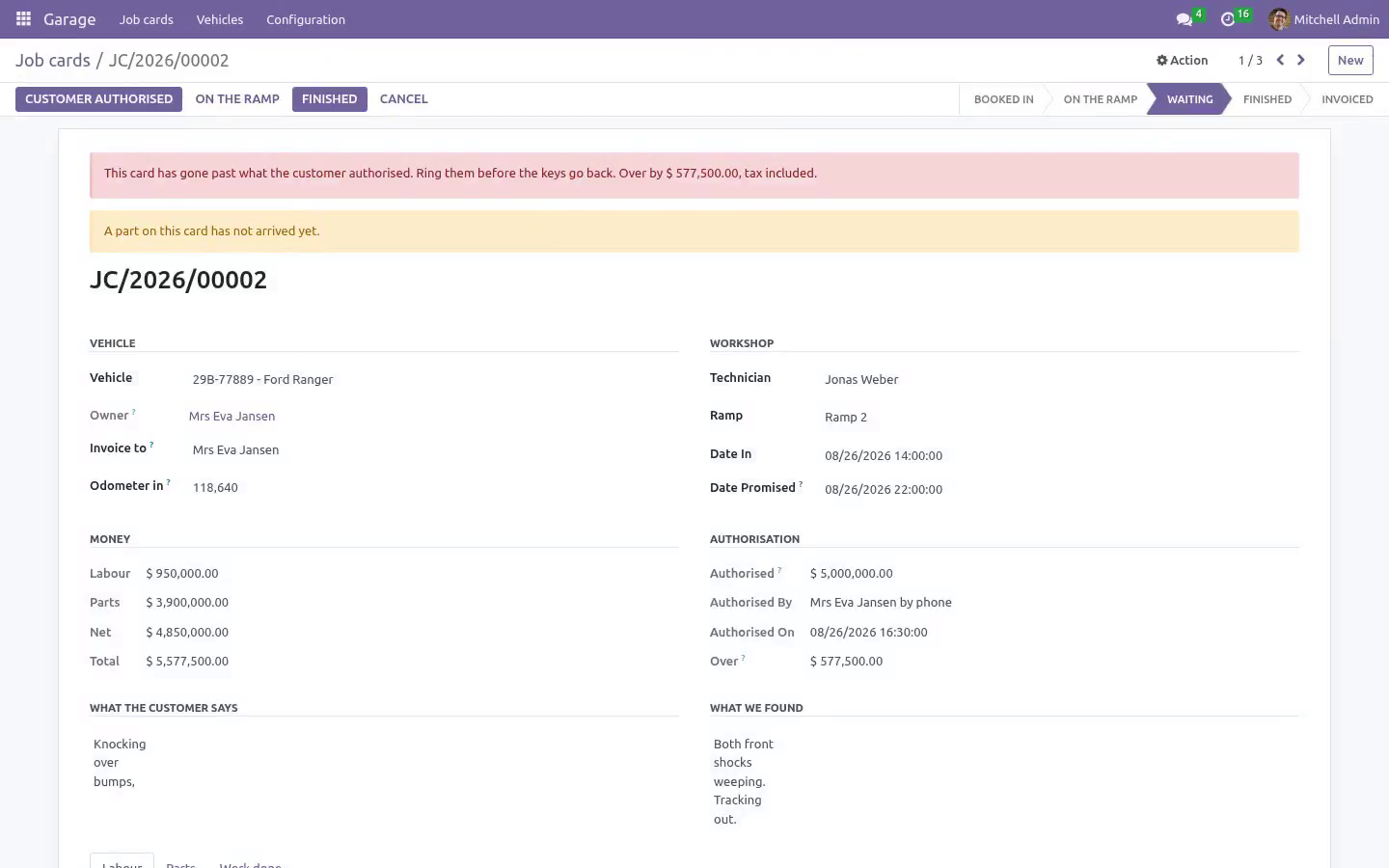
Built around the one argument every garage has: the customer authorised a figure and the bill says another. The authorisation The authorised amount is a number on the job card, with who gave it and when. It is the figure the customer heard on the phone, so it is tax included, and the card is measured against the same. Nothing starts without one.
Putting a car on the ramp with nothing agreed is refused, not warned about. A card that has gone past the figure cannot be finished. The keys do not go back until somebody rings the customer and authorises the difference - afterwards it is an argument you lose. An authorisation only ever moves up.
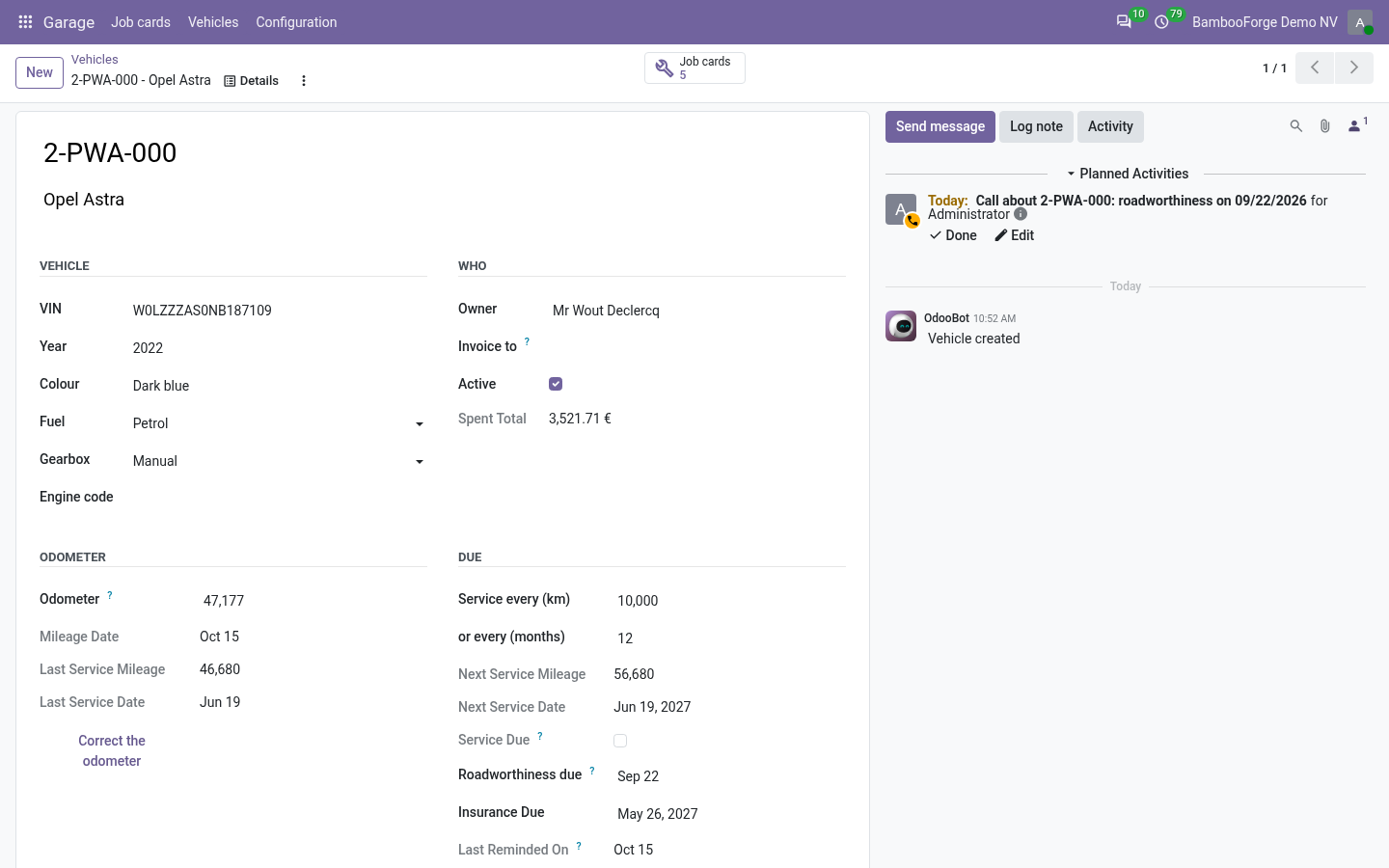
A smaller figure means work coming off the card, not the authorisation shrinking. The vehicle The history belongs to the registration plate, not to the owner. Cars change hands; the record does not start again. The odometer never goes backwards.
A reading lower than the last one is a typo or a crime, and either way it is refused - on the vehicle, on the job card, through an import and over the API, because they all go through the same door. Every job card writes its reading onto the vehicle. A reading that went in wrong is corrected by the workshop manager, with a reason, and the reason is on the vehicle where the next person can read it. Cancelling a card gives the vehicle back the reading it had before that card was opened.
Service due by date or by distance, whichever comes first, and a job that includes a service operation resets both. Cancelling a finished card winds the clock back with it. Roadworthiness and insurance dates sit beside them, and a scheduled job puts a call on a named person's list thirty days out - the reminder owner set on the company, or the advisor who booked the car in last. Never a robot's list, and never the same car twice in a month, whether or not the call was ticked off.
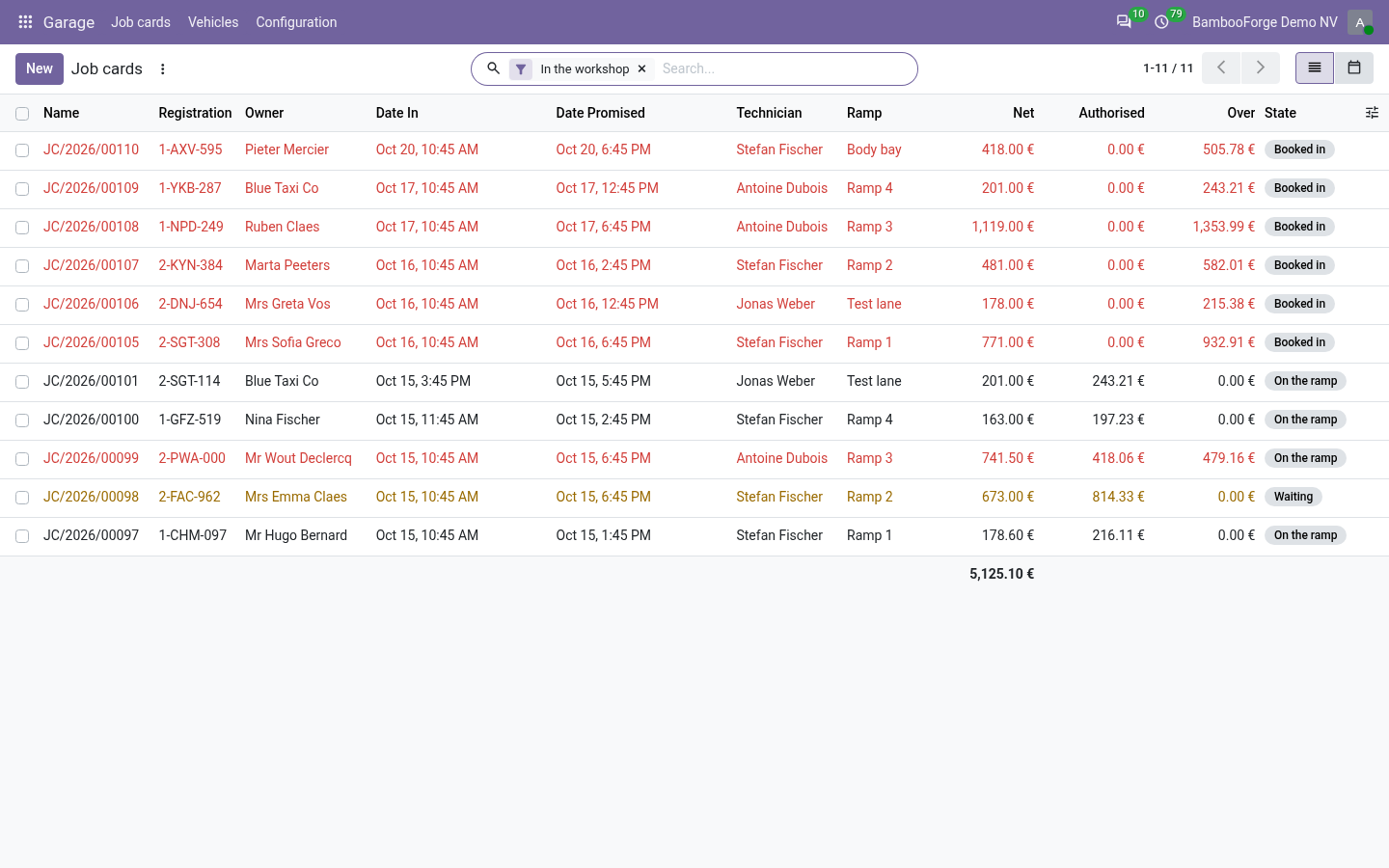
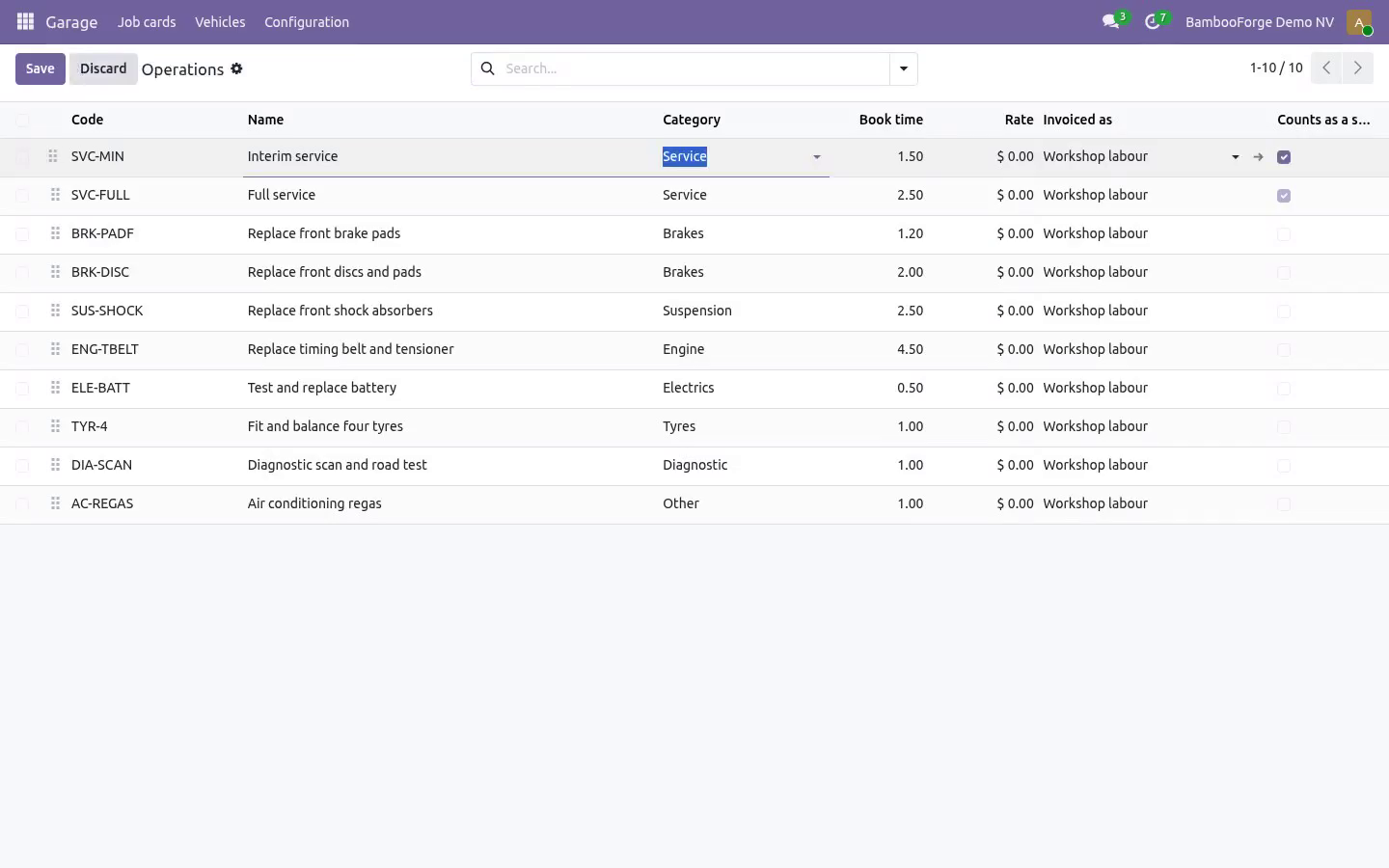
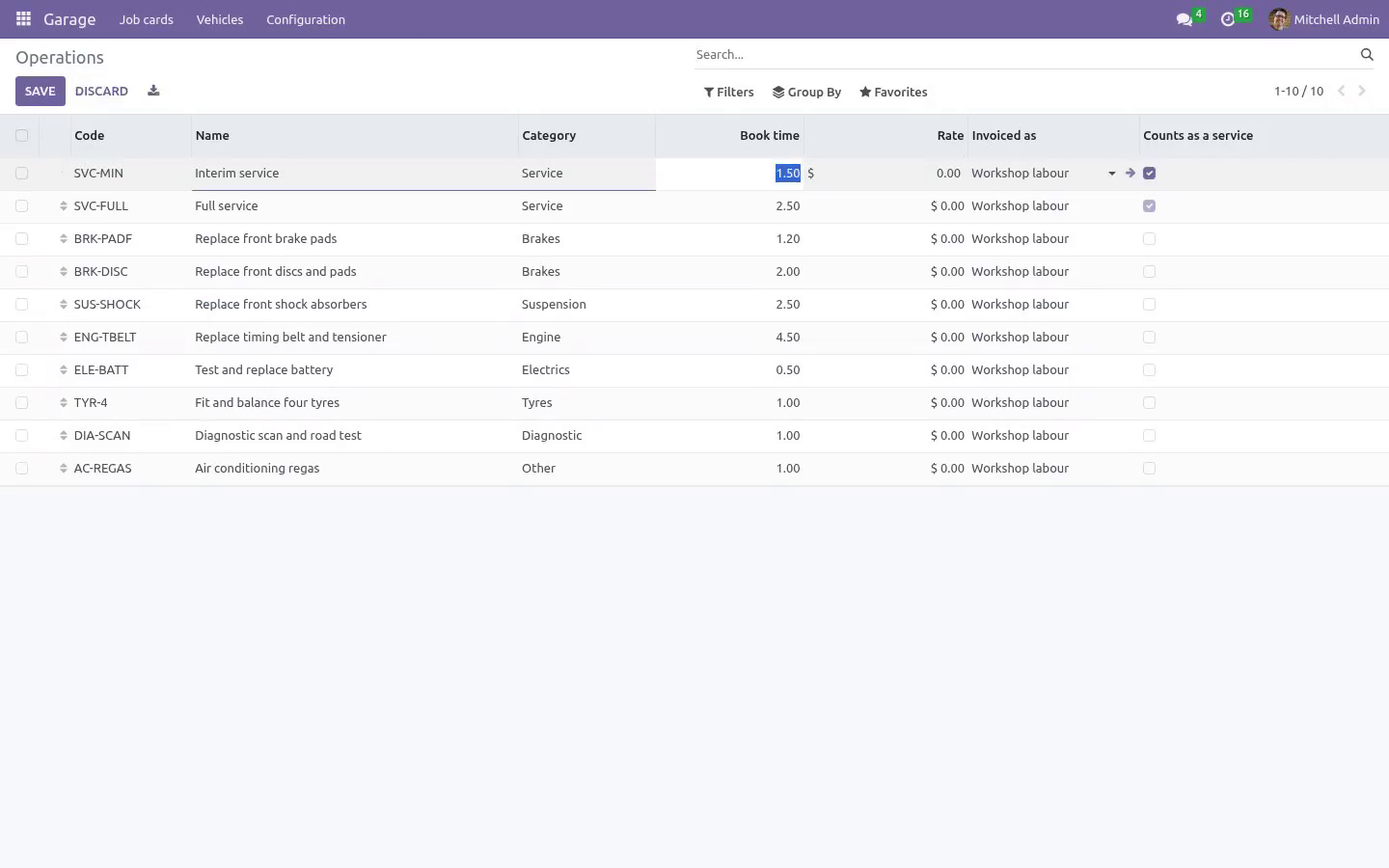
The workshop Book time, charged time and actual time on every labour line. The ratio between the first and the last is what a workshop is really run on, and it is a field rather than a spreadsheet. Parts hold the car. A part on order puts the job in waiting, and a card cannot be finished while a part has not arrived.
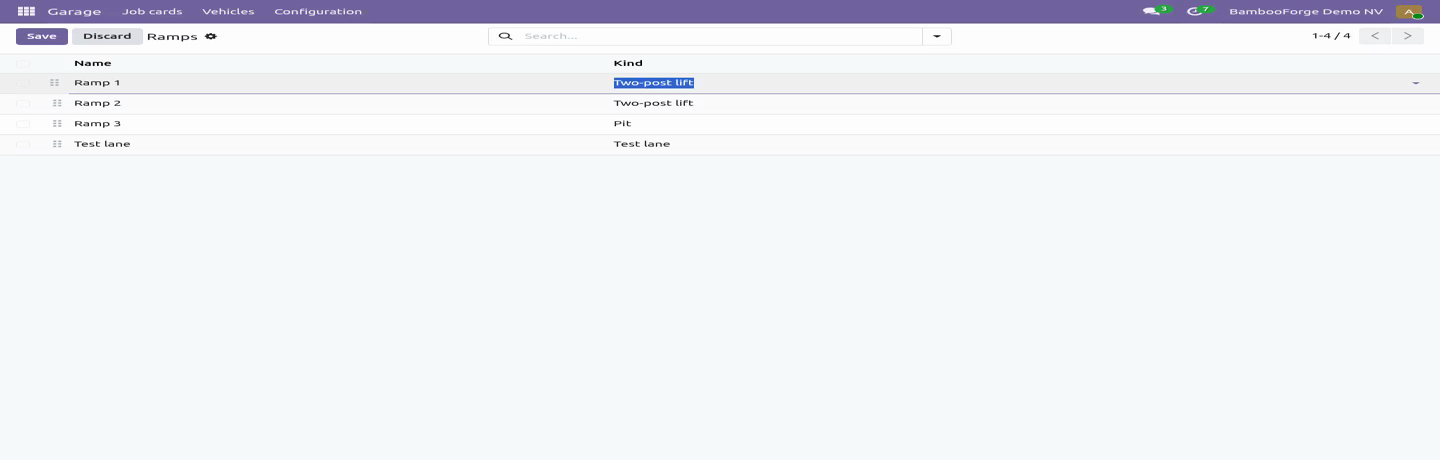
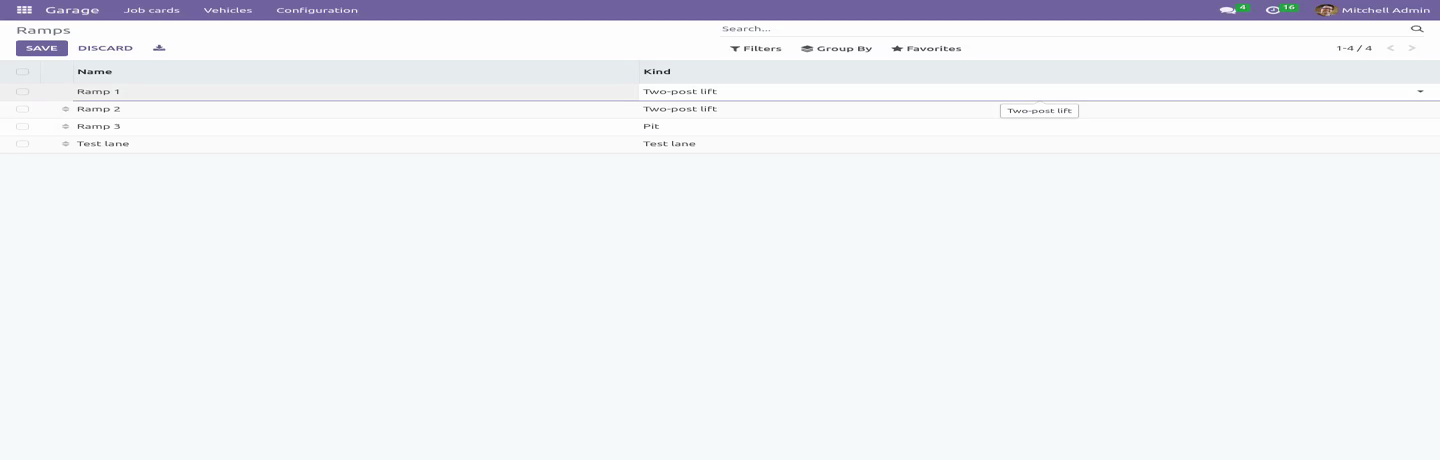
Each part carries its number, its factor, its cost and therefore its margin. One car per ramp; a double-booked ramp is a promise broken. The money The driver is not always the payer. A fleet, a leasing company or an insurer set on the vehicle is carried onto every job card, and the invoice quotes the plate and the odometer - what a fleet manager reads when forty of these arrive in a month.
Labour and parts both reach the invoice, taxed through the customer's fiscal position - and the card shows the same tax the bill will, including on lines created by an import or over the API. A card is invoiced once, and the card row is held while the invoice is raised, so two people pressing the button at the same moment cannot raise two bills. An invoiced card cannot be edited - header, labour or parts. Cancel the invoice and the card puts itself back to finished; credit it and the card is free again, because a credit note is not a second bill and the invoice it reversed has stopped being one.
Roles. A technician works the card - diagnosis, labour, times, parts - and sees no price and authorises nothing. That is enforced on the fields themselves, not only on the screen: a price is not readable over the API, in an export or through an import either, and the authorisation and the state of the card cannot be written by anybody but the advisor. A service advisor books cars in, rings the customer, moves the card through the workshop, authorises and invoices - and comes with the invoicing rights that requires.
The workshop manager configures, sees the cost and the margin on parts, corrects an odometer and puts a finished card back on the ramp. Community only. Depends on product, account and base_setup - all Community. Tested on 16.0, 17.0, 18.0 and 19.0.
How we make sure it works. Before every release, 84 automated checks run against this app on Odoo 16, 17, 18, 19 and 20. Among them: A part cannot be added to an invoiced or cancelled card. A credit note is never mistaken for a second bill.
A credit note stays on the card and frees it. An advisor cannot put a card back on the ramp. The authorisation note keeps the money out of the chatter. The complete list is in the source you receive.
Questions people ask. Which Odoo versions does it run on? Odoo 16.0, 17.0, 18.0, 19.0, 20.0, on the series you buy it for; each series is its own listing. Community or Enterprise?
Both. It needs no Enterprise app. The complete manual is at docs dot bambooforge dot dev, the demo database is linked from the store page, and support answers within twenty-four hours. Links are in the description.
Transcript of the walkthrough (Odoo 19)
Garage & Auto Repair Management. Garage and auto repair job cards with an authorised figure that cannot be exceeded quietly, booked versus actual time, and service history. In the next few minutes: garage & auto repair management, then the authorisation, then the vehicle, then the workshop, then the money. Then what this app deliberately does not do, so you can tell before you buy whether it fits.
Everything lives under Garage then Job cards then Vehicles then Configuration. Garage & Auto Repair Management. Built around the one argument every garage has: the customer authorised a figure and the bill says another. The authorisation The authorised amount is a number on the job card, with who gave it and when.
It is the figure the customer heard on the phone, so it is tax included, and the card is measured against the same. Nothing starts without one. Putting a car on the ramp with nothing agreed is refused, not warned about. A card that has gone past the figure cannot be finished.
The keys do not go back until somebody rings the customer and authorises the difference - afterwards it is an argument you lose. An authorisation only ever moves up. A smaller figure means work coming off the card, not the authorisation shrinking. The vehicle The history belongs to the registration plate, not to the owner.
Cars change hands; the record does not start again. The odometer never goes backwards. A reading lower than the last one is a typo or a crime, and either way it is refused - on the vehicle, on the job card, through an import and over the API, because they all go through the same door. Every job card writes its reading onto the vehicle.
A reading that went in wrong is corrected by the workshop manager, with a reason, and the reason is on the vehicle where the next person can read it. Cancelling a card gives the vehicle back the reading it had before that card was opened. Service due by date or by distance, whichever comes first, and a job that includes a service operation resets both. Cancelling a finished card winds the clock back with it.
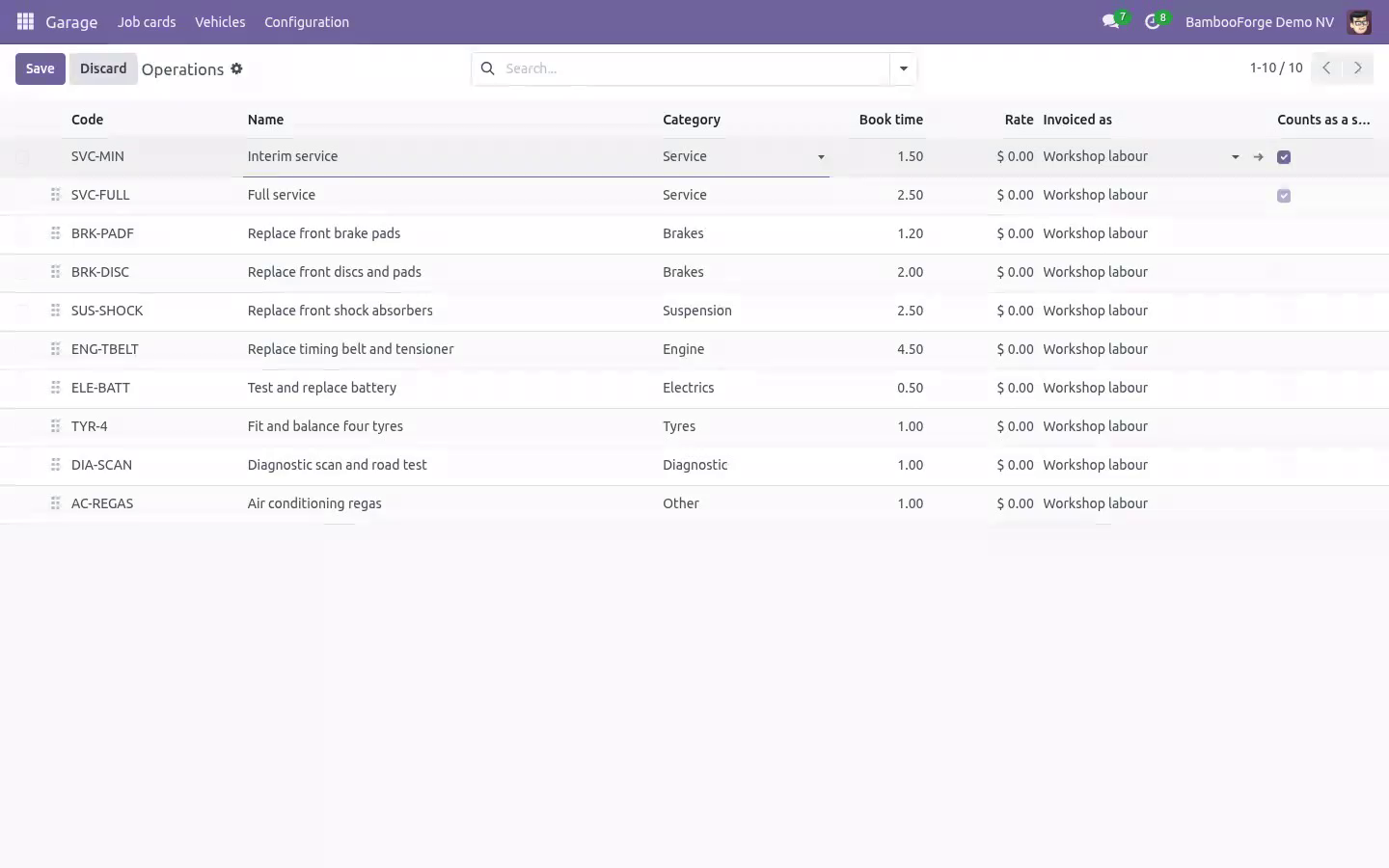
Roadworthiness and insurance dates sit beside them, and a scheduled job puts a call on a named person's list thirty days out - the reminder owner set on the company, or the advisor who booked the car in last. Never a robot's list, and never the same car twice in a month, whether or not the call was ticked off. The workshop Book time, charged time and actual time on every labour line. The ratio between the first and the last is what a workshop is really run on, and it is a field rather than a spreadsheet.
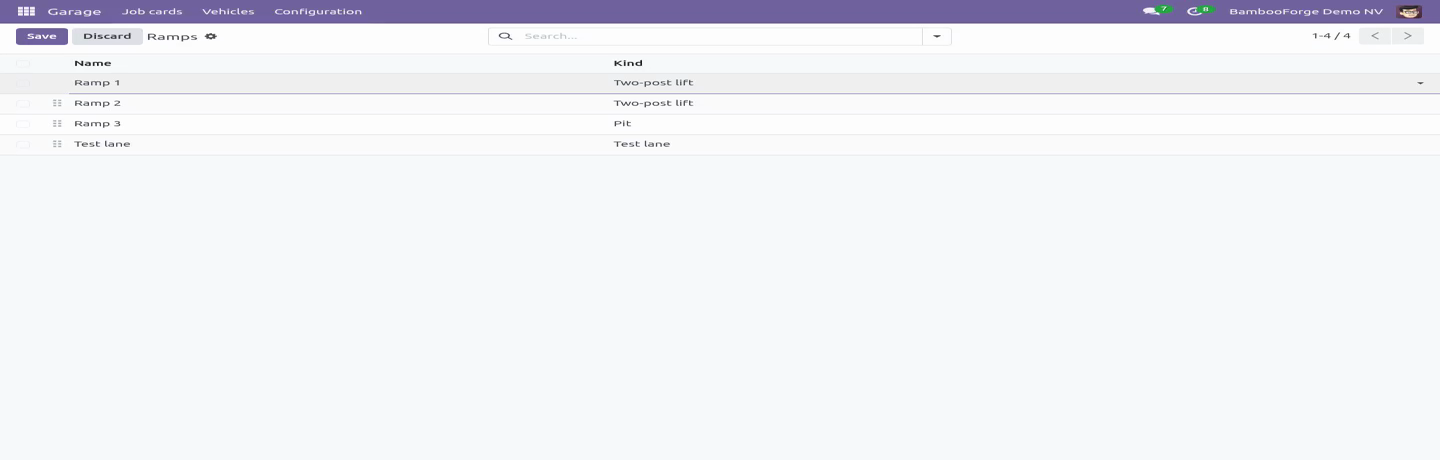
Parts hold the car. A part on order puts the job in waiting, and a card cannot be finished while a part has not arrived. Each part carries its number, its factor, its cost and therefore its margin. One car per ramp; a double-booked ramp is a promise broken.
The money The driver is not always the payer. A fleet, a leasing company or an insurer set on the vehicle is carried onto every job card, and the invoice quotes the plate and the odometer - what a fleet manager reads when forty of these arrive in a month. Labour and parts both reach the invoice, taxed through the customer's fiscal position - and the card shows the same tax the bill will, including on lines created by an import or over the API. A card is invoiced once, and the card row is held while the invoice is raised, so two people pressing the button at the same moment cannot raise two bills.
An invoiced card cannot be edited - header, labour or parts. Cancel the invoice and the card puts itself back to finished; credit it and the card is free again, because a credit note is not a second bill and the invoice it reversed has stopped being one. Roles. A technician works the card - diagnosis, labour, times, parts - and sees no price and authorises nothing.
That is enforced on the fields themselves, not only on the screen: a price is not readable over the API, in an export or through an import either, and the authorisation and the state of the card cannot be written by anybody but the advisor. A service advisor books cars in, rings the customer, moves the card through the workshop, authorises and invoices - and comes with the invoicing rights that requires. The workshop manager configures, sees the cost and the margin on parts, corrects an odometer and puts a finished card back on the ramp. Community only.
Depends on product, account and base_setup - all Community. Tested on 16.0, 17.0, 18.0 and 19.0. The complete manual is at docs dot bambooforge dot dev, the demo database is linked from the store page, and support answers within twenty-four hours. Links are in the description.
Transcript of the walkthrough (Odoo 18)
Garage & Auto Repair Management. Garage and auto repair job cards with an authorised figure that cannot be exceeded quietly, booked versus actual time, and service history. In the next few minutes: garage & auto repair management, then the authorisation, then the vehicle, then the workshop, then the money. Then what this app deliberately does not do, so you can tell before you buy whether it fits.
Everything lives under Garage then Job cards then Vehicles then Configuration. Garage & Auto Repair Management. Built around the one argument every garage has: the customer authorised a figure and the bill says another. The authorisation The authorised amount is a number on the job card, with who gave it and when.
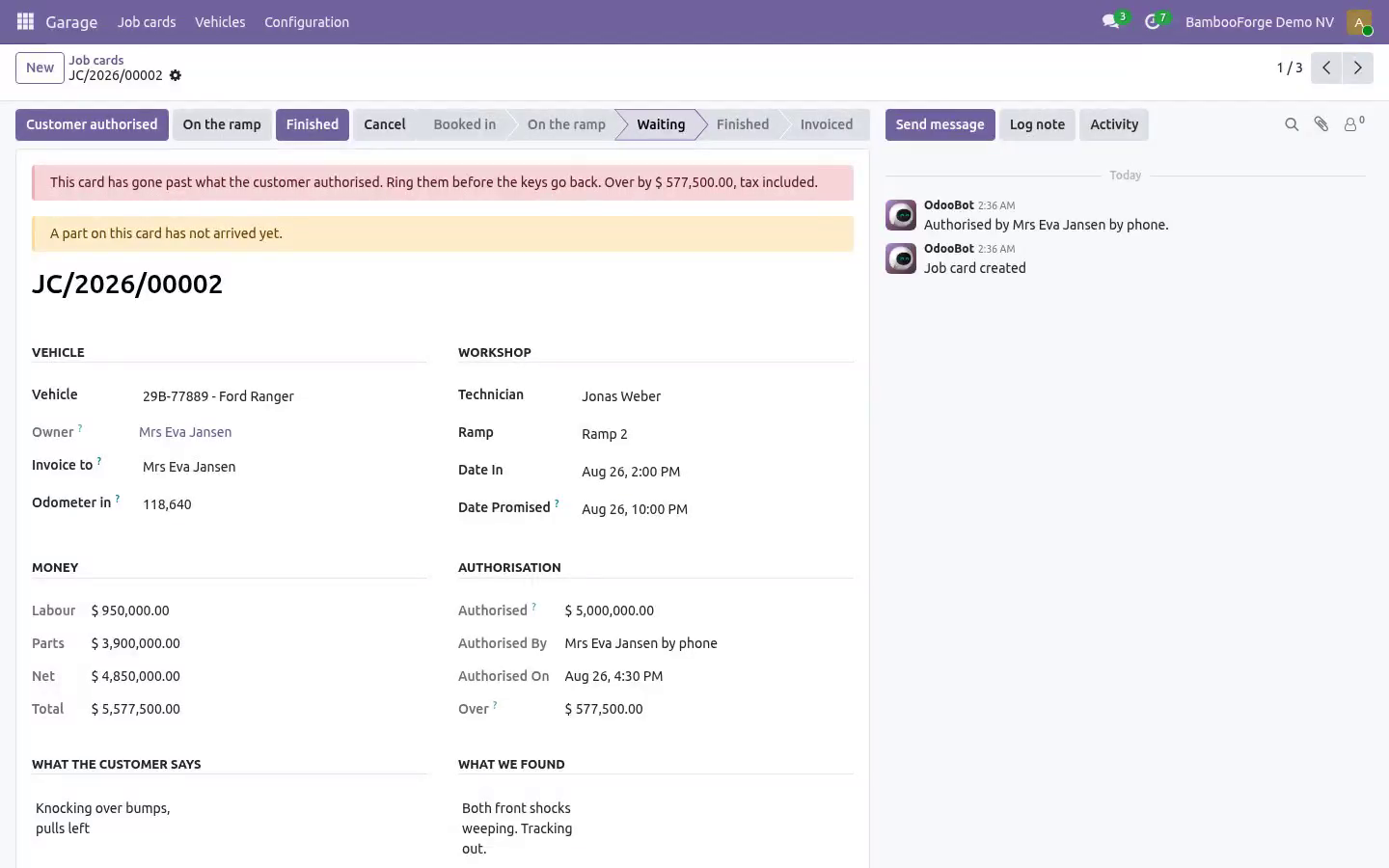
It is the figure the customer heard on the phone, so it is tax included, and the card is measured against the same. Nothing starts without one. Putting a car on the ramp with nothing agreed is refused, not warned about. A card that has gone past the figure cannot be finished.
The keys do not go back until somebody rings the customer and authorises the difference - afterwards it is an argument you lose. An authorisation only ever moves up. A smaller figure means work coming off the card, not the authorisation shrinking. The vehicle The history belongs to the registration plate, not to the owner.
Cars change hands; the record does not start again. The odometer never goes backwards. A reading lower than the last one is a typo or a crime, and either way it is refused - on the vehicle, on the job card, through an import and over the API, because they all go through the same door. Every job card writes its reading onto the vehicle.
A reading that went in wrong is corrected by the workshop manager, with a reason, and the reason is on the vehicle where the next person can read it. Cancelling a card gives the vehicle back the reading it had before that card was opened. Service due by date or by distance, whichever comes first, and a job that includes a service operation resets both. Cancelling a finished card winds the clock back with it.
Roadworthiness and insurance dates sit beside them, and a scheduled job puts a call on a named person's list thirty days out - the reminder owner set on the company, or the advisor who booked the car in last. Never a robot's list, and never the same car twice in a month, whether or not the call was ticked off. The workshop Book time, charged time and actual time on every labour line. The ratio between the first and the last is what a workshop is really run on, and it is a field rather than a spreadsheet.
Parts hold the car. A part on order puts the job in waiting, and a card cannot be finished while a part has not arrived. Each part carries its number, its factor, its cost and therefore its margin. One car per ramp; a double-booked ramp is a promise broken.
The money The driver is not always the payer. A fleet, a leasing company or an insurer set on the vehicle is carried onto every job card, and the invoice quotes the plate and the odometer - what a fleet manager reads when forty of these arrive in a month. Labour and parts both reach the invoice, taxed through the customer's fiscal position - and the card shows the same tax the bill will, including on lines created by an import or over the API. A card is invoiced once, and the card row is held while the invoice is raised, so two people pressing the button at the same moment cannot raise two bills.
An invoiced card cannot be edited - header, labour or parts. Cancel the invoice and the card puts itself back to finished; credit it and the card is free again, because a credit note is not a second bill and the invoice it reversed has stopped being one. Roles. A technician works the card - diagnosis, labour, times, parts - and sees no price and authorises nothing.
That is enforced on the fields themselves, not only on the screen: a price is not readable over the API, in an export or through an import either, and the authorisation and the state of the card cannot be written by anybody but the advisor. A service advisor books cars in, rings the customer, moves the card through the workshop, authorises and invoices - and comes with the invoicing rights that requires. The workshop manager configures, sees the cost and the margin on parts, corrects an odometer and puts a finished card back on the ramp. Community only.
Depends on product, account and base_setup - all Community. Tested on 16.0, 17.0, 18.0 and 19.0. The complete manual is at docs dot bambooforge dot dev, the demo database is linked from the store page, and support answers within twenty-four hours. Links are in the description.
Transcript of the walkthrough (Odoo 17)
Garage & Auto Repair Management. Garage and auto repair job cards with an authorised figure that cannot be exceeded quietly, booked versus actual time, and service history. In the next few minutes: garage & auto repair management, then the authorisation, then the vehicle, then the workshop, then the money. Then what this app deliberately does not do, so you can tell before you buy whether it fits.
Everything lives under Garage then Job cards then Vehicles then Configuration. Garage & Auto Repair Management. Built around the one argument every garage has: the customer authorised a figure and the bill says another. The authorisation The authorised amount is a number on the job card, with who gave it and when.
It is the figure the customer heard on the phone, so it is tax included, and the card is measured against the same. Nothing starts without one. Putting a car on the ramp with nothing agreed is refused, not warned about. A card that has gone past the figure cannot be finished.
The keys do not go back until somebody rings the customer and authorises the difference - afterwards it is an argument you lose. An authorisation only ever moves up. A smaller figure means work coming off the card, not the authorisation shrinking. The vehicle The history belongs to the registration plate, not to the owner.
Cars change hands; the record does not start again. The odometer never goes backwards. A reading lower than the last one is a typo or a crime, and either way it is refused - on the vehicle, on the job card, through an import and over the API, because they all go through the same door. Every job card writes its reading onto the vehicle.
A reading that went in wrong is corrected by the workshop manager, with a reason, and the reason is on the vehicle where the next person can read it. Cancelling a card gives the vehicle back the reading it had before that card was opened. Service due by date or by distance, whichever comes first, and a job that includes a service operation resets both. Cancelling a finished card winds the clock back with it.
Roadworthiness and insurance dates sit beside them, and a scheduled job puts a call on a named person's list thirty days out - the reminder owner set on the company, or the advisor who booked the car in last. Never a robot's list, and never the same car twice in a month, whether or not the call was ticked off. The workshop Book time, charged time and actual time on every labour line. The ratio between the first and the last is what a workshop is really run on, and it is a field rather than a spreadsheet.
Parts hold the car. A part on order puts the job in waiting, and a card cannot be finished while a part has not arrived. Each part carries its number, its factor, its cost and therefore its margin. One car per ramp; a double-booked ramp is a promise broken.
The money The driver is not always the payer. A fleet, a leasing company or an insurer set on the vehicle is carried onto every job card, and the invoice quotes the plate and the odometer - what a fleet manager reads when forty of these arrive in a month. Labour and parts both reach the invoice, taxed through the customer's fiscal position - and the card shows the same tax the bill will, including on lines created by an import or over the API. A card is invoiced once, and the card row is held while the invoice is raised, so two people pressing the button at the same moment cannot raise two bills.
An invoiced card cannot be edited - header, labour or parts. Cancel the invoice and the card puts itself back to finished; credit it and the card is free again, because a credit note is not a second bill and the invoice it reversed has stopped being one. Roles. A technician works the card - diagnosis, labour, times, parts - and sees no price and authorises nothing.
That is enforced on the fields themselves, not only on the screen: a price is not readable over the API, in an export or through an import either, and the authorisation and the state of the card cannot be written by anybody but the advisor. A service advisor books cars in, rings the customer, moves the card through the workshop, authorises and invoices - and comes with the invoicing rights that requires. The workshop manager configures, sees the cost and the margin on parts, corrects an odometer and puts a finished card back on the ramp. Community only.
Depends on product, account and base_setup - all Community. Tested on 16.0, 17.0, 18.0 and 19.0. The complete manual is at docs dot bambooforge dot dev, the demo database is linked from the store page, and support answers within twenty-four hours. Links are in the description.
Transcript of the walkthrough (Odoo 16)
Garage & Auto Repair Management. Garage and auto repair job cards with an authorised figure that cannot be exceeded quietly, booked versus actual time, and service history. In the next few minutes: garage & auto repair management, then the authorisation, then the vehicle, then the workshop, then the money. Then what this app deliberately does not do, so you can tell before you buy whether it fits.
Everything lives under Garage then Job cards then Vehicles then Configuration. Garage & Auto Repair Management. Built around the one argument every garage has: the customer authorised a figure and the bill says another. The authorisation The authorised amount is a number on the job card, with who gave it and when.
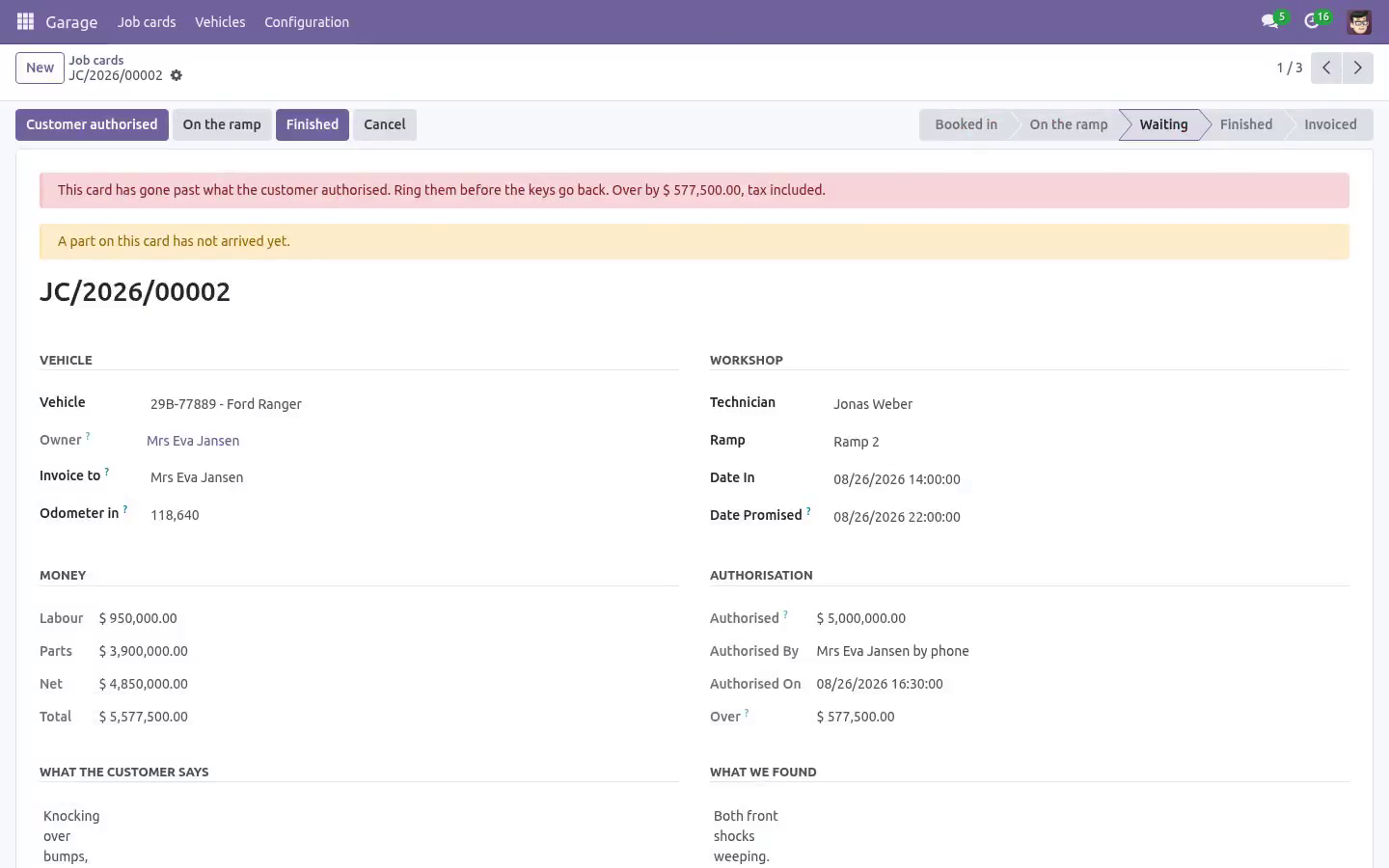
It is the figure the customer heard on the phone, so it is tax included, and the card is measured against the same. Nothing starts without one. Putting a car on the ramp with nothing agreed is refused, not warned about. A card that has gone past the figure cannot be finished.
The keys do not go back until somebody rings the customer and authorises the difference - afterwards it is an argument you lose. An authorisation only ever moves up. A smaller figure means work coming off the card, not the authorisation shrinking. The vehicle The history belongs to the registration plate, not to the owner.
Cars change hands; the record does not start again. The odometer never goes backwards. A reading lower than the last one is a typo or a crime, and either way it is refused - on the vehicle, on the job card, through an import and over the API, because they all go through the same door. Every job card writes its reading onto the vehicle.
A reading that went in wrong is corrected by the workshop manager, with a reason, and the reason is on the vehicle where the next person can read it. Cancelling a card gives the vehicle back the reading it had before that card was opened. Service due by date or by distance, whichever comes first, and a job that includes a service operation resets both. Cancelling a finished card winds the clock back with it.
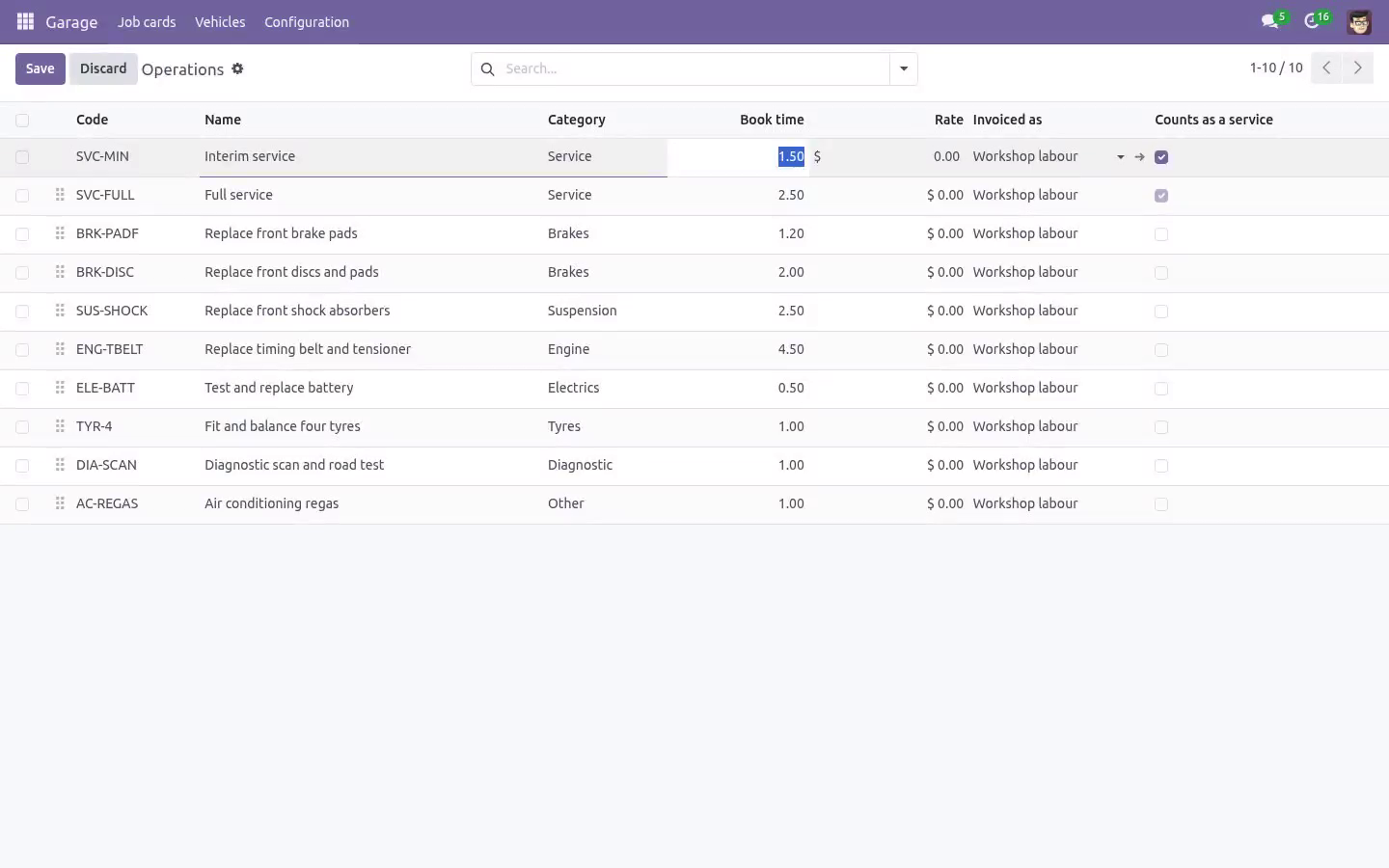
Roadworthiness and insurance dates sit beside them, and a scheduled job puts a call on a named person's list thirty days out - the reminder owner set on the company, or the advisor who booked the car in last. Never a robot's list, and never the same car twice in a month, whether or not the call was ticked off. The workshop Book time, charged time and actual time on every labour line. The ratio between the first and the last is what a workshop is really run on, and it is a field rather than a spreadsheet.
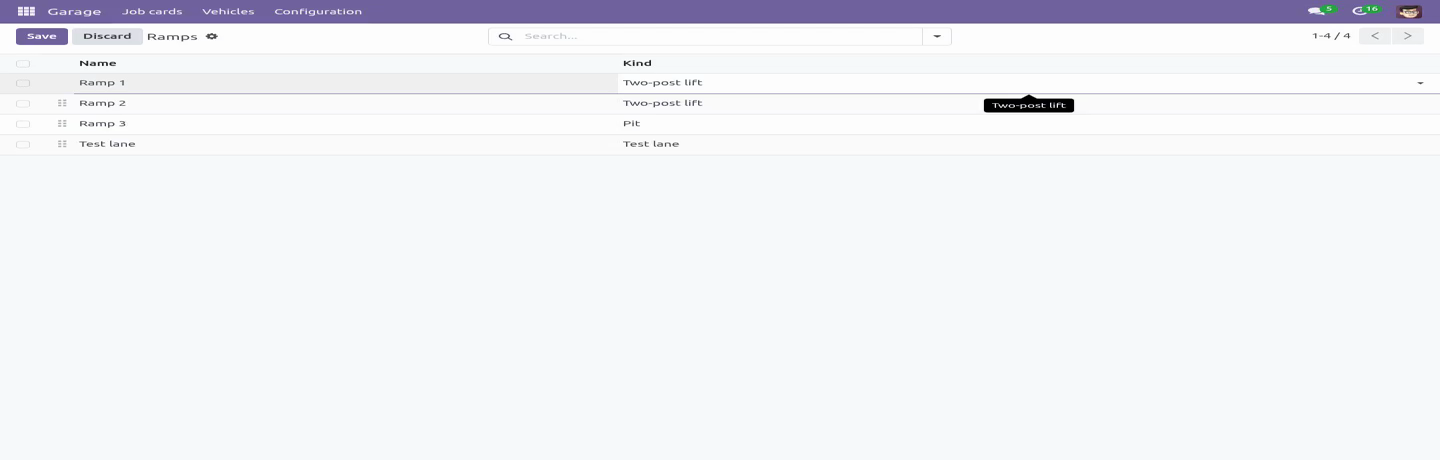
Parts hold the car. A part on order puts the job in waiting, and a card cannot be finished while a part has not arrived. Each part carries its number, its factor, its cost and therefore its margin. One car per ramp; a double-booked ramp is a promise broken.
The money The driver is not always the payer. A fleet, a leasing company or an insurer set on the vehicle is carried onto every job card, and the invoice quotes the plate and the odometer - what a fleet manager reads when forty of these arrive in a month. Labour and parts both reach the invoice, taxed through the customer's fiscal position - and the card shows the same tax the bill will, including on lines created by an import or over the API. A card is invoiced once, and the card row is held while the invoice is raised, so two people pressing the button at the same moment cannot raise two bills.
An invoiced card cannot be edited - header, labour or parts. Cancel the invoice and the card puts itself back to finished; credit it and the card is free again, because a credit note is not a second bill and the invoice it reversed has stopped being one. Roles. A technician works the card - diagnosis, labour, times, parts - and sees no price and authorises nothing.
That is enforced on the fields themselves, not only on the screen: a price is not readable over the API, in an export or through an import either, and the authorisation and the state of the card cannot be written by anybody but the advisor. A service advisor books cars in, rings the customer, moves the card through the workshop, authorises and invoices - and comes with the invoicing rights that requires. The workshop manager configures, sees the cost and the margin on parts, corrects an odometer and puts a finished card back on the ramp. Community only.
Depends on product, account and base_setup - all Community. Tested on 16.0, 17.0, 18.0 and 19.0. The complete manual is at docs dot bambooforge dot dev, the demo database is linked from the store page, and support answers within twenty-four hours. Links are in the description.
Key facts
- What it is
- Garage and auto repair job cards with an authorised figure that cannot be exceeded quietly, booked versus actual time, and service history.
- For
- Industries
- Odoo versions
- 16.0, 17.0, 18.0, 19.0, 20.0 - Community and Enterprise
- Runs on
- Odoo.sh or Odoo you host yourself - not Odoo Online, which accepts no third-party apps
- Price
- 149 EUR, one-time, on the Odoo Apps Store
- Technical name
- bambooforge_garage
- Not for
- Said before you buy, because it is the half that decides whether the app fits:; Finish a job card that has gone past the authorised figure until somebody rings the customer and authorises the difference.; Change a finished, invoiced or cancelled card - only the workshop manager can put it back on the ramp, on record.; Move an authorisation down; it only ever moves up.
- Manual last updated
- 2026-10-15
Garage & Auto Repair Management
Built around the one argument every garage has: the customer authorised a figure and the bill says another.
The vehicle
The history belongs to the registration plate, not to the owner. Cars change hands; the record does not start again.
The odometer never goes backwards. A reading lower than the last one is a typo or a crime, and either way it is refused - on the vehicle, on the job card, through an import and over the API, because they all go through the same door. Every job card writes its reading onto the vehicle.
A reading that went in wrong is corrected by the workshop manager, with a reason, and the reason is on the vehicle where the next person can read it. Cancelling a card gives the vehicle back the reading it had before that card was opened.
Service due by date or by distance, whichever comes first, and a job that includes a service operation resets both. Cancelling a finished card winds the clock back with it.
Roadworthiness and insurance dates sit beside them, and a scheduled job puts a call on a named person's list thirty days out - the reminder owner set on the company, or the advisor who booked the car in last. Never a robot's list, and never the same car twice in a month, whether or not the call was ticked off.
The workshop
Book time, charged time and actual time on every labour line. The ratio between the first and the last is what a workshop is really run on, and it is a field rather than a spreadsheet.
Parts hold the car. A part on order puts the job in waiting, and a card cannot be finished while a part has not arrived. Each part carries its number, its factor, its cost and therefore its margin.
One car per ramp; a double-booked ramp is a promise broken.
The money
The driver is not always the payer. A fleet, a leasing company or an insurer set on the vehicle is carried onto every job card, and the invoice quotes the plate and the odometer - what a fleet manager reads when forty of these arrive in a month.
Labour and parts both reach the invoice, taxed through the customer's fiscal position - and the card shows the same tax the bill will, including on lines created by an import or over the API.
A card is invoiced once, and the card row is held while the invoice is raised, so two people pressing the button at the same moment cannot raise two bills.
An invoiced card cannot be edited - header, labour or parts. Cancel the invoice and the card puts itself back to finished; credit it and the card is free again, because a credit note is not a second bill and the invoice it reversed has stopped being one.
Roles
A technician works the card - diagnosis, labour, times, parts - and sees no price and authorises nothing. That is enforced on the fields themselves, not only on the screen: a price is not readable over the API, in an export or through an import either, and the authorisation and the state of the card cannot be written by anybody but the advisor. A service advisor books cars in, rings the customer, moves the card through the workshop, authorises and invoices - and comes with the invoicing rights that requires. The workshop manager configures, sees the cost and the margin on parts, corrects an odometer and puts a finished card back on the ramp.
Community only
Depends on product, account and base_setup - all Community. Tested on 16.0, 17.0, 18.0, 19.0 and 20.0.
How we make sure it works
Before every release, 84 automated checks run against this app on Odoo 16, 17, 18, 19 and 20. Among them:
A part cannot be added to an invoiced or cancelled card.
A credit note is never mistaken for a second bill.
A credit note stays on the card and frees it.
An advisor cannot put a card back on the ramp.
The authorisation note keeps the money out of the chatter.
The complete list is in the source you receive.
What it does not do
Said before you buy, because it is the half that decides whether the app fits:
Finish a job card that has gone past the authorised figure until somebody rings the customer and authorises the difference.
Change a finished, invoiced or cancelled card - only the workshop manager can put it back on the ramp, on record.
Move an authorisation down; it only ever moves up.
Install
Copy bambooforge_garage into your addons path and update the app list, or install the ZIP from the Odoo Apps Store.
Install Garage & Auto Repair Management.
Open Garage - its menus are Job cards, Vehicles, Configuration.
Questions people ask
- Which Odoo versions does it run on?
Odoo 16.0, 17.0, 18.0, 19.0, 20.0, on the series you buy it for; each series is its own listing.
- Community or Enterprise?
Both. It needs no Enterprise app.
- What does it need?
The standard Discuss, Invoicing, Products, Settings apps. No extra Python package.
- Where does it show up?
Under the Garage menu (Job cards, Vehicles, Configuration).
- Does anything leave my server?
No. It makes no call outside your Odoo server: no telemetry, no licence check, no third-party service.
- What happens if I uninstall it?
Odoo drops the app's own tables and fields; the standard records it worked on (contacts, orders, products) stay as they are.