 BambooForge Labs
Approval Workflow for Odoo Community
Multi-step approval workflow for Odoo Community, now with rules on any model: a condition picks the records, the ladder decides, a gate holds the confirm button, and the decision sets a field, schedules an activity, sends a template, runs a server action or calls a signed webhook. SLA clocks, parallel steps, a decision trail nobody can edit.
Available for Odoo 16.0, Odoo 17.0, Odoo 18.0, Odoo 19.0, Odoo 20.0. Technical name bambooforge_approvals.
Transcript of the walkthrough (Odoo 20)
Approval Workflow for Odoo Community. Multi-step approval workflow for Odoo Community, now with rules on any model: a condition picks the records, the ladder decides, a gate holds the confirm button, and the decision sets a field, schedules an activity, sends a template, runs a server action or calls a signed webhook. SLA clocks, parallel steps, a decision trail nobody can edit. Said before you buy, because it is the half that decides whether the app fits: In the next few minutes: approval workflow for odoo community, then a type, and the ladder under it, then the amount matrix, then the mailbox, then nobody approves their own request.
Then what this app deliberately does not do, so you can tell before you buy whether it fits. Everything lives under Approvals then Waiting on Me then All Requests then Delegation. 1. Copy bambooforge_approvals into your addons path and update the app list, or install the ZIP from the Odoo Apps Store.
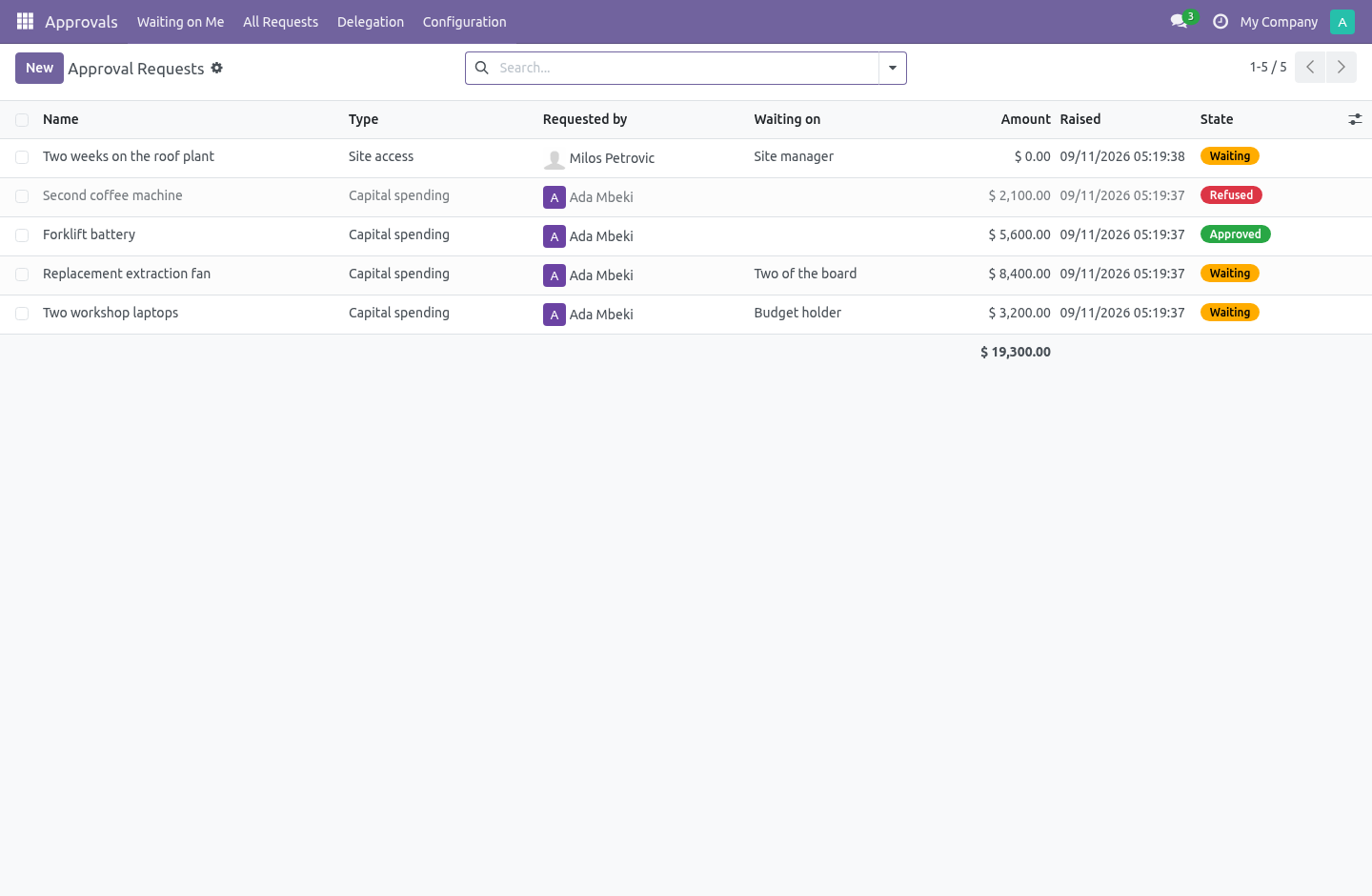
2. Install Approval Workflow for Odoo Community. 3. Open Approvals - its menus are Waiting on Me, All Requests, Delegation, Configuration.
Approval Workflow for Odoo Community. Odoo Community has no approvals app. What people do instead is an email thread — and six weeks later nobody can say who agreed to the fifteen thousand, or whether the number they agreed to is the number that was spent. This is multi-step approvals for Community, built so that the trail it leaves is worth reading a year later.
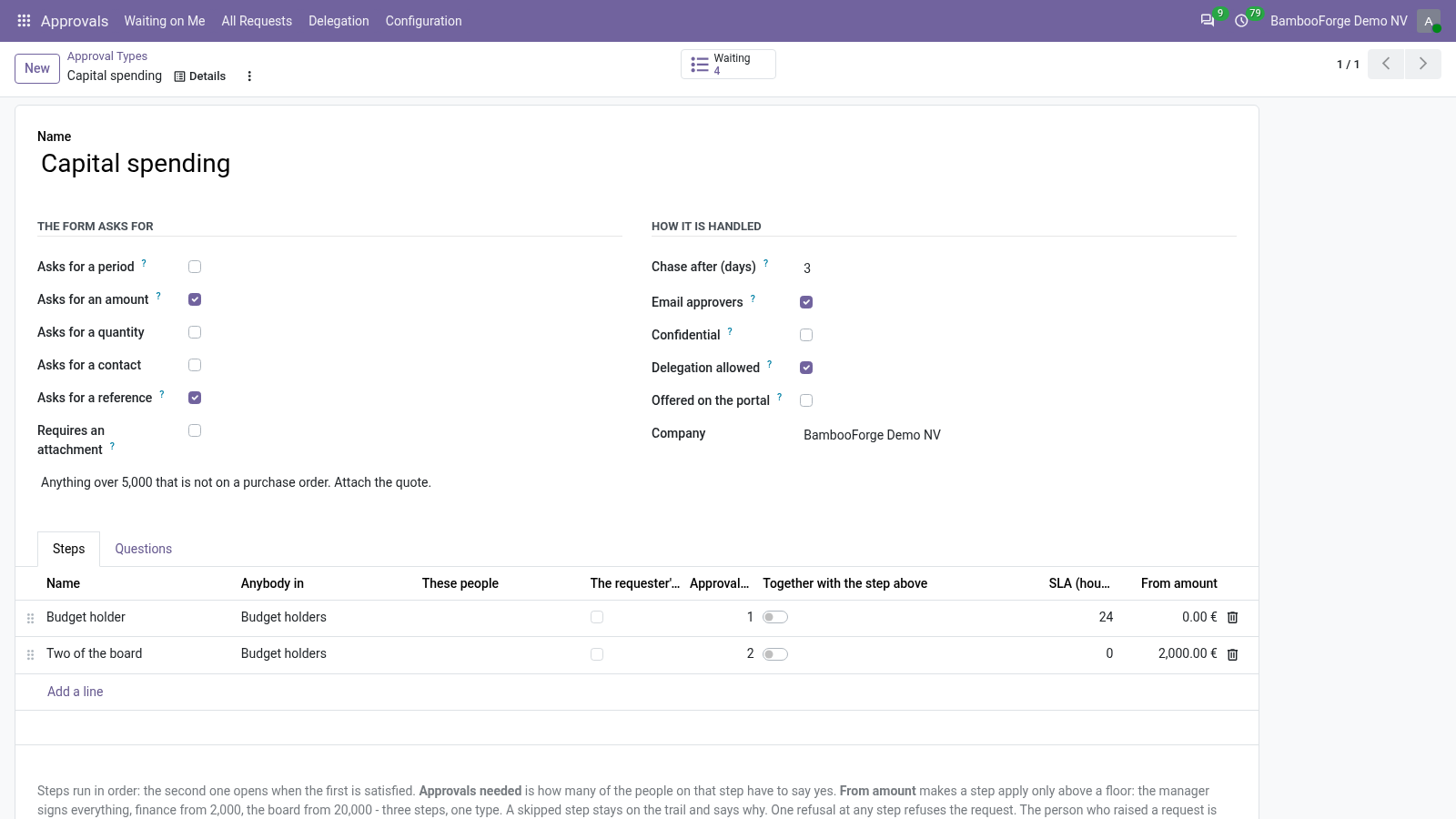
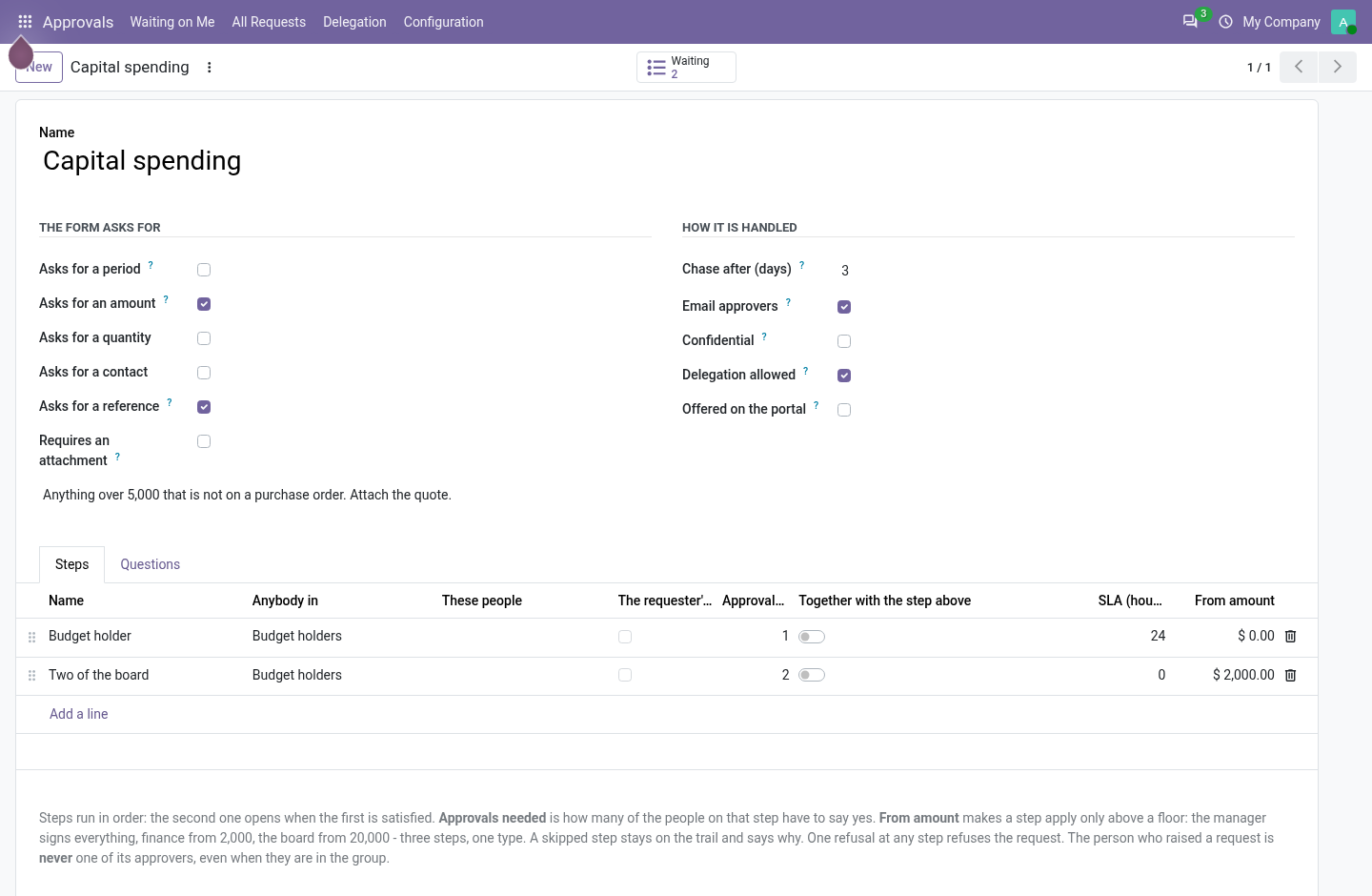
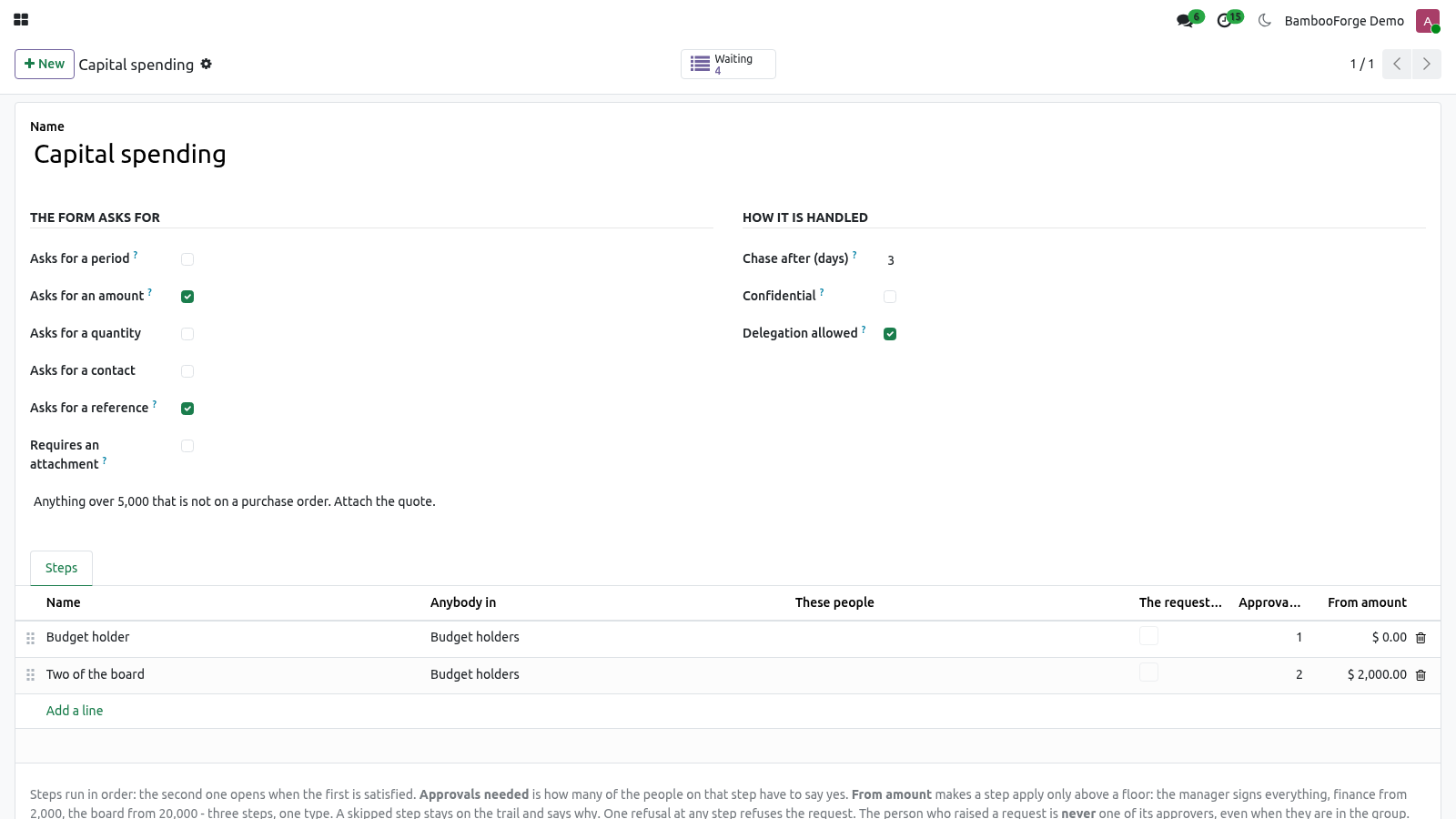
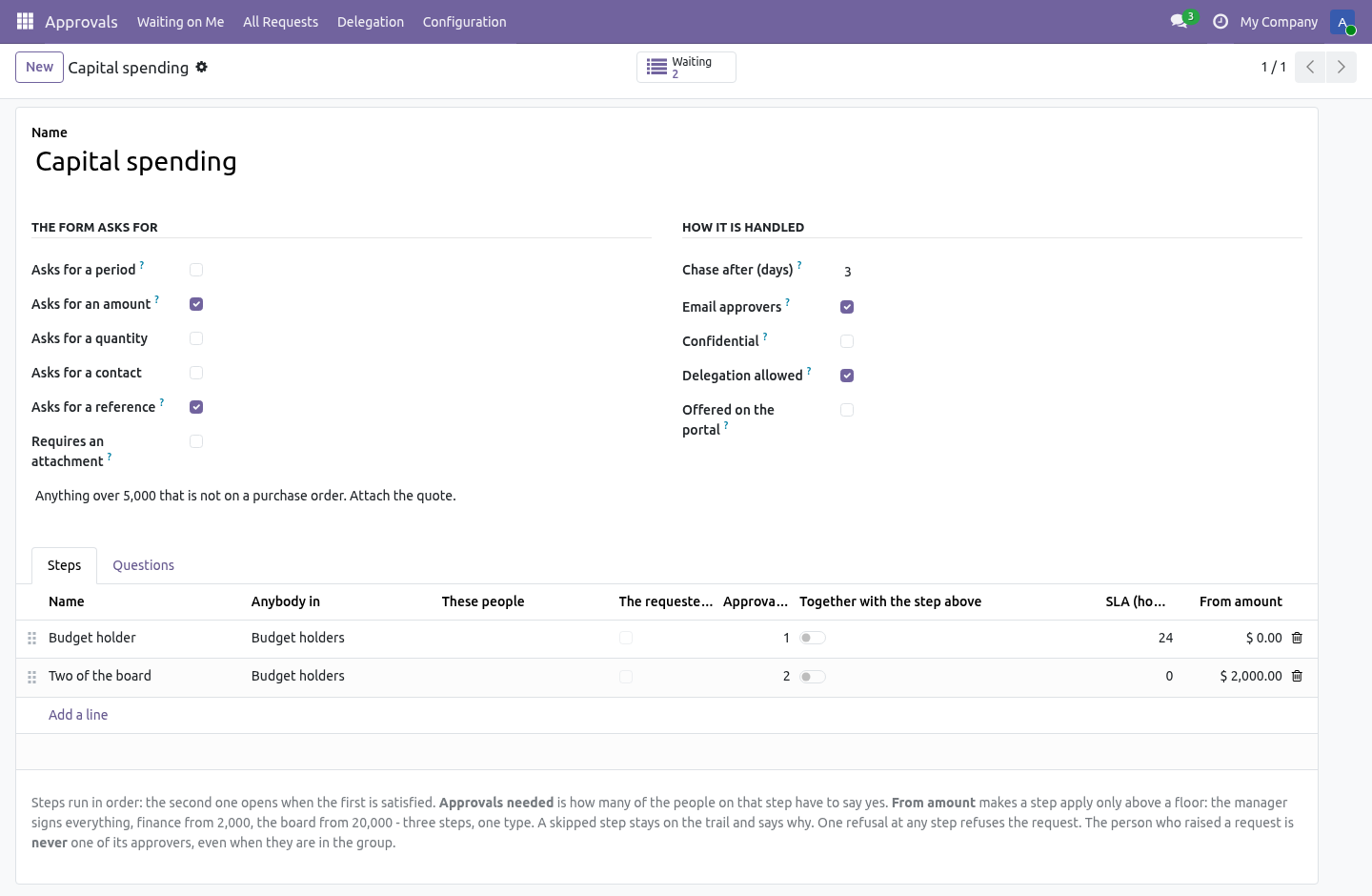
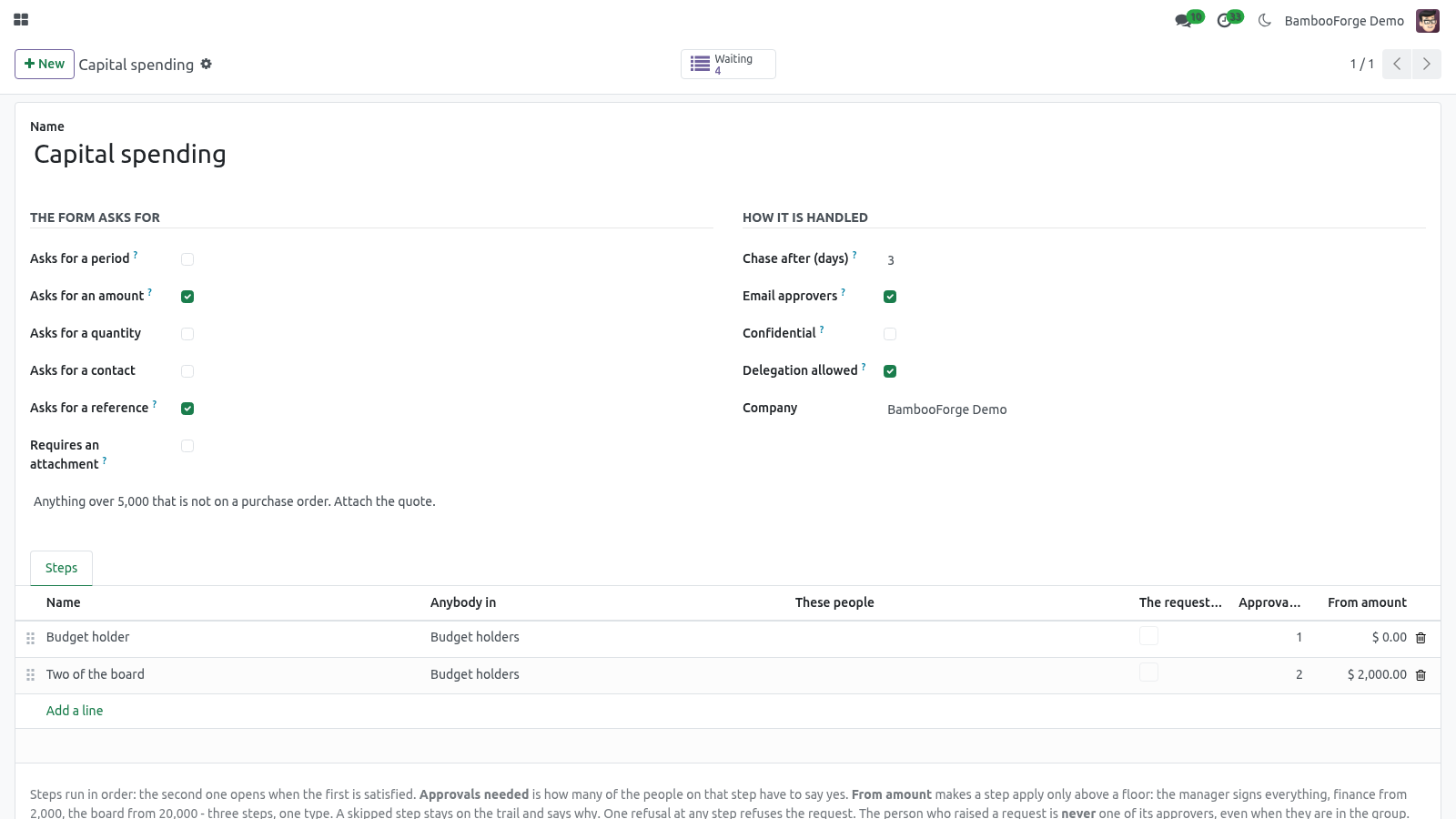
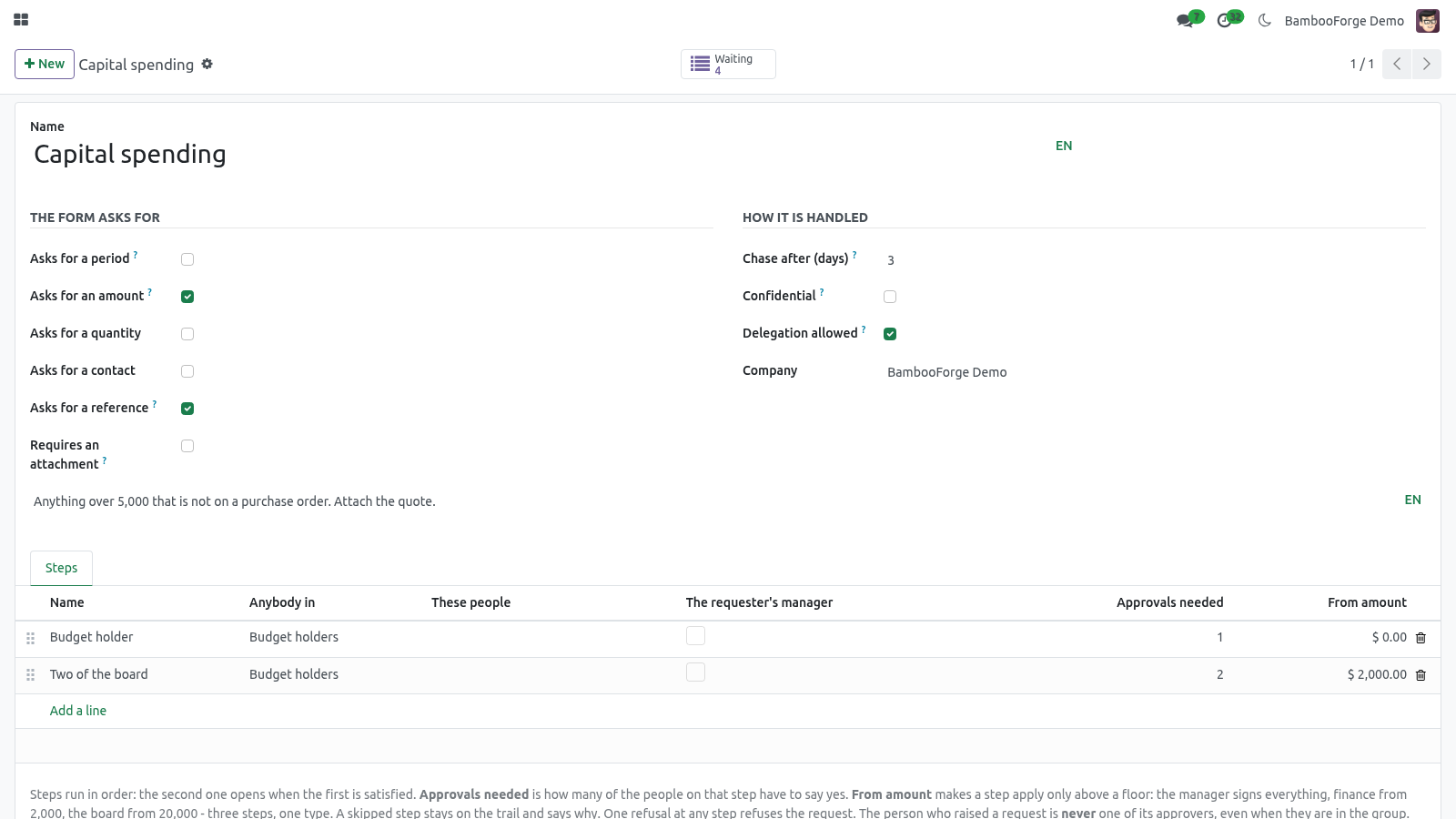
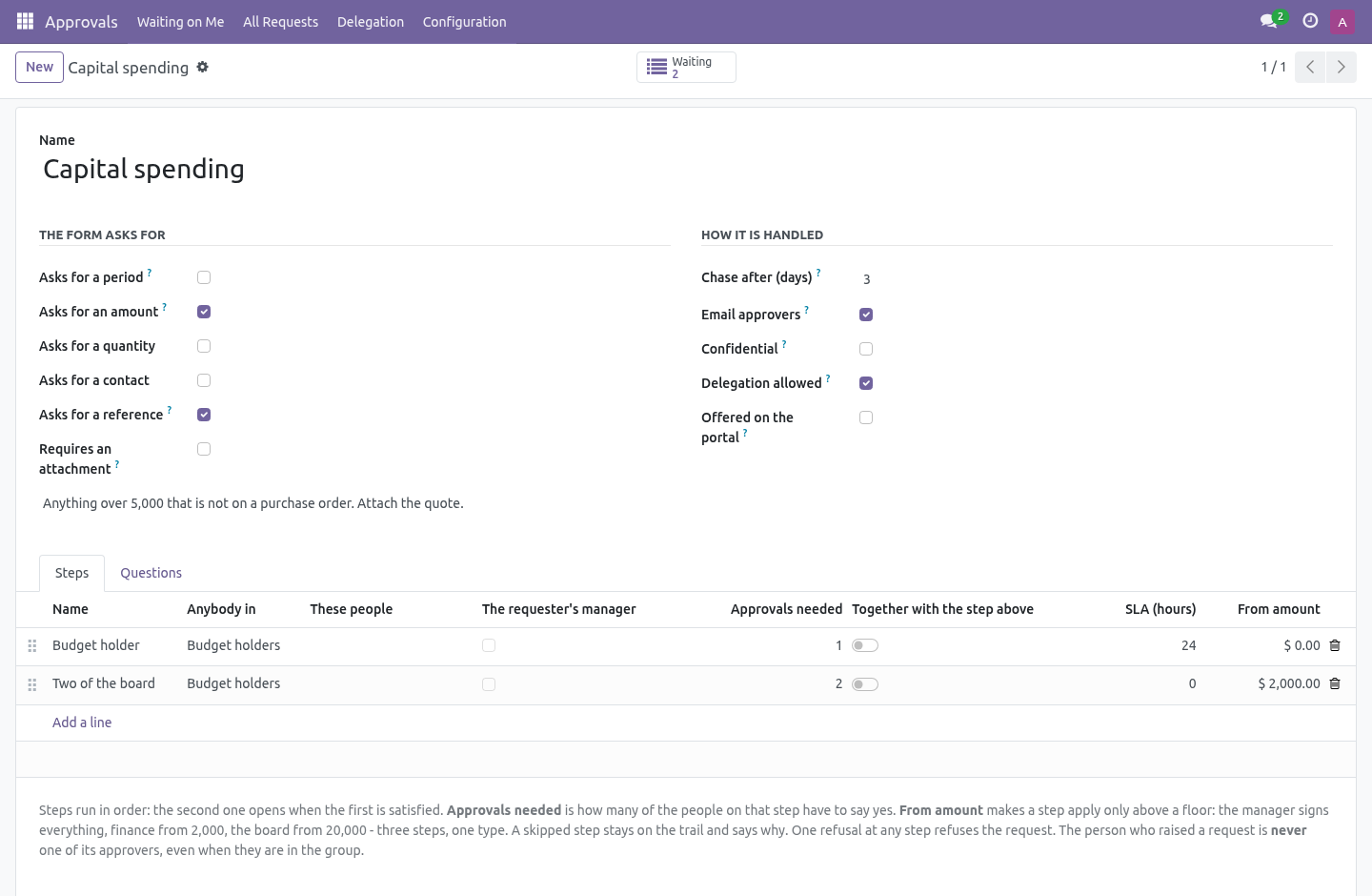
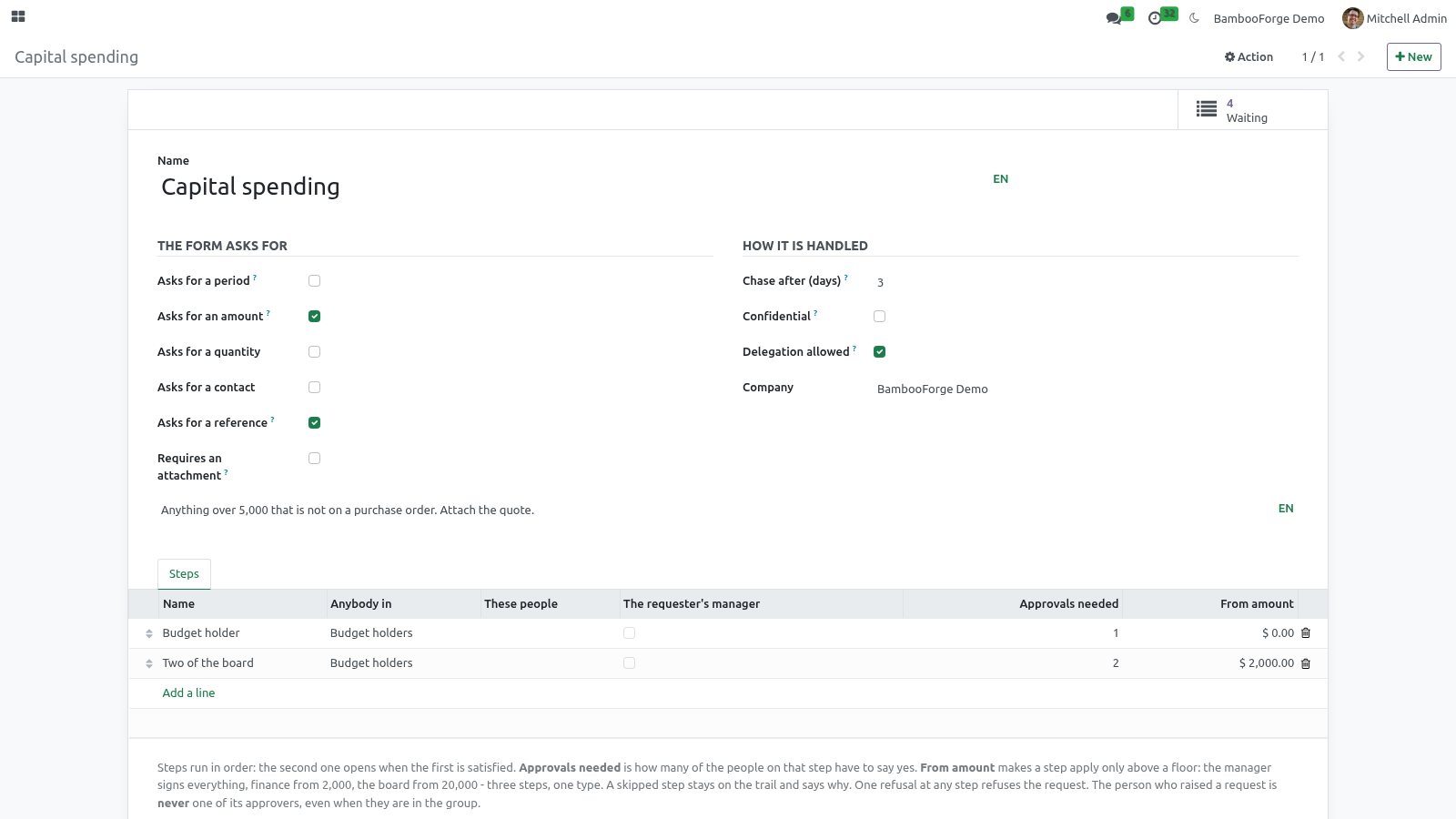
A type, and the ladder under it. Approvals › Configuration › Approval Types. A type is a kind of thing that needs signing off — spending, time off, a new starter, access to a system. It says what its form asks for (a period, an amount, a quantity, a contact, a reference, an attachment), and carries the ladder of approvers underneath.
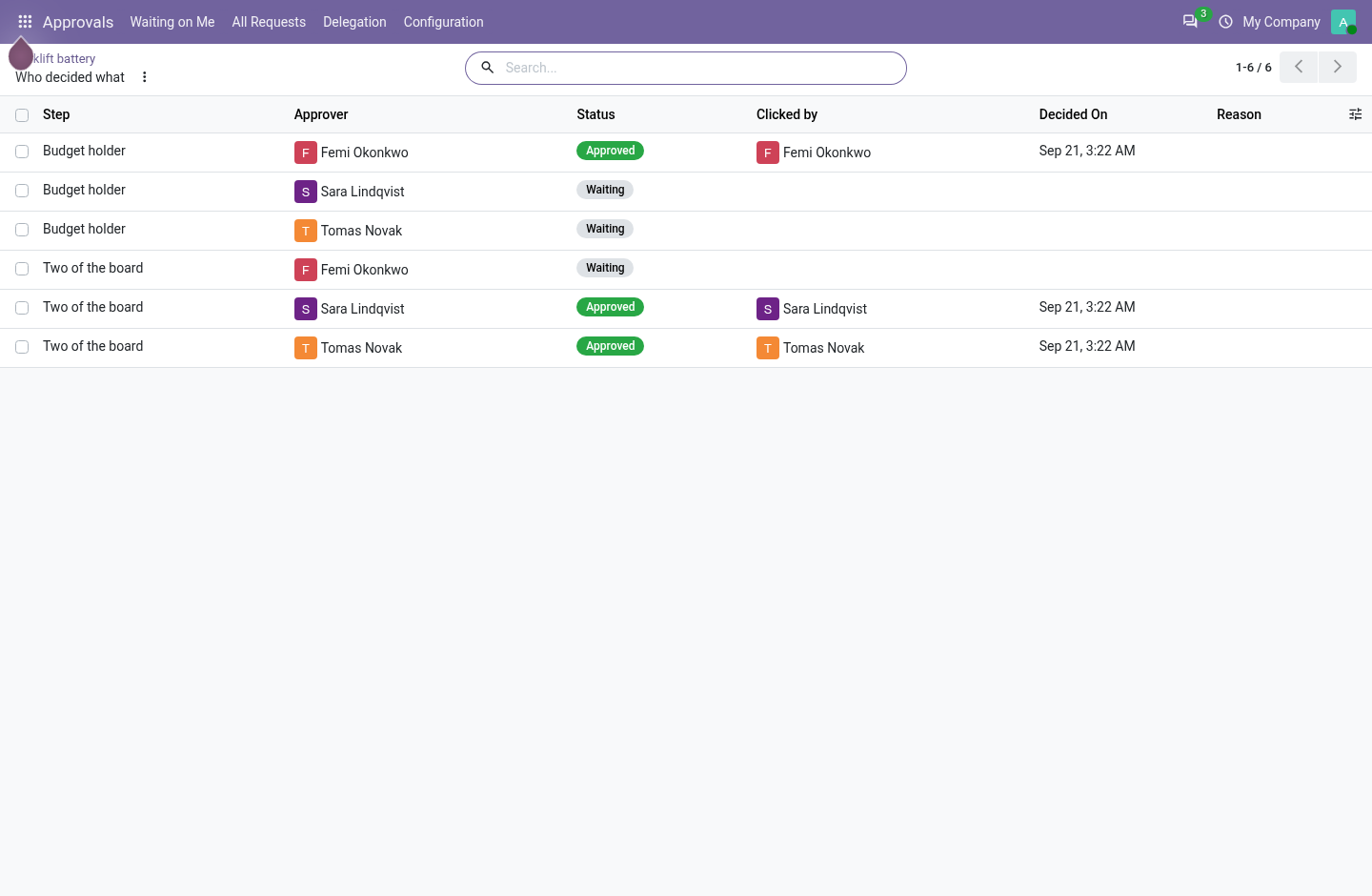
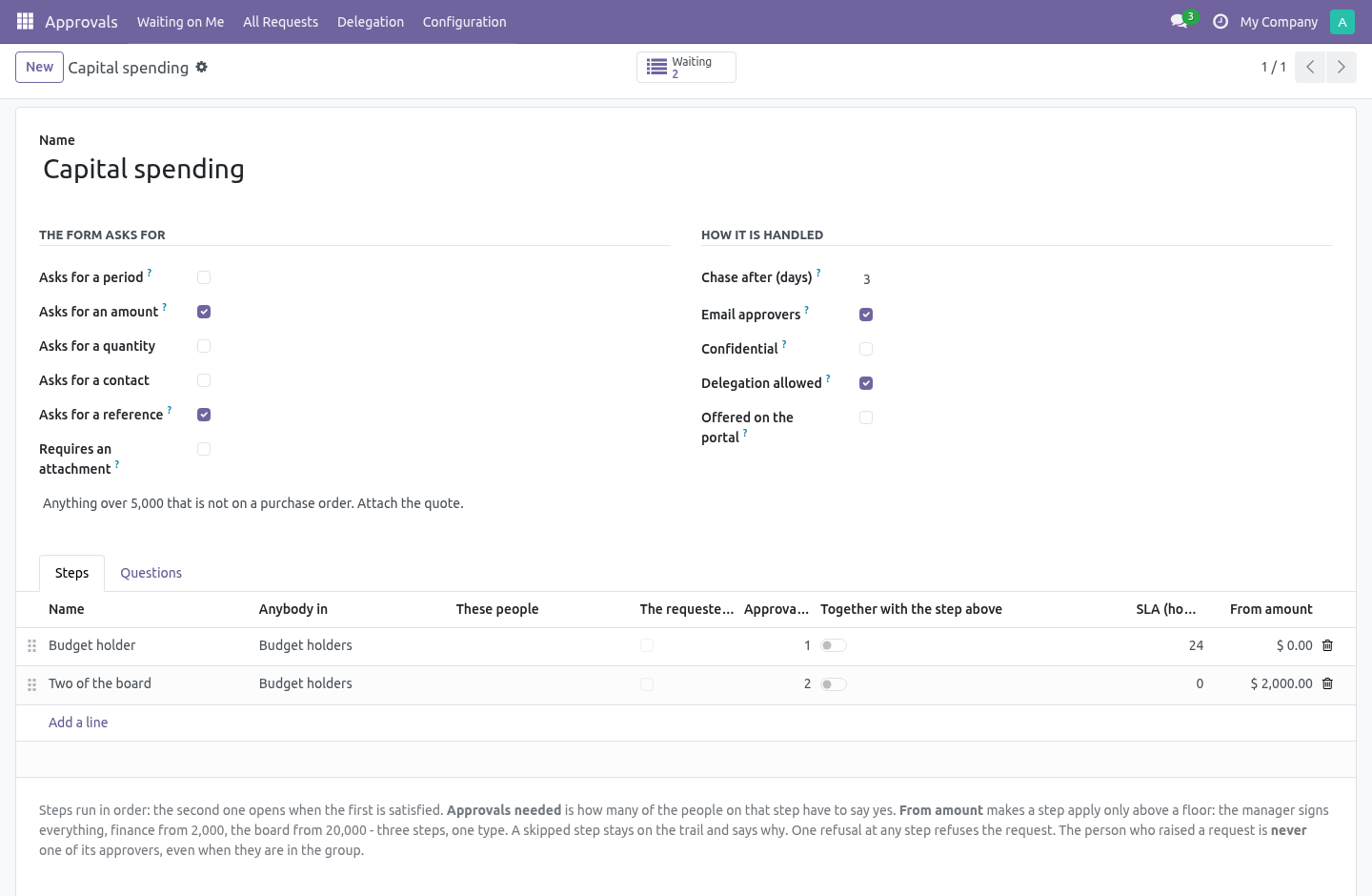
The amount matrix. A step can carry a floor: From amount. The manager signs everything, finance from 2,000, the board from 20,000 - three steps on one type, not three types. A request below a floor skips that rung, and the rung stays on the trail marked Skipped, with the floor written next to it, so "why did finance not sign this" has an answer six months later.
The floor is read in the company currency, converted on the day the request is submitted: a rate that moves while the request waits must not move the request between ladders. A request that no step applies to cannot be submitted - a ladder nobody has to climb would come out the other end approved, and the module says so instead. A floor on a type that never asks for an amount is refused for the same reason: it would skip its step on every request, silently, for ever. The mailbox.
When a step opens, everybody who can clear it gets the activity - and, if the type says Email approvers, a mail with an Approve button in it. The button is a signed link: it is bound to that person, that step and the word approve, it asks them to log in as themselves, and it stops working the moment the step is decided. Forwarding the mail gives the next reader a link that answers "this was sent to somebody else". Refusing needs a reason, so the mail's second link opens the request instead.
Nobody approves their own request. Not by being in the approving group, not by being their own manager, not through a delegation, and not by being added by hand afterwards. The requester is removed from every step's approvers when the ladder is built, and the same rule is repeated as a database constraint — because a rule enforced only where the buttons are is a rule that holds until somebody imports a file. If removing the requester leaves a step with nobody on it, the request cannot be submitted and says so.
That is better than the alternative, which is a request that sits in a queue nobody can clear. The ladder is frozen when it is submitted. Each step is copied onto the request at submission, with the people it resolved to at that moment. A reorganisation, somebody leaving the approving group, or an administrator editing the type afterwards does not rewrite who was asked.
An approval trail that changes retrospectively is not a trail. It is a report of what the org chart looks like today. What was approved cannot change under the approval. Once anybody has said yes, the amount, the currency, the dates, the quantity, the contact and the reference are locked.
Change them and the approval that was granted quietly becomes an approval of something else — which is the single most common way one of these systems turns out to have been decorative. To change them, withdraw the request and raise it again. That costs somebody thirty seconds and leaves a trail that is true. The decision log is read-only to everybody.
Including the approvers. Nobody has write access to bf.approval.entry at all; every change goes through the workflow, which writes it under sudo. An approval log that approvers can edit answers "who agreed to this?" with whatever suits today. Delegation ends, and does not pass on.
Approvals › Delegation. Hand your approvals to somebody while you are away. It has an end date, because a delegation without one is how somebody is still signing things off two years after the holiday. It cannot be chained.
If B is covering for A and then B goes away and hands it to C, C ends up with A's say — and nobody chose C. That is refused when it is set up, not discovered afterwards. Confidential types. A confidential type is seen only by the person who raised it, the people it is waiting on, and an approval administrator.
Use it for anything about money or people. A confidential type cannot be delegated, and that is a deliberate pairing rather than a missing feature: lending somebody your say would lend them the reading of it, to somebody nobody chose. The complete manual is at docs dot bambooforge dot dev, the demo database is linked from the store page, and support answers within twenty-four hours. Links are in the description.
Transcript of the walkthrough (Odoo 19)
Approval Workflow for Odoo Community. Multi-step approval workflow for Odoo Community: who says yes, in what order, how many of them, and a decision trail nobody can edit. Odoo Community has no approvals app. What people do instead is an email thread — and six weeks later nobody can say who agreed to the fifteen thousand, or whether the number they agreed to is the number that was spent.
In the next few minutes: approval workflow for odoo community, then a type, and the ladder under it, then the amount matrix, then the mailbox, then nobody approves their own request. Then what this app deliberately does not do, so you can tell before you buy whether it fits. Everything lives under Approvals then Waiting on Me then All Requests then Delegation. Approval Workflow for Odoo Community.
Odoo Community has no approvals app. What people do instead is an email thread — and six weeks later nobody can say who agreed to the fifteen thousand, or whether the number they agreed to is the number that was spent. This is multi-step approvals for Community, built so that the trail it leaves is worth reading a year later. A type, and the ladder under it.
Approvals › Configuration › Approval Types. A type is a kind of thing that needs signing off — spending, time off, a new starter, access to a system. It says what its form asks for (a period, an amount, a quantity, a contact, a reference, an attachment), and carries the ladder of approvers underneath. The amount matrix.
A step can carry a floor: From amount. The manager signs everything, finance from 2,000, the board from 20,000 - three steps on one type, not three types. A request below a floor skips that rung, and the rung stays on the trail marked Skipped, with the floor written next to it, so "why did finance not sign this" has an answer six months later. The floor is read in the company currency, converted on the day the request is submitted: a rate that moves while the request waits must not move the request between ladders.
A request that no step applies to cannot be submitted - a ladder nobody has to climb would come out the other end approved, and the module says so instead. A floor on a type that never asks for an amount is refused for the same reason: it would skip its step on every request, silently, for ever. The mailbox. When a step opens, everybody who can clear it gets the activity - and, if the type says Email approvers, a mail with an Approve button in it.
The button is a signed link: it is bound to that person, that step and the word approve, it asks them to log in as themselves, and it stops working the moment the step is decided. Forwarding the mail gives the next reader a link that answers "this was sent to somebody else". Refusing needs a reason, so the mail's second link opens the request instead. Nobody approves their own request.
Not by being in the approving group, not by being their own manager, not through a delegation, and not by being added by hand afterwards. The requester is removed from every step's approvers when the ladder is built, and the same rule is repeated as a database constraint — because a rule enforced only where the buttons are is a rule that holds until somebody imports a file. If removing the requester leaves a step with nobody on it, the request cannot be submitted and says so. That is better than the alternative, which is a request that sits in a queue nobody can clear.
The ladder is frozen when it is submitted. Each step is copied onto the request at submission, with the people it resolved to at that moment. A reorganisation, somebody leaving the approving group, or an administrator editing the type afterwards does not rewrite who was asked. An approval trail that changes retrospectively is not a trail.
It is a report of what the org chart looks like today. What was approved cannot change under the approval. Once anybody has said yes, the amount, the currency, the dates, the quantity, the contact and the reference are locked. Change them and the approval that was granted quietly becomes an approval of something else — which is the single most common way one of these systems turns out to have been decorative.
To change them, withdraw the request and raise it again. That costs somebody thirty seconds and leaves a trail that is true. The decision log is read-only to everybody. Including the approvers.
Nobody has write access to bf.approval.entry at all; every change goes through the workflow, which writes it under sudo. An approval log that approvers can edit answers "who agreed to this?" with whatever suits today. Delegation ends, and does not pass on. Approvals › Delegation.
Hand your approvals to somebody while you are away. It has an end date, because a delegation without one is how somebody is still signing things off two years after the holiday. It cannot be chained. If B is covering for A and then B goes away and hands it to C, C ends up with A's say — and nobody chose C.
That is refused when it is set up, not discovered afterwards. Confidential types. A confidential type is seen only by the person who raised it, the people it is waiting on, and an approval administrator. Use it for anything about money or people.
A confidential type cannot be delegated, and that is a deliberate pairing rather than a missing feature: lending somebody your say would lend them the reading of it, to somebody nobody chose. The complete manual is at docs dot bambooforge dot dev, the demo database is linked from the store page, and support answers within twenty-four hours. Links are in the description.
Transcript of the walkthrough (Odoo 18)
Approval Workflow for Odoo Community. Multi-step approval workflow for Odoo Community: who says yes, in what order, how many of them, and a decision trail nobody can edit. Odoo Community has no approvals app. What people do instead is an email thread — and six weeks later nobody can say who agreed to the fifteen thousand, or whether the number they agreed to is the number that was spent.
In the next few minutes: approval workflow for odoo community, then a type, and the ladder under it, then the amount matrix, then the mailbox, then nobody approves their own request. Then what this app deliberately does not do, so you can tell before you buy whether it fits. Everything lives under Approvals then Waiting on Me then All Requests then Delegation. Approval Workflow for Odoo Community.
Odoo Community has no approvals app. What people do instead is an email thread — and six weeks later nobody can say who agreed to the fifteen thousand, or whether the number they agreed to is the number that was spent. This is multi-step approvals for Community, built so that the trail it leaves is worth reading a year later. A type, and the ladder under it.
Approvals › Configuration › Approval Types. A type is a kind of thing that needs signing off — spending, time off, a new starter, access to a system. It says what its form asks for (a period, an amount, a quantity, a contact, a reference, an attachment), and carries the ladder of approvers underneath. The amount matrix.
A step can carry a floor: From amount. The manager signs everything, finance from 2,000, the board from 20,000 - three steps on one type, not three types. A request below a floor skips that rung, and the rung stays on the trail marked Skipped, with the floor written next to it, so "why did finance not sign this" has an answer six months later. The floor is read in the company currency, converted on the day the request is submitted: a rate that moves while the request waits must not move the request between ladders.
A request that no step applies to cannot be submitted - a ladder nobody has to climb would come out the other end approved, and the module says so instead. A floor on a type that never asks for an amount is refused for the same reason: it would skip its step on every request, silently, for ever. The mailbox. When a step opens, everybody who can clear it gets the activity - and, if the type says Email approvers, a mail with an Approve button in it.
The button is a signed link: it is bound to that person, that step and the word approve, it asks them to log in as themselves, and it stops working the moment the step is decided. Forwarding the mail gives the next reader a link that answers "this was sent to somebody else". Refusing needs a reason, so the mail's second link opens the request instead. Nobody approves their own request.
Not by being in the approving group, not by being their own manager, not through a delegation, and not by being added by hand afterwards. The requester is removed from every step's approvers when the ladder is built, and the same rule is repeated as a database constraint — because a rule enforced only where the buttons are is a rule that holds until somebody imports a file. If removing the requester leaves a step with nobody on it, the request cannot be submitted and says so. That is better than the alternative, which is a request that sits in a queue nobody can clear.
The ladder is frozen when it is submitted. Each step is copied onto the request at submission, with the people it resolved to at that moment. A reorganisation, somebody leaving the approving group, or an administrator editing the type afterwards does not rewrite who was asked. An approval trail that changes retrospectively is not a trail.
It is a report of what the org chart looks like today. What was approved cannot change under the approval. Once anybody has said yes, the amount, the currency, the dates, the quantity, the contact and the reference are locked. Change them and the approval that was granted quietly becomes an approval of something else — which is the single most common way one of these systems turns out to have been decorative.
To change them, withdraw the request and raise it again. That costs somebody thirty seconds and leaves a trail that is true. The decision log is read-only to everybody. Including the approvers.
Nobody has write access to bf.approval.entry at all; every change goes through the workflow, which writes it under sudo. An approval log that approvers can edit answers "who agreed to this?" with whatever suits today. Delegation ends, and does not pass on. Approvals › Delegation.
Hand your approvals to somebody while you are away. It has an end date, because a delegation without one is how somebody is still signing things off two years after the holiday. It cannot be chained. If B is covering for A and then B goes away and hands it to C, C ends up with A's say — and nobody chose C.
That is refused when it is set up, not discovered afterwards. Confidential types. A confidential type is seen only by the person who raised it, the people it is waiting on, and an approval administrator. Use it for anything about money or people.
A confidential type cannot be delegated, and that is a deliberate pairing rather than a missing feature: lending somebody your say would lend them the reading of it, to somebody nobody chose. The complete manual is at docs dot bambooforge dot dev, the demo database is linked from the store page, and support answers within twenty-four hours. Links are in the description.
Transcript of the walkthrough (Odoo 17)
Approval Workflow for Odoo Community. Multi-step approval workflow for Odoo Community: who says yes, in what order, how many of them, and a decision trail nobody can edit. Odoo Community has no approvals app. What people do instead is an email thread — and six weeks later nobody can say who agreed to the fifteen thousand, or whether the number they agreed to is the number that was spent.
In the next few minutes: approval workflow for odoo community, then a type, and the ladder under it, then the amount matrix, then the mailbox, then nobody approves their own request. Then what this app deliberately does not do, so you can tell before you buy whether it fits. Everything lives under Approvals then Waiting on Me then All Requests then Delegation. Approval Workflow for Odoo Community.
Odoo Community has no approvals app. What people do instead is an email thread — and six weeks later nobody can say who agreed to the fifteen thousand, or whether the number they agreed to is the number that was spent. This is multi-step approvals for Community, built so that the trail it leaves is worth reading a year later. A type, and the ladder under it.
Approvals › Configuration › Approval Types. A type is a kind of thing that needs signing off — spending, time off, a new starter, access to a system. It says what its form asks for (a period, an amount, a quantity, a contact, a reference, an attachment), and carries the ladder of approvers underneath. The amount matrix.
A step can carry a floor: From amount. The manager signs everything, finance from 2,000, the board from 20,000 - three steps on one type, not three types. A request below a floor skips that rung, and the rung stays on the trail marked Skipped, with the floor written next to it, so "why did finance not sign this" has an answer six months later. The floor is read in the company currency, converted on the day the request is submitted: a rate that moves while the request waits must not move the request between ladders.
A request that no step applies to cannot be submitted - a ladder nobody has to climb would come out the other end approved, and the module says so instead. A floor on a type that never asks for an amount is refused for the same reason: it would skip its step on every request, silently, for ever. The mailbox. When a step opens, everybody who can clear it gets the activity - and, if the type says Email approvers, a mail with an Approve button in it.
The button is a signed link: it is bound to that person, that step and the word approve, it asks them to log in as themselves, and it stops working the moment the step is decided. Forwarding the mail gives the next reader a link that answers "this was sent to somebody else". Refusing needs a reason, so the mail's second link opens the request instead. Nobody approves their own request.
Not by being in the approving group, not by being their own manager, not through a delegation, and not by being added by hand afterwards. The requester is removed from every step's approvers when the ladder is built, and the same rule is repeated as a database constraint — because a rule enforced only where the buttons are is a rule that holds until somebody imports a file. If removing the requester leaves a step with nobody on it, the request cannot be submitted and says so. That is better than the alternative, which is a request that sits in a queue nobody can clear.
The ladder is frozen when it is submitted. Each step is copied onto the request at submission, with the people it resolved to at that moment. A reorganisation, somebody leaving the approving group, or an administrator editing the type afterwards does not rewrite who was asked. An approval trail that changes retrospectively is not a trail.
It is a report of what the org chart looks like today. What was approved cannot change under the approval. Once anybody has said yes, the amount, the currency, the dates, the quantity, the contact and the reference are locked. Change them and the approval that was granted quietly becomes an approval of something else — which is the single most common way one of these systems turns out to have been decorative.
To change them, withdraw the request and raise it again. That costs somebody thirty seconds and leaves a trail that is true. The decision log is read-only to everybody. Including the approvers.
Nobody has write access to bf.approval.entry at all; every change goes through the workflow, which writes it under sudo. An approval log that approvers can edit answers "who agreed to this?" with whatever suits today. Delegation ends, and does not pass on. Approvals › Delegation.
Hand your approvals to somebody while you are away. It has an end date, because a delegation without one is how somebody is still signing things off two years after the holiday. It cannot be chained. If B is covering for A and then B goes away and hands it to C, C ends up with A's say — and nobody chose C.
That is refused when it is set up, not discovered afterwards. Confidential types. A confidential type is seen only by the person who raised it, the people it is waiting on, and an approval administrator. Use it for anything about money or people.
A confidential type cannot be delegated, and that is a deliberate pairing rather than a missing feature: lending somebody your say would lend them the reading of it, to somebody nobody chose. The complete manual is at docs dot bambooforge dot dev, the demo database is linked from the store page, and support answers within twenty-four hours. Links are in the description.
Transcript of the walkthrough (Odoo 16)
Approval Workflow for Odoo Community. Multi-step approval workflow for Odoo Community: who says yes, in what order, how many of them, and a decision trail nobody can edit. Odoo Community has no approvals app. What people do instead is an email thread — and six weeks later nobody can say who agreed to the fifteen thousand, or whether the number they agreed to is the number that was spent.
In the next few minutes: approval workflow for odoo community, then a type, and the ladder under it, then the amount matrix, then the mailbox, then nobody approves their own request. Then what this app deliberately does not do, so you can tell before you buy whether it fits. Everything lives under Approvals then Waiting on Me then All Requests then Delegation. Approval Workflow for Odoo Community.
Odoo Community has no approvals app. What people do instead is an email thread — and six weeks later nobody can say who agreed to the fifteen thousand, or whether the number they agreed to is the number that was spent. This is multi-step approvals for Community, built so that the trail it leaves is worth reading a year later. A type, and the ladder under it.
Approvals › Configuration › Approval Types. A type is a kind of thing that needs signing off — spending, time off, a new starter, access to a system. It says what its form asks for (a period, an amount, a quantity, a contact, a reference, an attachment), and carries the ladder of approvers underneath. The amount matrix.
A step can carry a floor: From amount. The manager signs everything, finance from 2,000, the board from 20,000 - three steps on one type, not three types. A request below a floor skips that rung, and the rung stays on the trail marked Skipped, with the floor written next to it, so "why did finance not sign this" has an answer six months later. The floor is read in the company currency, converted on the day the request is submitted: a rate that moves while the request waits must not move the request between ladders.
A request that no step applies to cannot be submitted - a ladder nobody has to climb would come out the other end approved, and the module says so instead. A floor on a type that never asks for an amount is refused for the same reason: it would skip its step on every request, silently, for ever. The mailbox. When a step opens, everybody who can clear it gets the activity - and, if the type says Email approvers, a mail with an Approve button in it.
The button is a signed link: it is bound to that person, that step and the word approve, it asks them to log in as themselves, and it stops working the moment the step is decided. Forwarding the mail gives the next reader a link that answers "this was sent to somebody else". Refusing needs a reason, so the mail's second link opens the request instead. Nobody approves their own request.
Not by being in the approving group, not by being their own manager, not through a delegation, and not by being added by hand afterwards. The requester is removed from every step's approvers when the ladder is built, and the same rule is repeated as a database constraint — because a rule enforced only where the buttons are is a rule that holds until somebody imports a file. If removing the requester leaves a step with nobody on it, the request cannot be submitted and says so. That is better than the alternative, which is a request that sits in a queue nobody can clear.
The ladder is frozen when it is submitted. Each step is copied onto the request at submission, with the people it resolved to at that moment. A reorganisation, somebody leaving the approving group, or an administrator editing the type afterwards does not rewrite who was asked. An approval trail that changes retrospectively is not a trail.
It is a report of what the org chart looks like today. What was approved cannot change under the approval. Once anybody has said yes, the amount, the currency, the dates, the quantity, the contact and the reference are locked. Change them and the approval that was granted quietly becomes an approval of something else — which is the single most common way one of these systems turns out to have been decorative.
To change them, withdraw the request and raise it again. That costs somebody thirty seconds and leaves a trail that is true. The decision log is read-only to everybody. Including the approvers.
Nobody has write access to bf.approval.entry at all; every change goes through the workflow, which writes it under sudo. An approval log that approvers can edit answers "who agreed to this?" with whatever suits today. Delegation ends, and does not pass on. Approvals › Delegation.
Hand your approvals to somebody while you are away. It has an end date, because a delegation without one is how somebody is still signing things off two years after the holiday. It cannot be chained. If B is covering for A and then B goes away and hands it to C, C ends up with A's say — and nobody chose C.
That is refused when it is set up, not discovered afterwards. Confidential types. A confidential type is seen only by the person who raised it, the people it is waiting on, and an approval administrator. Use it for anything about money or people.
A confidential type cannot be delegated, and that is a deliberate pairing rather than a missing feature: lending somebody your say would lend them the reading of it, to somebody nobody chose. The complete manual is at docs dot bambooforge dot dev, the demo database is linked from the store page, and support answers within twenty-four hours. Links are in the description.
Key facts
- What it is
- Multi-step approval workflow for Odoo Community, now with rules on any model: a condition picks the records, the ladder decides, a gate holds the confirm button, and the decision sets a field, schedules an activity, sends a template, runs a server action or calls a signed webhook. SLA clocks, parallel steps, a decision trail nobody can edit.
- For
- Human Resources
- Odoo versions
- 16.0, 17.0, 18.0, 19.0, 20.0 - Community and Enterprise
- Runs on
- Odoo.sh or Odoo you host yourself - not Odoo Online, which accepts no third-party apps
- Price
- 89 EUR, one-time, on the Odoo Apps Store
- Technical name
- bambooforge_approvals
- Not for
- Said before you buy, because it is the half that decides whether the app fits:; Approve anything by itself: a request that no step applies to is refused, not passed.; Let a requester approve their own request - not as a member of the group, not as their own manager, not through a delegation.; Watch records on its own: a rule raises a request from the Action menu or from the button it blocks, not from a save. A record edited after its approval is not re-approved unless you raise it again.
- Manual last updated
- 2026-09-25
Approval Workflow for Odoo Community
Odoo Community has no approvals app. What people do instead is an email thread — and six weeks later nobody can say who agreed to the fifteen thousand, or whether the number they agreed to is the number that was spent.
This is multi-step approvals for Community, built so that the trail it leaves is worth reading a year later.
A type, and the ladder under it
Approvals › Configuration › Approval Types.
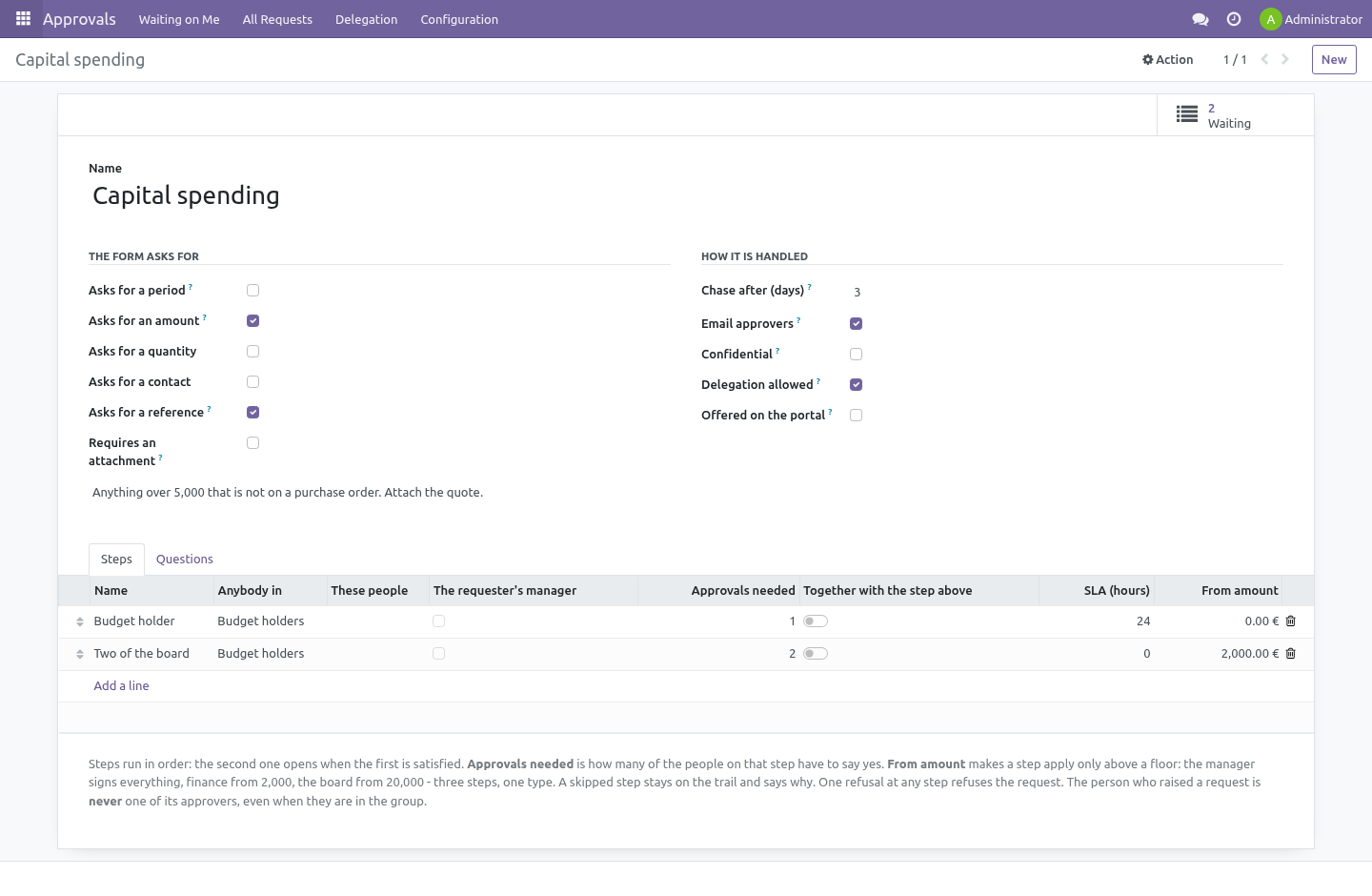
A type is a kind of thing that needs signing off — spending, time off, a new starter, access to a system. It says what its form asks for (a period, an amount, a quantity, a contact, a reference, an attachment), and carries the ladder of approvers underneath.
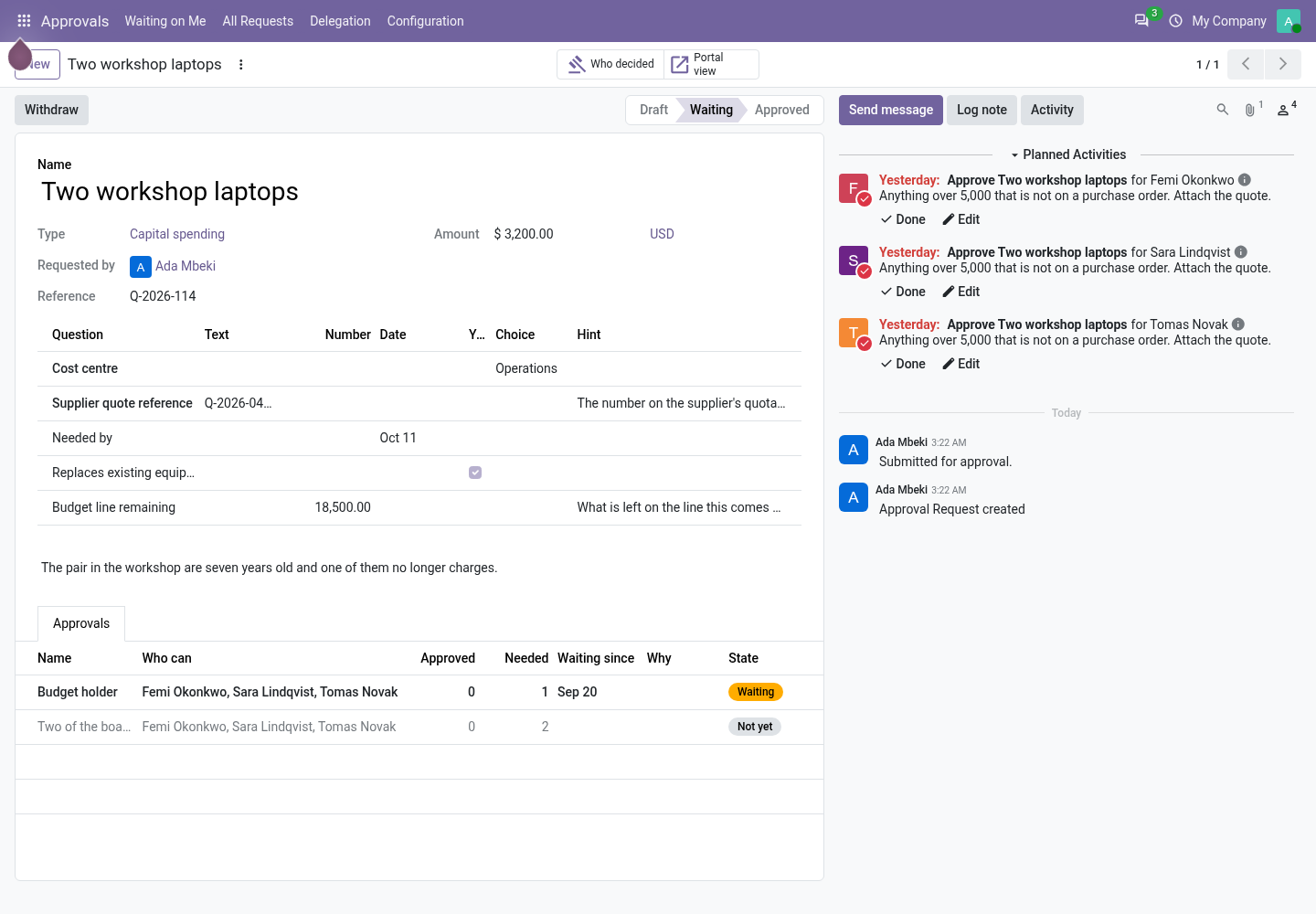
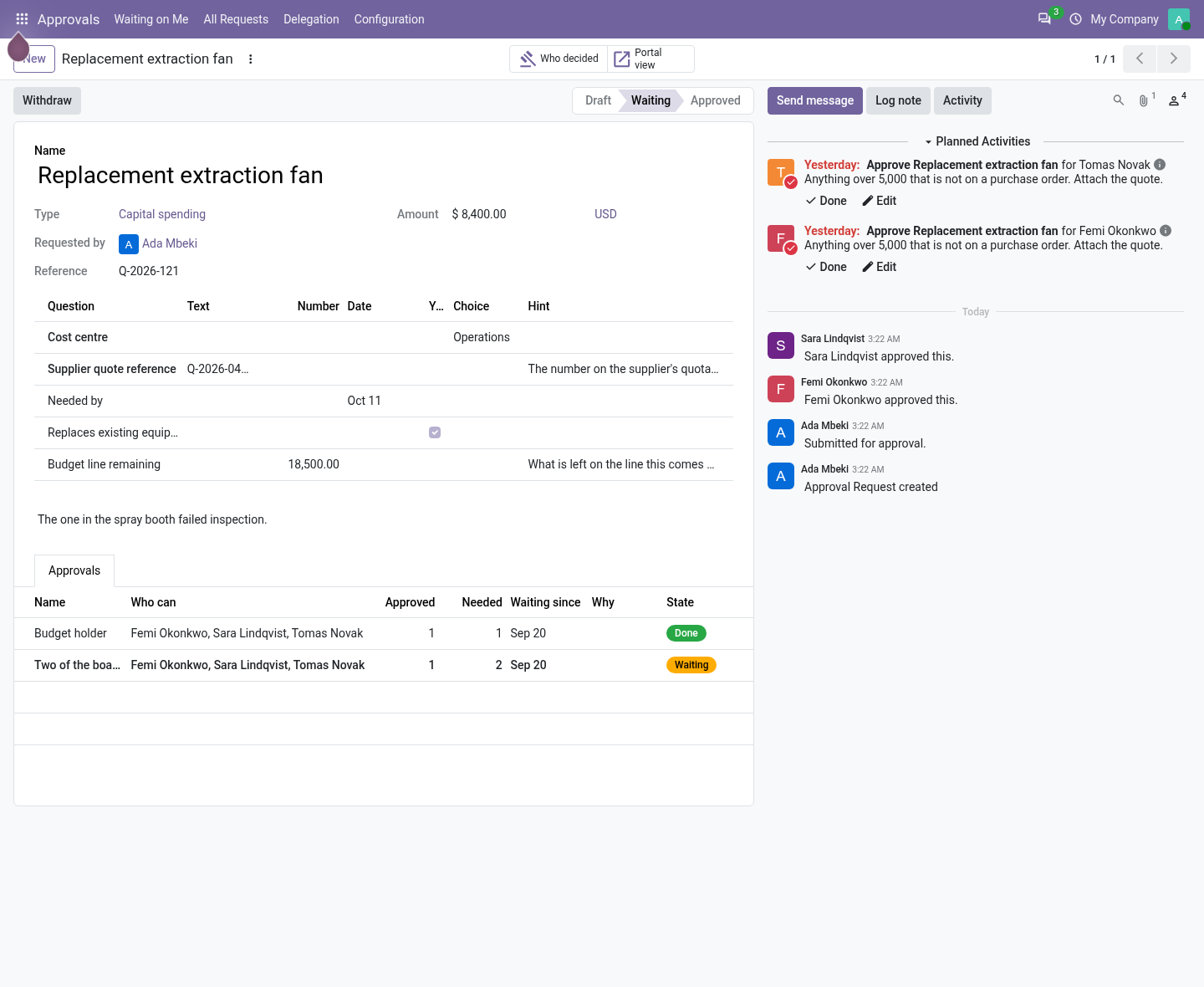
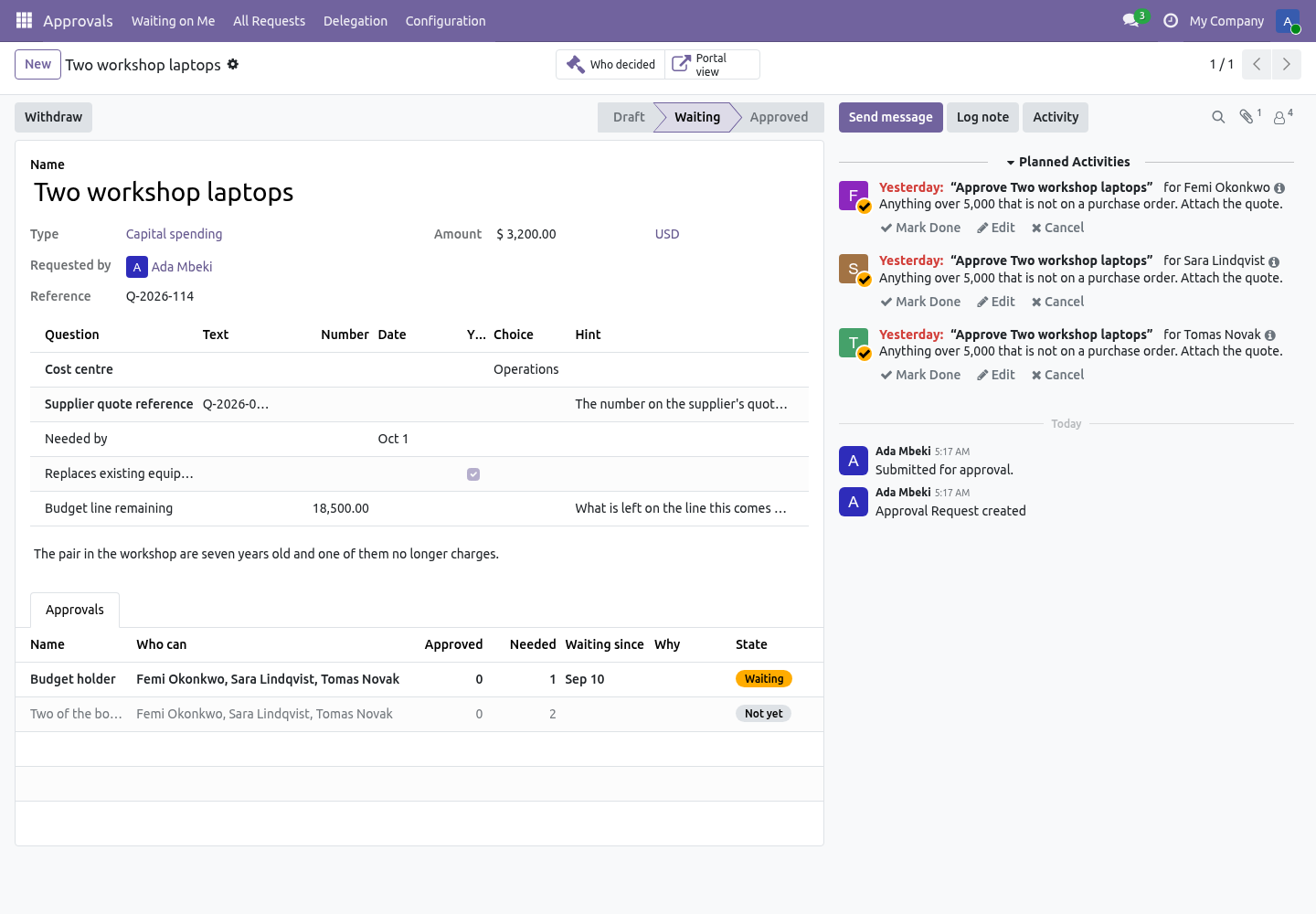
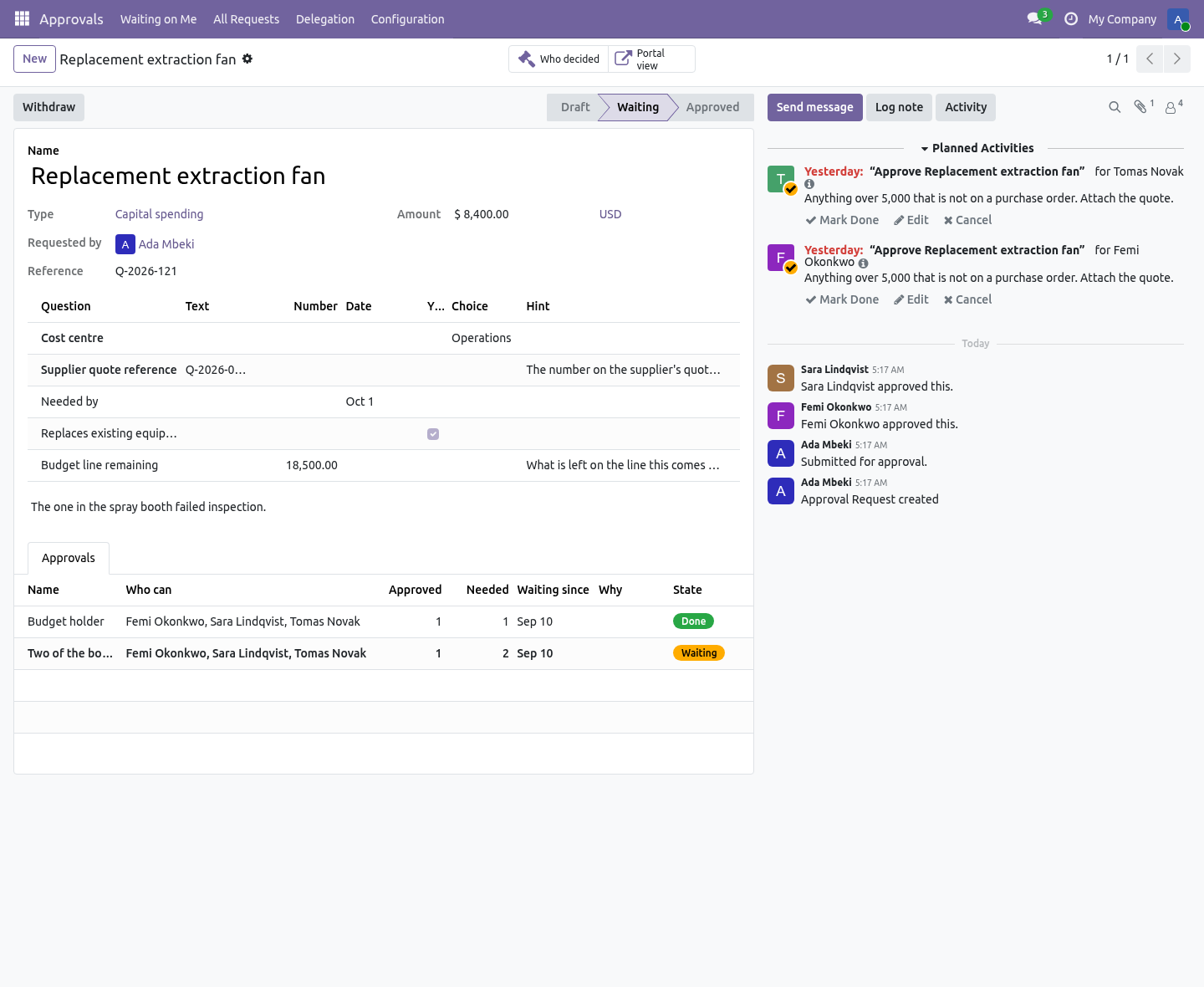
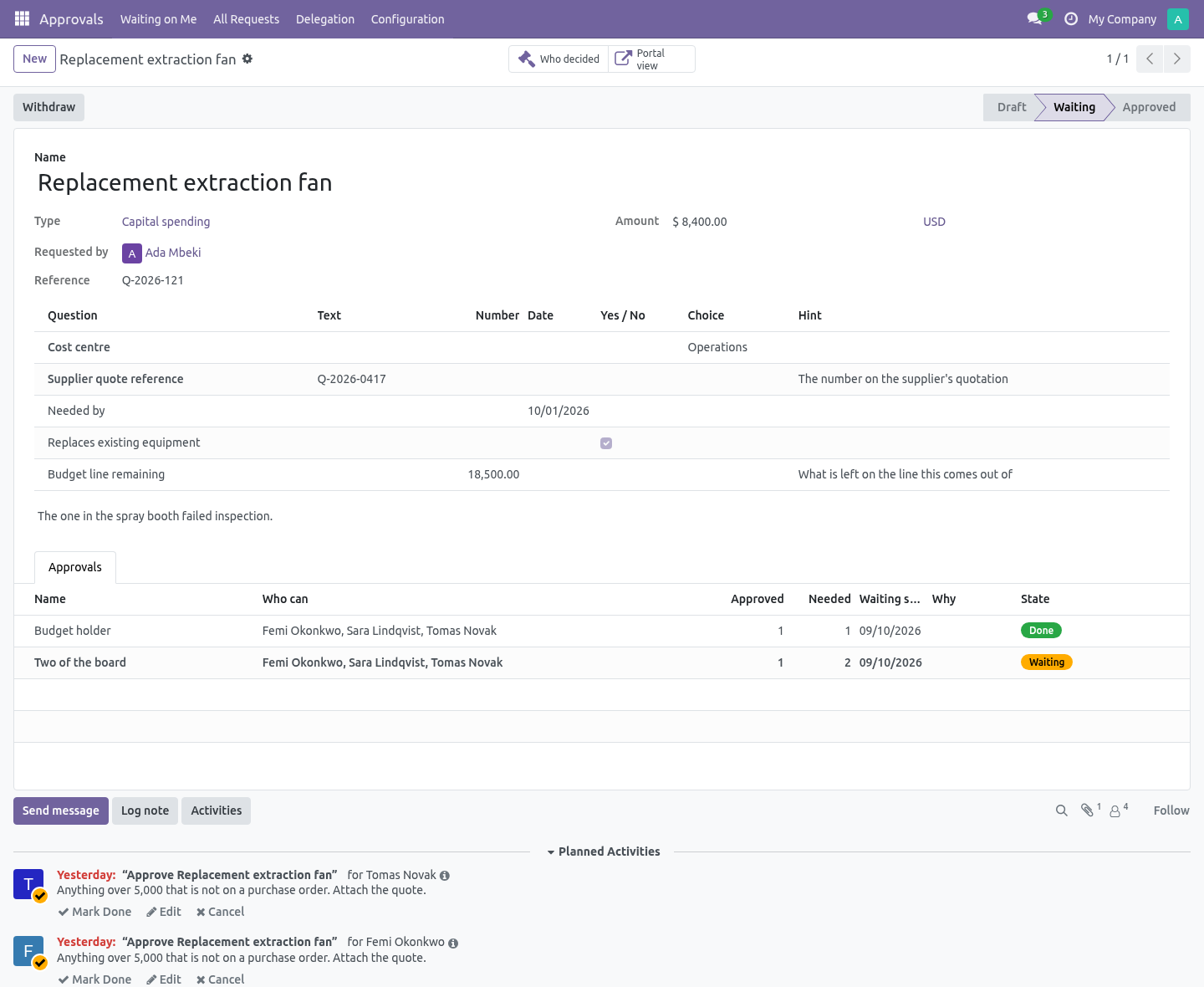
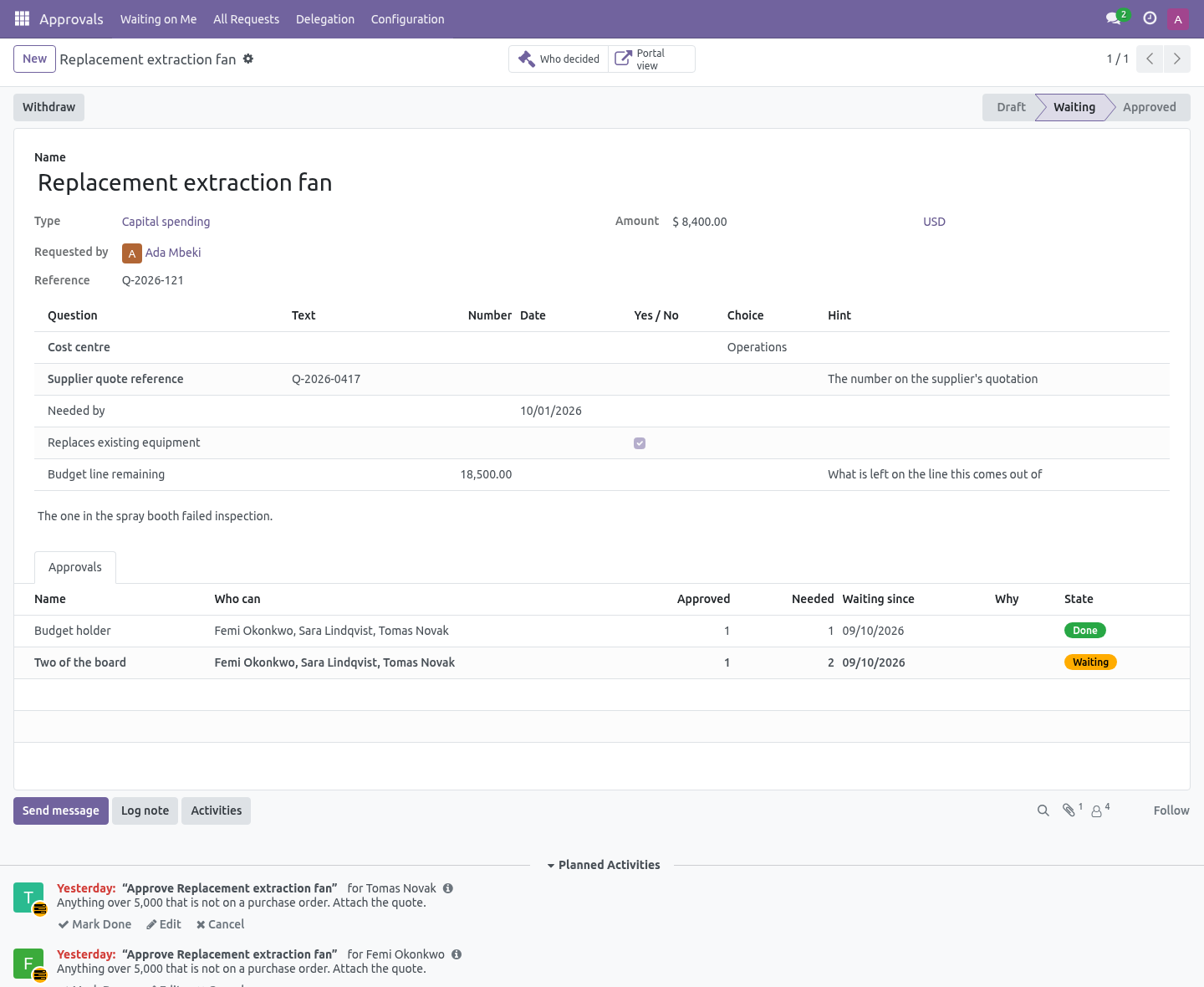
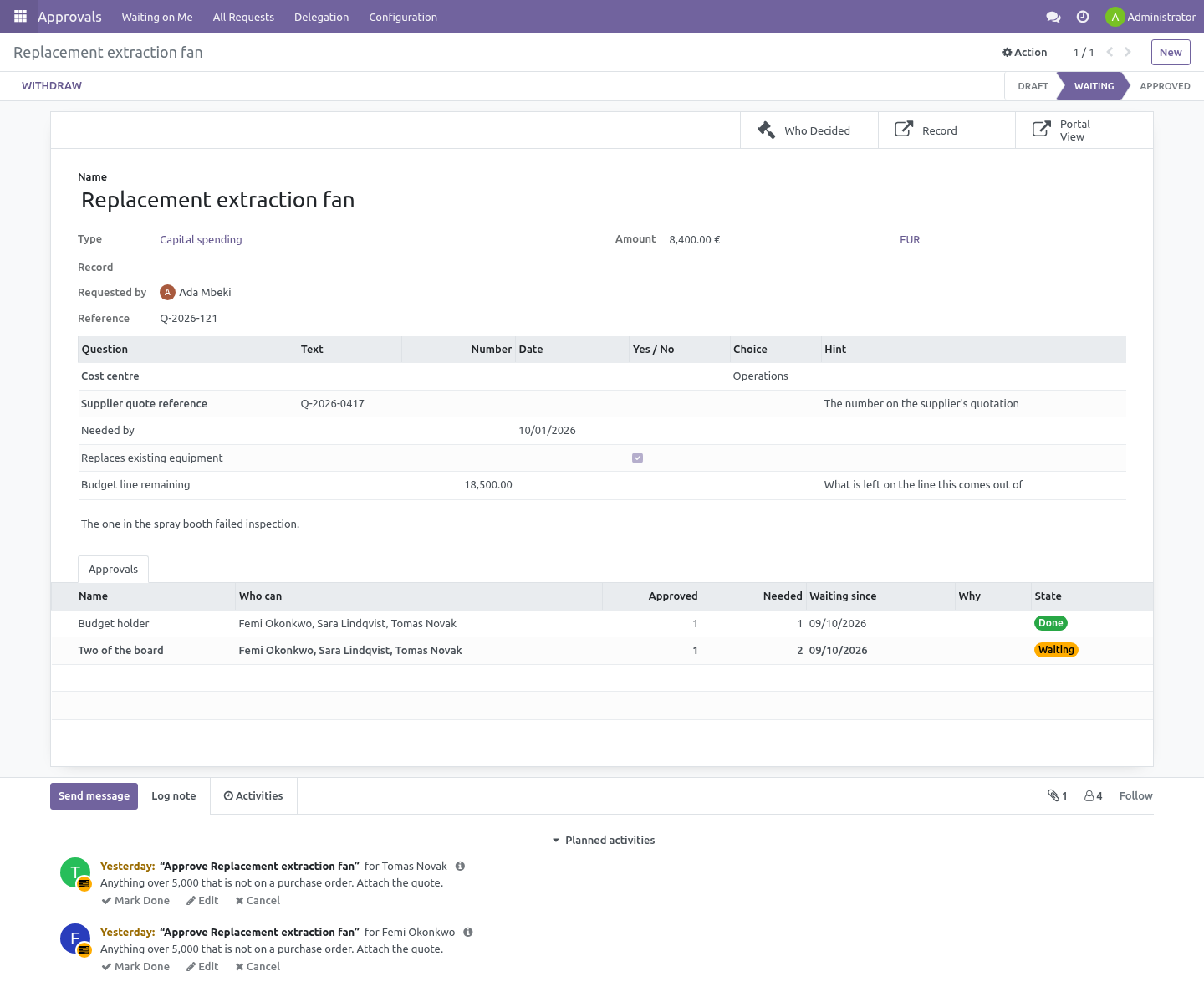
A step is a group, some named people, the requester's manager, or all three at once — plus how many of them have to say yes. Steps run in order: the second opens when the first is satisfied. One refusal at any step refuses the request, with a reason that the person who raised it reads.
Two worked examples are installed, built on groups every database already has, so they do something on the first run.
The amount matrix
A step can carry a floor: From amount. The manager signs everything, finance from 2,000, the board from 20,000 - three steps on one type, not three types. A request below a floor skips that rung, and the rung stays on the trail marked Skipped, with the floor written next to it, so "why did finance not sign this" has an answer six months later.
The floor is read in the company currency, converted on the day the request is submitted: a rate that moves while the request waits must not move the request between ladders. A request that no step applies to cannot be submitted - a ladder nobody has to climb would come out the other end approved, and the module says so instead. A floor on a type that never asks for an amount is refused for the same reason: it would skip its step on every request, silently, for ever.
The mailbox
When a step opens, everybody who can clear it gets the activity - and, if the type says Email approvers, a mail with an Approve button in it. The button is a signed link: it is bound to that person, that step and the word approve, it asks them to log in as themselves, and it stops working the moment the step is decided. Forwarding the mail gives the next reader a link that answers "this was sent to somebody else". Refusing needs a reason, so the mail's second link opens the request instead.
Nobody approves their own request
Not by being in the approving group, not by being their own manager, not through a delegation, and not by being added by hand afterwards. The requester is removed from every step's approvers when the ladder is built, and the same rule is repeated as a database constraint — because a rule enforced only where the buttons are is a rule that holds until somebody imports a file.
If removing the requester leaves a step with nobody on it, the request cannot be submitted and says so. That is better than the alternative, which is a request that sits in a queue nobody can clear.
The ladder is frozen when it is submitted
Each step is copied onto the request at submission, with the people it resolved to at that moment. A reorganisation, somebody leaving the approving group, or an administrator editing the type afterwards does not rewrite who was asked.
An approval trail that changes retrospectively is not a trail. It is a report of what the org chart looks like today.
What was approved cannot change under the approval
Once anybody has said yes, the amount, the currency, the dates, the quantity, the contact and the reference are locked. Change them and the approval that was granted quietly becomes an approval of something else — which is the single most common way one of these systems turns out to have been decorative.
To change them, withdraw the request and raise it again. That costs somebody thirty seconds and leaves a trail that is true.
The decision log is read-only to everybody
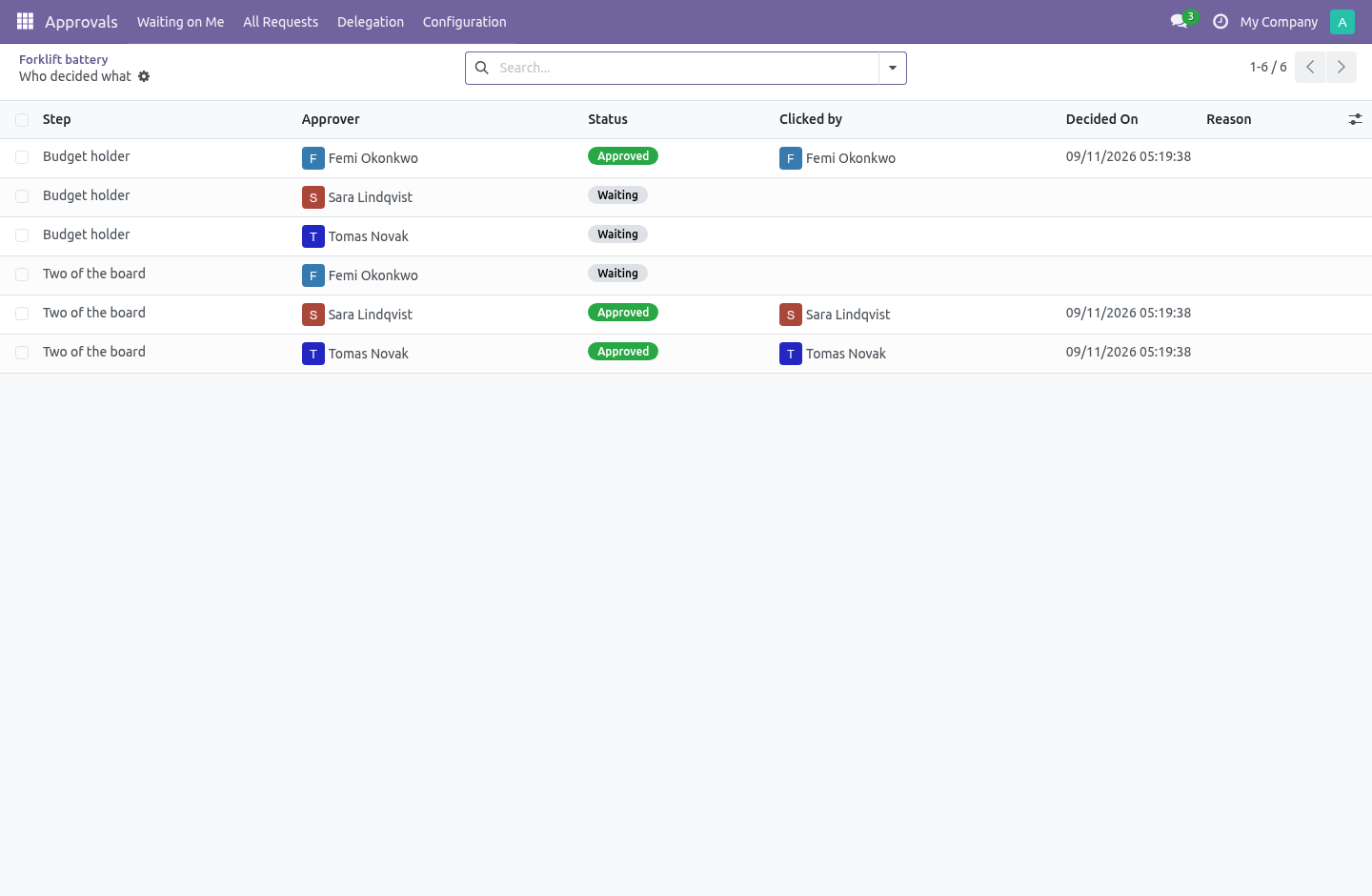
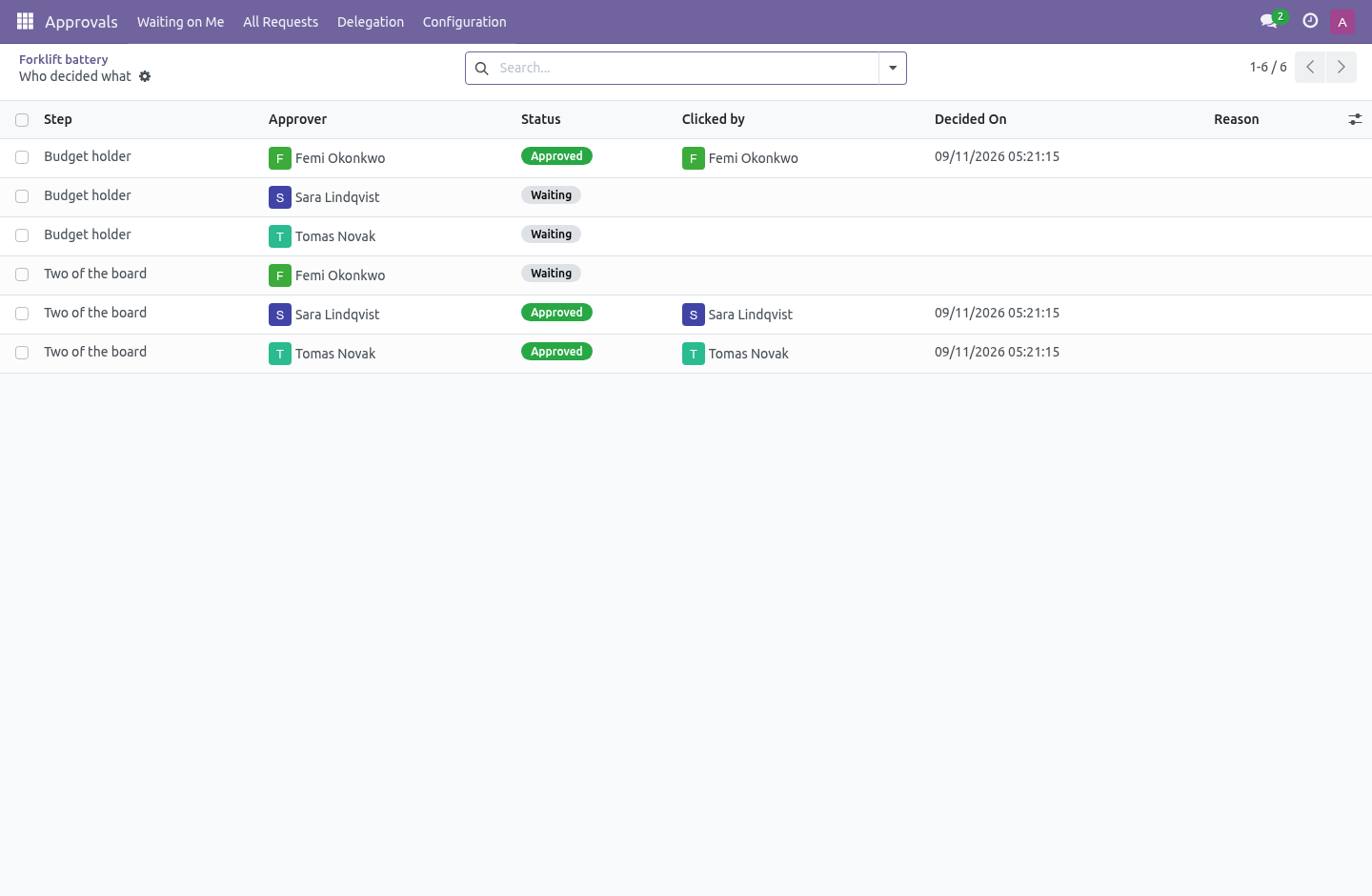
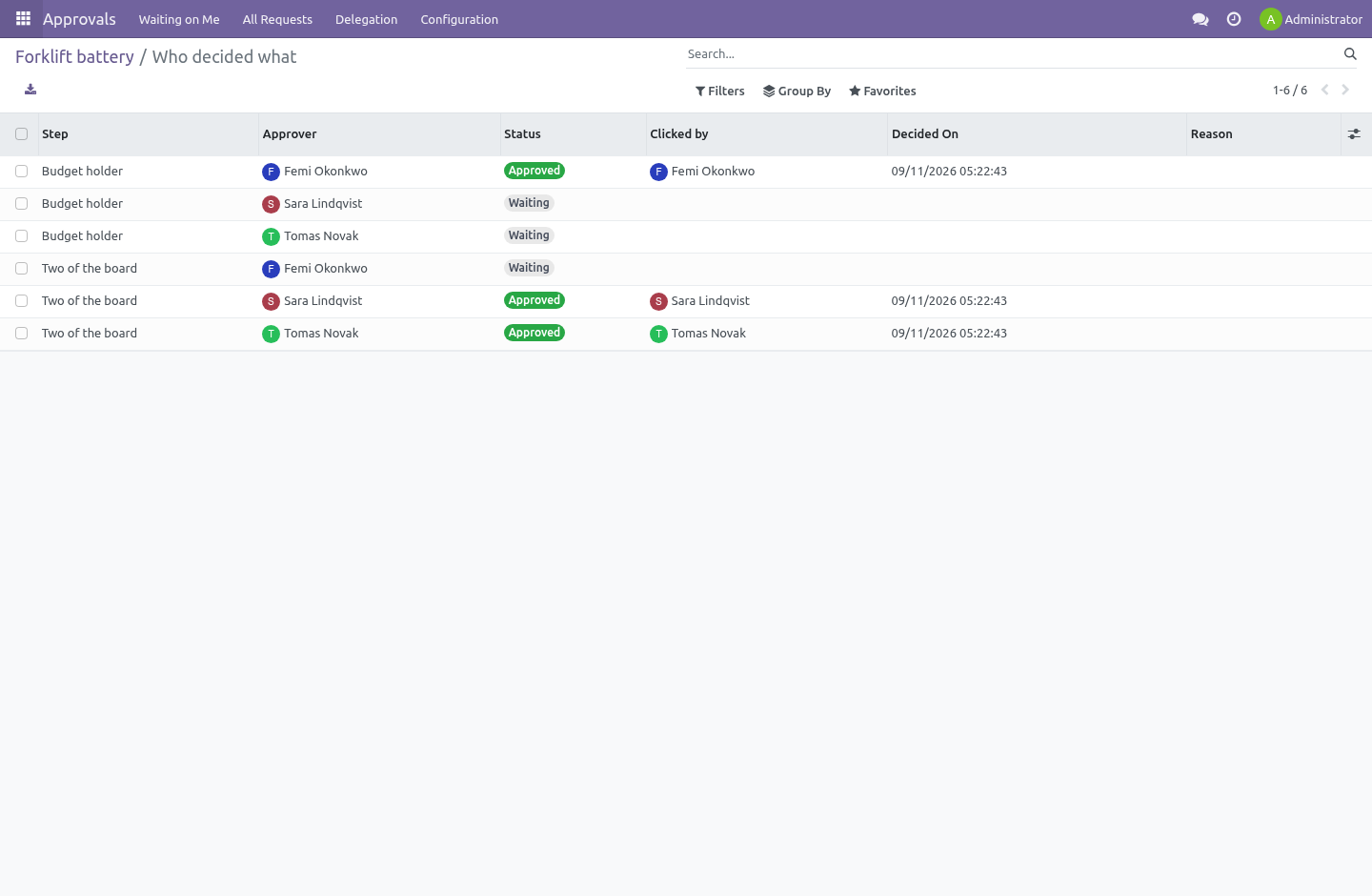
Including the approvers. Nobody has write access to bf.approval.entry at all; every change goes through the workflow, which writes it under sudo.
An approval log that approvers can edit answers "who agreed to this?" with whatever suits today.
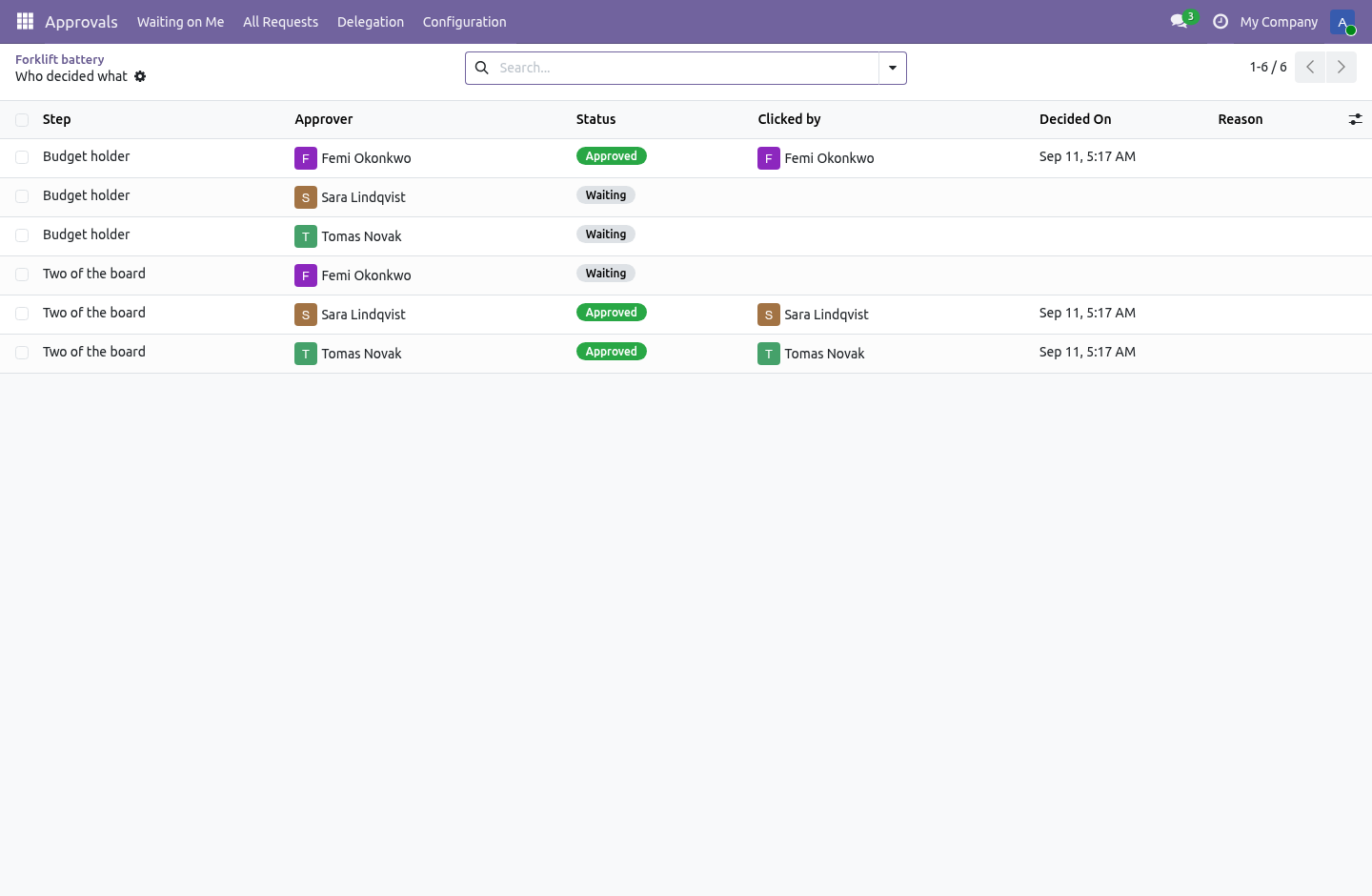
Each decision records who was asked and who actually clicked — they differ when somebody was standing in.
Delegation ends, and does not pass on
Approvals › Delegation. Hand your approvals to somebody while you are away. It has an end date, because a delegation without one is how somebody is still signing things off two years after the holiday.
It cannot be chained. If B is covering for A and then B goes away and hands it to C, C ends up with A's say — and nobody chose C. That is refused when it is set up, not discovered afterwards.
A stand-in never inherits the right to approve their own request either.
Confidential types
A confidential type is seen only by the person who raised it, the people it is waiting on, and an approval administrator. Use it for anything about money or people.
A confidential type cannot be delegated, and that is a deliberate pairing rather than a missing feature: lending somebody your say would lend them the reading of it, to somebody nobody chose.
It chases
Give a type a number of days and any step that has been waiting longer puts an activity on everybody who can clear it — an activity, not an email, because an activity is the only thing in Odoo that shows up as a number somebody has to clear.
An approval queue nobody is reminded of is a drawer.
Rules: any record climbs a ladder
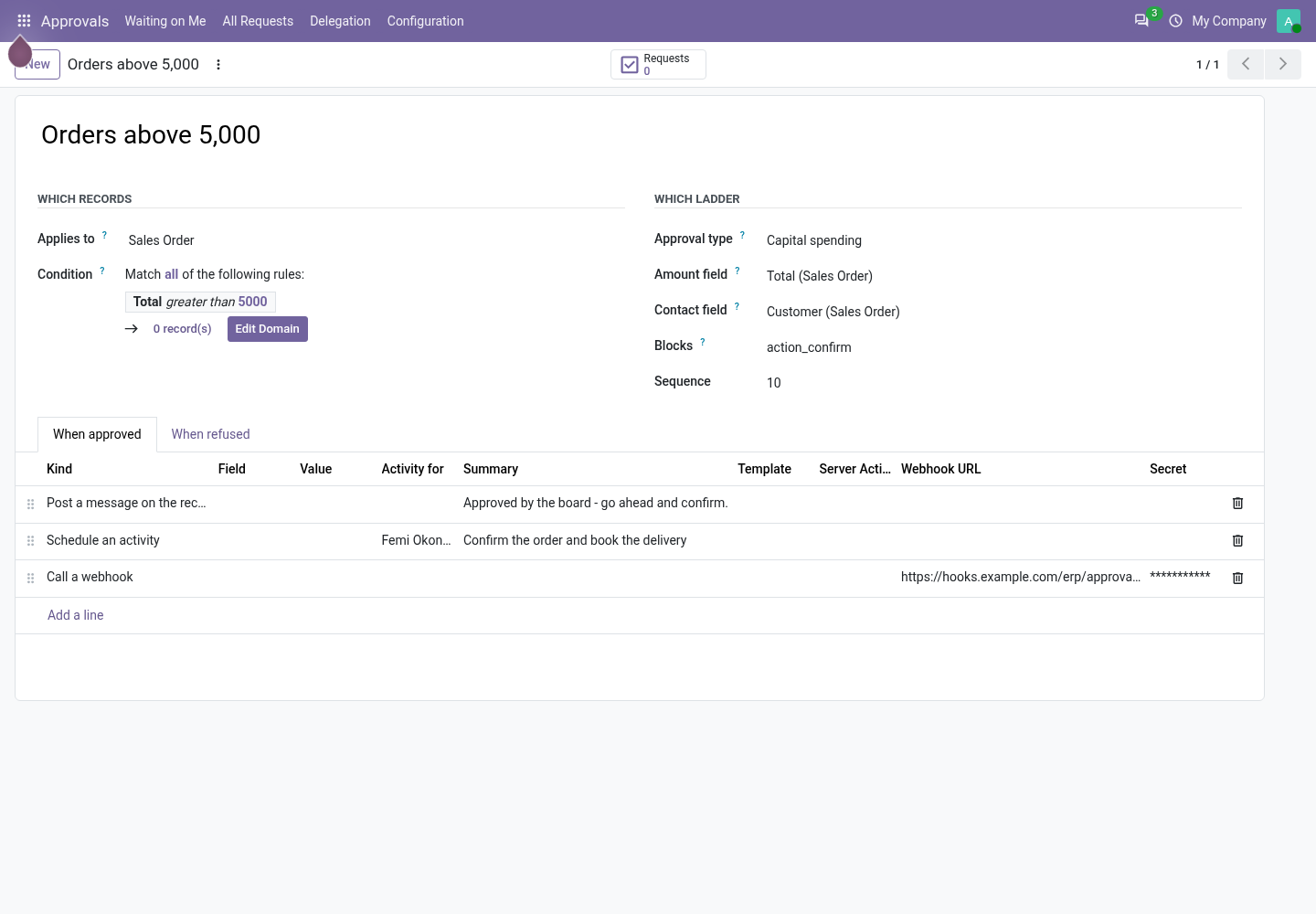
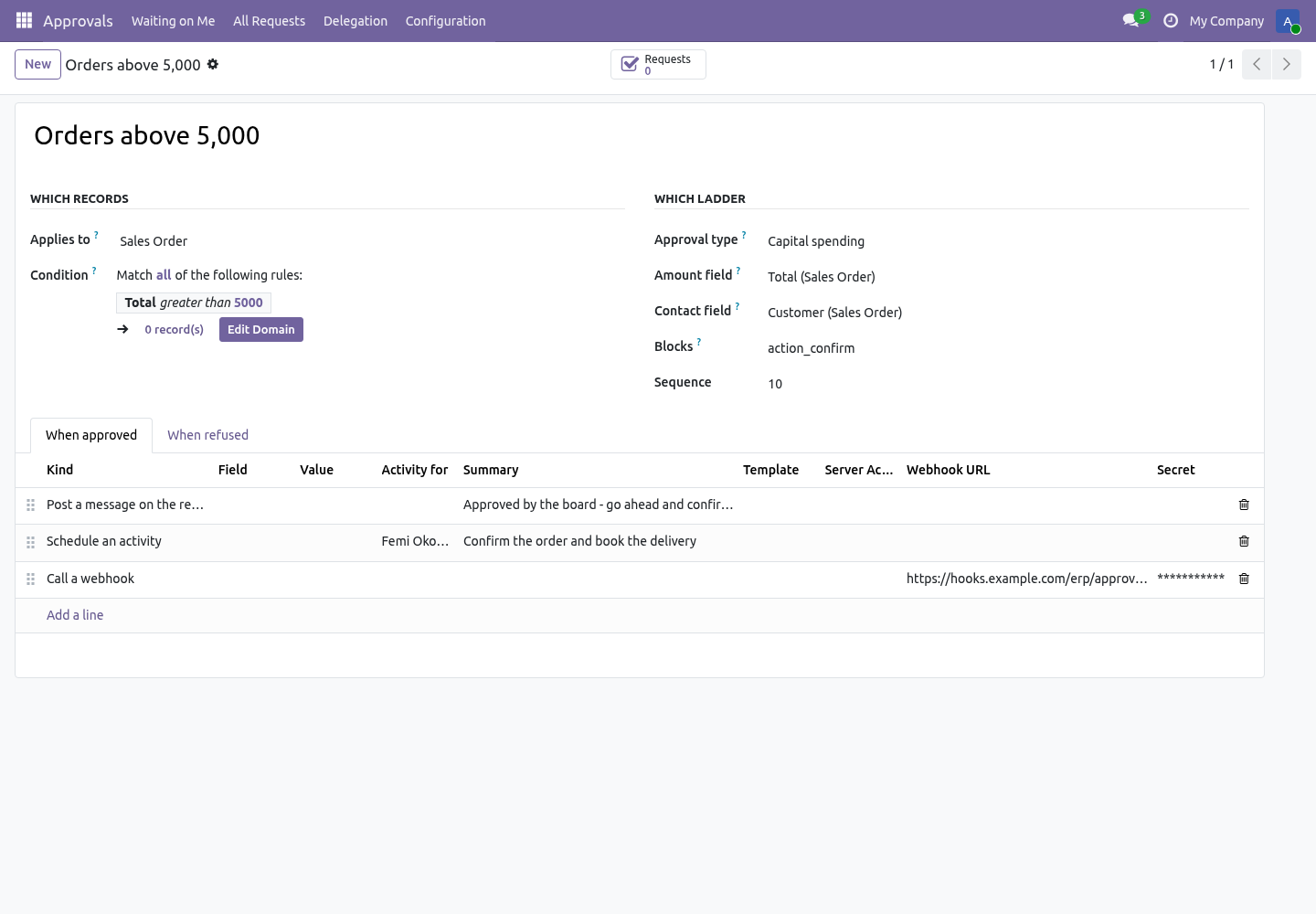
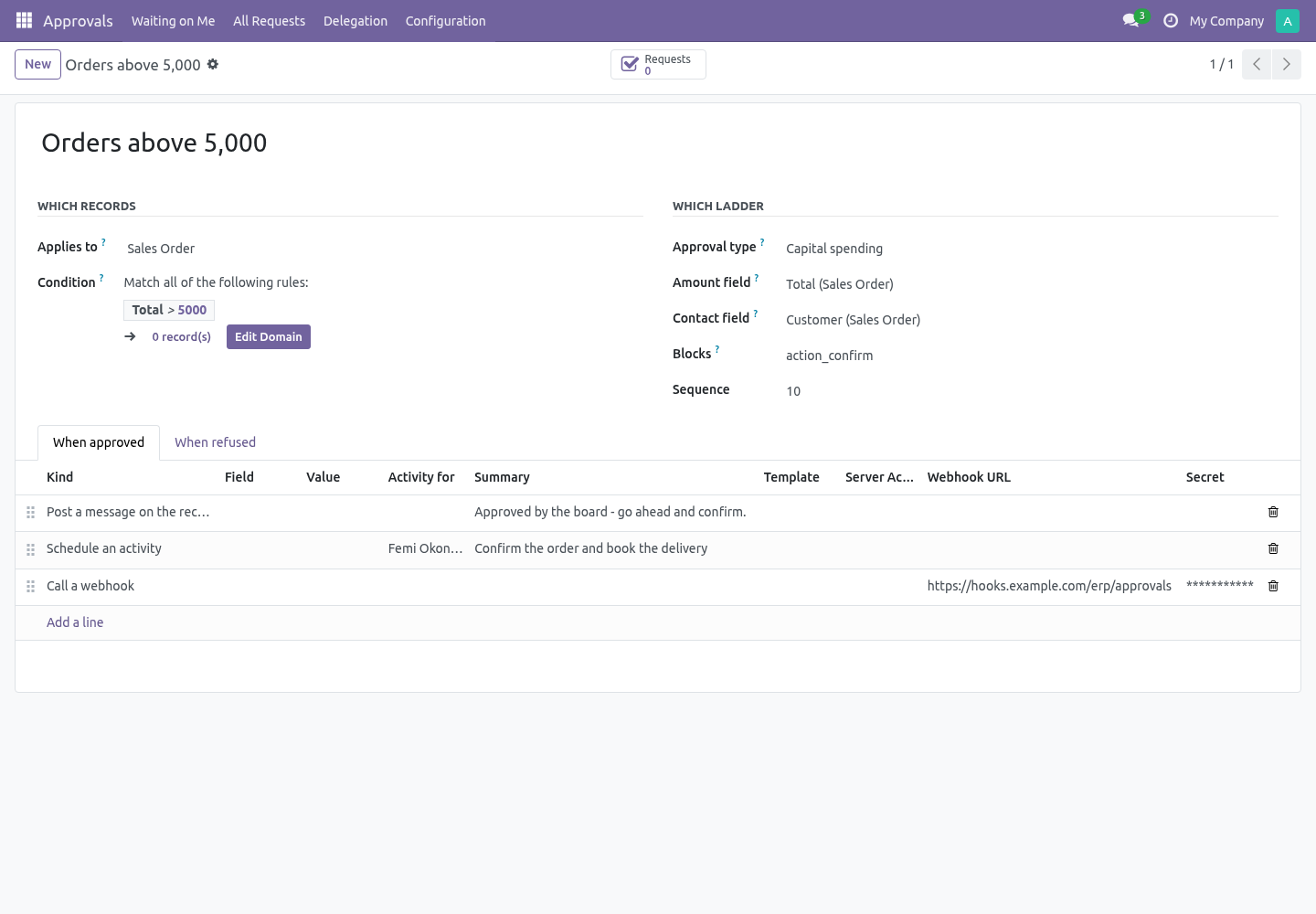
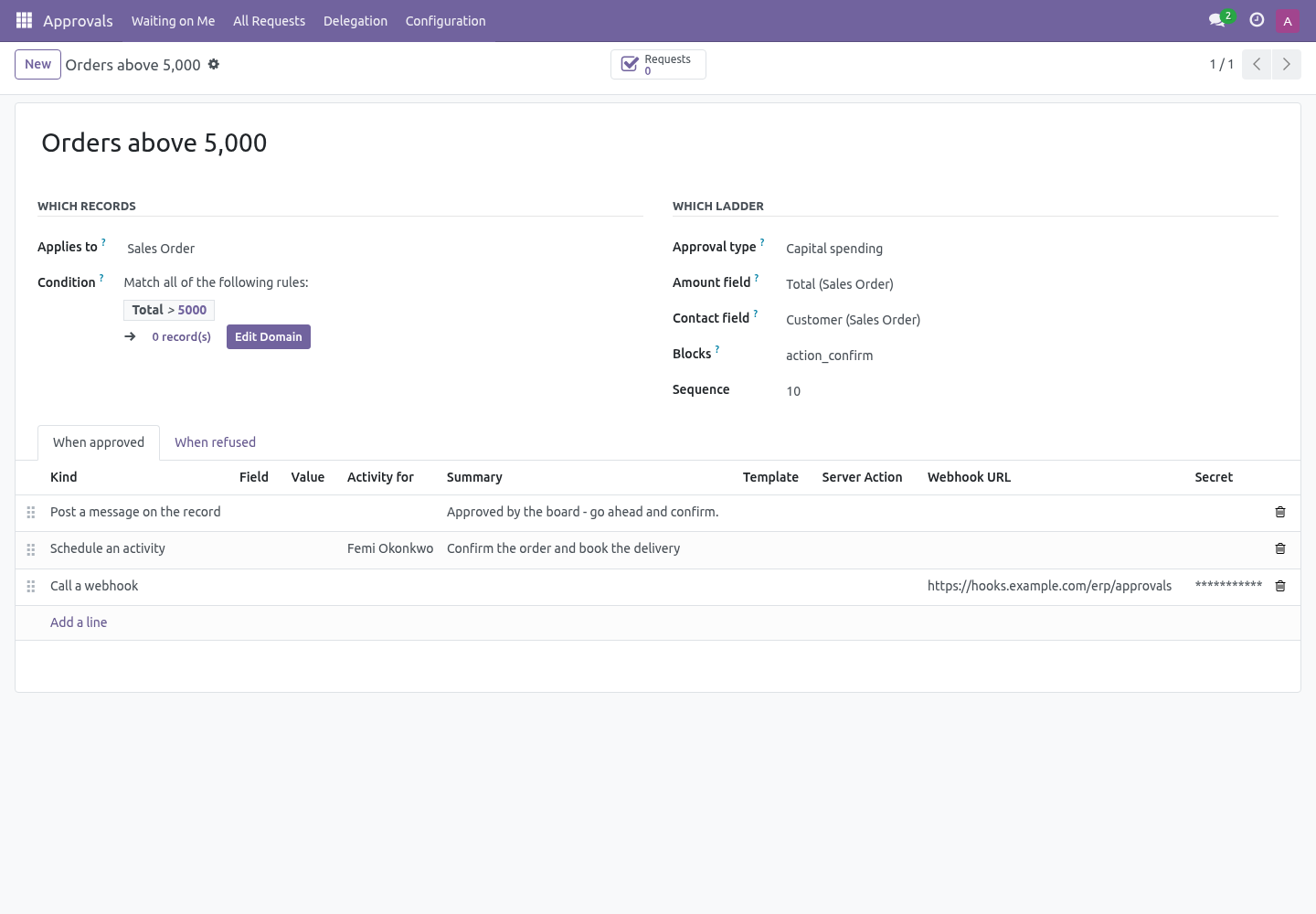
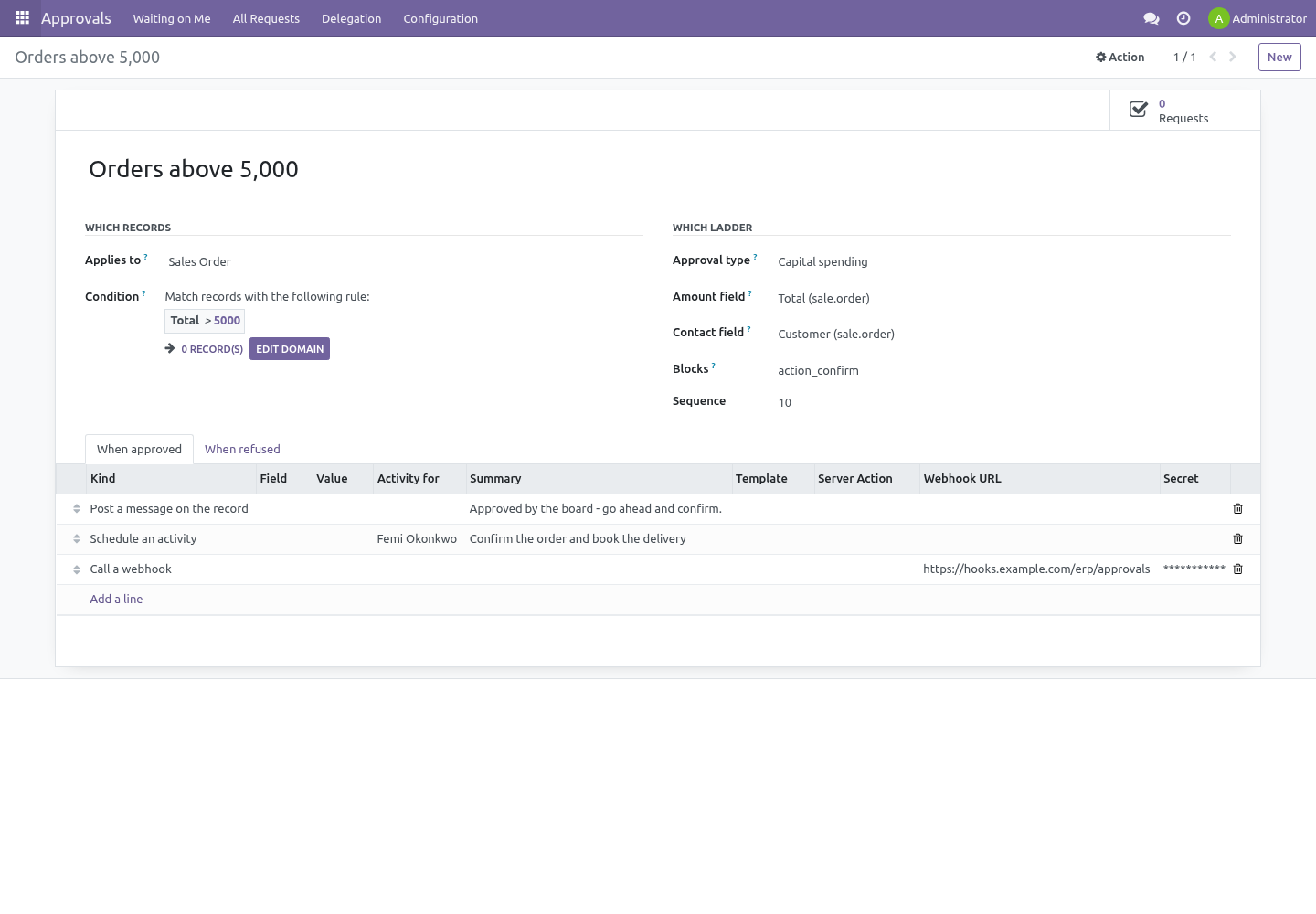
A type is a ladder. A rule (Configuration → Approval Rules) says which records climb it:
the model - sales orders, purchase orders, invoices, transfers, or anything with a form;
the condition, written in the same editor as a filter: amount above 5,000, margin below 20 %, a tag on the customer, a company;
the ladder it climbs, and the amount field on the record that the steps' floors are compared with, the contact field that names the contact on the request;
what the record's own button is called, when the approval should stand in front of it (Blocks, below).
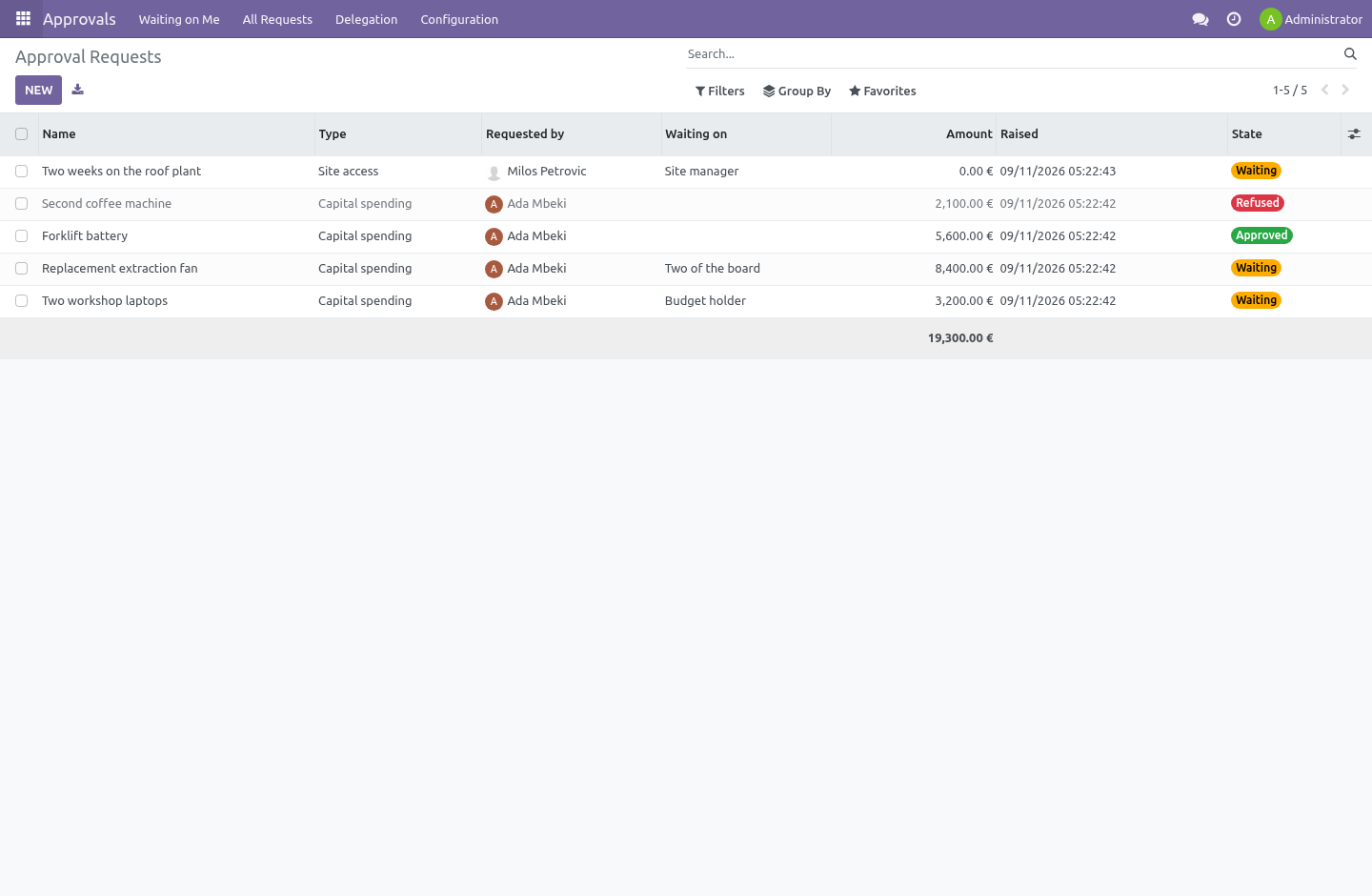
Every model with an active rule gets Request approval in its Action menu. Pick the records, choose it, and a request is raised for each one on every rule that matches - named after the type and the record, carrying the amount and the contact, linked both ways: the request has a Record button, the record's chatter says it was sent. A record with a request already open is left alone.
What the decision does
On the rule, two lists: When approved and When refused. Each line is one of:
Set a field on the record - a stage, a flag, a text; the value is typed as text and coerced to the field.
Schedule an activity for a named user, with a summary.
Send a mail template of the record's model.
Run a server action of the record's model.
Post a message on the record.
Call a webhook: a JSON body with the request, the record and the rule, signed with HMAC-SHA256 in X-BF-Signature when a secret is set, so the receiver can check it is yours.
They run in order, the moment the request is decided. One that fails - a webhook that is down, a template that errors - is written to the request's chatter and never undoes the decision it follows.
A type asks its own questions
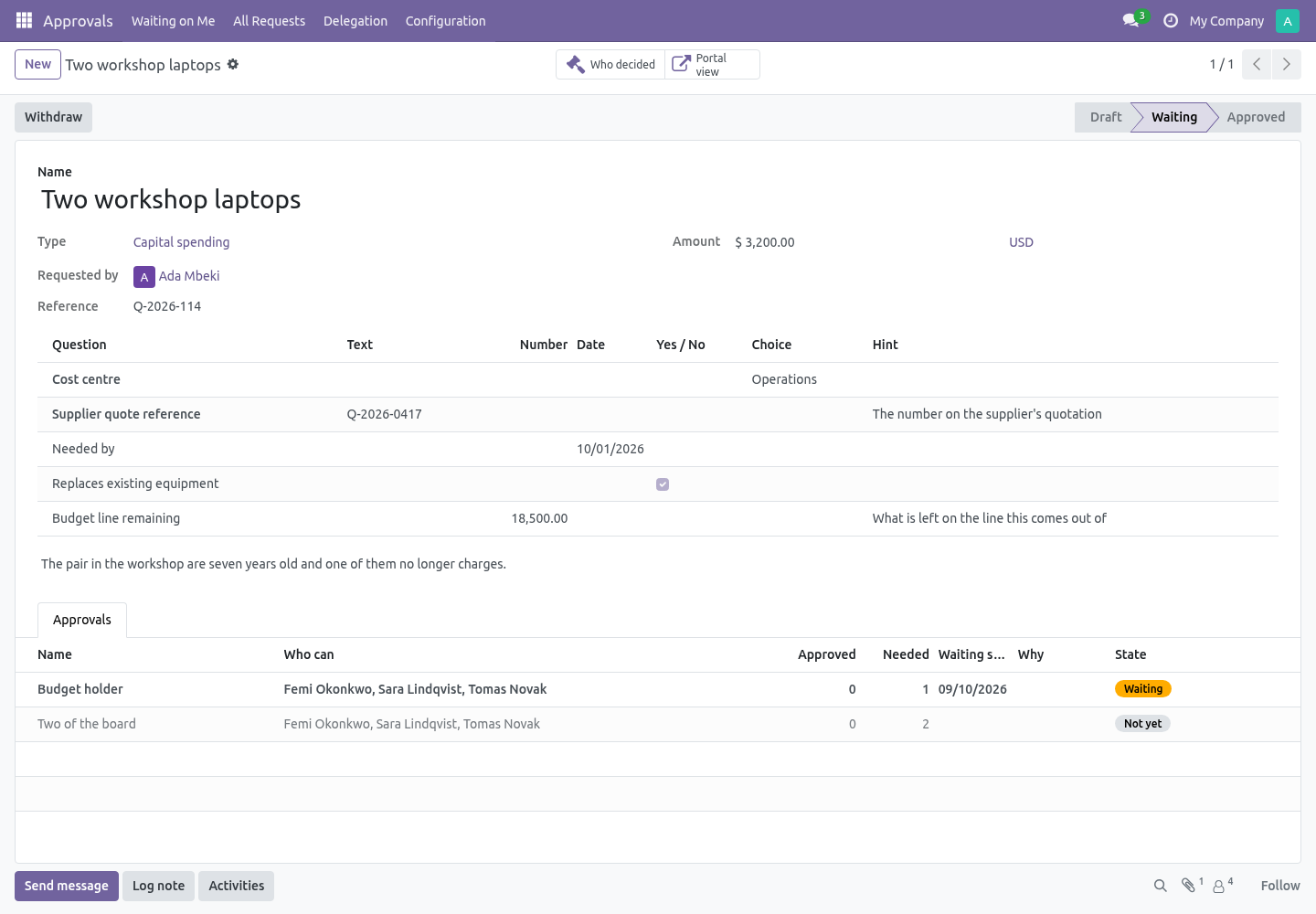
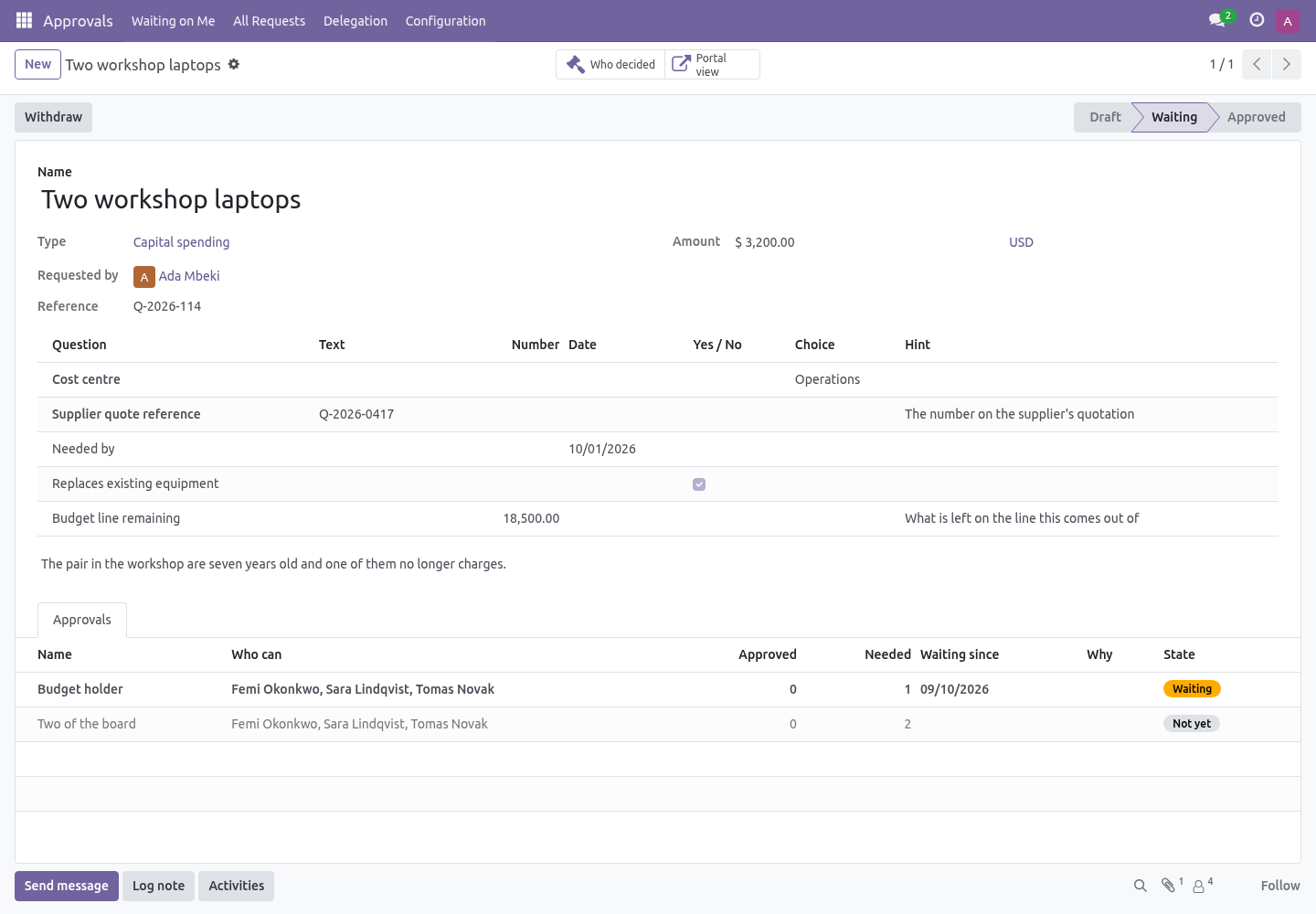
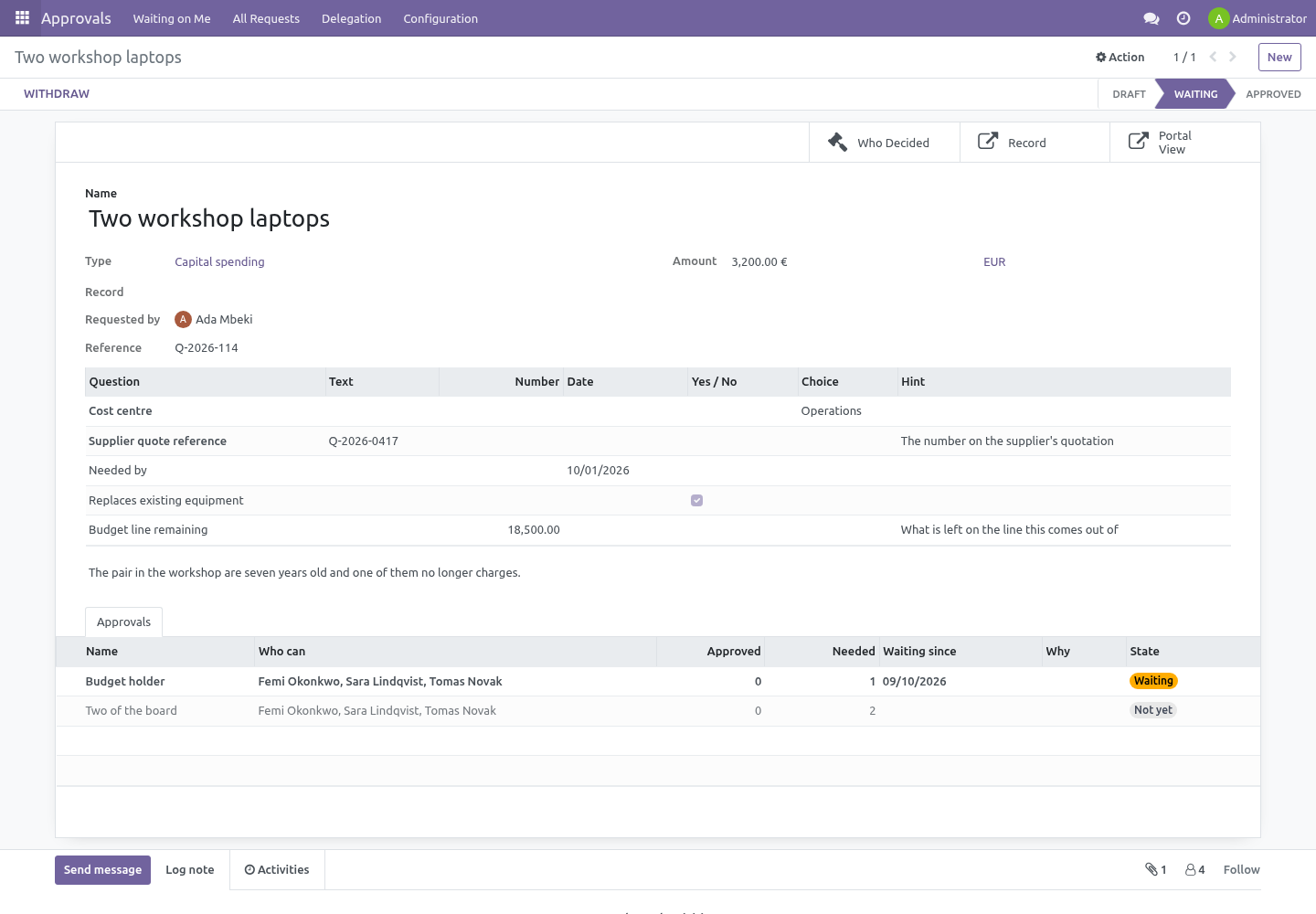
Period, amount, quantity, contact, reference and attachment are the standard fields a type can ask for. On the type's Questions tab you add the rest: a cost centre as a choice, a laptop model as text, a start date, a yes/no, a number, a contact, a user. Each question has a label, a type, whether it is required, and a hint.
A request of that type carries one row per question, right above the details, typed by the question: a date picker for a date, a dropdown for a choice, a contact picker for a contact. A required question stops the request being submitted until it is answered - the message names the question. The answers travel with the request, are read-only once it is submitted, and are on the decision trail with everything else. From code, request._bf_answers() gives them as a dictionary of label to text, for a mail template or a webhook.
No model is created and no view is generated: the questions are rows, which is why they need no upgrade, no Studio, and no developer. What this is not: a form for people without an Odoo login. Requests are raised in Odoo, and Odoo's own screens work on a phone.
SLA clocks and parallel rungs
Every step of a type can carry an SLA in hours. The clock starts when the step opens; when it runs out, everybody who can act on the step is chased with an activity, the request's chatter says the step passed its SLA, and the request is flagged Past its SLA - a filter on the list, so the overdue ones are one click.
A step ticked Together with the step above opens at the same time as the one before it instead of after it. Both are asked at once; the request moves on when both are done. Three steps - the team, legal in parallel, then the board - is the shape most contracts want.
Who can do what
Approvals › User — everybody has it. Raise requests, act on the ones waiting on you, arrange your own cover.
Approvals › Administrator — defines the types and the steps, sees every request including confidential ones, and can withdraw one on somebody's behalf.
An administrator cannot edit a decision. Nobody can.
Nothing from Enterprise
The module depends on mail and nothing else. hr is used if it happens to be installed, to find who somebody reports to.
Without it — and for anybody at the top of the tree, who reports to nobody — "the requester's manager" resolves to nobody. A step is asked to name somebody who is not the manager as well, and a step that ends up with nobody on it stops the request from being submitted and says why. Both examples shipped with the module are built that way.
How we make sure it works
Before every release, 117 automated checks run against this app on Odoo 16, 17, 18, 19 and 20. Among them:
One person cannot cast two votes on the same step.
A type that is not offered is refused by the model.
A request cannot be raised in somebody else's name.
A type offered on the portal cannot require the unaskable.
A visitor cannot name a contact that is not theirs.
The complete list is in the source you receive.
What it does not do
Said before you buy, because it is the half that decides whether the app fits:
Approve anything by itself: a request that no step applies to is refused, not passed.
Let a requester approve their own request - not as a member of the group, not as their own manager, not through a delegation.
Watch records on its own: a rule raises a request from the Action menu or from the button it blocks, not from a save. A record edited after its approval is not re-approved unless you raise it again.
Install
Copy bambooforge_approvals into your addons path and update the app list, or install the ZIP from the Odoo Apps Store.
Install Approval Workflow for Odoo Community.
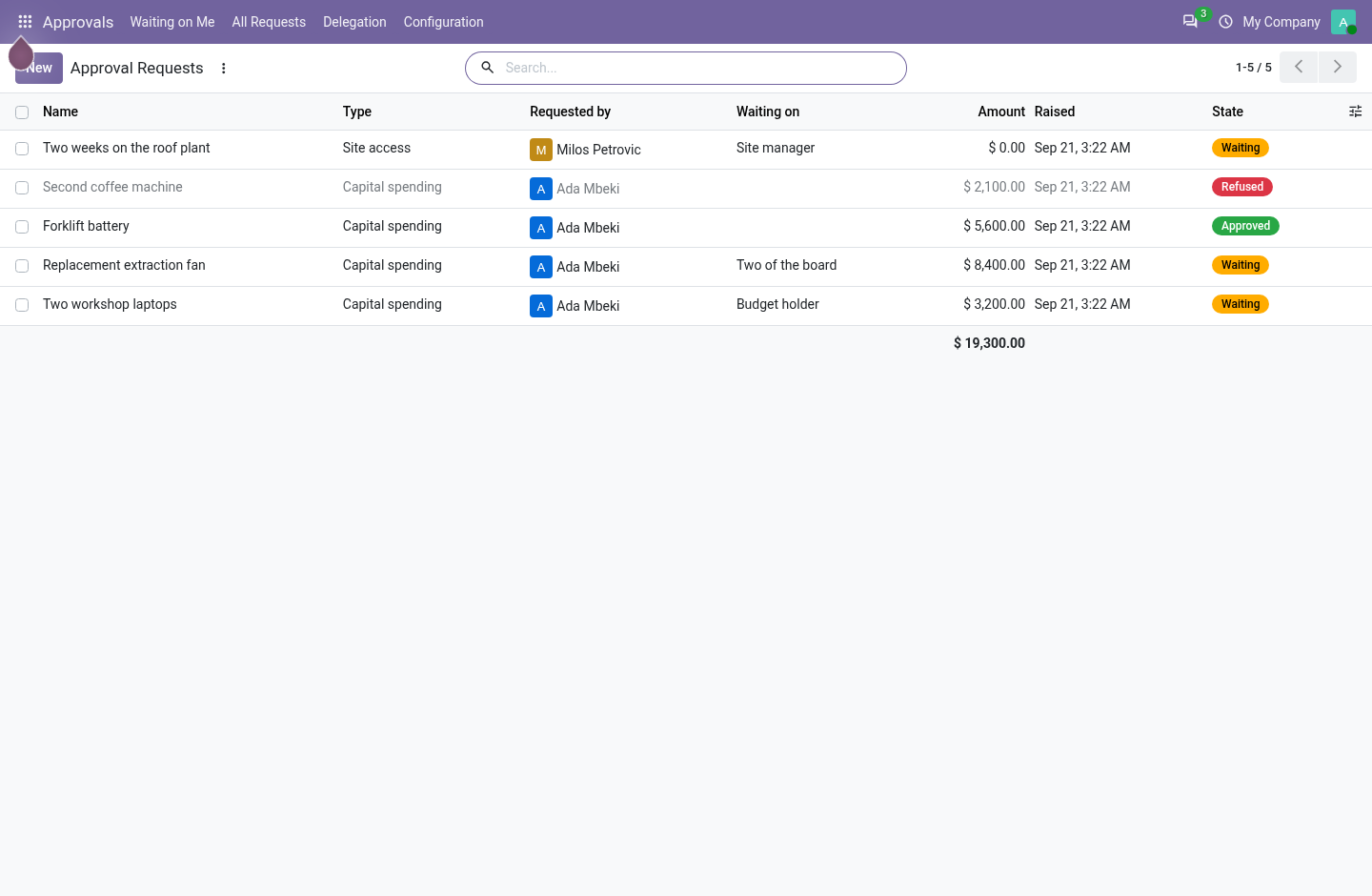
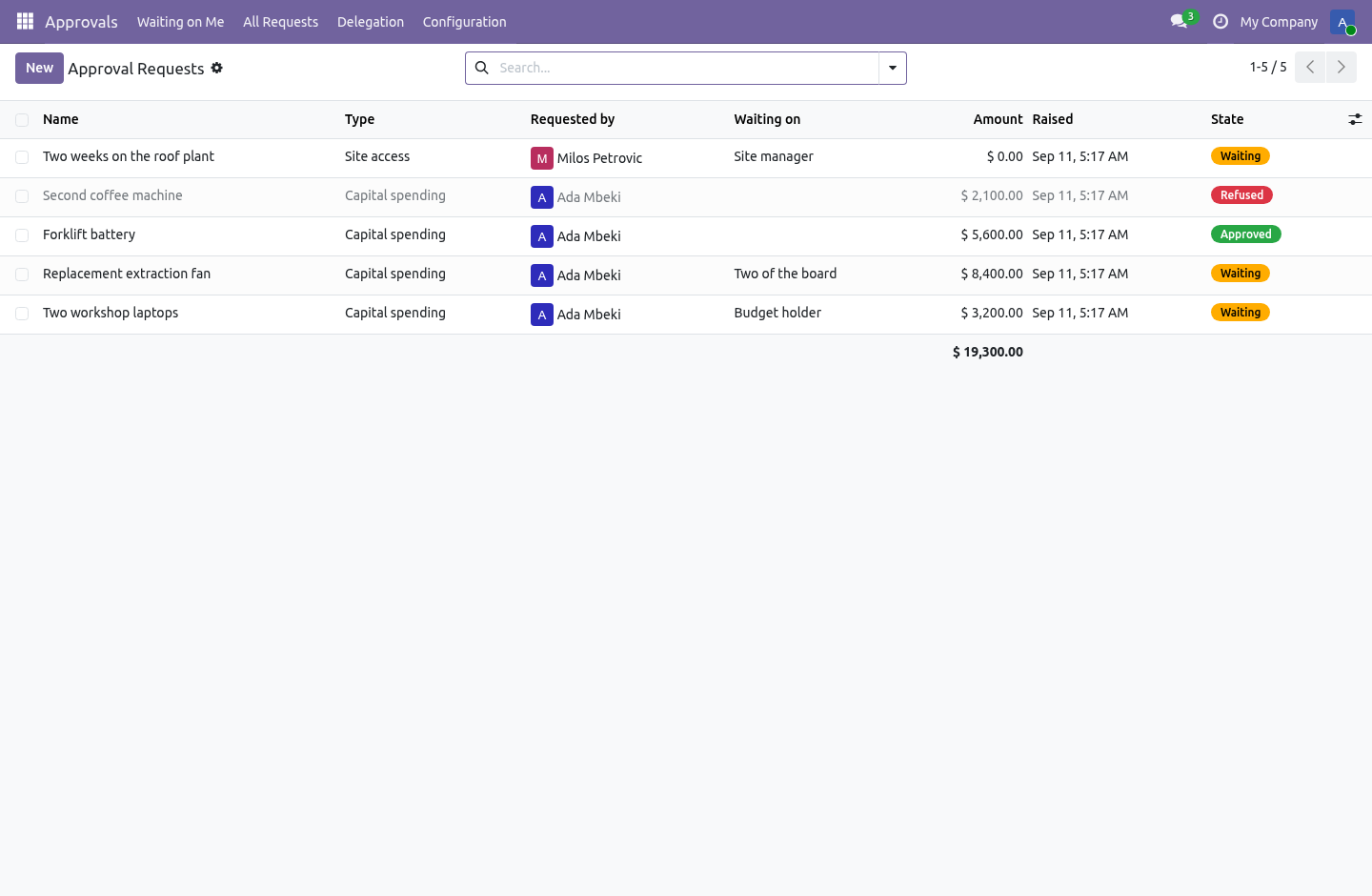
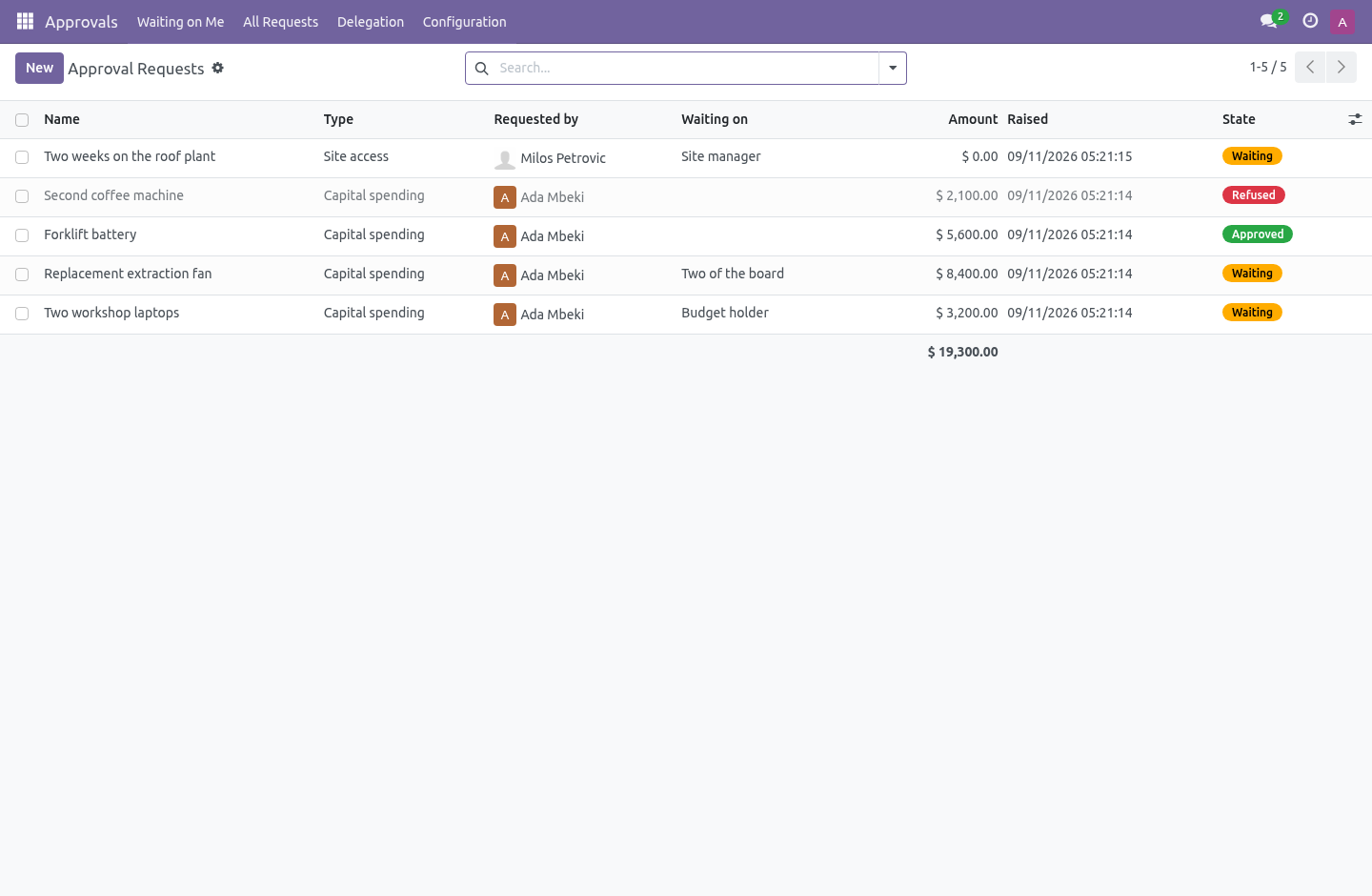
Open Approvals - its menus are Waiting on Me, All Requests, Delegation, Configuration.
Questions people ask
- Which Odoo versions does it run on?
Odoo 16.0, 17.0, 18.0, 19.0, 20.0, on the series you buy it for; each series is its own listing.
- Community or Enterprise?
Both. It needs no Enterprise app.
- What does it need?
The standard Discuss app. No extra Python package.
- Where does it show up?
Under the Approvals menu (Waiting on Me, All Requests, Delegation, Configuration).
- Does anything leave my server?
No. It makes no call outside your Odoo server: no telemetry, no licence check, no third-party service.
- What happens if I uninstall it?
Odoo drops the app's own tables and fields; the standard records it worked on (contacts, orders, products) stay as they are.
Raising one from the portal
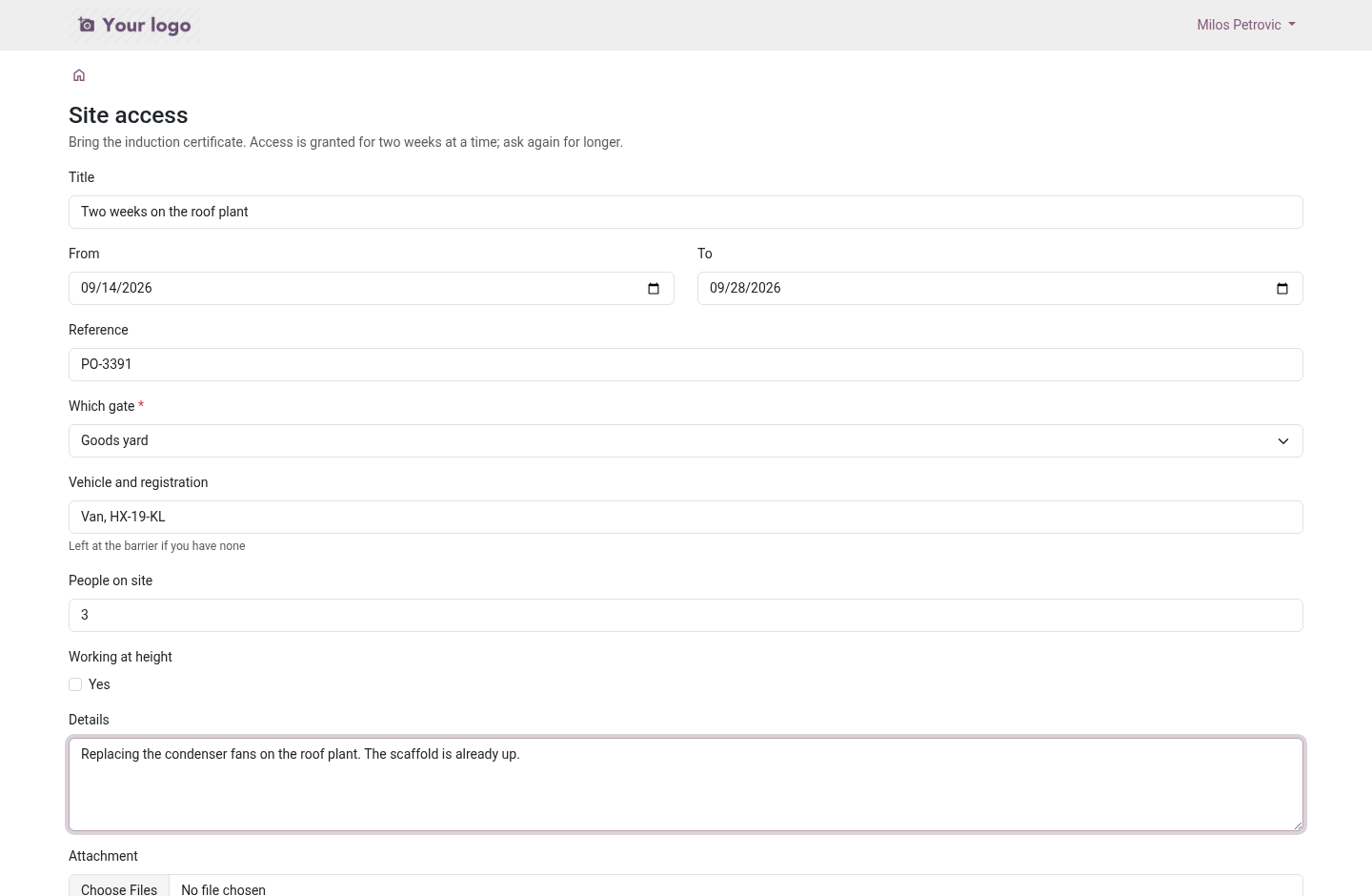
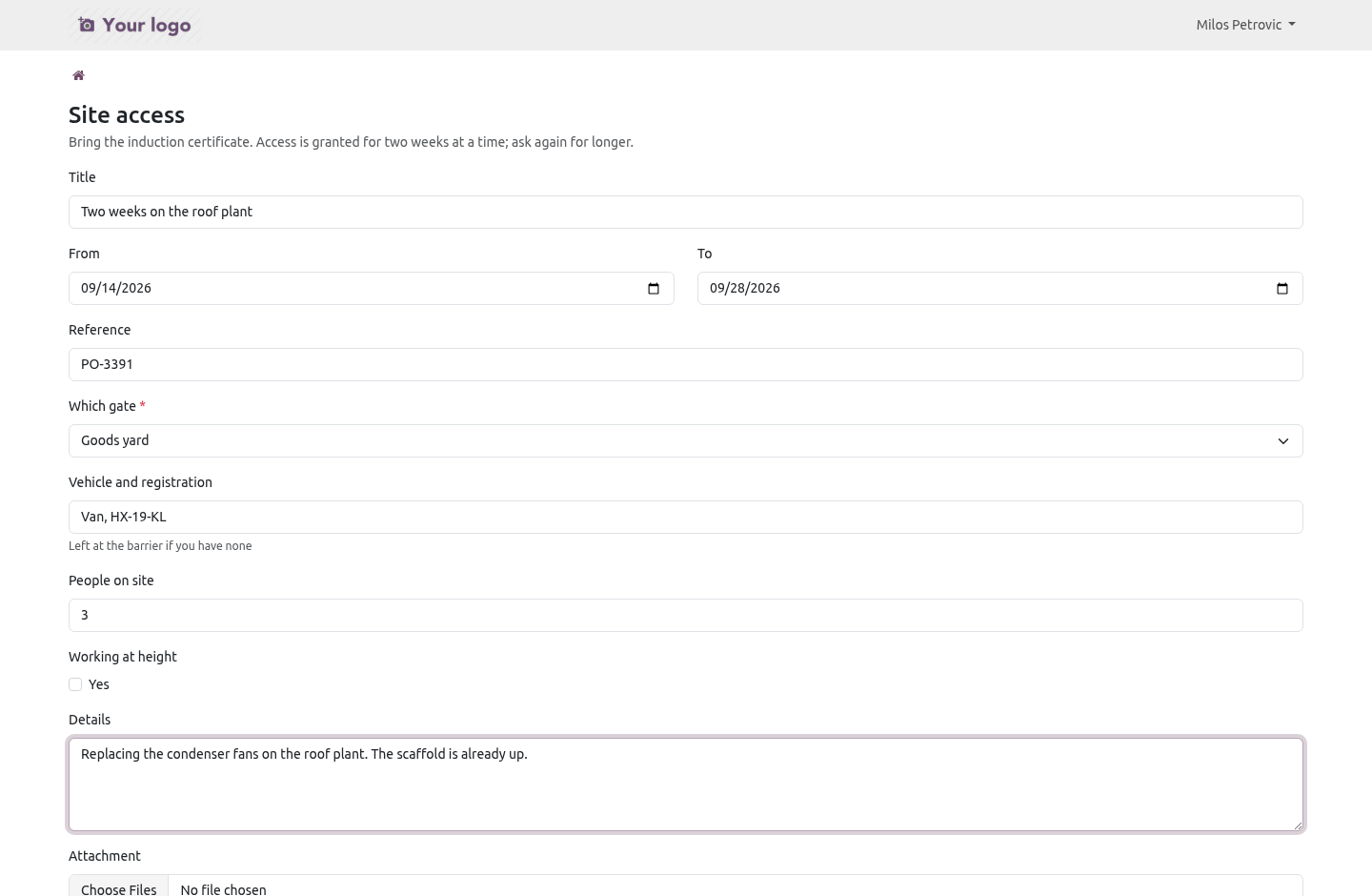
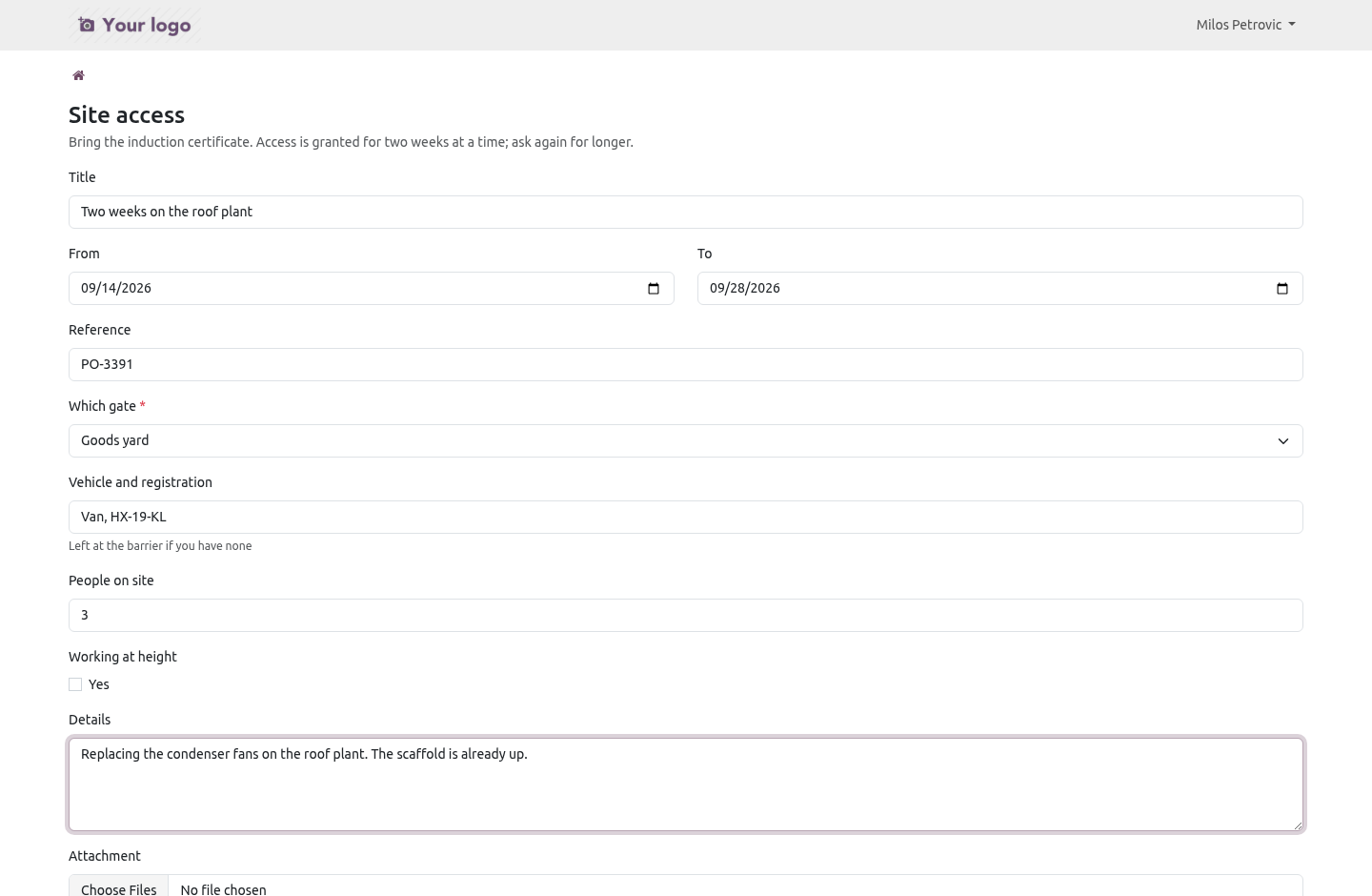
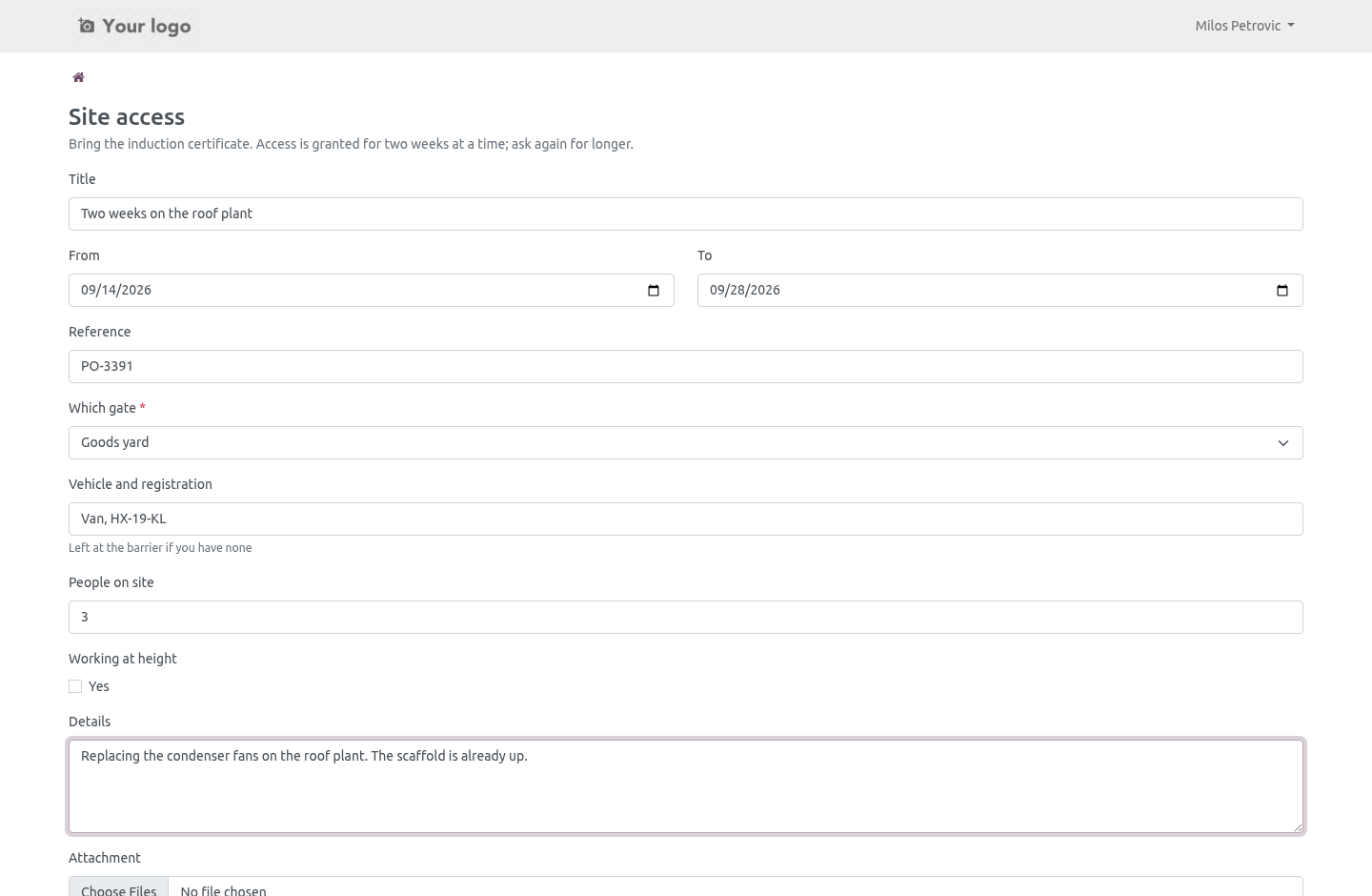
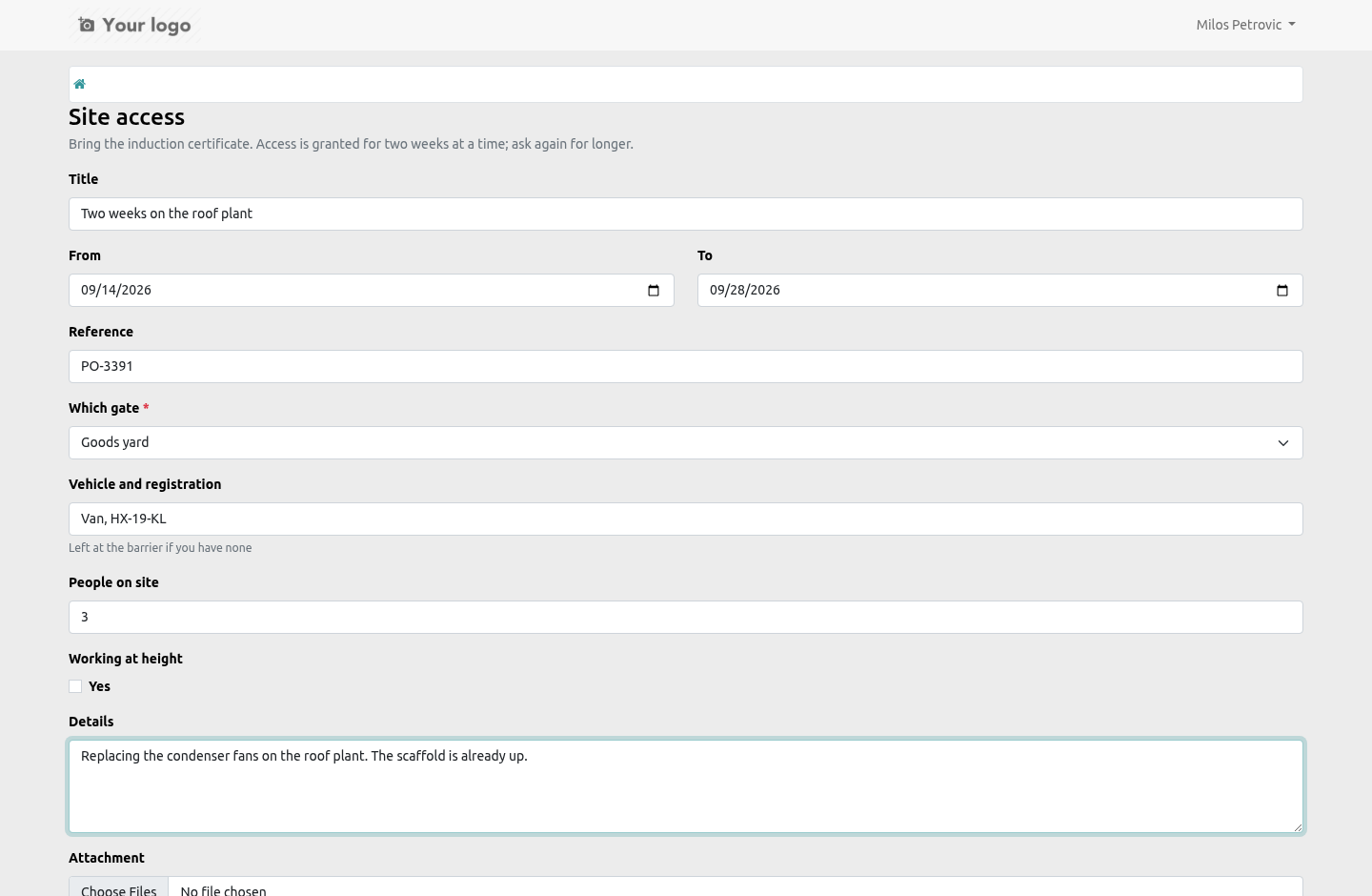
The people who ask for things often have no Odoo login worth paying for: a contractor asking for site access, a subcontractor asking for a purchase order, a new starter asking for a laptop. Tick Offered on the portal on a request type and it appears at /my/approvals, on a phone as readily as a desk.
What the visitor gets:
The type's own form - the standard fields it asks for (period, amount, quantity, contact, reference, attachment) and every question you put on it, in the order you put them.
Their own requests, and nobody else's: what they raised, what it is waiting on, who has decided, and why if it was refused.
Their decision, if the ladder waits on them - approve, or refuse with a reason. The refusal needs the reason; the person who asked reads it.
Withdraw, while it is still theirs to withdraw.
What they never get: somebody else's request, a request they were not named on, or a way to set a field the form does not show. Every route hands the form to the model, which whitelists what a form may write, forces the requester to whoever is logged in, and resolves each answer against the questions that type actually asks. A contact question offers the visitor their own company's contacts and nothing else.
Two things the portal cannot ask, and says so:
a question whose kind is User - a visitor has no back end to pick an internal user in;
a question you marked Ask on the portal: no - the cost centre the office fills in.
Make either of them required on a type that is offered on the portal and the type refuses to save, rather than offering a form nobody can submit.
The ladder, the SLA clock, the escalation activities and the trail are the same as for a request raised in the back end. A portal request is not a lesser request: it is the same record, raised by the person who wanted the thing.
What changed in 1.4
A portal form: a request type offered on the portal is raised at /my/approvals by anybody with a portal login - the type's own questions, their own requests, approve or refuse from a phone, and nothing of anybody else's.
What changed in 1.3
Questions on a request type: text, number, date, yes/no, choice, contact, user - required or not - answered on the request, checked on submit, on the trail. No model, no generated view.